perfetto使用简介
perfetto使用简介
文章目录
- perfetto使用简介
- 一、使用方法
- 1.1 打开perfetto的设置界面
- 1.1.1 adb指令
- 1.1.2 系统设置
- 1.2 打开录制跟踪记录功能
- 1.3 打开跟踪记录功能后,运行需要调试的APP
- 1.4 运行完操作之后点击,可点击下拉菜单停止跟踪记录
- 1.5 导出trace文件
- 二、打开trace文件
- 2.1 google浏览器打开perfetto网址
- 2.2 打开trace文件!
- 三、可以开始分析了
- 四、参考record command
一、使用方法
1.1 打开perfetto的设置界面
1.1.1 adb指令
adb shell am start com.android.traceur/com.android.traceur.MainActivity
1.1.2 系统设置
打开Settings->System->Developer options->System Tracing(系统跟踪)
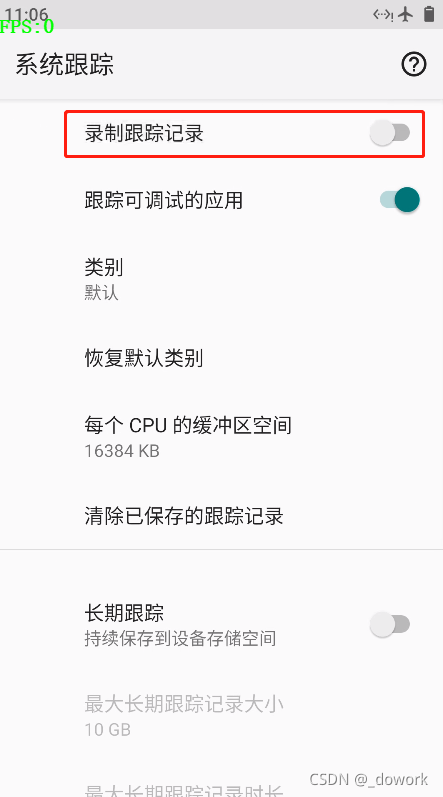
1.2 打开录制跟踪记录功能

1.3 打开跟踪记录功能后,运行需要调试的APP
1.4 运行完操作之后点击,可点击下拉菜单停止跟踪记录
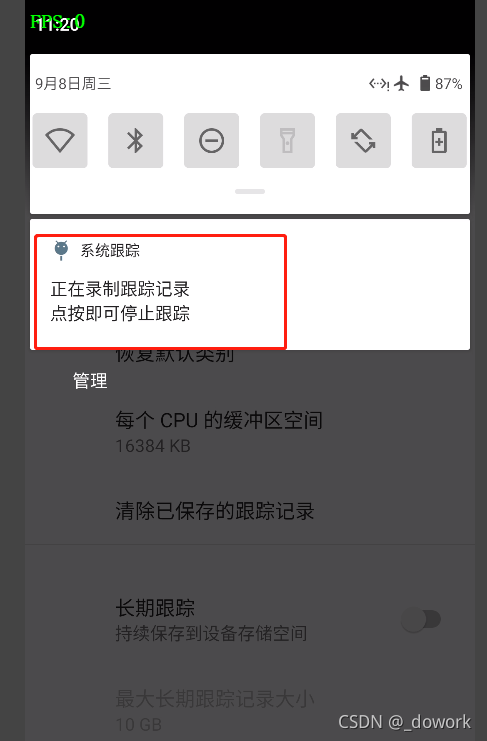
1.5 导出trace文件
adb pull /data/local/traces .
二、打开trace文件
2.1 google浏览器打开perfetto网址
[]: https://ui.perfetto.dev/#!/
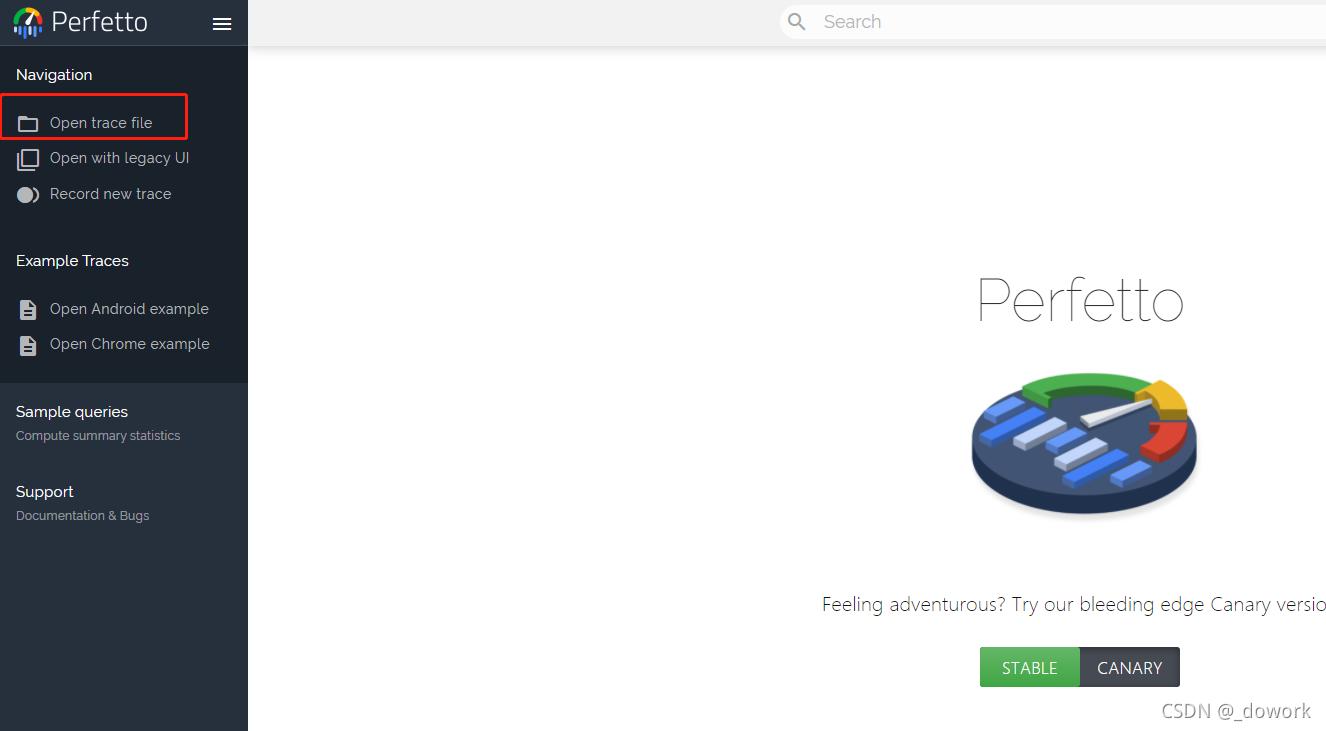
2.2 打开trace文件!
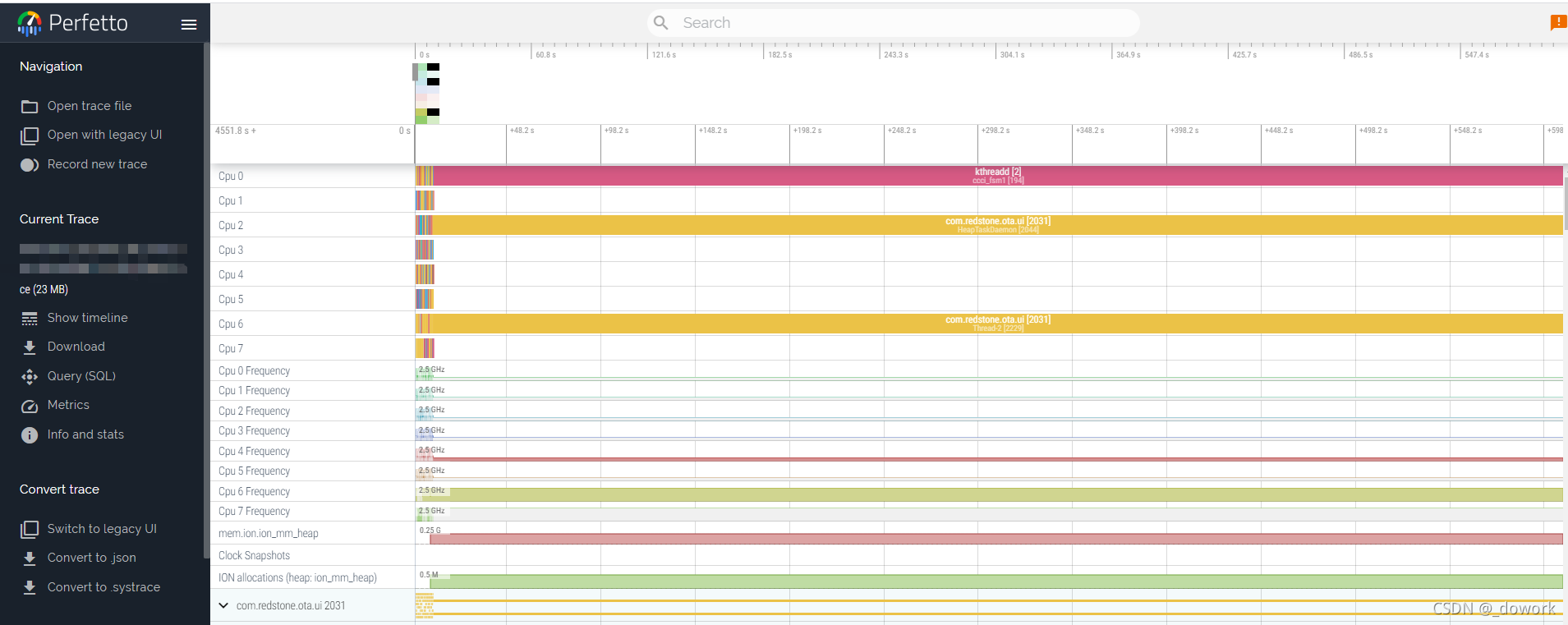
三、可以开始分析了
四、参考record command
# Needed only on Android 9 (P) and 10 (Q) on non-Pixel phones.
adb shell setprop persist.traced.enable 1
adb shell perfetto \-c - --txt \-o /data/misc/perfetto-traces/trace \
<<EOFbuffers: {size_kb: 63488fill_policy: DISCARD
}
buffers: {size_kb: 2048fill_policy: DISCARD
}
data_sources: {config {name: "android.gpu.memory"}
}
data_sources: {config {name: "linux.process_stats"target_buffer: 1process_stats_config {scan_all_processes_on_start: true}}
}
data_sources: {config {name: "android.log"android_log_config {log_ids: LID_EVENTSlog_ids: LID_CRASHlog_ids: LID_KERNELlog_ids: LID_DEFAULTlog_ids: LID_RADIOlog_ids: LID_SECURITYlog_ids: LID_STATSlog_ids: LID_SYSTEM}}
}
data_sources: {config {name: "android.surfaceflinger.frametimeline"}
}
data_sources: {config {name: "linux.sys_stats"sys_stats_config {stat_period_ms: 1000stat_counters: STAT_CPU_TIMESstat_counters: STAT_FORK_COUNT}}
}
data_sources: {config {name: "linux.ftrace"ftrace_config {ftrace_events: "sched/sched_switch"ftrace_events: "power/suspend_resume"ftrace_events: "sched/sched_wakeup"ftrace_events: "sched/sched_wakeup_new"ftrace_events: "sched/sched_waking"ftrace_events: "power/cpu_frequency"ftrace_events: "power/cpu_idle"ftrace_events: "power/gpu_frequency"ftrace_events: "gpu_mem/gpu_mem_total"ftrace_events: "sched/sched_process_exit"ftrace_events: "sched/sched_process_free"ftrace_events: "task/task_newtask"ftrace_events: "task/task_rename"ftrace_events: "ftrace/print"atrace_categories: "am"atrace_categories: "adb"atrace_categories: "aidl"atrace_categories: "dalvik"atrace_categories: "audio"atrace_categories: "binder_lock"atrace_categories: "binder_driver"atrace_categories: "bionic"atrace_categories: "camera"atrace_categories: "database"atrace_categories: "gfx"atrace_categories: "hal"atrace_categories: "input"atrace_categories: "network"atrace_categories: "nnapi"atrace_categories: "pm"atrace_categories: "power"atrace_categories: "rs"atrace_categories: "res"atrace_categories: "rro"atrace_categories: "sm"atrace_categories: "ss"atrace_categories: "vibrator"atrace_categories: "video"atrace_categories: "view"atrace_categories: "webview"atrace_categories: "wm"}}
}
duration_ms: 10000EOF
本文来自互联网用户投稿,文章观点仅代表作者本人,不代表本站立场,不承担相关法律责任。如若转载,请注明出处。 如若内容造成侵权/违法违规/事实不符,请点击【内容举报】进行投诉反馈!