SkyWalking 日志收集
SkyWalking 日志收集
- 一、需求
- 二、步骤
- 2.1 pom文件引入依赖
- 2.2 logback-spring.xml文件修改
- 2.3 修改agent的配置文件
- 2.4 启动java应用
- 2.5 日志查看
- 三、验证
- 四、常见问题
- 4.1 修改完logback配置文件,项目启动报错
- 4.1.1 错误
- 4.1.2 解决
- 4.2 UI的log页面没有内容
一、需求
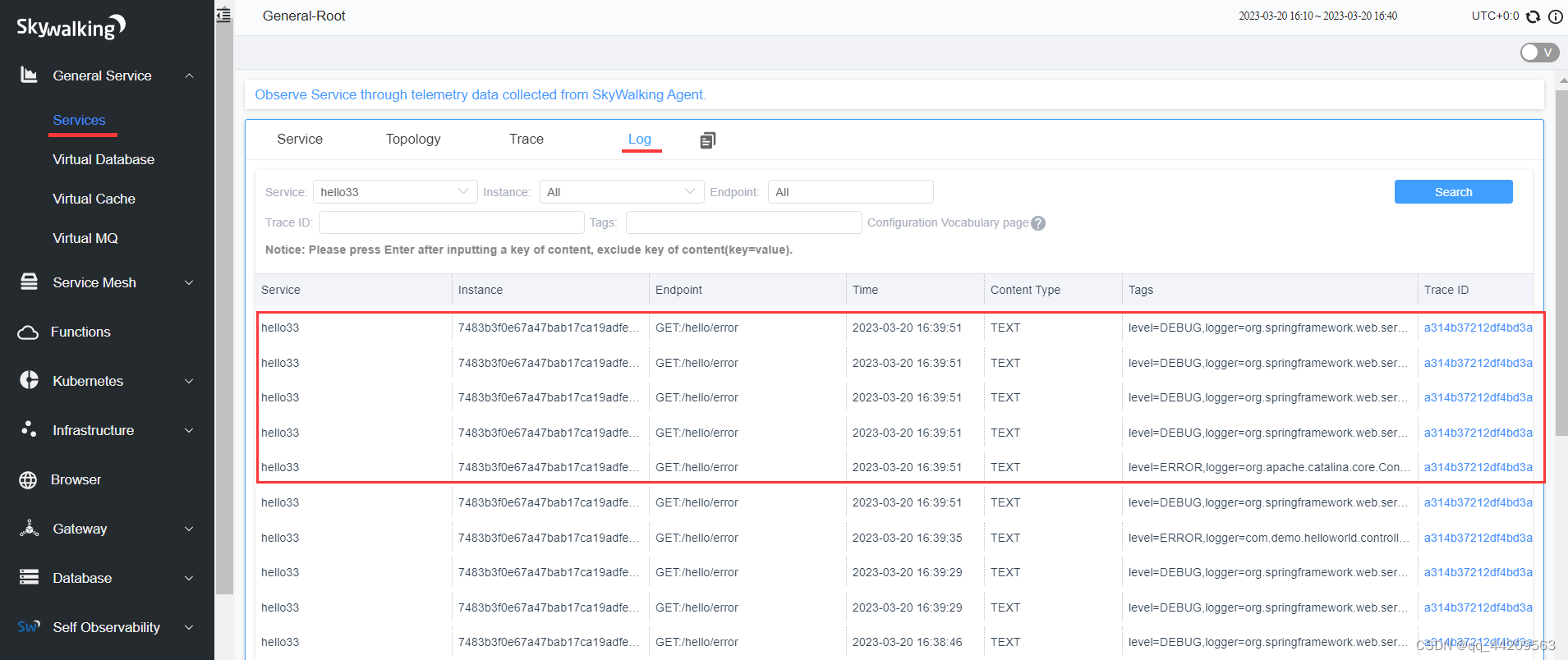
在k8s环境已经部署了SkyWalking 的 oap 和 ui,本地的java应用接入SkyWalking时,想要将控制台的日志信息展示到UI界面
预期效果:
二、步骤
参考官方文档: https://skywalking.apache.org/docs/skywalking-java/v8.14.0/en/setup/service-agent/java-agent/application-toolkit-logback-1.x/
参考文章:
https://blog.csdn.net/hxy793518971/article/details/122046939
https://blog.csdn.net/kingtok/article/details/113886294
2.1 pom文件引入依赖
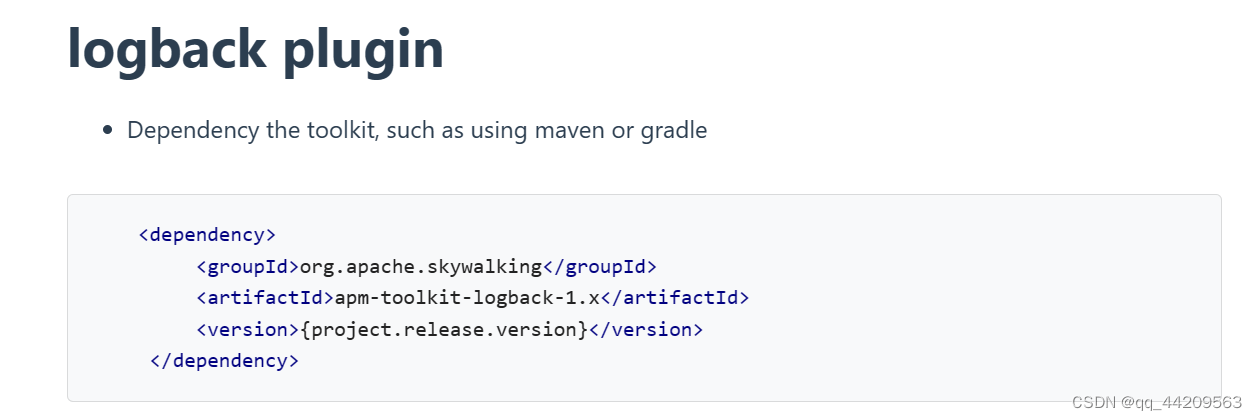
我的配置信息:
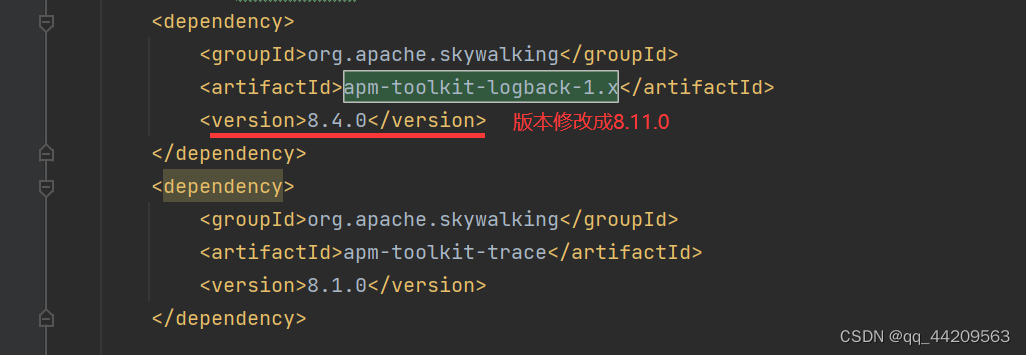
org.apache.skywalking apm-toolkit-logback-1.x 8.11.0 org.apache.skywalking apm-toolkit-trace 8.1.0 2.2 logback-spring.xml文件修改
完整的日志配置文件参考:https://github.com/apache/skywalking/blob/3a8e0c11b782eee37480deb1a3ba44b26a5fdc2c/test/e2e-v2/java-test-service/e2e-service-provider/src/main/resources/logback.xml
官网文档内容:
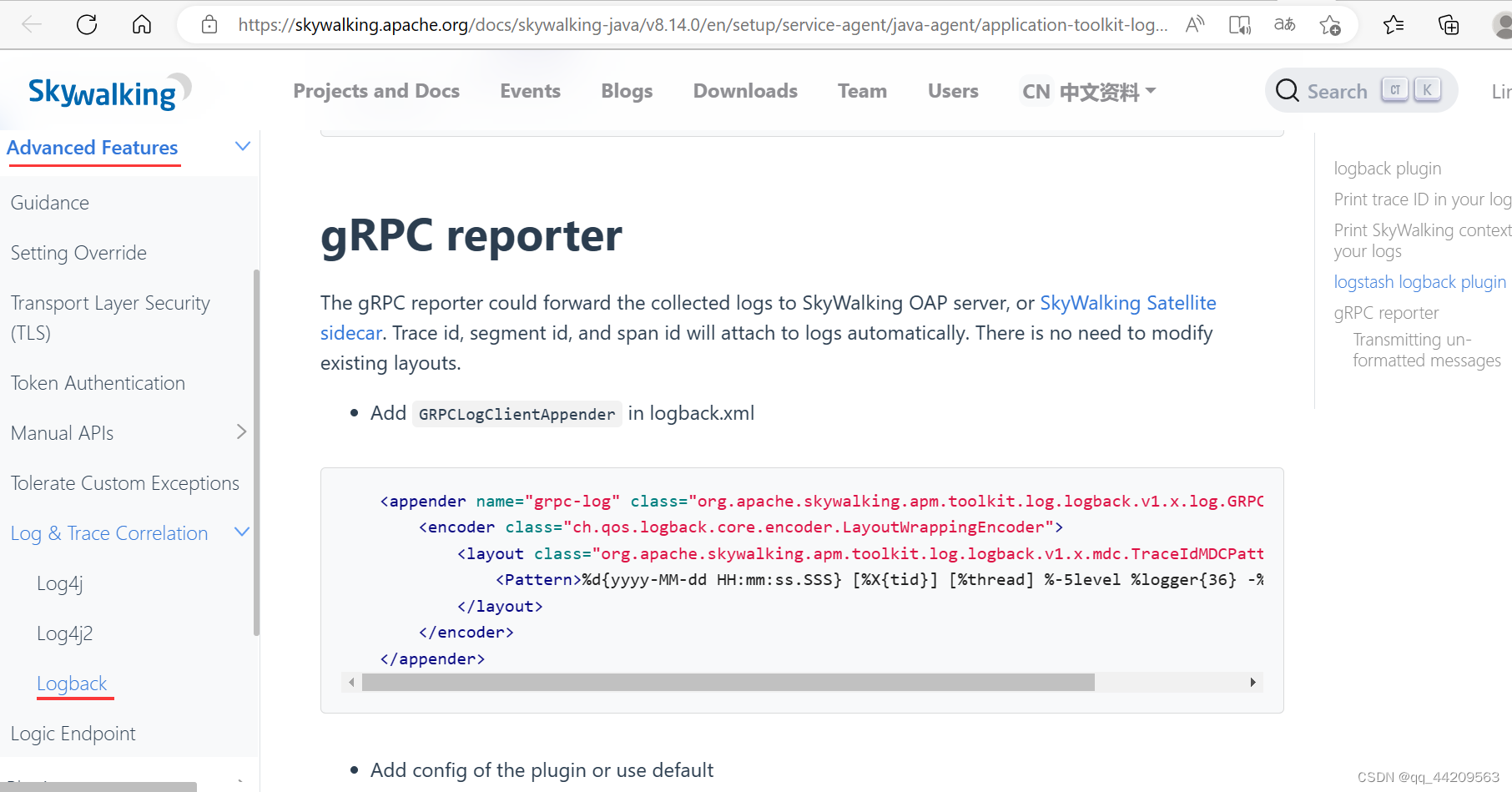
- 添加
appender标签
%d{yyyy-MM-dd HH:mm:ss.SSS} [%X{tid}] [%thread] %-5level %logger{36} -%msg%n root标签内增内容
我的完整logback-spring.xml,有注释增加配置日志收集表示新加的内容:
%d{yyyy-MM-dd HH:mm:ss.SSS} [%tid] [appName=helloTest] [%thread] %-5level %logger{36} - %msg%n 0 1024 true %d{yyyy-MM-dd HH:mm:ss.SSS} [%X{tid}] [%thread] %-5level %logger{36} -%msg%n 2.3 修改agent的配置文件
由于我的java应用是在本地启动,而oap部署在另外一台服务器(java应用和oap不在同一台服务器),所以需要修改agent相关信息。
注:
如果java应用和oap同属一台服务器,则agent配置文件不需要做修改.
skywalking-agent/config/agent.config文件:
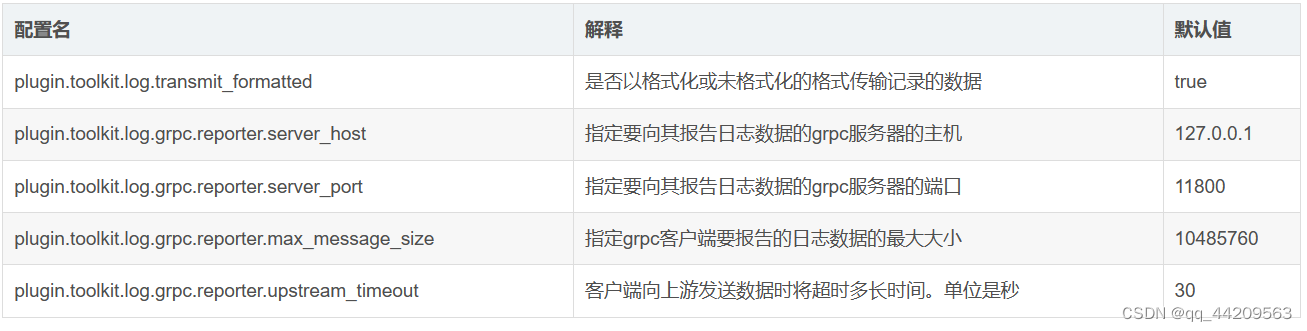
plugin.toolkit.log.grpc.reporter.server_host=${SW_GRPC_LOG_SERVER_HOST:192.168.1xx.130} # oap的部署地址
plugin.toolkit.log.grpc.reporter.server_port=${SW_GRPC_LOG_SERVER_PORT:30078} # oap的采集数据端口
plugin.toolkit.log.grpc.reporter.max_message_size=${SW_GRPC_LOG_MAX_MESSAGE_SIZE:10485760}
plugin.toolkit.log.grpc.reporter.upstream_timeout=${SW_GRPC_LOG_GRPC_UPSTREAM_TIMEOUT:30}
参数说明:
2.4 启动java应用
启动配置:
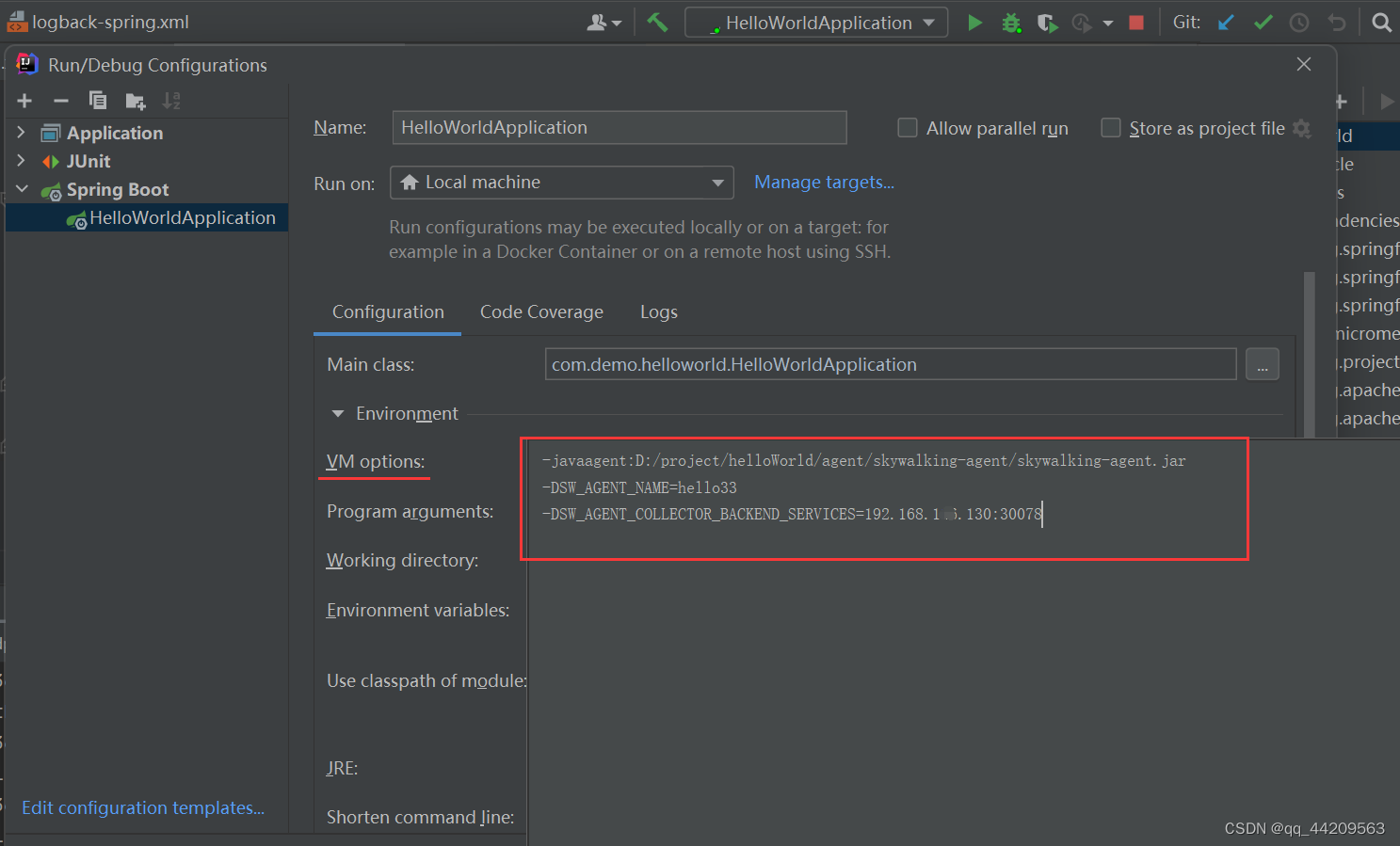
-javaagent:D:/project/helloWorld/agent/skywalking-agent/skywalking-agent.jar
-DSW_AGENT_NAME=hello33
-DSW_AGENT_COLLECTOR_BACKEND_SERVICES=192.168.1xx.130:30078  # oap的采集地址端口
2.5 日志查看
检查启动agent的日志: skywalking-agent/logs/skywalking-api.log
三、验证
java应用启动之后, 请求服务的某个路径,然后查看SkyWalking UI:
-
查看对应的服务log标签页面是否有内容
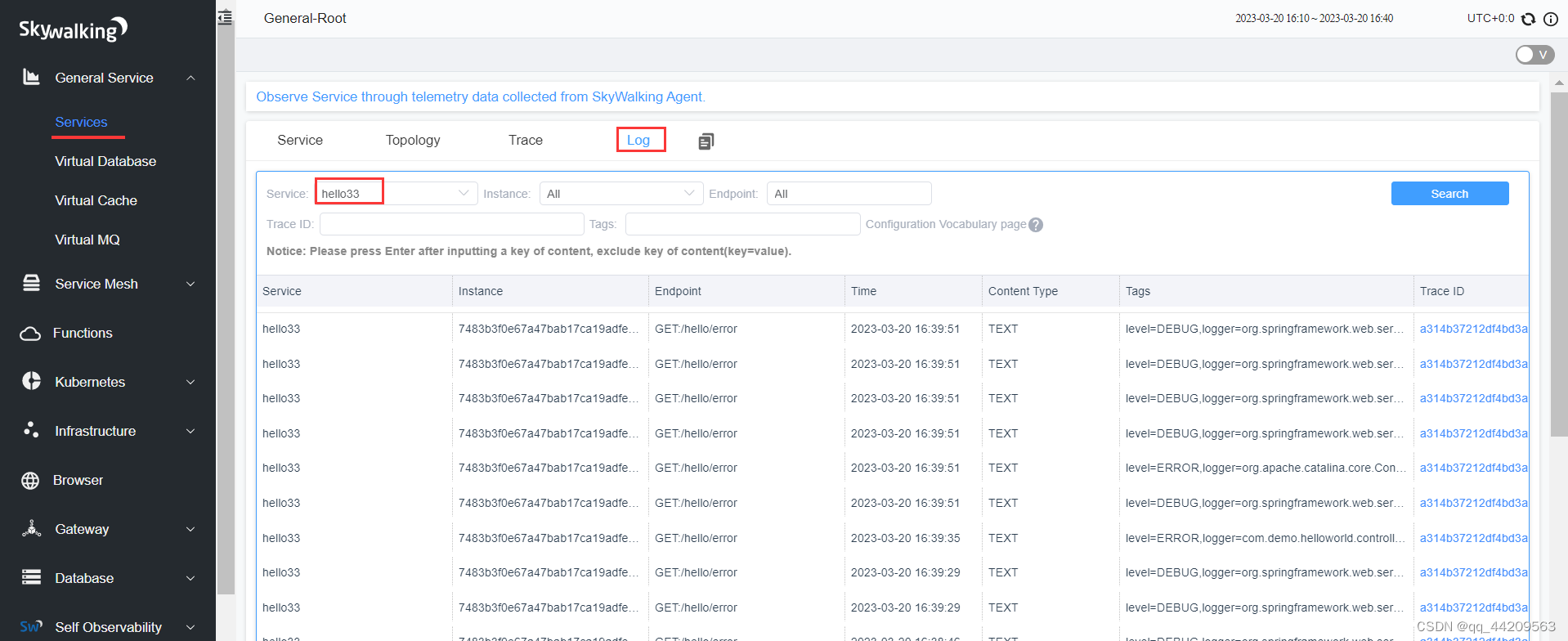
-
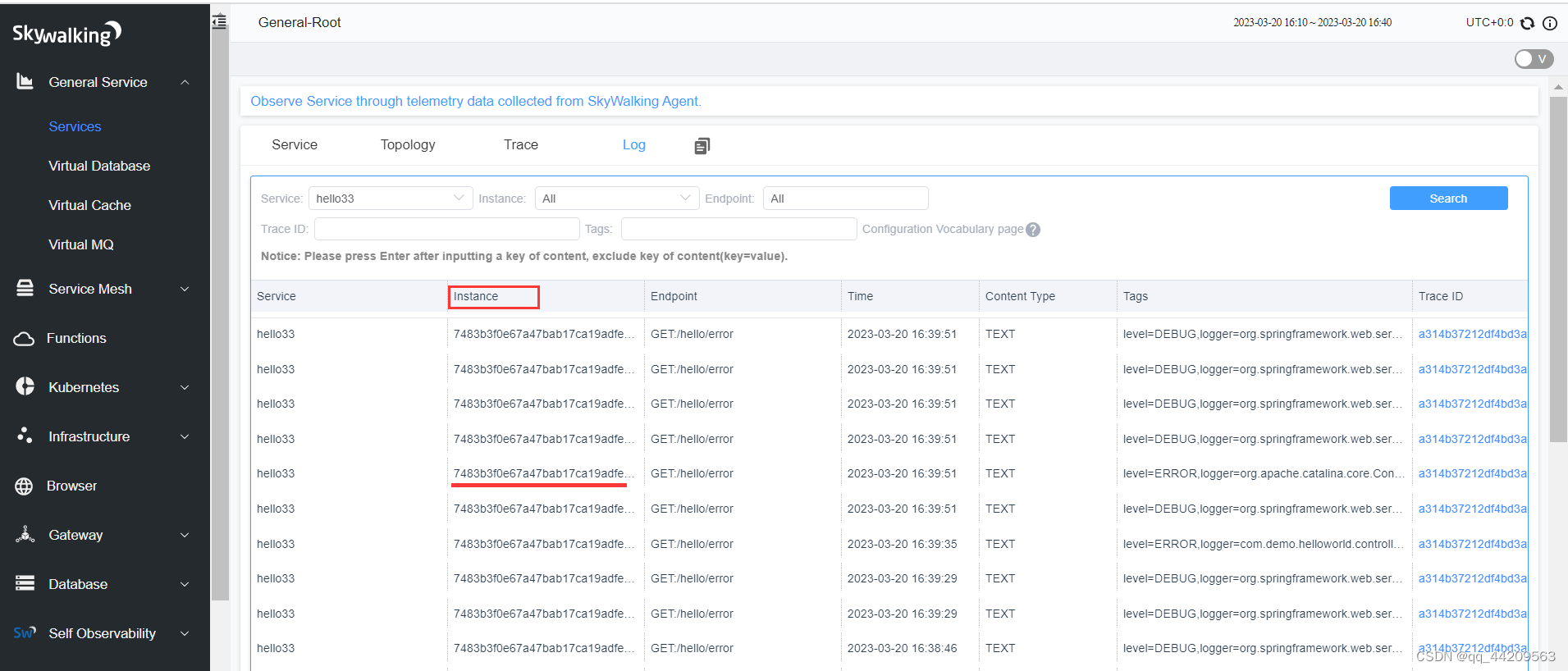
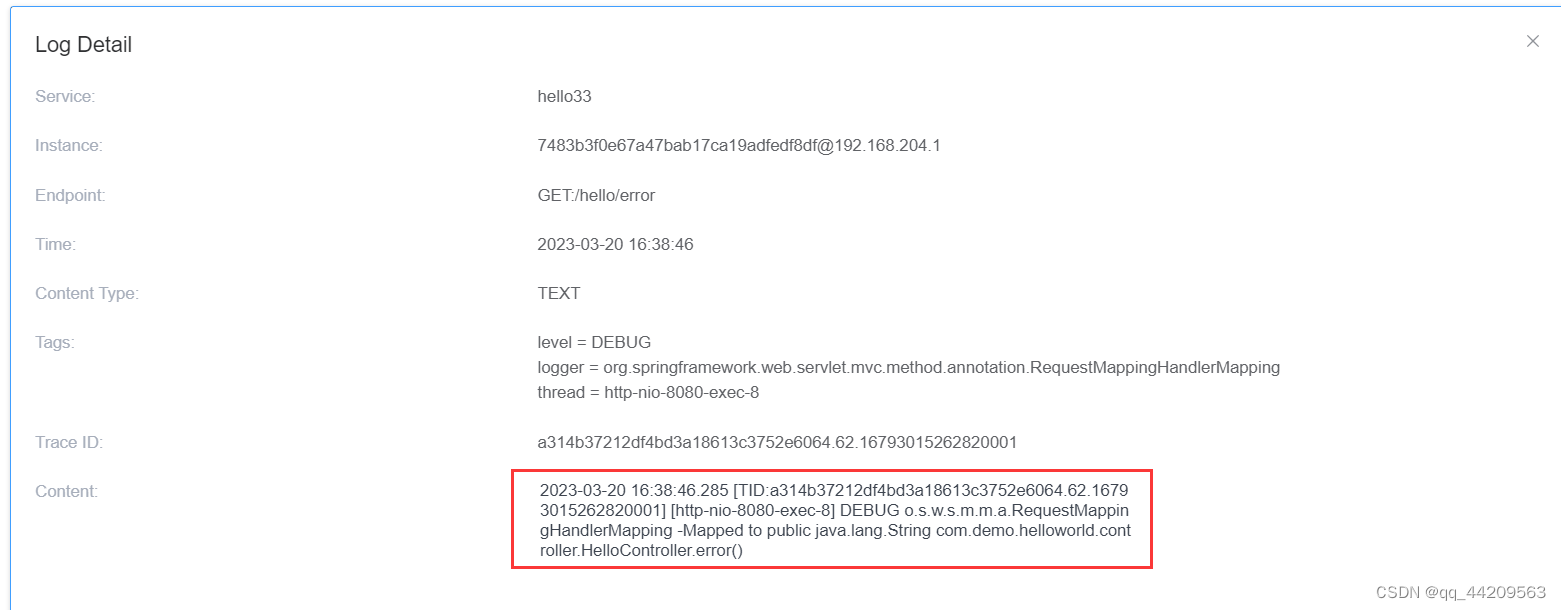
点击instance栏的某一个内容,查看content是否和本地控制台输出的日志内容相同。如果相同表示成功.
四、常见问题
4.1 修改完logback配置文件,项目启动报错
4.1.1 错误
报错信息:
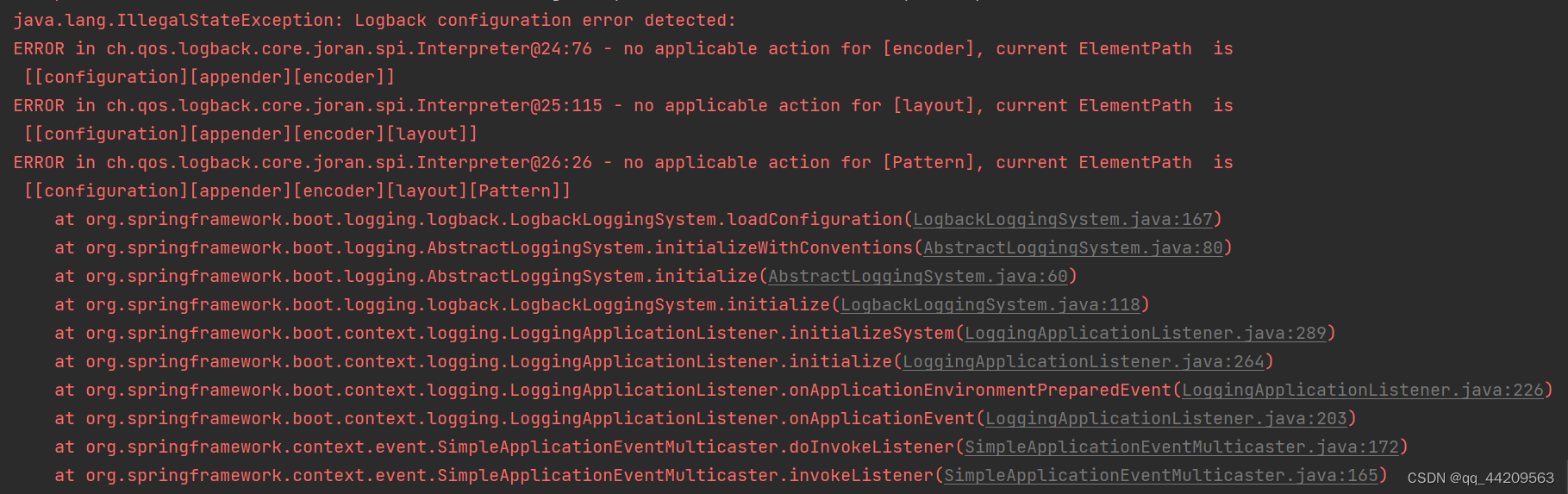
java.lang.IllegalStateException: Logback configuration error detected:
ERROR in ch.qos.logback.core.joran.spi.Interpreter@24:76 - no applicable action for [encoder], current ElementPath  is [[configuration][appender][encoder]]
ERROR in ch.qos.logback.core.joran.spi.Interpreter@25:115 - no applicable action for [layout], current ElementPath  is [[configuration][appender][encoder][layout]]
ERROR in ch.qos.logback.core.joran.spi.Interpreter@26:26 - no applicable action for [Pattern], current ElementPath  is [[configuration][appender][encoder][layout][Pattern]]at org.springframework.boot.logging.logback.LogbackLoggingSystem.loadConfiguration(LogbackLoggingSystem.java:167)at org.springframework.boot.logging.AbstractLoggingSystem.initializeWithConventions(AbstractLoggingSystem.java:80)at org.springframework.boot.logging.AbstractLoggingSystem.initialize(AbstractLoggingSystem.java:60)at org.springframework.boot.logging.logback.LogbackLoggingSystem.initialize(LogbackLoggingSystem.java:118)at org.springframework.boot.context.logging.LoggingApplicationListener.initializeSystem(LoggingApplicationListener.java:289)at org.springframework.boot.context.logging.LoggingApplicationListener.initialize(LoggingApplicationListener.java:264)at org.springframework.boot.context.logging.LoggingApplicationListener.onApplicationEnvironmentPreparedEvent(LoggingApplicationListener.java:226)at org.springframework.boot.context.logging.LoggingApplicationListener.onApplicationEvent(LoggingApplicationListener.java:203)
4.1.2 解决
pom文件引入的依赖版本有问题,将版本修改后,问题解决:
4.2 UI的log页面没有内容
java应用配置修改完成并成功启动,然后请求应用的某个路径,但是在UI的log上数据为空
- 检查同oap的服务采集端口是否能连通
- 检查启动agent的启动日志: skywalking-agent/logs/
skywalking-api.log
日志信息显示错误:
Failed to read the config file, skywalking is going to run in default config
检查配置文件没发现错误,弄了很久也没解决
最后是将java agent包更换了一个更高级的版本, 再次启动显示日志输出正常
本文来自互联网用户投稿,文章观点仅代表作者本人,不代表本站立场,不承担相关法律责任。如若转载,请注明出处。 如若内容造成侵权/违法违规/事实不符,请点击【内容举报】进行投诉反馈!