Android集成友盟消息推送SDK
消息推送SDK快速集成:
申请AppKey ——> 接入Push SDK ——> 基础接口引入 ——> 消息推送测试 ——> 接入完成
1.申请AppKey
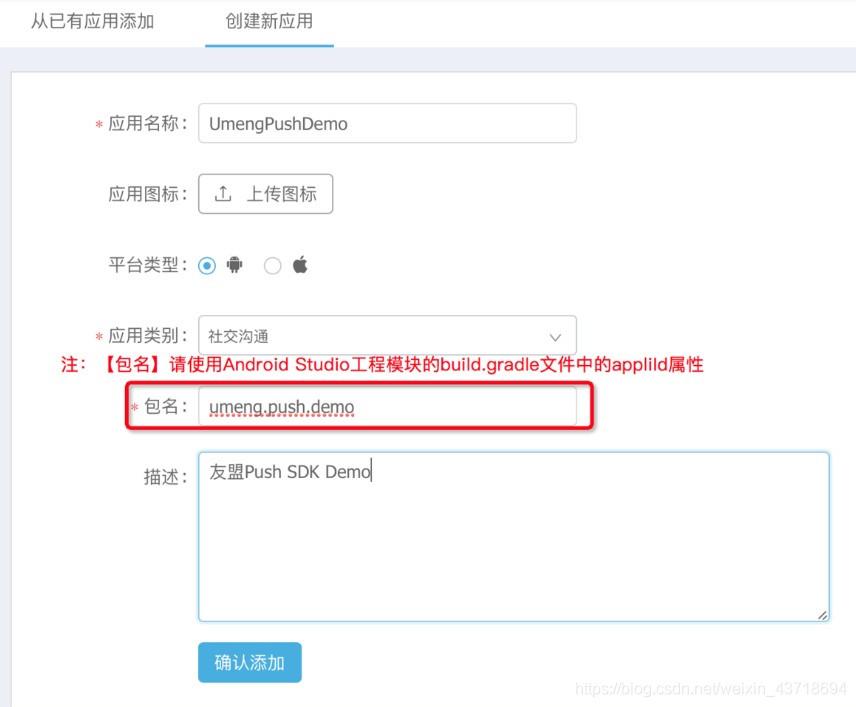
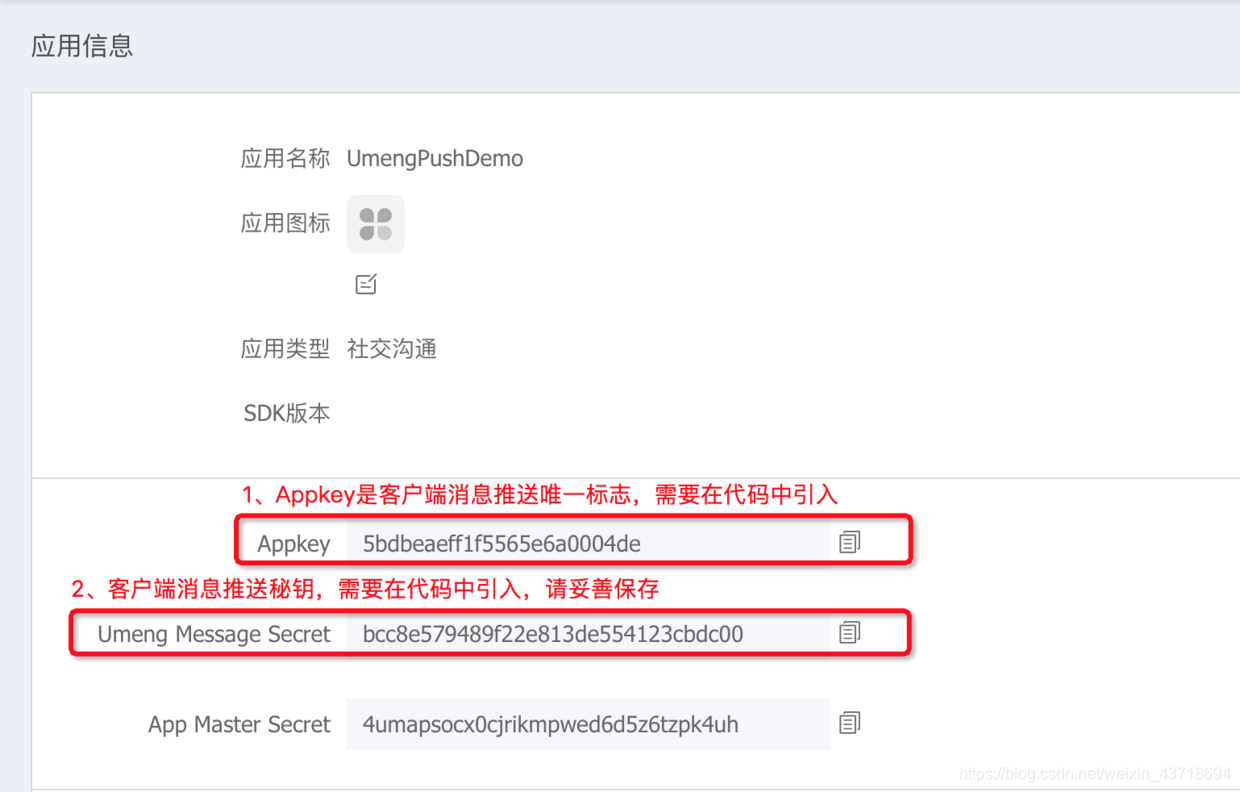
2.接入Push SDK
1)、加入依赖
//友盟push相关依赖(必须)implementation'com.umeng.umsdk:push:6.1.0'implementation'com.umeng.umsdk:alicloud-httpdns:1.2.5'implementation'com.umeng.umsdk:alicloud-utils:1.1.5'implementation'com.umeng.umsdk:alicloud_beacon:1.0.1'implementation'com.umeng.umsdk:agoo-accs:3.3.8.8-open-fix2'implementation'com.umeng.umsdk:agoo_networksdk:3.5.5'implementation'com.umeng.umsdk:agoo_tlog:3.0.0.17'implementation'com.umeng.umsdk:agoo_tnet4android:3.1.14.9'implementation'com.umeng.umsdk:asms:1.1.3'implementation'com.umeng.umsdk:crash:0.0.4'
2)、在工程build.gradle配置脚本中buildscript和allprojects段中添加【友盟+】sdk 新maven仓库地址
buildscript {repositories {google()jcenter()maven { url 'https://dl.bintray.com/umsdk/release' }}dependencies {classpath 'com.android.tools.build:gradle:3.1.4'// NOTE: Do not place your application dependencies here; they belong// in the individual module build.gradle files}}allprojects {repositories {google()jcenter()mavenCentral()maven { url 'https://dl.bintray.com/umsdk/release' }}}
3)、在AndroidManifest.xml文件中引入相关基础组件:
<!-- 以下为基本配置信息,需要自行添加至您的AndroidManifest文件中 start--><serviceandroid:name="com.taobao.accs.ChannelService"android:exported="true"android:process=":channel"><intent-filter><action android:name="com.taobao.accs.intent.action.SERVICE" /></intent-filter><intent-filter><action android:name="com.taobao.accs.intent.action.ELECTION" /></intent-filter></service><serviceandroid:name="com.taobao.accs.data.MsgDistributeService"android:exported="true"><intent-filter>本文来自互联网用户投稿,文章观点仅代表作者本人,不代表本站立场,不承担相关法律责任。如若转载,请注明出处。 如若内容造成侵权/违法违规/事实不符,请点击【内容举报】进行投诉反馈!