微信内置浏览器校验限制绕过
前言
微信有些页面在浏览器打开和微信内打开是不一样的,因为做了环境的校验
浏览器访问 https://shminorshort.weixin.qq.com/security/readtemplate?t=login_verify_entrances/w_tcaptcha&wechat_real_lang=zh_CN&aid=2000000038&clientype=1&lang=2052&apptype=undefined&captype=7&disturblevel=1§icket=1_93615781567287952923871391891336
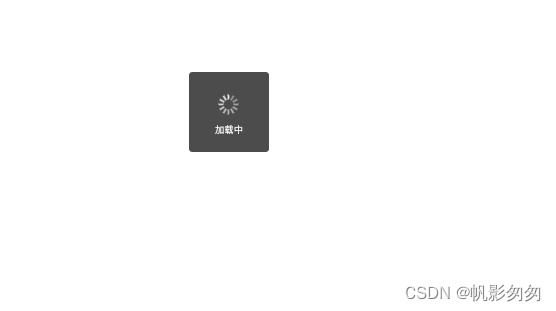
此时页面菊花转。。。。。
分析
分析html
查看最终重定向之后的html文件
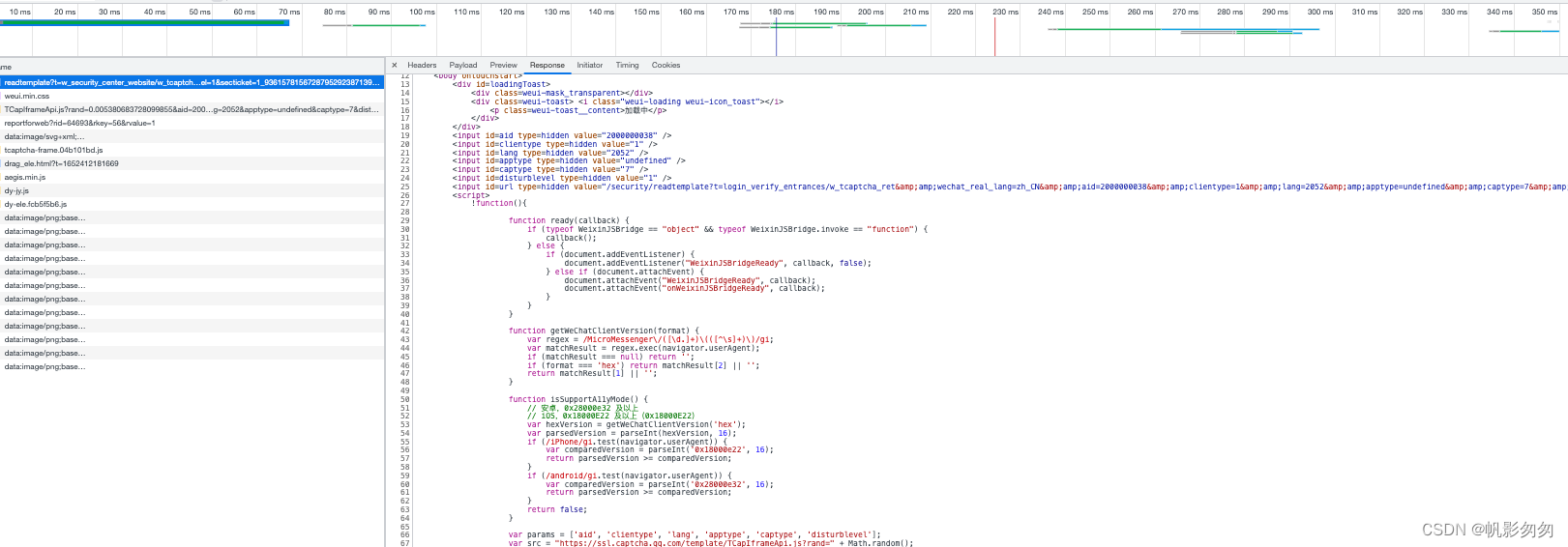
经过debug发现关键的两个函数
function ready(callback) {if (typeof WeixinJSBridge == "object" && typeof WeixinJSBridge.invoke == "function") {// 判断当前浏览器是否是微信内置的// WeixinJSBridge 对象是微信内置的js函数callback();} else {if (document.addEventListener) {document.addEventListener("WeixinJSBridgeReady", callback, false);} else if (document.attachEvent) {document.attachEvent("WeixinJSBridgeReady", callback);document.attachEvent("onWeixinJSBridgeReady", callback);}}
}
script.onload = function(){ready(function() {// 获取用户微信相关信息,没啥用WeixinJSBridge.invoke('getUserConfig', {}, resp => {var isAccessibilityMode = resp.isAccessibilityMode === true;var isGray = isSupportA11yMode();console.log('isAccessibilityMode', isAccessibilityMode);console.log('isGray', isGray);capInit(document, {enableAged: !isGray ? false : isAccessibilityMode ? 'force' : true,showHeader: false,enableDarkMode: window.matchMedia && window.matchMedia('(prefers-color-scheme: dark)').matches,readyCallback: function() {document.getElementById("loadingToast").style.display = 'none';},themeColor: '1AAD19',callback: function (data) {var url = document.getElementById("url").value.replace(/&/g, '&');url += url.indexOf("?") > -1 ? "&" : "?";for(var key in data){url += key + "=" + data[key] + "&";}url = url.substr(0, url.length - 1);location.replace(url);}});});})
};
方案
修改html文件
这时候可以通过替换文件的形式将上面两个函数改成这样
function ready(callback) {callback()
}
script.onload = function(){ready(function() {var isAccessibilityMode = true;var isGray = isSupportA11yMode();console.log('isAccessibilityMode', isAccessibilityMode);console.log('isGray', isGray);capInit(document, {enableAged: !isGray ? false : isAccessibilityMode ? 'force' : true,showHeader: false,enableDarkMode: window.matchMedia && window.matchMedia('(prefers-color-scheme: dark)').matches,readyCallback: function() {document.getElementById("loadingToast").style.display = 'none';},themeColor: '1AAD19',callback: function (data) {var url = document.getElementById("url").value.replace(/&/g, '&');url += url.indexOf("?") > -1 ? "&" : "?";for(var key in data){url += key + "=" + data[key] + "&";}url = url.substr(0, url.length - 1);location.replace(url);}});
})
};
fiddler设置替换

注意前者的url地址要写成页面最终重定向地址
https://shminorshort.weixin.qq.com/security/readtemplate?t=w_security_center_website/w_tcaptcha&url=%2Fsecurity%2Freadtemplate%3Ft%3Dlogin_verify_entrances%2Fw_tcaptcha_ret%26wechat_real_lang%3Dzh_CN%26aid%3D2000000038%26clientype%3D1%26lang%3D2052%26apptype%3Dundefined%26captype%3D7%26disturblevel%3D1%26secticket%3D1_93615781567287952923871391891336&&wechat_real_lang=zh_CN&aid=2000000038&clientype=1&lang=2052&apptype=undefined&captype=7&disturblevel=1§icket=1_93615781567287952923871391891336
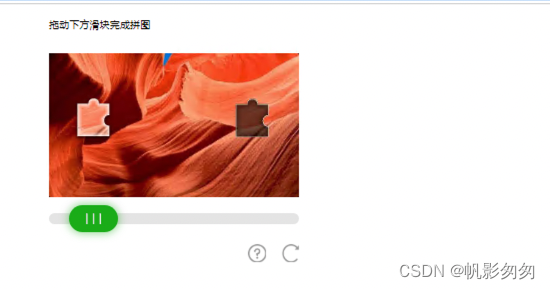
此时浏览器打开世界就变的不一样了
优化
但是目前文件地址写死不行,每次新的地址就得改配置不方便所以我们改下html
doctype html>
<html><head><meta charset=UTF-8><meta name=color-scheme content="dark light"><meta id=viewport name=viewport content="width=device-width,initial-scale=1,maximum-scale=1,user-scalable=0" /><title>微信安全title><link rel=stylesheet type=text/css href=https://res.wx.qq.com/open/libs/weui/2.3.0/weui.min.css />head><body ontouchstart><div id=loadingToast><div class=weui-mask_transparent>div><div class=weui-toast> <i class="weui-loading weui-icon_toast">i> <p class=weui-toast__content>加载中p>div>div><script>!function(){// 自主生成loadingToast = document.getElementById('loadingToast');gen = document.createElement('div')temp = ' '+'\n'+'' + '\n' +'' + '\n' + '' + '\n'+'' + '\n' +''console.log(window.location);var myURL = new URL(window.location);var searchParams = new URLSearchParams(myURL.search);html_content = ''for (let [key, value] of searchParams.entries()) {console.log(key, value)html_content = html_content.concat(' '.replace('{key}',key).replace('{value}',value))}gen.innerHTML = html_contentdocument.body.insertBefore(gen, loadingToast);function ready(callback) {callback()}function getWeChatClientVersion(format) {var regex = /MicroMessenger\/([\d.]+)\(([^\s]+)\)/gi;var matchResult = regex.exec(navigator.userAgent);if (matchResult === null) return '';if (format === 'hex') return matchResult[2] || '';return matchResult[1] || '';}function isSupportA11yMode() {// 安卓,0x28000e32 及以上// iOS,0x18000E22 及以上(0x18000E22)var hexVersion = getWeChatClientVersion('hex');var parsedVersion = parseInt(hexVersion, 16);if (/iPhone/gi.test(navigator.userAgent)) {var comparedVersion = parseInt('0x18000e22', 16);return parsedVersion >= comparedVersion;}if (/android/gi.test(navigator.userAgent)) {var comparedVersion = parseInt('0x28000e32', 16);return parsedVersion >= comparedVersion;}return false;}var params = ['aid', 'clientype', 'lang', 'apptype', 'captype', 'disturblevel'];var src = "https://ssl.captcha.qq.com/template/TCapIframeApi.js?rand=" + Math.random();var script = document.createElement("script");for (var i = 0, len = params.length; i < len; ++i) {var param = params[i];src += "&" + param + "=" + document.getElementById(param).value;}script.src = src;script.onload = function(){ready(function() {var isAccessibilityMode = true;var isGray = isSupportA11yMode();console.log('isAccessibilityMode', isAccessibilityMode);console.log('isGray', isGray);capInit(document, {enableAged: !isGray ? false : isAccessibilityMode ? 'force' : true,showHeader: false,enableDarkMode: window.matchMedia && window.matchMedia('(prefers-color-scheme: dark)').matches,readyCallback: function() {document.getElementById("loadingToast").style.display = 'none';},themeColor: '1AAD19',callback: function (data) {var url = document.getElementById("url").value.replace(/&/g, '&');url += url.indexOf("?") > -1 ? "&" : "?";for(var key in data){url += key + "=" + data[key] + "&";}url = url.substr(0, url.length - 1);location.replace(url);}});})};script.onerror = function(){document.getElementById("loadingToast").style.display = 'none';alert("网络错误,请稍后再试");};document.body.appendChild(script);}();new Image().src = 'https://support.weixin.qq.com/cgi-bin/mmsupport-bin/reportforweb?rid=64693&rkey=56&rvalue=1';script><script>!function(e){function n(i){if(t[i])return t[i].exports;var a=t[i]={exports:{},id:i,loaded:!1};return e[i].call(a.exports,a,a.exports,n),a.loaded=!0,a.exports}var t={};return n.m=e,n.c=t,n.p="//res.wx.qq.com/t/wx_fed/wx110/wx110/res/",n(0)}([function(e,n){e.exports=""}]);script>body>html>
修改fiddler配置
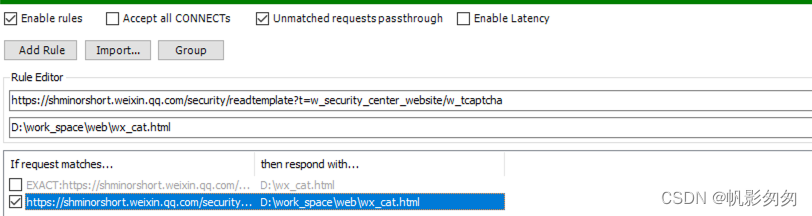
这里和上面是不同的哦,一个是相当于是eq匹配,一个是startWith匹配
本文来自互联网用户投稿,文章观点仅代表作者本人,不代表本站立场,不承担相关法律责任。如若转载,请注明出处。 如若内容造成侵权/违法违规/事实不符,请点击【内容举报】进行投诉反馈!