TensorRT Paser加载onnx 推理使用
参考:
https://blog.csdn.net/weixin_42357472/article/details/125333979
注意:paser是指 trt.OnnxParser加载转化
1、环境
环境还是是用的docker,参考
https://blog.csdn.net/weixin_42357472/article/details/125333979
docker pull nvcr.io/nvidia/pytorch:22.05-py3##运行
docker run --gpus all -it -d --rm nvcr.io/nvidia/pytorch:22.05-py3
1)这里tensorrt版本是8.0以上,会报错AttributeError: ‘tensorrt.tensorrt.Builder’ object has no attribute ‘max_workspace_size’
到时直接注释掉这几行
#builder.max_workspace_size = 1 << 60  # ICudaEngine执行时GPU最大需要的空间
#builder.max_batch_size = max_batch_size
#builder.fp16_mode = fp16_mode
#config.max_workspace_size = 1 << 30  # 1G
2)没有pycuda包需要安装
pip install pycuda
2、TensorRT Paser使用
参考:https://blog.csdn.net/weixin_42357472/article/details/124100236
https://blog.csdn.net/weixin_44533869/article/details/125223704
1)pytorch转onnx
import onnx
import torch
import torchvision# 1. 定义模型
model = torchvision.models.resnet50(pretrained=True).cuda()# 2.定义输入&输出
input_names = ['input']
output_names = ['output']
image = torch.randn(1, 3, 224, 224).cuda()# 3.pt转onnx
onnx_file = "./resnet50.onnx"
torch.onnx.export(model, image, onnx_file, verbose=False,input_names=input_names, output_names=output_names,opset_version=11,dynamic_axes={"input":{0: "batch_size"}, "output":{0: "batch_size"},})# 4.检查onnx计算图
net = onnx.load("./resnet50.onnx")
onnx.checker.check_model(net)           # 检查文件模型是否正确# 5.优化前后对比&验证
# 优化前
model.eval()
with torch.no_grad():output1 = model(image)
2)onnx转trt
# coding utf-8
import os
import time
import torch
import torchvision
import numpy as np
import pycuda.autoinit
import pycuda.driver as cuda
import tensorrt as trtos.environ["CUDA_VISIBLE_DEVICES"] = '0'TRT_LOGGER = trt.Logger(trt.Logger.VERBOSE)class HostDeviceMem(object):def __init__(self, host_mem, device_mem):"""host_mem: cpu memorydevice_mem: gpu memory"""self.host = host_memself.device = device_memdef __str__(self):return "Host:\n" + str(self.host) + "\nDevice:\n" + str(self.device)def __repr__(self):return self.__str__()def build_engine(onnx_file_path, engine_file_path, max_batch_size=1, fp16_mode=False, save_engine=False):"""Args:max_batch_size: 预先指定大小好分配显存fp16_mode:      是否采用FP16save_engine:    是否保存引擎return:ICudaEngine"""if os.path.exists(engine_file_path):print("Reading engine from file: {}".format(engine_file_path))with open(engine_file_path, 'rb') as f, trt.Runtime(TRT_LOGGER) as runtime:return runtime.deserialize_cuda_engine(f.read())  # 反序列化# 如果是动态输入,需要显式指定EXPLICIT_BATCHEXPLICIT_BATCH = 1 << (int)(trt.NetworkDefinitionCreationFlag.EXPLICIT_BATCH)# builder创建计算图 INetworkDefinitionwith trt.Builder(TRT_LOGGER) as builder,  builder.create_network(EXPLICIT_BATCH) as network,  builder.create_builder_config() as config, trt.OnnxParser(network, TRT_LOGGER) as parser:  # 使用onnx的解析器绑定计算图# 动态输入profile优化profile = builder.create_optimization_profile()profile.set_shape("input", (1, 3, 224, 224), (8, 3, 224, 224), (8, 3, 224, 224))config.add_optimization_profile(profile)# 解析onnx文件,填充计算图if not os.path.exists(onnx_file_path):quit("ONNX file {} not found!".format(onnx_file_path))print('loading onnx file from path {} ...'.format(onnx_file_path))with open(onnx_file_path, 'rb') as model:print("Begining onnx file parsing")if not parser.parse(model.read()):  # 解析onnx文件print('ERROR: Failed to parse the ONNX file.')for error in range(parser.num_errors):print(parser.get_error(error))  # 打印解析错误日志return Nonelast_layer = network.get_layer(network.num_layers - 1)# Check if last layer recognizes it's outputif not last_layer.get_output(0):# If not, then mark the output using TensorRT APInetwork.mark_output(last_layer.get_output(0))print("Completed parsing of onnx file")# 使用builder创建CudaEngineprint("Building an engine from file{}' this may take a while...".format(onnx_file_path))# engine=builder.build_cuda_engine(network)    # 非动态输入使用engine = builder.build_engine(network, config)  # 动态输入使用print("Completed creating Engine")if save_engine:with open(engine_file_path, 'wb') as f:f.write(engine.serialize())return enginedef allocate_buffers(engine):inputs, outputs, bindings = [], [], []stream = cuda.Stream()for binding in engine:size = trt.volume(engine.get_binding_shape(binding)) * engine.max_batch_size  # 非动态输入# size = trt.volume(engine.get_binding_shape(binding))                       # 动态输入size = abs(size)  # 上面得到的size(0)可能为负数,会导致OOMdtype = trt.nptype(engine.get_binding_dtype(binding))host_mem = cuda.pagelocked_empty(size, dtype)  # 创建锁业内存device_mem = cuda.mem_alloc(host_mem.nbytes)  # cuda分配空间bindings.append(int(device_mem))  # binding在计算图中的缓冲地址if engine.binding_is_input(binding):inputs.append(HostDeviceMem(host_mem, device_mem))else:outputs.append(HostDeviceMem(host_mem, device_mem))return inputs, outputs, bindings, streamdef inference(context, bindings, inputs, outputs, stream, batch_size=1):# Transfer data from CPU to the GPU.[cuda.memcpy_htod_async(inp.device, inp.host, stream) for inp in inputs]# Run inference.# 如果创建network时显式指定了batchsize,使用execute_async_v2, 否则使用execute_asynccontext.execute_async_v2(bindings=bindings, stream_handle=stream.handle)# Transfer predictions back from the GPU.[cuda.memcpy_dtoh_async(out.host, out.device, stream) for out in outputs]# gpu to cpu# Synchronize the streamstream.synchronize()# Return only the host outputs.return [out.host for out in outputs]def postprocess_the_outputs(h_outputs, shape_of_output):h_outputs = h_outputs.reshape(*shape_of_output)return h_outputsif __name__ == '__main__':onnx_file_path = "resnet50.onnx"fp16_mode = Falsemax_batch_size = 1trt_engine_path = "resnet50.trt"# 1.创建cudaEngineengine = build_engine(onnx_file_path, trt_engine_path, max_batch_size, fp16_mode)# 2.将引擎应用到不同的GPU上配置执行环境context = engine.create_execution_context()inputs, outputs, bindings, stream = allocate_buffers(engine)# 3.推理output_shape = (max_batch_size, 1000)dummy_input = np.ones([1, 3, 224, 224], dtype=np.float32)inputs[0].host = dummy_input.reshape(-1)# 如果是动态输入,需以下设置context.set_binding_shape(0, dummy_input.shape)t1 = time.time()trt_outputs = inference(context, bindings=bindings, inputs=inputs, outputs=outputs, stream=stream)t2 = time.time()# 由于tensorrt输出为一维向量,需要reshape到指定尺寸feat = postprocess_the_outputs(trt_outputs[0], output_shape)
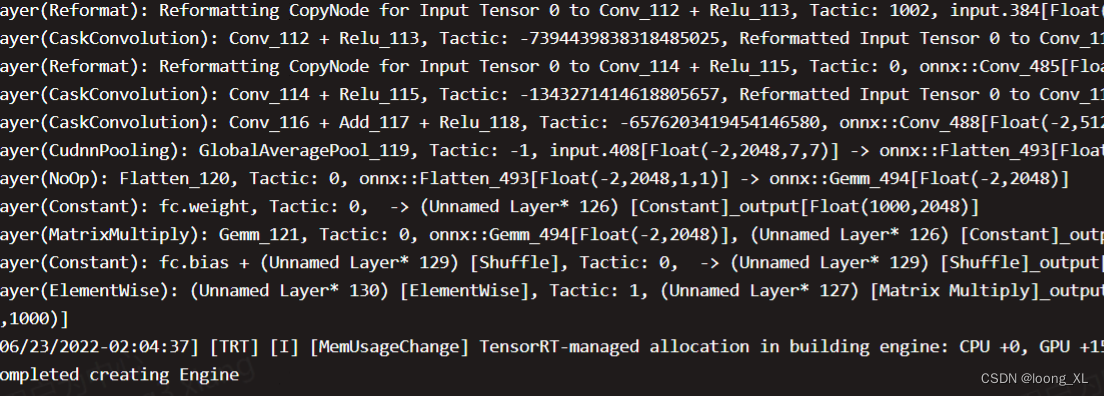
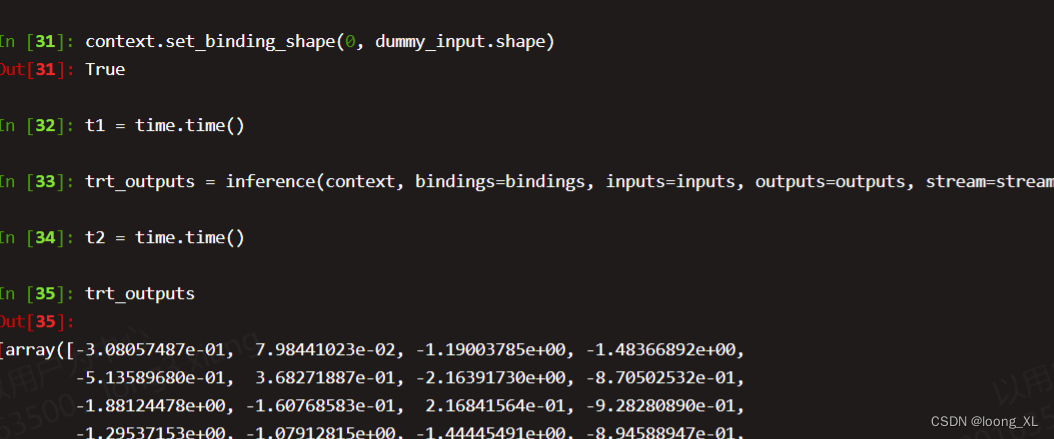
***docker容器里ipython环境中测试
# 4.速度对比model = torchvision.models.resnet50(pretrained=True).cuda()model = model.eval()dummy_input = torch.zeros((1, 3, 224, 224), dtype=torch.float32).cuda()t3 = time.time()feat_2 = model(dummy_input)t4 = time.time()feat_2 = feat_2.cpu().data.numpy()mse = np.mean((feat - feat_2) ** 2)print("TensorRT engine time cost: {}".format(t2 - t1))print("PyTorch model time cost: {}".format(t4 - t3))print('MSE Error = {}'.format(mse))本文来自互联网用户投稿,文章观点仅代表作者本人,不代表本站立场,不承担相关法律责任。如若转载,请注明出处。 如若内容造成侵权/违法违规/事实不符,请点击【内容举报】进行投诉反馈!