java基于springboot+vuel的农产品果蔬特产销售商城网站
项目介绍
农产品果蔬销售商城网站是一个在线平台,旨在连接农产品生产者和消费者,提供便捷的购买和销售渠道。该网站为消费者提供了丰富多样的农产品和新鲜果蔬供应,同时也为农民和农产品生产者提供了一个展示和销售自己产品的平台。
在农产品果蔬销售商城网站上,消费者可以浏览各种农产品和果蔬的图片、价格、产地等信息,选择自己需要的商品,并进行在线购买。同时,该网站还提供了配送服务,确保产品能够及时送达消费者手中。
对于农民和农产品生产者来说,他们可以通过该网站展示自己的农产品,并与消费者直接进行交流和销售。这样不仅能够提高产品的曝光度,还能够减少中间环节,增加利润。
农产品果蔬销售商城网站的优势在于提供了一个便捷的购买和销售平台,消费者可以轻松找到各种农产品和新鲜果蔬,而农民和农产品生产者也能够更好地推广自己的产品,实现更高的销售额。同时,该网站也能够促进农产品的地理分布,让更多优质的农产品走出农村,进入城市市场,满足消费者的需求。
总而言之,农产品果蔬销售商城网站是一个连接农产品生产者和消费者的平台,通过在线购买和销售,提供了便捷的农产品和果蔬供应渠道,促进了农产品市场的发展。
技术介绍
1、管理员账号:abo 密码:abo
2、开发环境为Eclipse/idea,数据库为mysql 使用java语言开发。
3.配置好Tomcat并点击启动按钮即可运行
4.数据库连接src\main\resources\application.yml中修改
5.maven包版本apache-maven-3.3.9.
开发语言:Java
框架:SSM
前端框架:vue.js
JDK版本:JDK1.8+
服务器:tomcat8+
数据库工具:Navicat
开发软件:idea 支持eclipse
Springboot是当前最流向的一个框架,它的配置更加的简单,使开发变得更加的简单迅速。
Springboot的基础结构共三个文件,具体如下:
src/main/java:程序开发以及主程序入口;
src/main/resources:配置文件;
src/test/java:测试程序。
ssm的数据库配置默认支持两种格式的配置文件
1,application.properties
2,application.yaml
项目界面
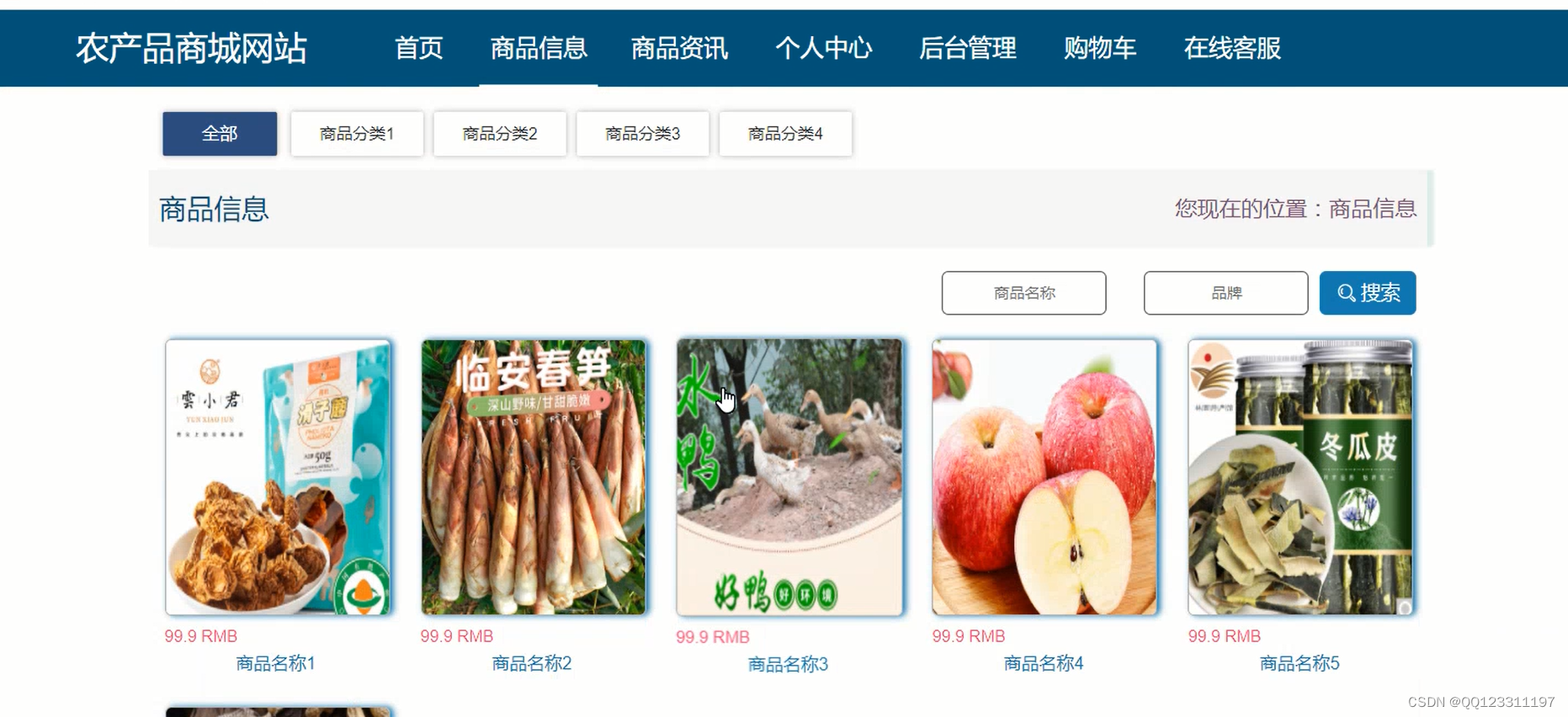
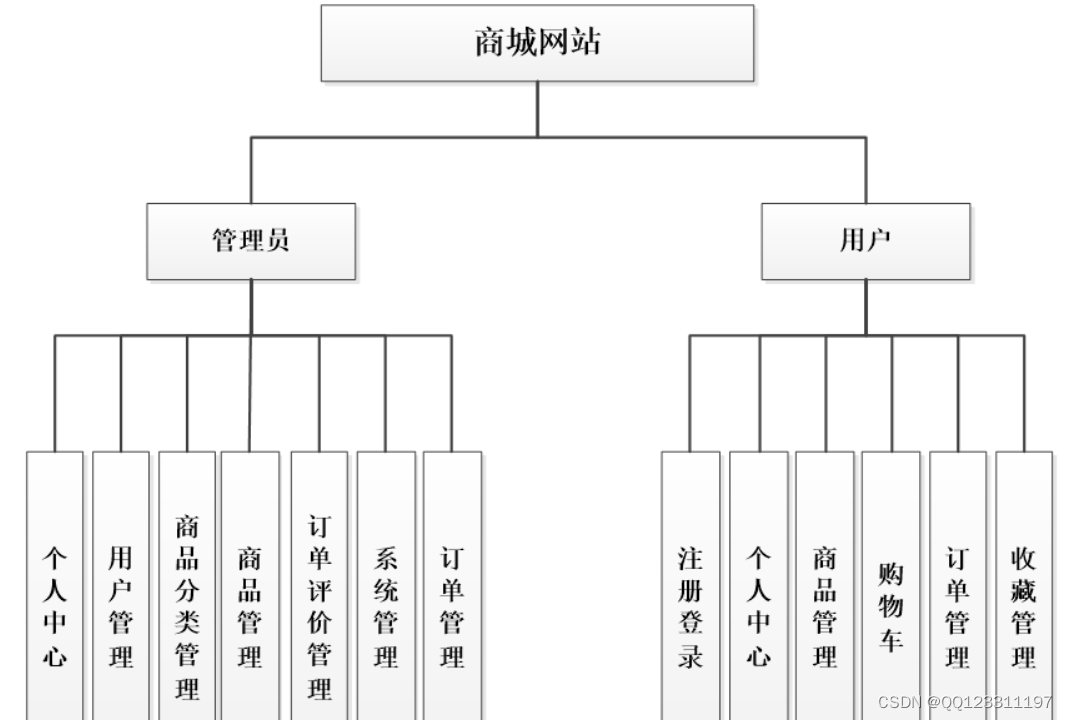
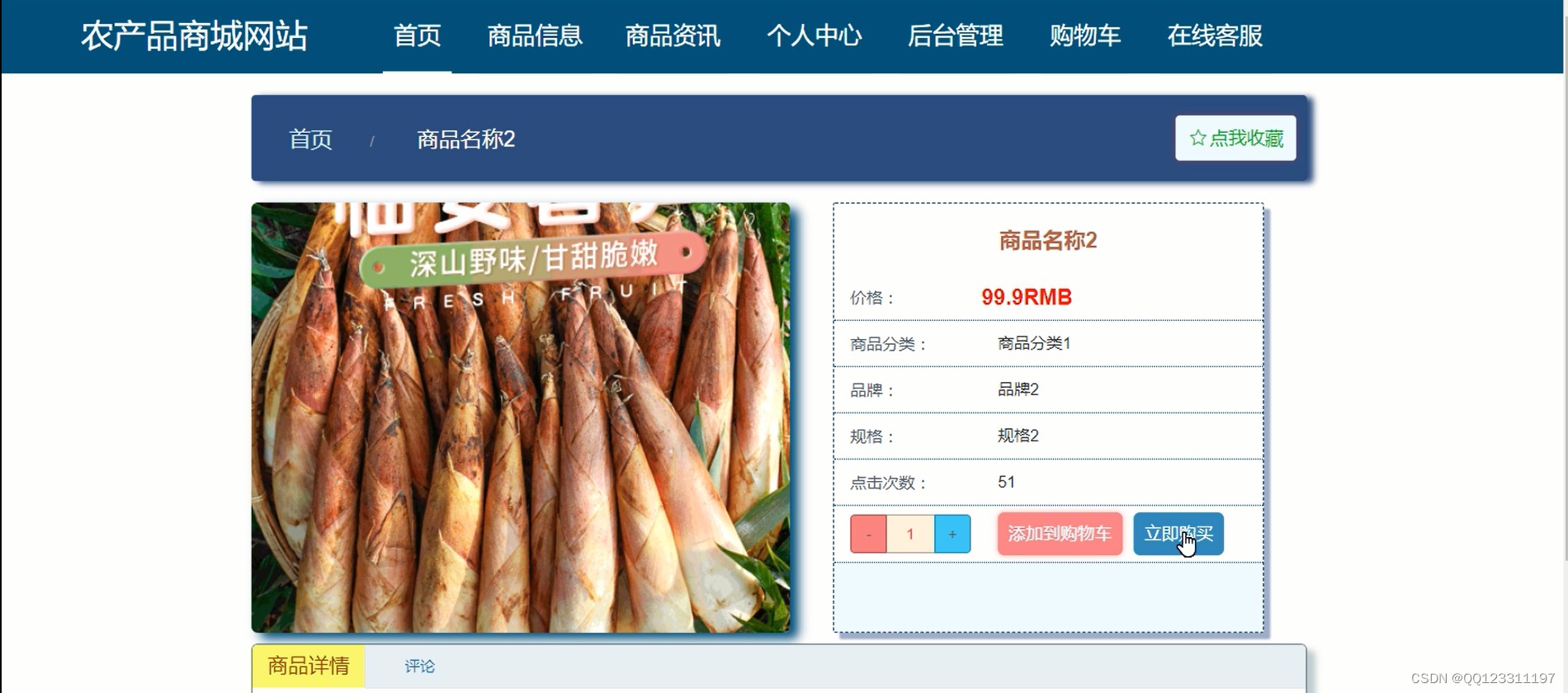
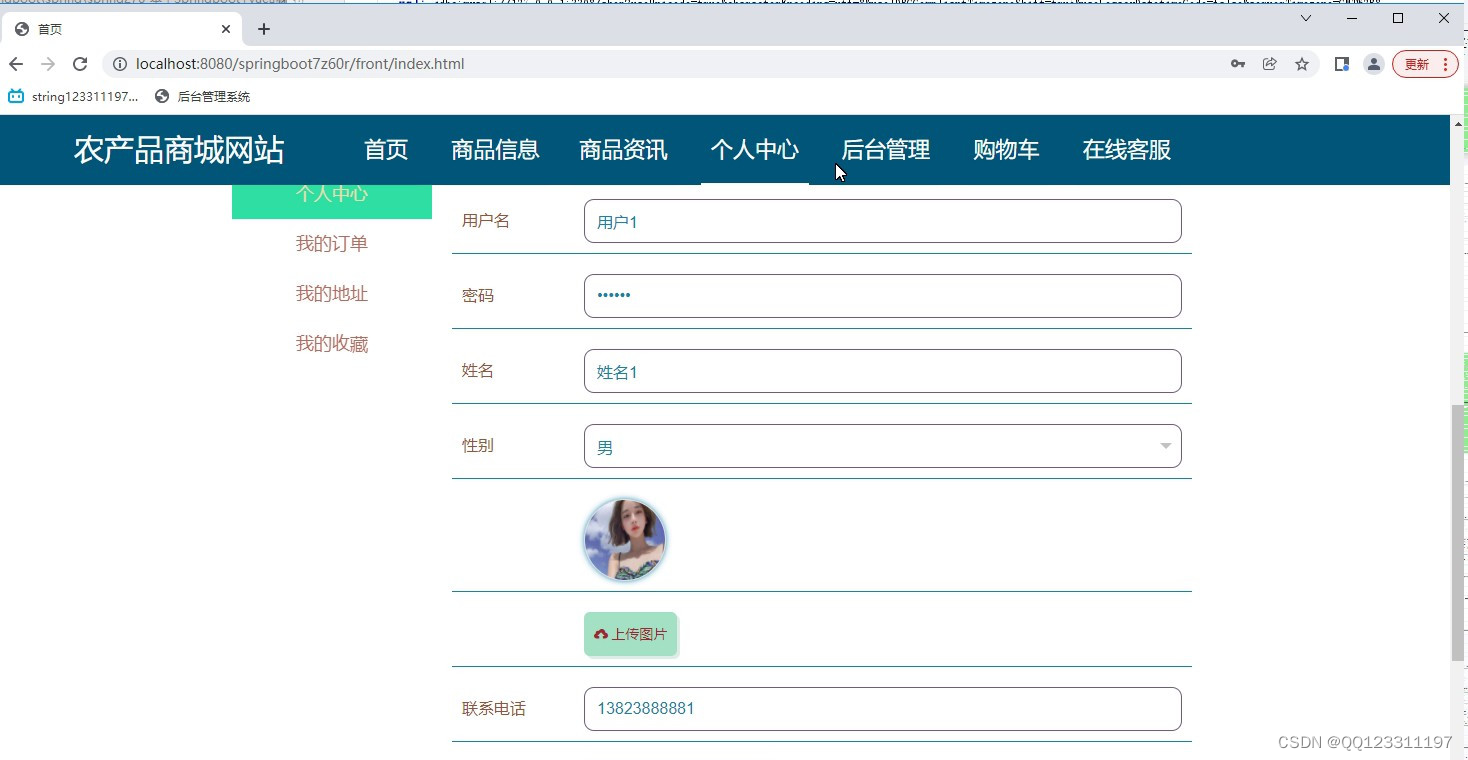
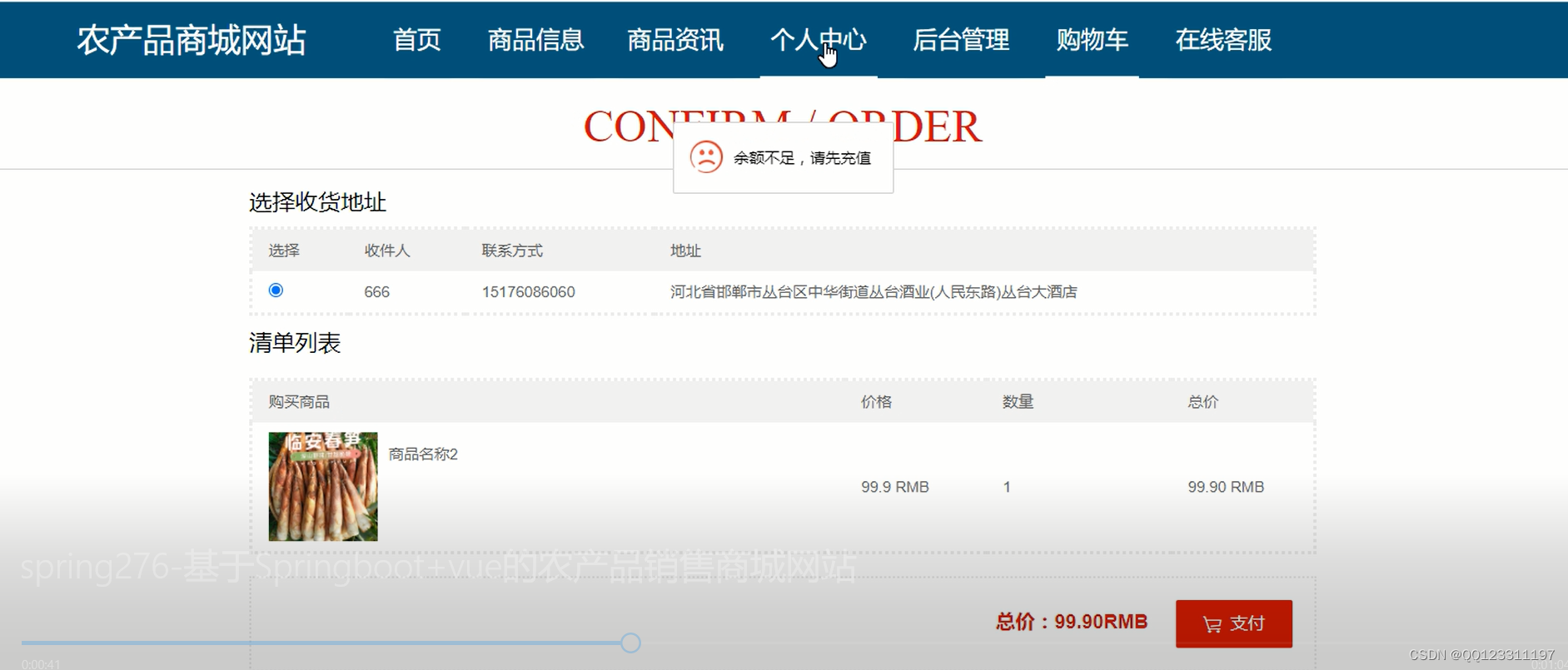
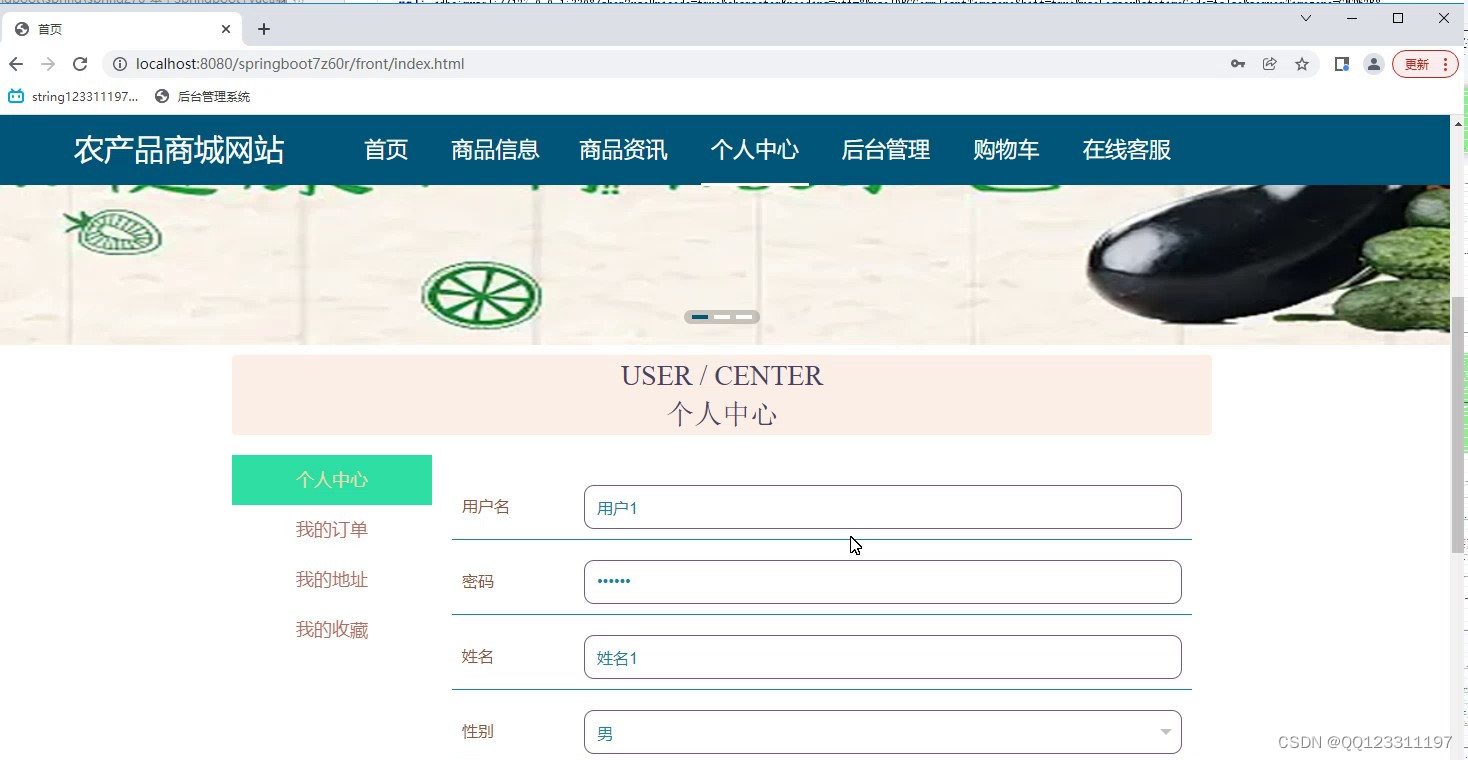
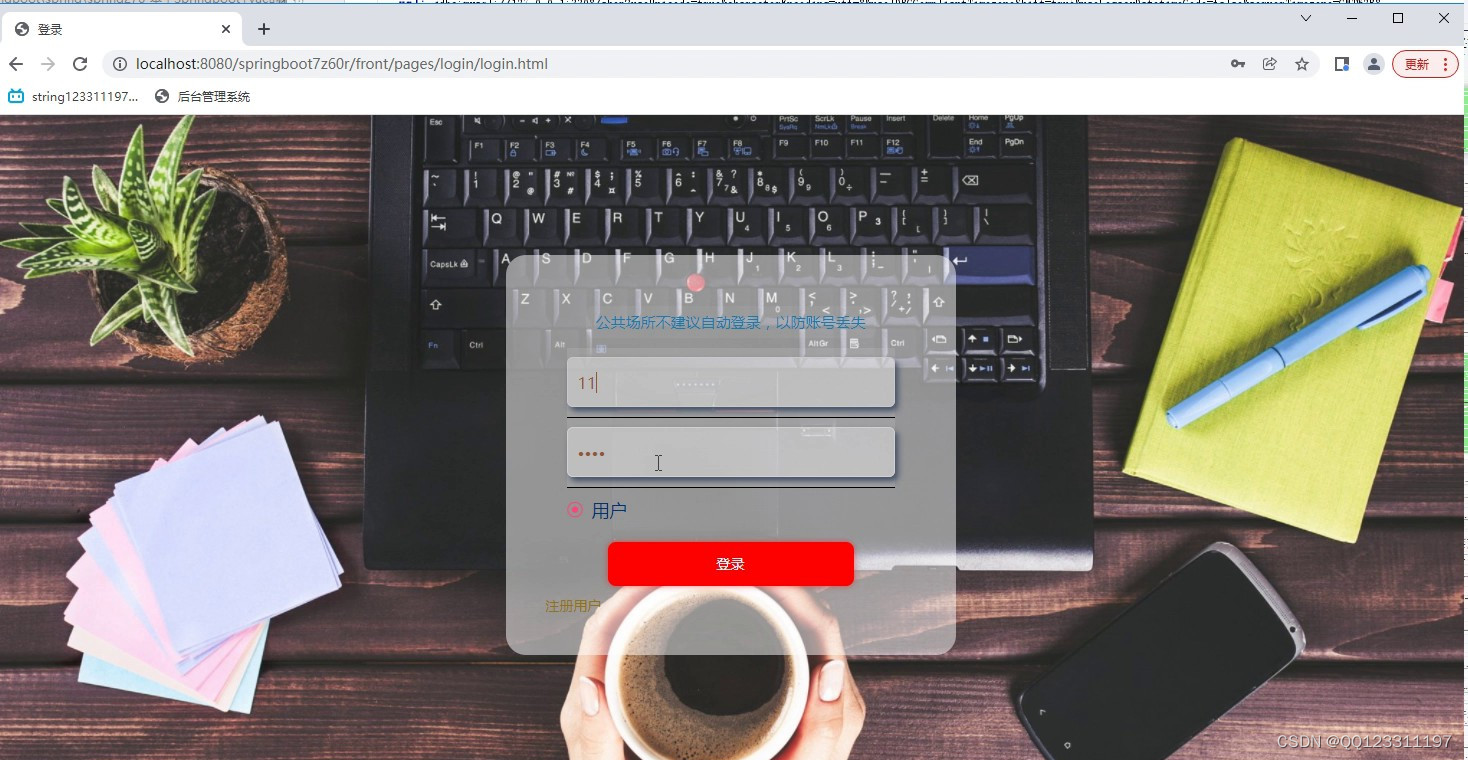
1、开发实现销售电商平台的整个系统程序:
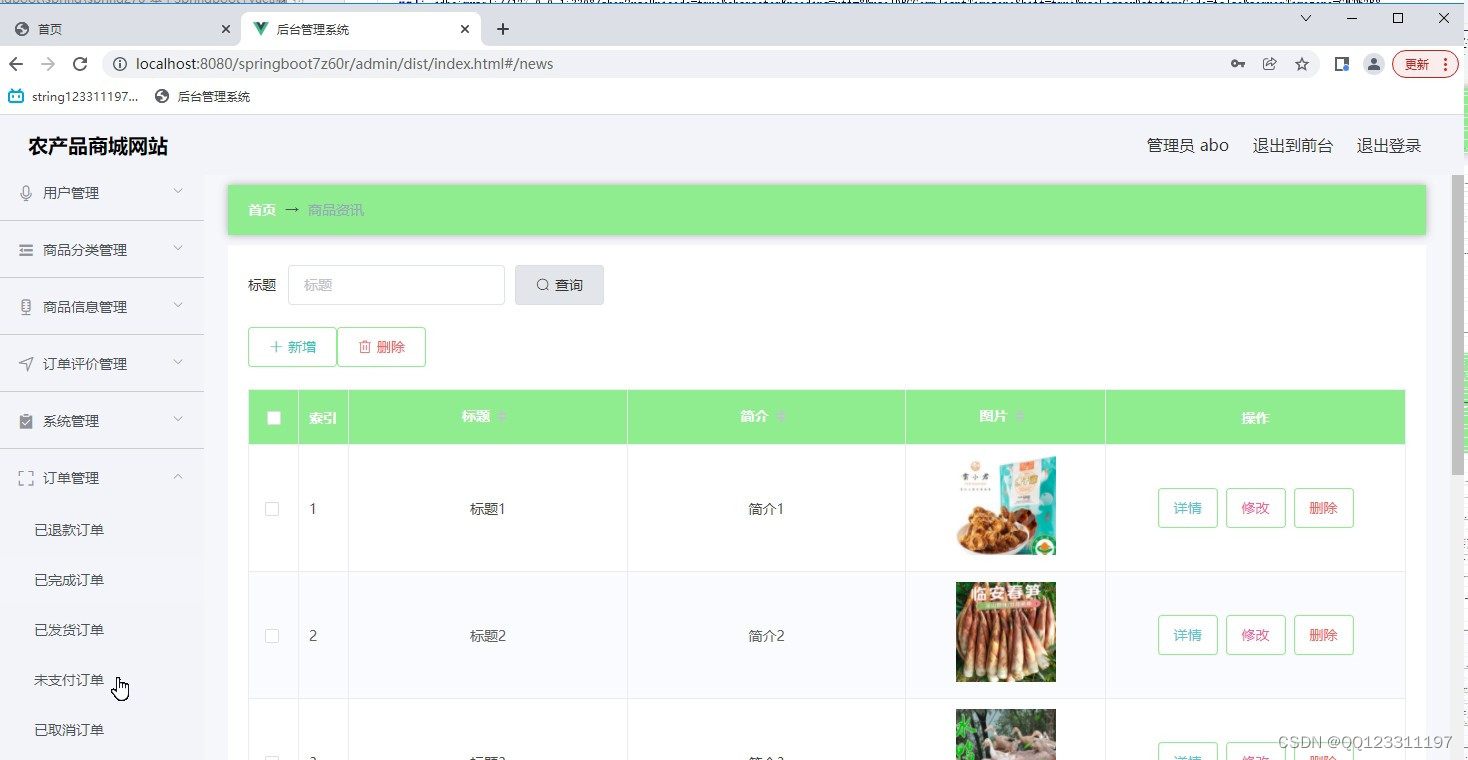
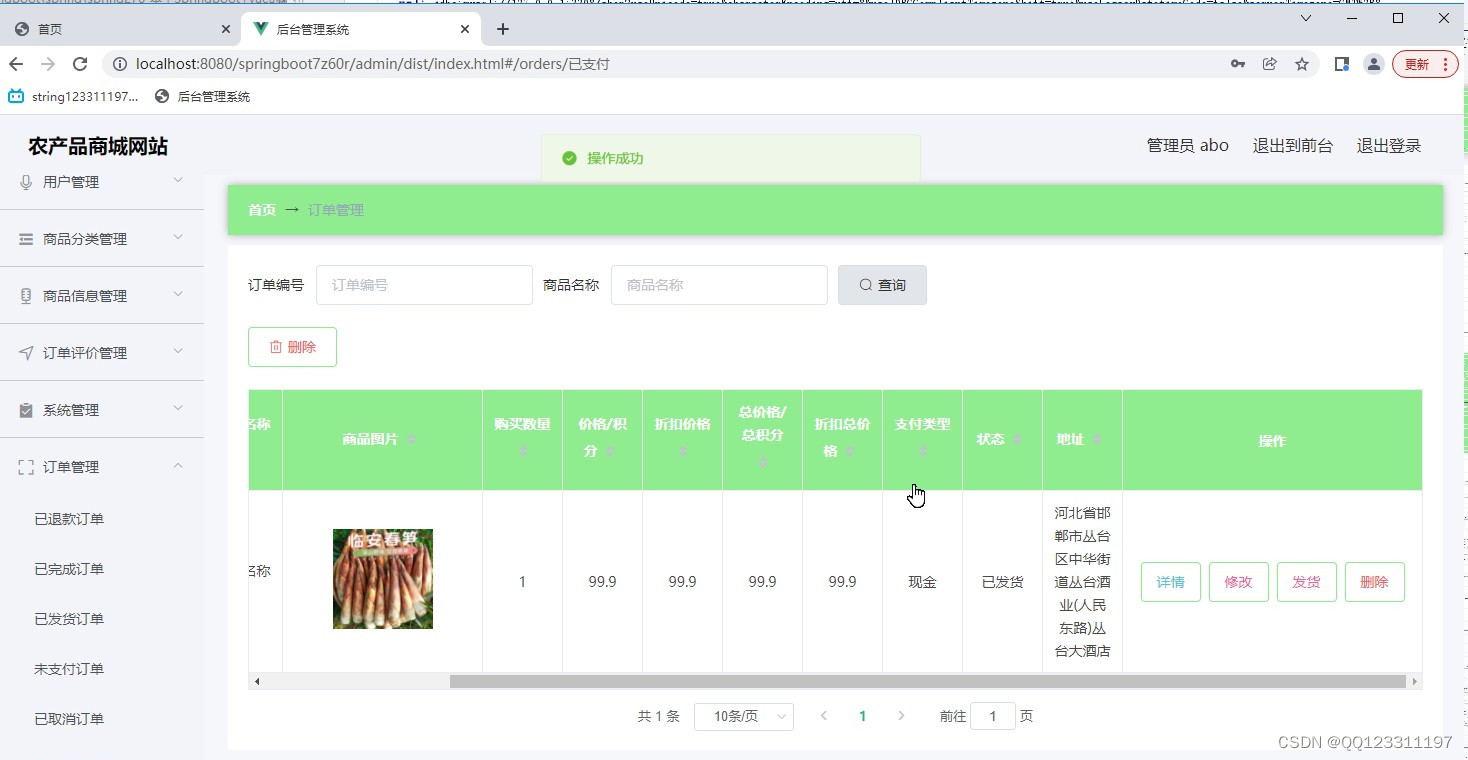
2、管理员:首页、个人中心、分类管理、商品管理、用户管理、订单评价管理、管理员管理、系统管理、订单管理等。
3、用户:首页、个人中心、订单评价管理、我的收藏管理、订单管理。
4、前台首页:首页、公告资讯、个人中心、后台管理、购物车、客服等相应操作:
5、基础数据管理:实现系统基本信息的添加、修改及删除等操作,并且根据需求进行交流信息的查看及回复相应操作。
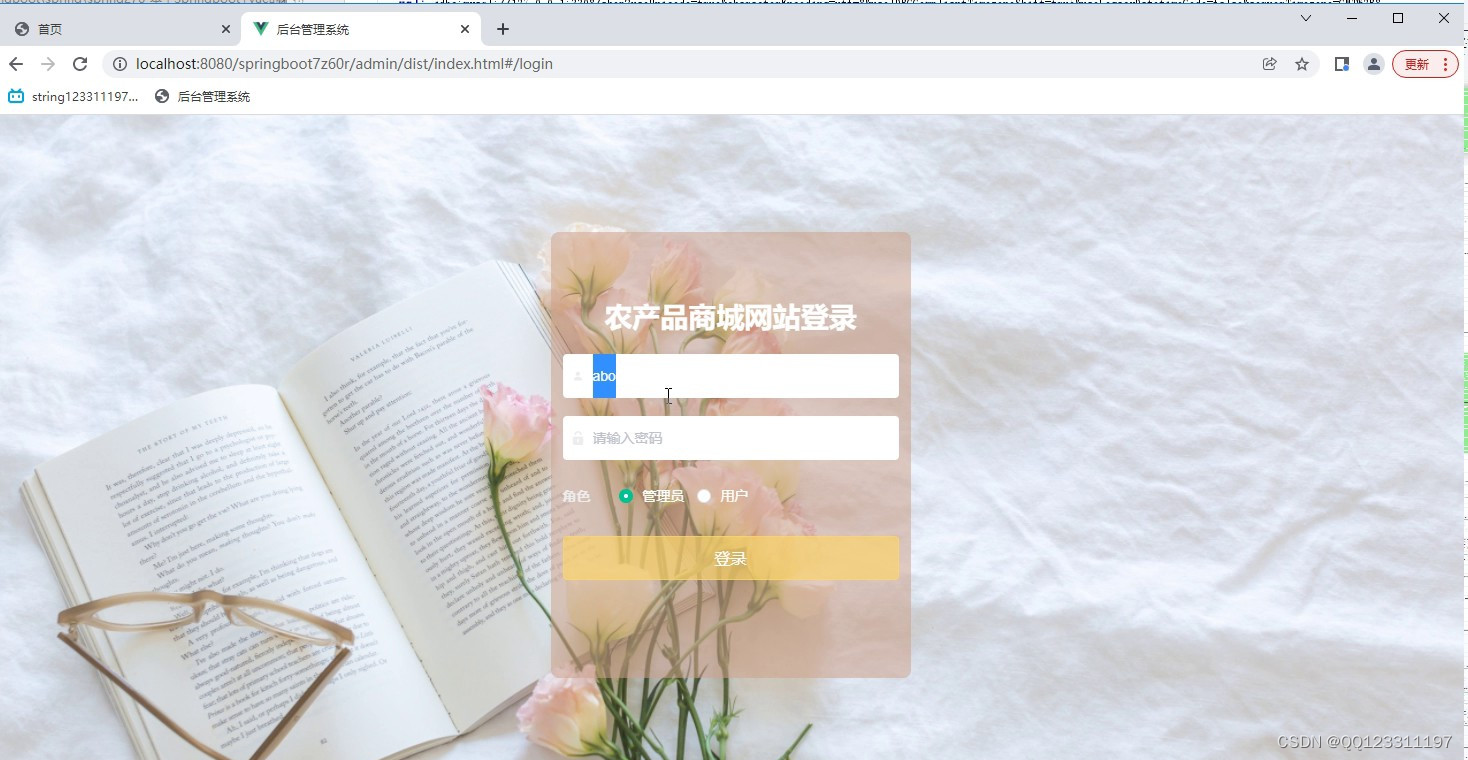
关键代码
package com.controller;import java.util.Arrays;
import java.util.Calendar;
import java.util.Date;
import java.util.Map;import javax.servlet.http.HttpServletRequest;import org.springframework.beans.factory.annotation.Autowired;
import org.springframework.stereotype.Controller;
import org.springframework.web.bind.annotation.GetMapping;
import org.springframework.web.bind.annotation.PathVariable;
import org.springframework.web.bind.annotation.PostMapping;
import org.springframework.web.bind.annotation.RequestBody;
import org.springframework.web.bind.annotation.RequestMapping;
import org.springframework.web.bind.annotation.RequestParam;
import org.springframework.web.bind.annotation.ResponseBody;
import org.springframework.web.bind.annotation.RestController;import com.annotation.IgnoreAuth;
import com.baomidou.mybatisplus.mapper.EntityWrapper;
import com.entity.TokenEntity;
import com.entity.UserEntity;
import com.service.TokenService;
import com.service.UserService;
import com.utils.CommonUtil;
import com.utils.MPUtil;
import com.utils.PageUtils;
import com.utils.R;
import com.utils.ValidatorUtils;/*** 登录相关*/
@RequestMapping("users")
@RestController
public class UserController{@Autowiredprivate UserService userService;@Autowiredprivate TokenService tokenService;/*** 登录*/@IgnoreAuth@PostMapping(value = "/login")public R login(String username, String password, String captcha, HttpServletRequest request) {UserEntity user = userService.selectOne(new EntityWrapper<UserEntity>().eq("username", username));if(user==null || !user.getPassword().equals(password)) {return R.error("账号或密码不正确");}String token = tokenService.generateToken(user.getId(),username, "users", user.getRole());return R.ok().put("token", token);}/*** 注册*/@IgnoreAuth@PostMapping(value = "/register")public R register(@RequestBody UserEntity user){
//    	ValidatorUtils.validateEntity(user);if(userService.selectOne(new EntityWrapper<UserEntity>().eq("username", user.getUsername())) !=null) {return R.error("用户已存在");}userService.insert(user);return R.ok();}/*** 退出*/@GetMapping(value = "logout")public R logout(HttpServletRequest request) {request.getSession().invalidate();return R.ok("退出成功");}/*** 密码重置*/@IgnoreAuth@RequestMapping(value = "/resetPass")public R resetPass(String username, HttpServletRequest request){UserEntity user = userService.selectOne(new EntityWrapper<UserEntity>().eq("username", username));if(user==null) {return R.error("账号不存在");}user.setPassword("123456");userService.update(user,null);return R.ok("密码已重置为:123456");}/*** 列表*/@RequestMapping("/page")public R page(@RequestParam Map<String, Object> params,UserEntity user){EntityWrapper<UserEntity> ew = new EntityWrapper<UserEntity>();PageUtils page = userService.queryPage(params, MPUtil.sort(MPUtil.between(MPUtil.allLike(ew, user), params), params));return R.ok().put("data", page);}/*** 列表*/@RequestMapping("/list")public R list( UserEntity user){EntityWrapper<UserEntity> ew = new EntityWrapper<UserEntity>();ew.allEq(MPUtil.allEQMapPre( user, "user")); return R.ok().put("data", userService.selectListView(ew));}/*** 信息*/@RequestMapping("/info/{id}")public R info(@PathVariable("id") String id){UserEntity user = userService.selectById(id);return R.ok().put("data", user);}/*** 获取用户的session用户信息*/@RequestMapping("/session")public R getCurrUser(HttpServletRequest request){Long id = (Long)request.getSession().getAttribute("userId");UserEntity user = userService.selectById(id);return R.ok().put("data", user);}/*** 保存*/@PostMapping("/save")public R save(@RequestBody UserEntity user){
//    	ValidatorUtils.validateEntity(user);if(userService.selectOne(new EntityWrapper<UserEntity>().eq("username", user.getUsername())) !=null) {return R.error("用户已存在");}userService.insert(user);return R.ok();}/*** 修改*/@RequestMapping("/update")public R update(@RequestBody UserEntity user){
//        ValidatorUtils.validateEntity(user);UserEntity u = userService.selectOne(new EntityWrapper<UserEntity>().eq("username", user.getUsername()));if(u!=null && u.getId()!=user.getId() && u.getUsername().equals(user.getUsername())) {return R.error("用户名已存在。");}userService.updateById(user);//全部更新return R.ok();}/*** 删除*/@RequestMapping("/delete")public R delete(@RequestBody Long[] ids){userService.deleteBatchIds(Arrays.asList(ids));return R.ok();}
}
目录
目 录
目 录 III
1 绪论 1
1.1 研究背景 1
1.2 目的和意义 1
1.3 论文结构安排 2
2 相关技术 3
2.1 Springboot框架介绍 3
2.2 B/S结构介绍 3
2.3 Mysql数据库介绍 4
3 系统分析 6
3.1 系统可行性分析 6
3.1.1 技术可行性分析 6
3.1.2 经济可行性分析 6
3.1.3 运行可行性分析 6
3.2 系统性能分析 7
3.2.1 易用性指标 7
3.2.2 可扩展性指标 7
3.2.3 健壮性指标 7
3.2.4 安全性指标 8
3.3 系统流程分析 8
3.3.1 操作流程分析 8
3.3.2 登录流程分析 9
3.3.3 信息添加流程分析 10
3.3.4 信息删除流程分析 11
4 系统设计 12
4.1 系统概要设计 12
4.2 系统功能结构设计 12
4.3 数据库设计 13
4.3.1 数据库E-R图设计 13
4.3.2 数据库表结构设计 14
5 系统实现 17
5.1用户部分功能17
5.2 管理员部分功能展示
6 系统测试
6.1 系统测试的特点
6.2 系统功能测试
6.2.1 登录功能测试
6.2.2 添加类别功能测试
6.3 测试结果分析
结 论
致 谢
参考文献
本文来自互联网用户投稿,文章观点仅代表作者本人,不代表本站立场,不承担相关法律责任。如若转载,请注明出处。 如若内容造成侵权/违法违规/事实不符,请点击【内容举报】进行投诉反馈!