220418_183057-注册表文件的编写与使用
注册表的编写与使用
1、编写 reg 文件的头文件
Windows Registry Editor Version 5.00
2、项的增加与删除
// 增加:直接写清楚地址就行
[HKEY_CLASSES_ROOT\Directory\Background\shell\Power off\command]// 删除:在HKEY前头加个减号"-"
[-HKEY_CLASSES_ROOT\Directory\Background\shell\Power off\command]
3、值的增加删除修改
// 增加:格式 "值的名称"="值的内容" 或者"值的名称"=值的类型:值的内容  (默认是字符串值)
// 如果值原本不存在,那就是创建,如果原本存在,那就是修改
[HKEY_CLASSES_ROOT\Directory\Background\shell\Power off\command]
"关机"="poweroff"
"关机"=dword:111// 删除:格式 "值的名称"=-
[HKEY_CLASSES_ROOT\Directory\Background\shell\Power off\command]
"关机"=-
4、默认值的修改
[HKEY_CLASSES_ROOT\Directory\Background\shell\Power off\command]
@="poweroff"
// 这样就可以把command下面的默认值的值修改为poweroff
5、保存
注意:编写好之后另存为ANSI格式(可能会涉及到中文),后缀名为.reg的文件就可以了,然后双击打开即可
在注册表里也可因导出写好的reg文件出来,同样发给别人直接运行即可。
6、例子
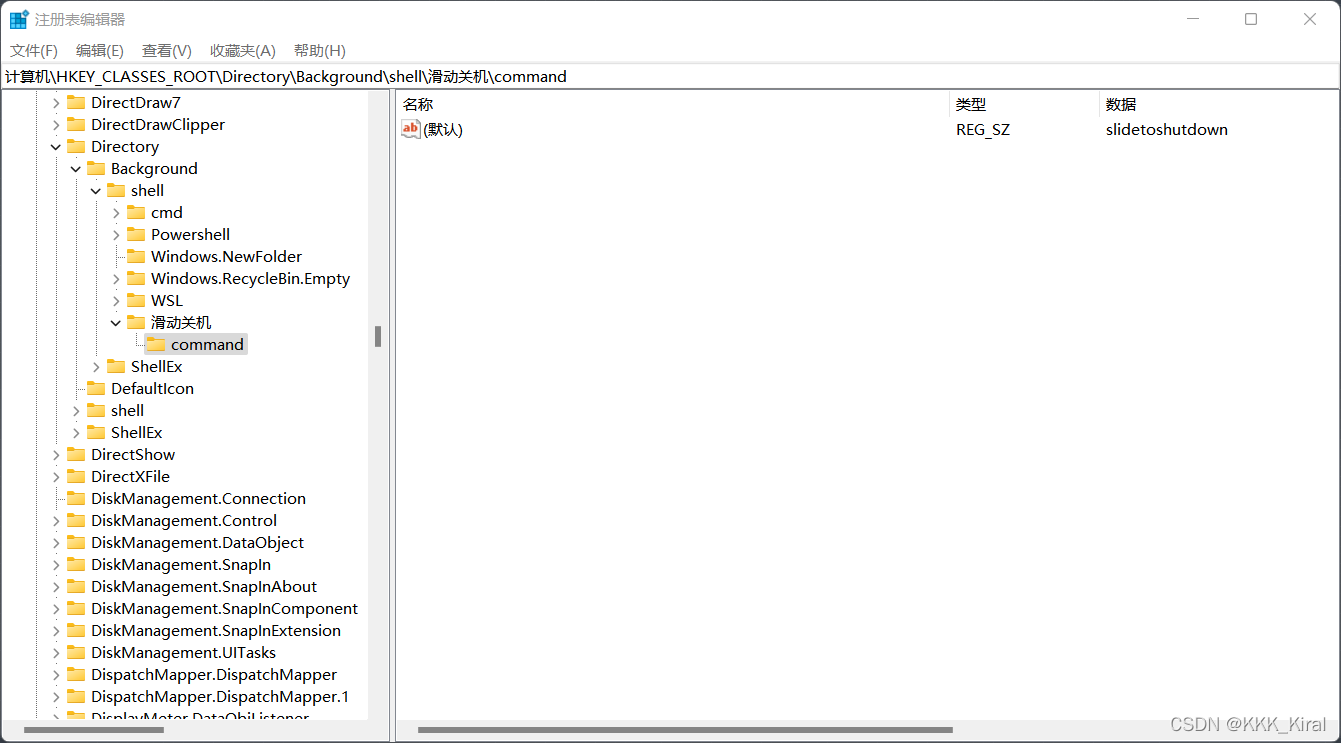
右击滑动关机
Windows Registry Editor Version 5.00[HKEY_CLASSES_ROOT\Directory\Background\shell\滑动关机\command]
@="slidetoshutdown"
取消-右击滑动关机
Windows Registry Editor Version 5.00[-HKEY_CLASSES_ROOT\Directory\Background\shell\滑动关机]
@=-
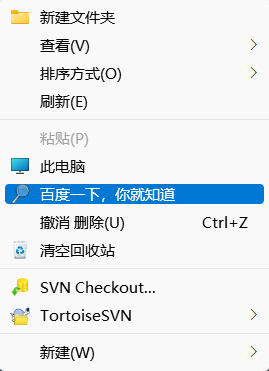
右键添加百度一下
// 右键添加百度一下
Windows Registry Editor Version 5.00[HKEY_CLASSES_ROOT\DesktopBackground\Shell\WebSearch]
"MUIVerb"="百度一下,你就知道"
"Icon"="Windows.Storage.Search.dll,0"[HKEY_CLASSES_ROOT\DesktopBackground\Shell\WebSearch\Command]
@="explorer \"https://www.baidu.com\""
本文来自互联网用户投稿,文章观点仅代表作者本人,不代表本站立场,不承担相关法律责任。如若转载,请注明出处。 如若内容造成侵权/违法违规/事实不符,请点击【内容举报】进行投诉反馈!