uniapp开发小程序实现考勤打卡,附带源码
效果图:
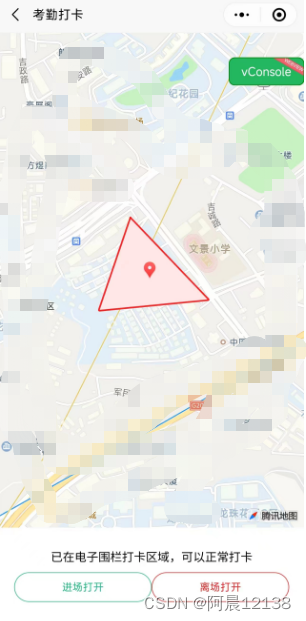
考勤打卡三步走:
- 在地图上绘制打卡区域:
例图:
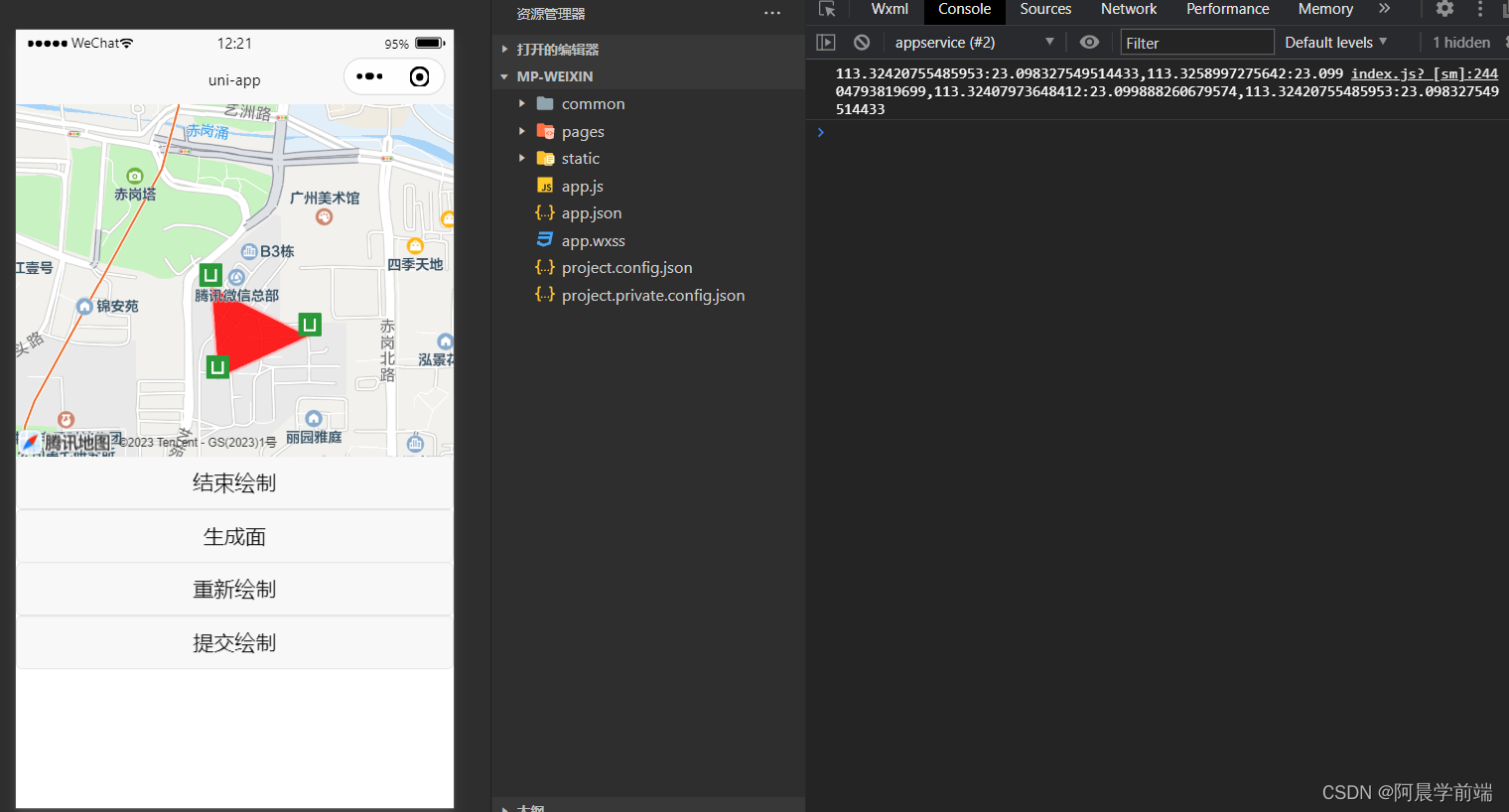
附上代码:
- 获取到用户定位,并跳转到当前用户定位:
uniapp开发小程序如何使用地图让用户选择位置,并跳转到相关位置?
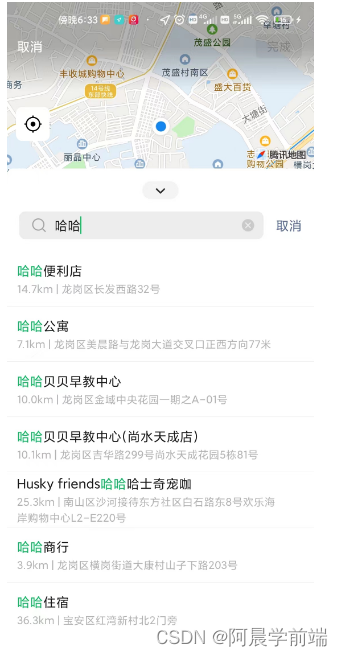
getUserLocation() {uni.getLocation({type: 'gcj02',success: res => {console.log(res.latitude, res.longitude)uni.showToast({title: '已经来到当前手机定位',duration: 800});},fail: err => {console.error(err);}});},执行上述方法小程序会自动跳转到地图搜索页,搜索选择地址后,点击确定然后返回所选地址的经纬度,那如何跳转到所选位置呢?我们进一步完善
data() {return {curLongitude: 113.324520,curLatitude: 23.099994,mapContext: null,}
},
onReady() {this.mapContext = uni.createMapContext('myMap')console.log(this.mapContext)
} getUserLocation() {uni.getLocation({type: 'gcj02',success: res => {console.log(res.latitude, res.longitude)this.curLongitude = res.longitudethis.curLatitude = res.latitude//this.mapContext.moveToLocation():调用地图上下文中提供的移动到当前地图中心点位置的方法,让地图自动定位到新的中心点位置this.mapContext.moveToLocation()uni.showToast({title: '已经来到当前手机定位',duration: 800});},fail: err => {console.error(err);}});},uniapp开发小程序如何获取用户位置,并跳转到当前位置?
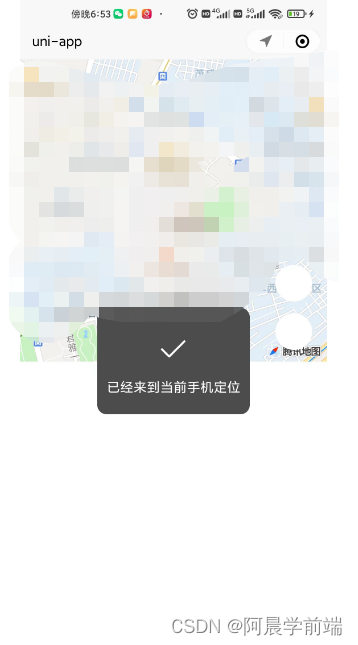
data() {return {curLongitude: 113.324520,curLatitude: 23.099994,mapContext: null,selectedLocation: null}},onReady() {this.mapContext = uni.createMapContext('myMap')console.log(this.mapContext)
}, searchLocation() {//uni.chooseLocation():调用微信内置地图打开位置选择器,允许用户选择位置。uni.chooseLocation({success: res => {this.selectedLocation = {longitude: res.longitude,latitude: res.latitude,name: res.name,address: res.address,}console.log(this.selectedLocation)this.curLongitude = this.selectedLocation.longitudethis.curLatitude = this.selectedLocation.latitude//this.mapContext.moveToLocation():调用地图上下文中提供的移动到当前地图中心点位置的方法,让地图自动定位到新的中心点位置this.mapContext.moveToLocation()uni.showToast({title: '已经来到' + this.selectedLocation.name,duration: 800});},fail: err => {console.log("已取消")}})}报错
如何遇到报错:getLocation:fail fail:require permission desc
这个错误主要是因为小程序在获取地理位置时没有进行权限授权,或者用户拒绝了该权限导致的
在manifest.json中配置如下:
"permission": {"scope.userLocation": {"desc": "获取地理位置用于小程序定位"}},"requiredPrivateInfos": ["chooseLocation", "getFuzzyLocation"]完成代码分享
两个功能的完整代码附上:
- 判断用户经纬度是否在绘制图形经纬度范围内:
借助第三方库:turf/helpers
turf/helpers是Turf.js库中的一个模块,用于提供一些辅助函数和工具,以简化地理空间分析和操作。Turf.js是一个流行的JavaScript地理空间分析库,它提供了许多功能强大且易于使用的函数,用于处理地理数据。
首先终端npm安装:turf/helpers,然后引入使用
扩展:
打卡成功播放一个音乐提示
const innerAudioContext = uni.createInnerAudioContext();
innerAudioContext.autoplay = true;
innerAudioContext.src = 'https://img.tukuppt.com/newpreview_music/09/04/05/5c8b001d3f57236050.mp3';
innerAudioContext.onPlay(() => {console.log('开始播放');
});
打卡成功手机震动一下
uni.vibrateLong({success: function() {console.log('success');}});经纬度查询:
【经纬度查询】在线地图经度纬度查询|经纬度地名坐标转换
本文来自互联网用户投稿,文章观点仅代表作者本人,不代表本站立场,不承担相关法律责任。如若转载,请注明出处。 如若内容造成侵权/违法违规/事实不符,请点击【内容举报】进行投诉反馈!