ssdb php admin,mz/phpssdbadmin
phpssdbadmin
安装
编辑 app/config/config.php:
'servers' => array(
array(
'host' => '127.0.0.1',
'port' => '8888',
),
),
将 host 和 port 修改成正确的值.
然后编辑你的 Nginx 配置文件, 加入一条 URL 重写规则:
location /phpssdbadmin {
try_files $uri $uri/ /phpssdbadmin/index.php?$args;
}
注意: 如果你还没有配置好 php, 请先配置好 php! 下面是一个示例, 但不保证你能完全理解. 如果你无法理解, 请在搜索引擎上学习如何配置 nginx+php, 谢谢!
index index.php;
root /somewhere/htdocs
location ~ \.php$ {
include fastcgi_params;
fastcgi_pass 127.0.0.1:9000;
fastcgi_param SCRIPT_FILENAME $document_root$fastcgi_script_name;
}
如果你使用的是 Apache 的话, 你可以试试这条 URL 重写规则.
RewriteEngine On
RewriteBase /phpssdbadmin/
RewriteCond %{REQUEST_FILENAME} !-f
RewriteCond %{REQUEST_FILENAME} !-d
RewriteRule . /phpssdbadmin/index.php [L]
phpssdbadmin
SSDB Admin Tool Built with PHP.
Install
Edit app/config/config.conf:
'servers' => array(
array(
'host' => '127.0.0.1',
'port' => '8888',
),
),
Change host and port to the right values.
Then edit your Nginx configuration, add one URL rewrite rule as:
location /phpssdbadmin {
try_files $uri $uri/ /phpssdbadmin/index.php?$args;
}
Your have to set up nginx+php first!
index index.php;
root /somewhere/htdocs
location ~ \.php$ {
include fastcgi_params;
fastcgi_pass 127.0.0.1:9000;
fastcgi_param SCRIPT_FILENAME $document_root$fastcgi_script_name;
}
If you are using Apache, try this URL rewrite rule:
RewriteEngine On
RewriteBase /phpssdbadmin/
RewriteCond %{REQUEST_FILENAME} !-f
RewriteCond %{REQUEST_FILENAME} !-d
RewriteRule . /phpssdbadmin/index.php [L]
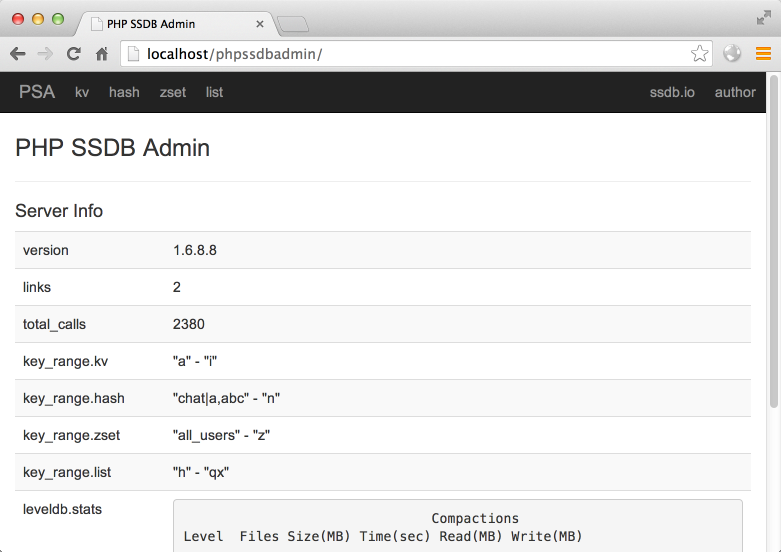
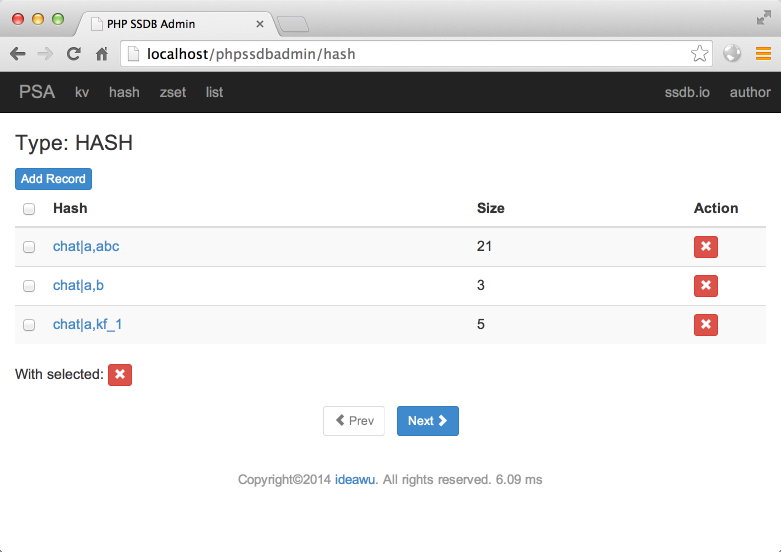
Screenshots
本文来自互联网用户投稿,文章观点仅代表作者本人,不代表本站立场,不承担相关法律责任。如若转载,请注明出处。 如若内容造成侵权/违法违规/事实不符,请点击【内容举报】进行投诉反馈!