IoT物联网平台:网关与子设备开发实战——实践类
网关与子设备开发实战(java)
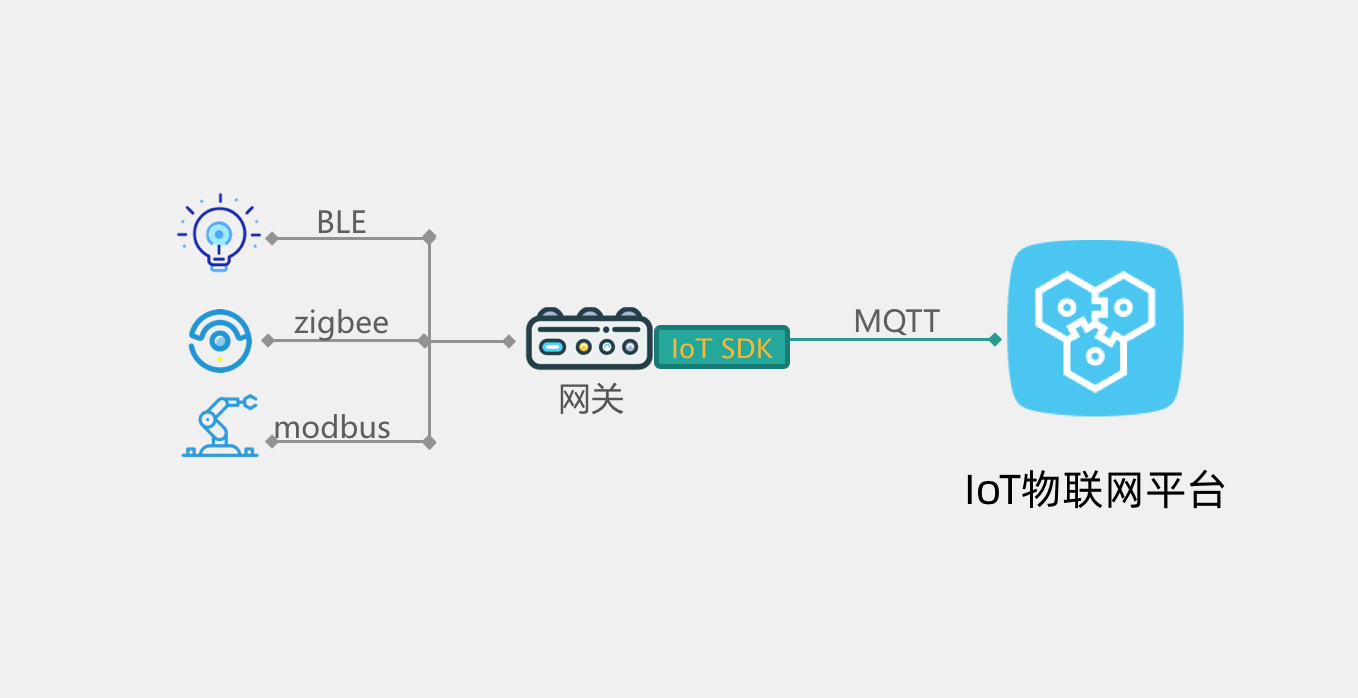
在很多物联网场景中,终端设备本身没有连接互联网能力,那么数据如何上云呢?
IoT物联网平台支持设备MQTT直连,也支持的设备挂载到网关上,作为网关的子设备,由网关代理接入IoT物联网平台。
这时候网关设备除了自身作为IoT网关设备(拥有身份三元组)与IoT物联网平台建立MQTT连接,收发数据,还要负责子设备的管理,包括:
- 网关添加子设备网络拓扑关系
- 子设备复用网关mqtt连接通道上线
- 网关把子设备数据上报到云端
- 网关接收指令,并转发给子设备
- 网关上报子设备下线
- 网关删除子设备网络拓扑关系
网关和子设备通信的协议由本地网络决定,可以是http,mqtt,ZigBee,Modbus,BLE,OPC-UA等,这部分逻辑由网关实现,IoT SDK不包含这部分功能。
1.创建网关产品
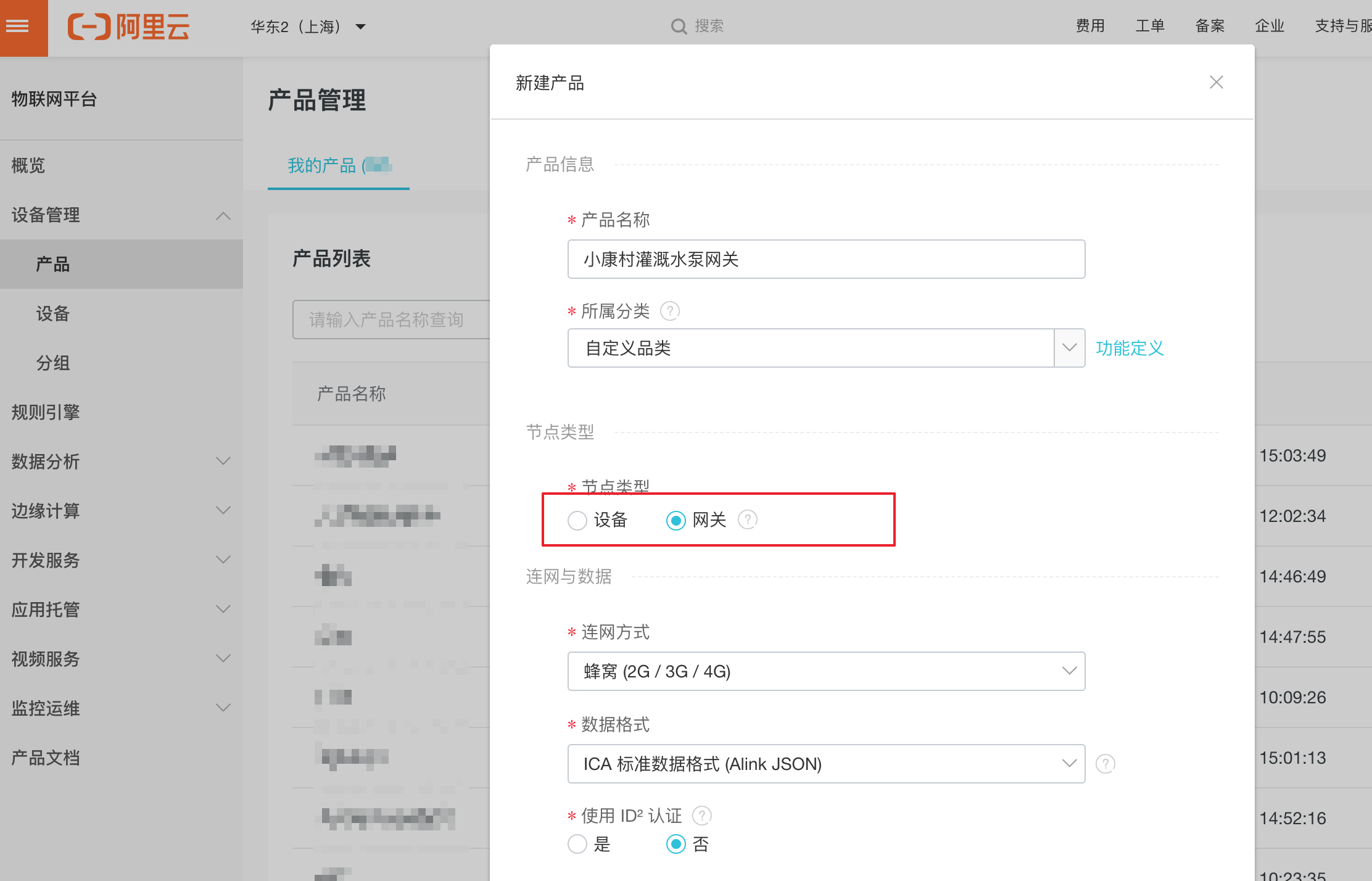
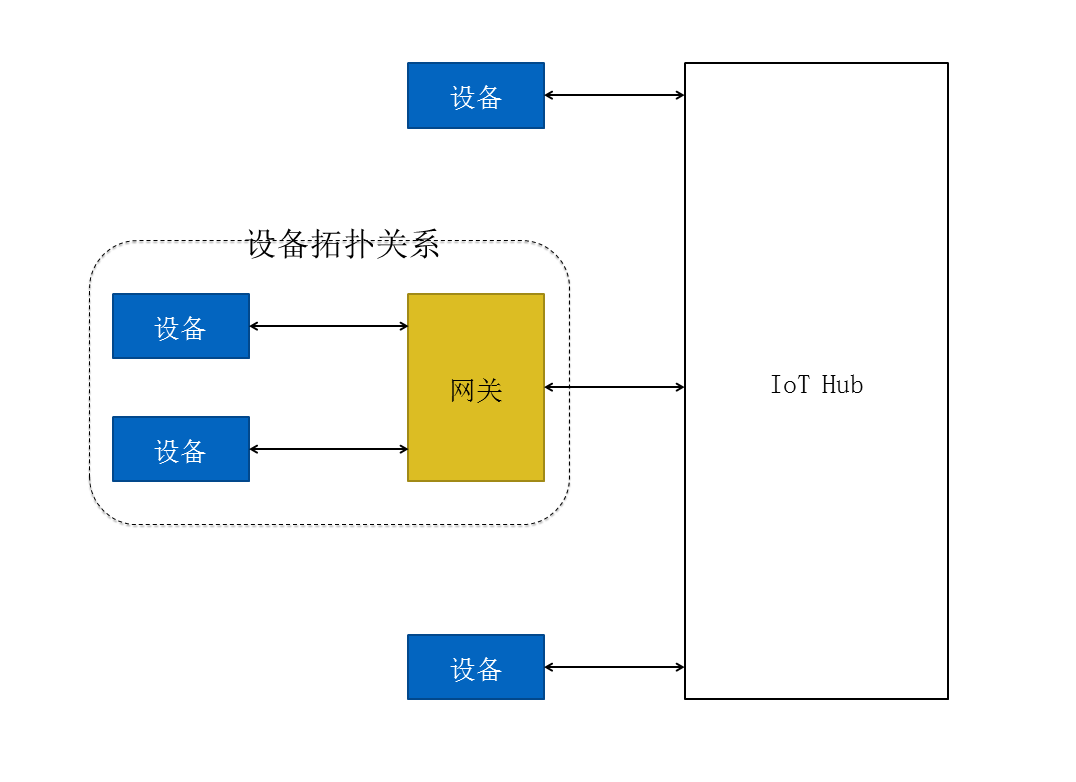
创建网关产品时,需要选择节点类型:网关,即指可以挂载子设备的直连设备。网关可以管理子设备、可以维持与子设备的拓扑关系,并将该拓扑关系同步到云端。
网关与子设备的拓扑关系如下图所示:
2.网关设备上线
LinkKitInitParams params = new LinkKitInitParams();DeviceInfo gatewayInfo = new DeviceInfo();
gatewayInfo.productKey = gateway.productKey;
gatewayInfo.deviceName = gateway.deviceName;
gatewayInfo.deviceSecret = gateway.deviceSecret;params.deviceInfo = gatewayInfo;
LinkKit.getInstance().init(params, ILinkKitConnectListener)
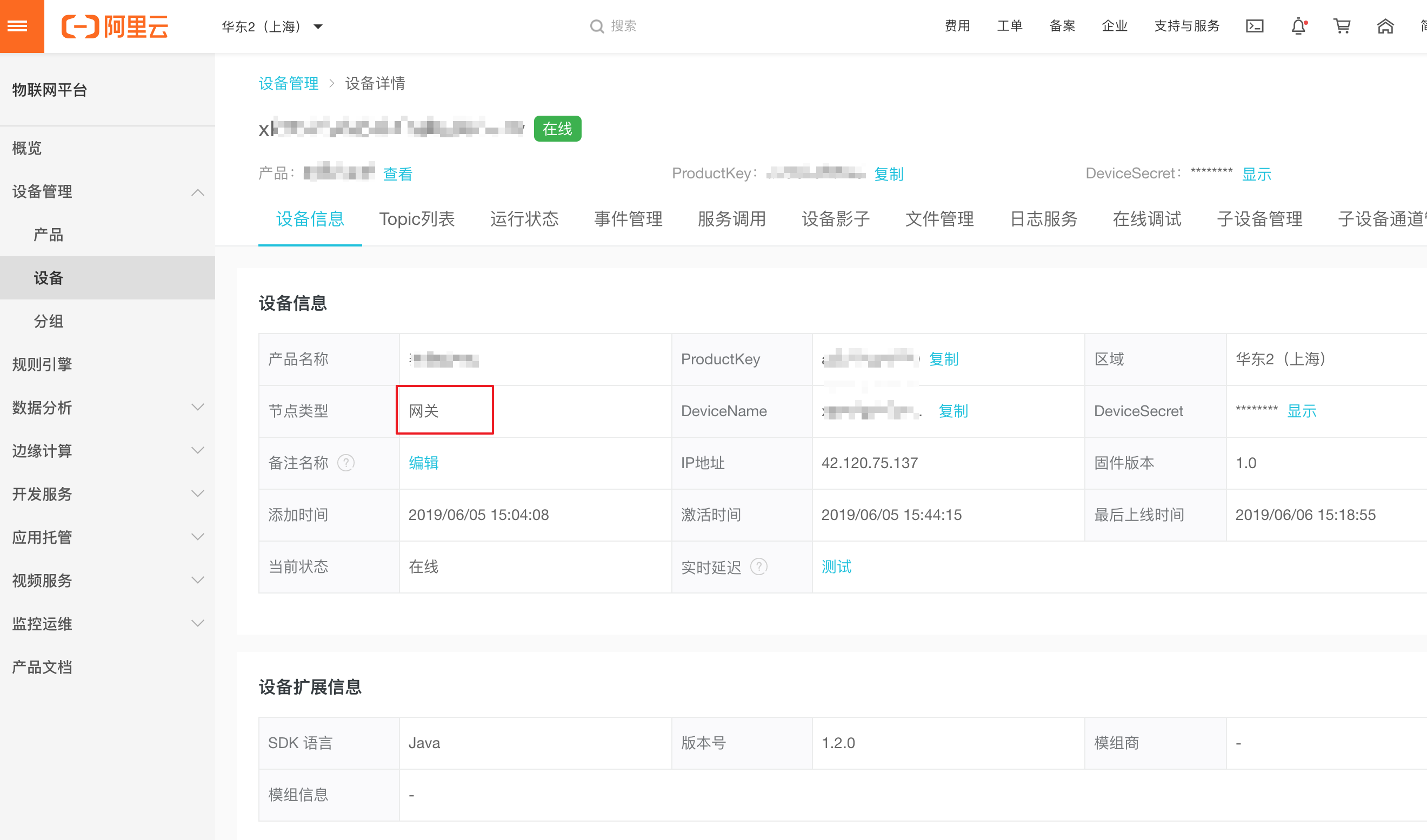
网关上线可以在控制台看到,设备状态是 在线
3.添加网络拓扑关系
DeviceInfo deviceInfo = new DeviceInfo();
deviceInfo.productKey = productKey;
deviceInfo.deviceName = deviceName;
deviceInfo.deviceSecret = deviceSecret;
LinkKit.getInstance().getGateway().gatewayAddSubDevice(deviceInfo, //子设备身份SubDeviceConnectListener)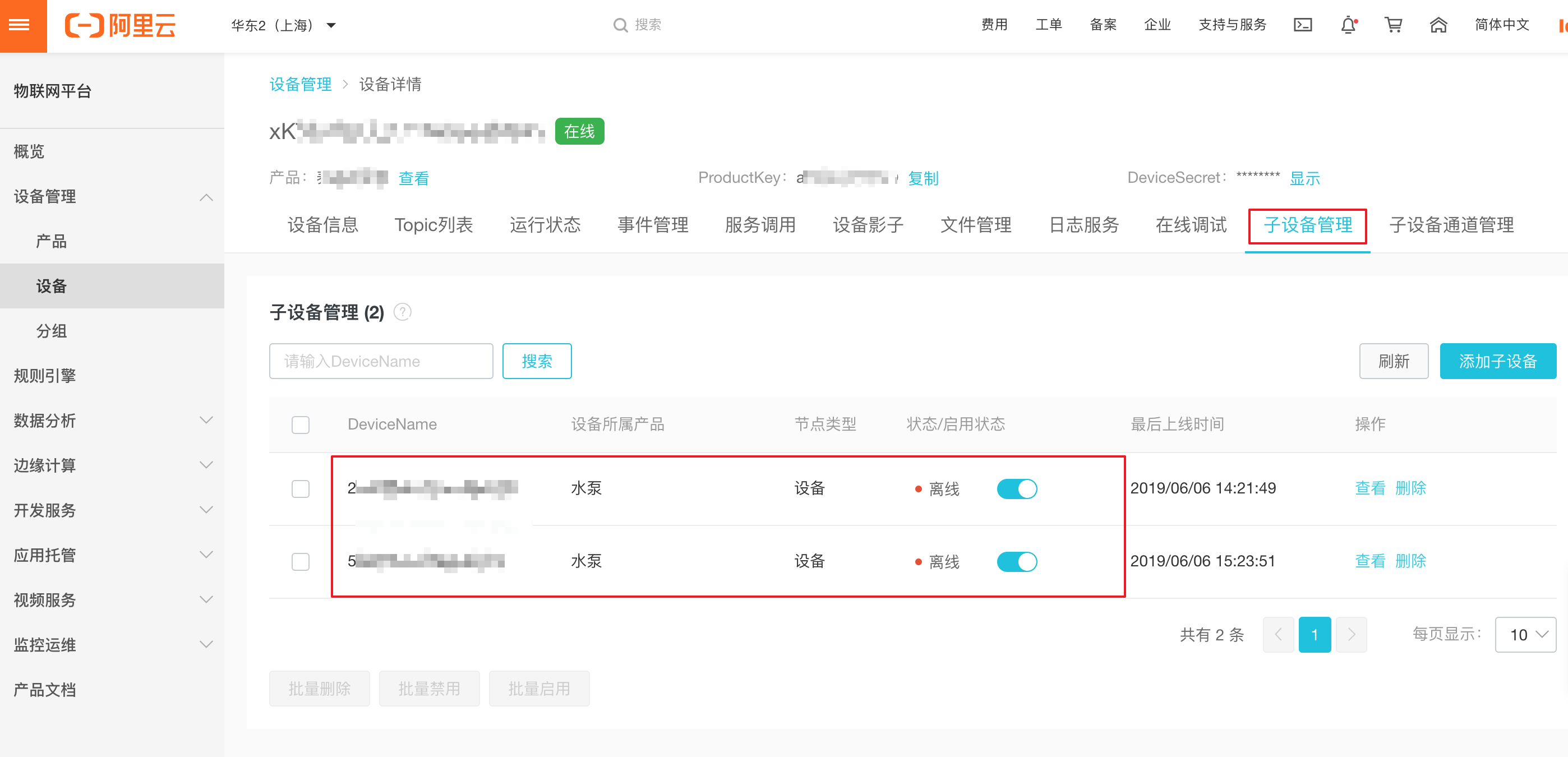
4.子设备上线
DeviceInfo deviceInfo = new DeviceInfo();
deviceInfo.productKey = productKey;
deviceInfo.deviceName = deviceName;
deviceInfo.deviceSecret = deviceSecret;
LinkKit.getInstance().getGateway().gatewaySubDeviceLogin(deviceInfo,  //子设备身份ISubDeviceActionListener)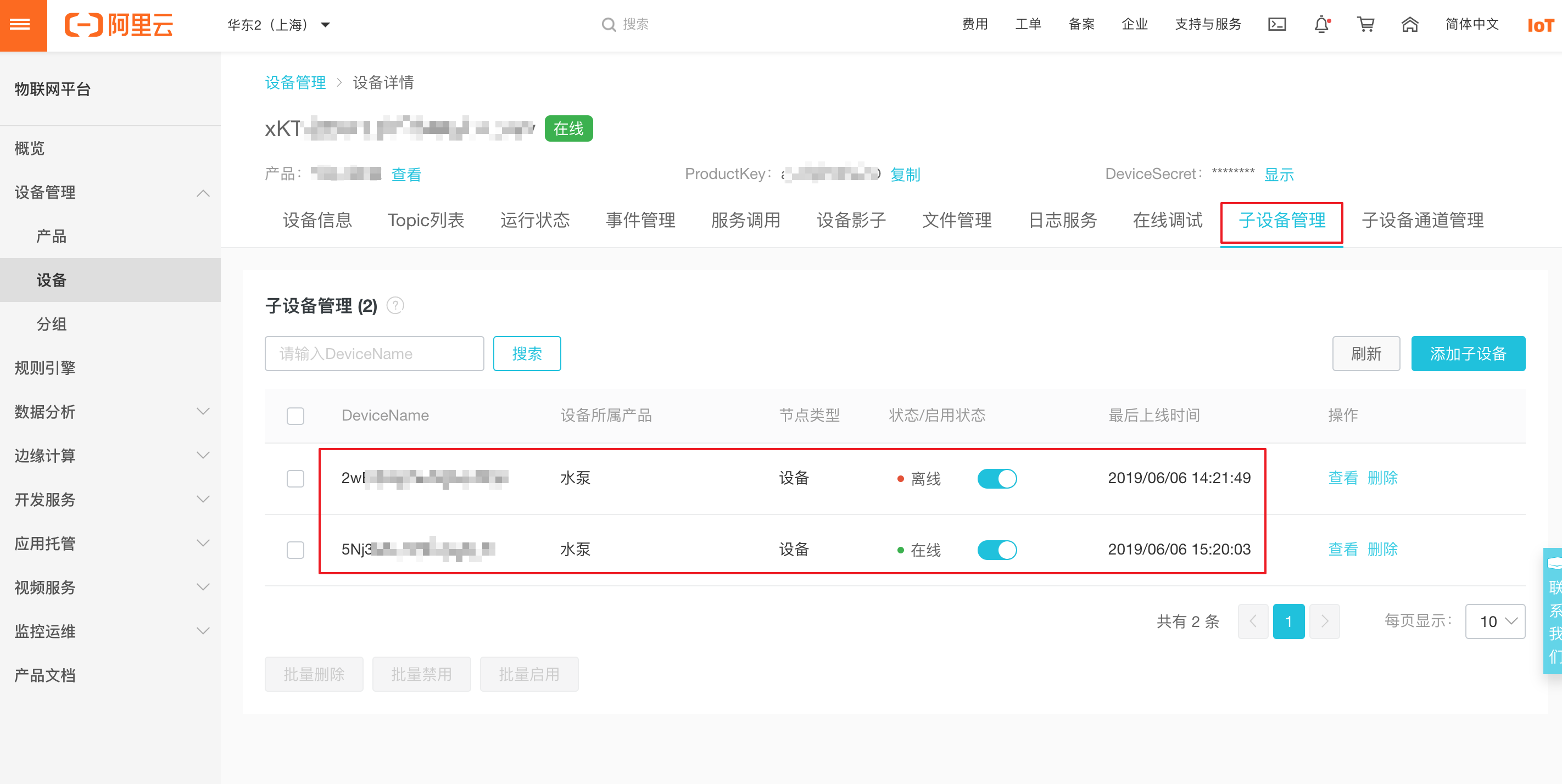
子设备查看到接入官网的信息
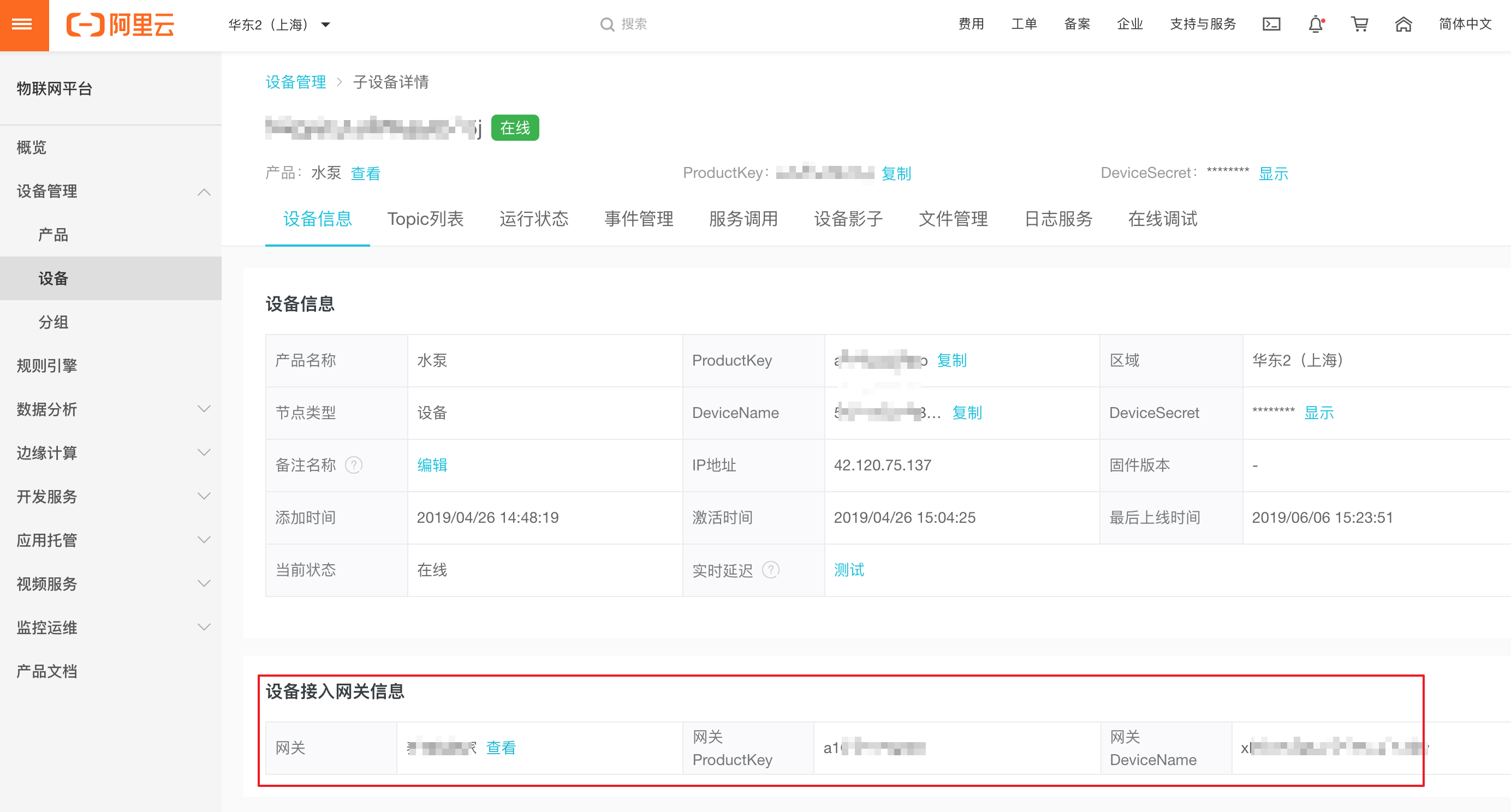
5.子设备上报数据
DeviceInfo deviceInfo = new DeviceInfo();
deviceInfo.productKey = productKey;
deviceInfo.deviceName = deviceName;
deviceInfo.deviceSecret = deviceSecret;
LinkKit.getInstance().getGateway().gatewaySubDevicePublish(topic, //子设备topicdata, //数据deviceInfo, //子设备身份ISubDeviceActionListener)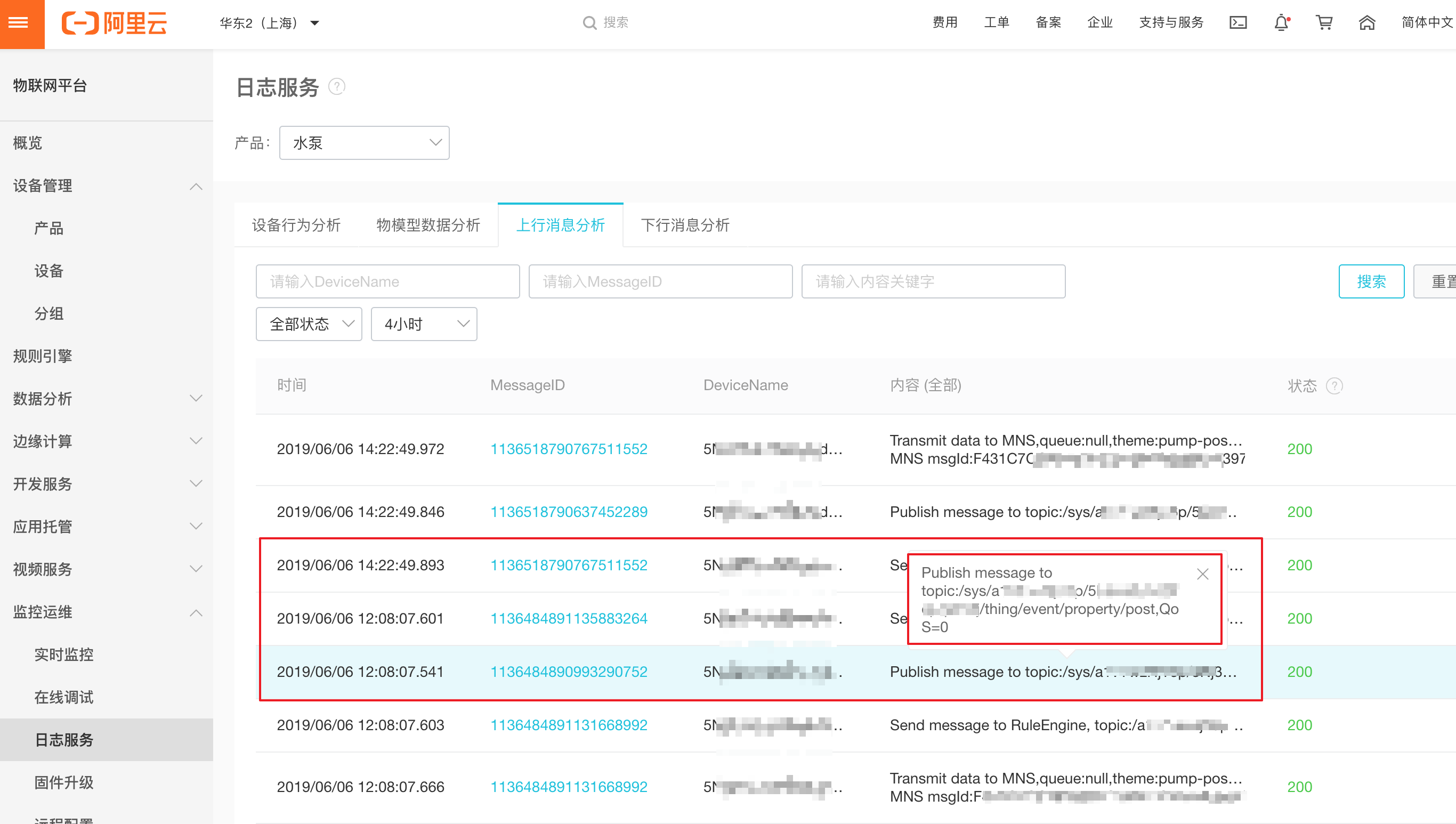
6.子设备订阅主题
DeviceInfo deviceInfo = new DeviceInfo();
deviceInfo.productKey = productKey;
deviceInfo.deviceName = deviceName;
deviceInfo.deviceSecret = deviceSecret;
LinkKit.getInstance().getGateway().gatewaySubDeviceSubscribe(topic, //子设备订阅TopicdeviceInfo, //子设备身份ISubDeviceActionListener)
7.子设备下线
DeviceInfo deviceInfo = new DeviceInfo();
deviceInfo.productKey = productKey;
deviceInfo.deviceName = deviceName;
deviceInfo.deviceSecret = deviceSecret;
LinkKit.getInstance().getGateway().gatewaySubDeviceLogout(deviceInfo, //子设备身份ISubDeviceActionListener)
8.子设备网络拓扑删除
DeviceInfo deviceInfo = new DeviceInfo();
deviceInfo.productKey = productKey;
deviceInfo.deviceName = deviceName;
deviceInfo.deviceSecret = deviceSecret;
LinkKit.getInstance().getGateway().gatewayDeleteSubDevice(deviceInfo, //子设备身份ISubDeviceRemoveListener)
物联网平台产品介绍详情:物联网平台_设备接入_设备管理_监控运维_数据分析-阿里云

阿里云物联网平台客户交流群
本文来自互联网用户投稿,文章观点仅代表作者本人,不代表本站立场,不承担相关法律责任。如若转载,请注明出处。 如若内容造成侵权/违法违规/事实不符,请点击【内容举报】进行投诉反馈!