react-native聊天室|RN版聊天App仿微信实例|RN仿微信界面
一、前言
9月,又到开学的季节。为每个一直默默努力的自己点赞!最近都沉浸在react native原生app开发中,之前也有使用vue/react/angular等技术开发过聊天室项目,另外还使用RN技术做了个自定义模态弹窗rnPop组件。
一、项目简述
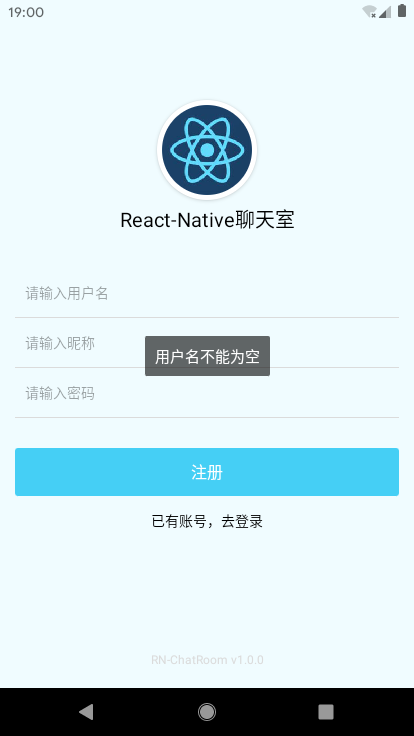
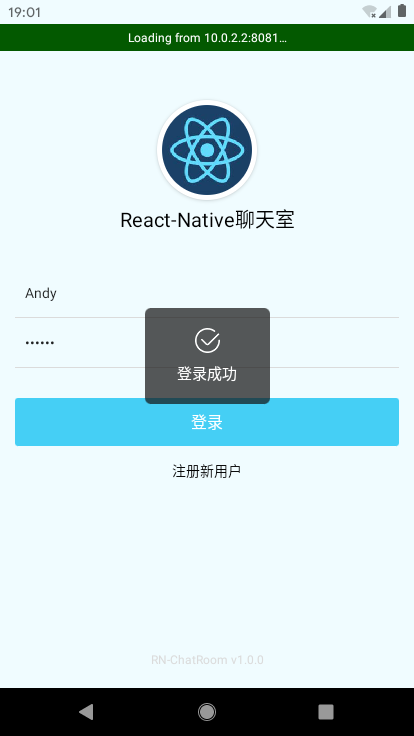
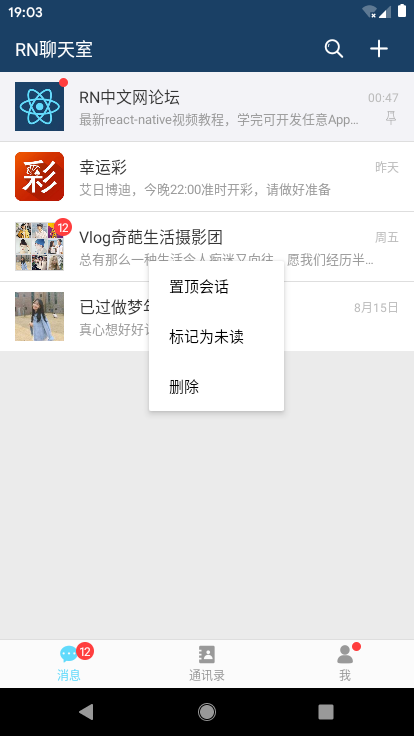
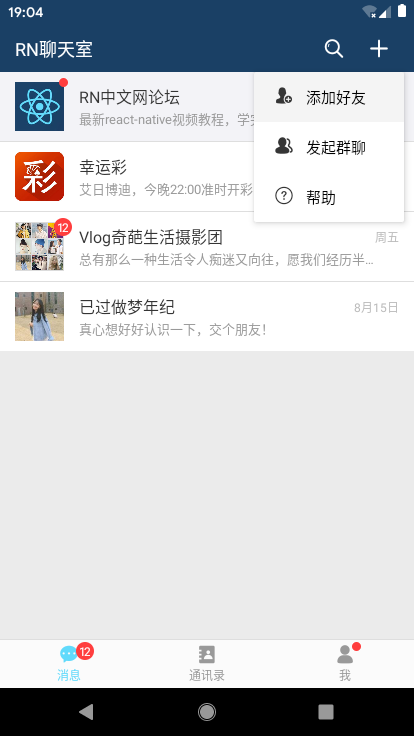
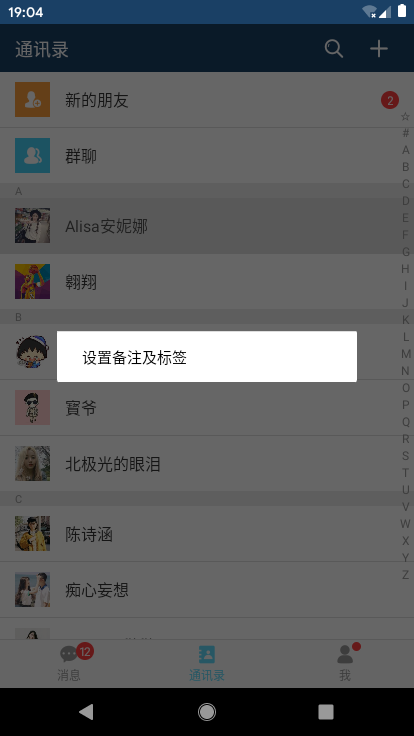
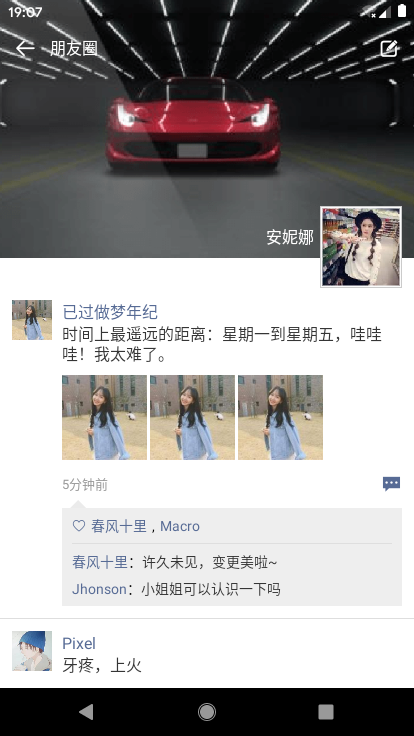
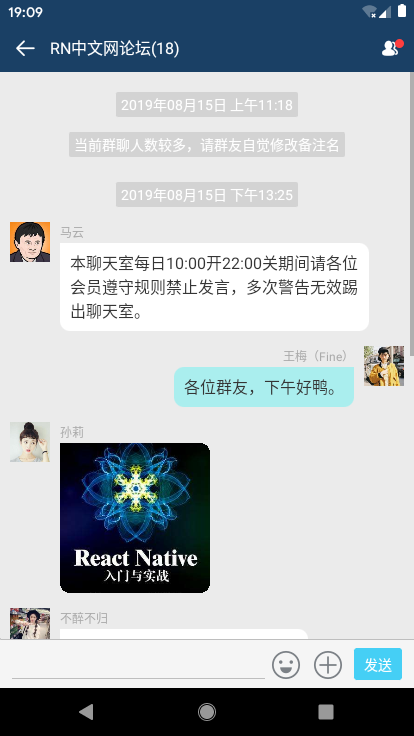
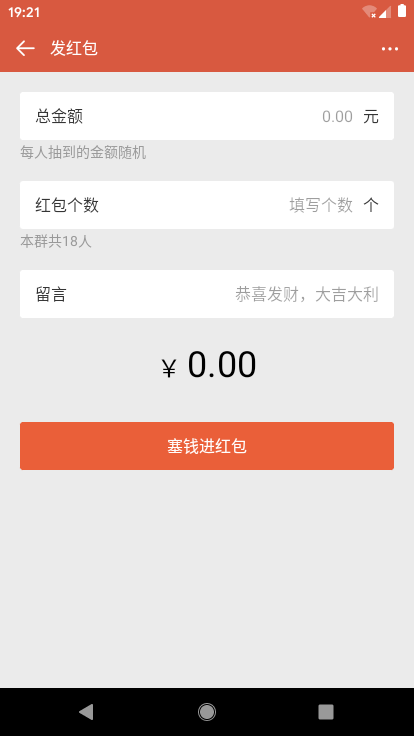
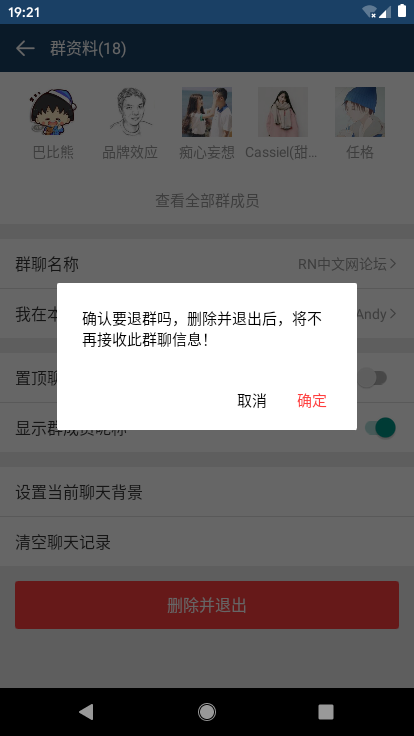
基于react+react-native+react-navigation+react-redux+react-native-swiper+rnPop等技术开发的仿微信原生App界面聊天室——RN_ChatRoom,实现了原生app启动页、AsyncStorage本地存储登录拦截、集成rnPop模态框功能(仿微信popupWindow弹窗菜单)、消息触摸列表、发送消息、表情(动图),图片预览,拍摄图片、发红包、仿微信朋友圈等功能。
二、技术点
- MVVM框架:react / react-native / react-native-cli
- 状态管理:react-redux / redux
- 页面导航:react-navigation
- rn弹窗组件:rnPop
- 打包工具:webpack 2.0
- 轮播组件:react-native-swiper
- 图片/相册:react-native-image-picker
{"name": "RN_ChatRoom","version": "0.0.1","aboutMe": "QQ:282310962 、 wx:xy190310","dependencies": {"react": "16.8.6","react-native": "0.60.4"},"devDependencies": {"@babel/core": "^7.5.5","@babel/runtime": "^7.5.5","@react-native-community/async-storage": "^1.6.1","@react-native-community/eslint-config": "^0.0.5","babel-jest": "^24.8.0","eslint": "^6.1.0","jest": "^24.8.0","metro-react-native-babel-preset": "^0.55.0","react-native-gesture-handler": "^1.3.0","react-native-image-picker": "^1.0.2","react-native-swiper": "^1.5.14","react-navigation": "^3.11.1","react-redux": "^7.1.0","react-test-renderer": "16.8.6","redux": "^4.0.4","redux-thunk": "^2.3.0"},"jest": {"preset": "react-native"}
}
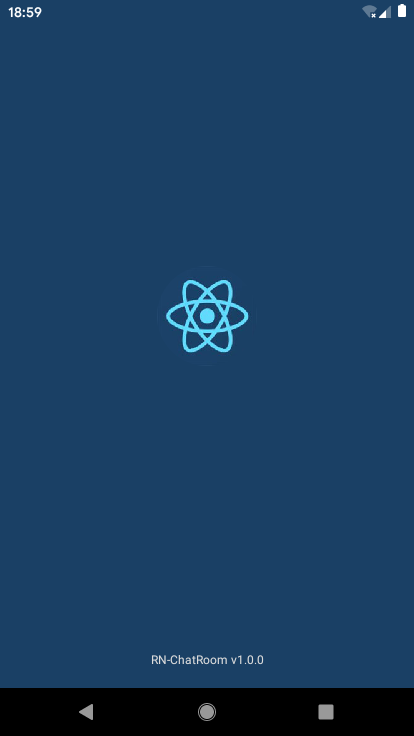





◆ App全屏幕启动页splash模板
react-native如何全屏启动? 设置StatusBar顶部条背景为透明 translucent={true},并配合RN动画Animated
/*** @desc 启动页面*/import React, { Component } from 'react' import { StatusBar, Animated, View, Text, Image } from 'react-native'export default class Splash extends Component{constructor(props){super(props)this.state = {animFadeIn: new Animated.Value(0),animFadeOut: new Animated.Value(1),}}render(){return (this.state.animFadeOut}]}> )}componentDidMount(){// 判断是否登录storage.get('hasLogin', (err, object) => {setTimeout(() => {Animated.timing(this.state.animFadeOut, {duration: 300, toValue: 0}).start(()=>{// 跳转页面util.navigationReset(this.props.navigation, (!err && object && object.hasLogin) ? 'Index' : 'Login')})}, 1500);})} }true} /> {borderRadius: 100, width: 100, height: 100}} /> {color: '#dbdbdb', fontSize: 12, textAlign: 'center',}}>RN-ChatRoom v1.0.0
◆ RN本地存储技术async-storage
/*** @desc 本地存储函数*/import AsyncStorage from '@react-native-community/async-storage'export default class Storage{static get(key, callback){return AsyncStorage.getItem(key, (err, object) => {callback(err, JSON.parse(object))})}static set(key, data, callback){return AsyncStorage.setItem(key, JSON.stringify(data), callback)}static del(key){return AsyncStorage.removeItem(key)}static clear(){AsyncStorage.clear()}
}global.storage = Storage
声明全局global变量,只需在App.js页面一次引入、多个页面均可调用。
storage.set('hasLogin', { hasLogin: true })
storage.get('hasLogin', (err, object) => { ... })
◆ App主页面模板及全局引入组件
import React, { Fragment, Component } from 'react'
import { StatusBar } from 'react-native'// 引入公共js
import './src/utils/util'
import './src/utils/storage'// 导入样式
import './src/assets/css/common'
// 导入rnPop弹窗
import './src/assets/js/rnPop/rnPop.js'// 引入页面路由
import PageRouter from './src/router'class App extends Component{render(){return ({/*
)}
}export default App ◆ react-navigation页面导航器/地址路由、底部tabbar
由于react-navigation官方顶部导航器不能满足需求,如是自己封装了一个,功能效果有些类似微信导航。
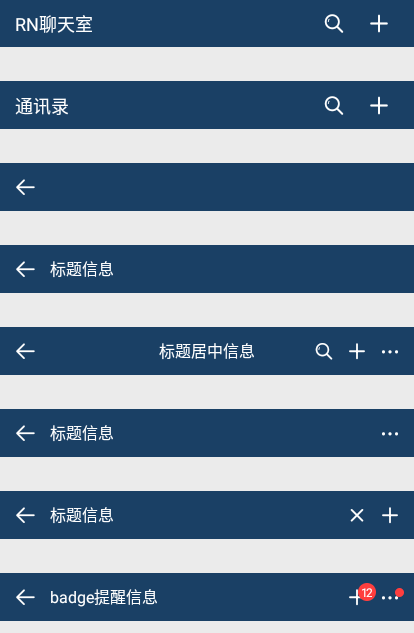
export default class HeaderBar extends Component {constructor(props){super(props)this.state = {searchInput: ''}}render() {/*** 更新* @param { navigation | 页面导航 }* @param { title | 标题 }* @param { center | 标题是否居中 }* @param { search | 是否显示搜索 }* @param { headerRight | 右侧Icon按钮 }*/let{ navigation, title, bg, center, search, headerRight } = this.propsreturn ()}goBack = () => {this.props.navigation.goBack()} } true} /> {/* 返回 */} this.goBack}> {/* 标题 */}{ !search && center ? : null } {search ? ( ):( {this.setState({searchInput: text})}} style={styles.barSearchText} placeholder='搜索' placeholderTextColor='rgba(255,255,255,.6)' /> null]}>{ title ? )}{/* 右侧 */}{title} : null }{ !headerRight ? null : headerRight.map((item, index) => {return( item.press ? item.press(this.state.searchInput) : null}>{item.type === 'iconfont' ? item.title : (typeof item.title === 'string' ? )})}null}>{`${item.title}`} :{width: 24, height: 24, resizeMode: 'contain'}} /> )}{/* 圆点 */}{ item.badge ? : null }{ item.badgeDot ? {item.badge} : null }
// 创建底部TabBar const tabNavigator = createBottomTabNavigator(// tabbar路由(消息、通讯录、我) {Index: {screen: Index,navigationOptions: ({navigation}) => ({tabBarLabel: '消息',tabBarIcon: ({focused, tintColor}) => ()})},Contact: {screen: Contact,navigationOptions: {tabBarLabel: '通讯录',tabBarIcon: ({focused, tintColor}) => ( 12 )}},Ucenter: {screen: Ucenter,navigationOptions: {tabBarLabel: '我',tabBarIcon: ({focused, tintColor}) => ( )}}},// tabbar配置 {...} )
◆ RN聊天页面功能模块
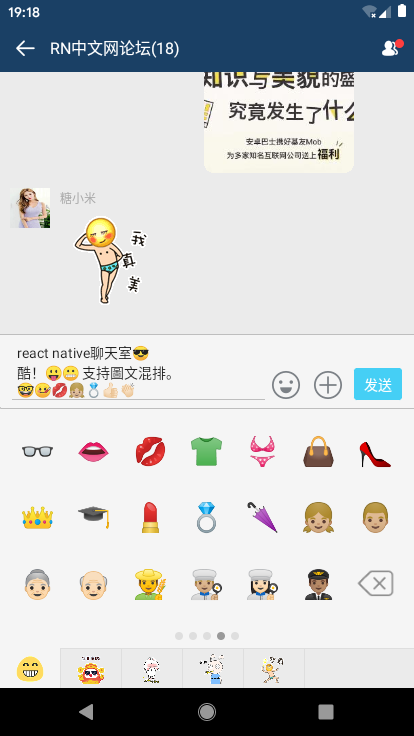
1、表情处理:原本是想着使用图片表情gif,可是在RN里面textInput文本框不能插入图片,只能通过定义一些特殊字符 :66: (:12 [奋斗] 解析表情,处理起来有些麻烦,而且图片多了影响性能,如是就改用emoj表情符。
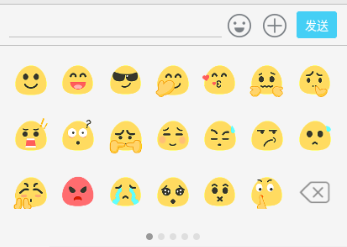
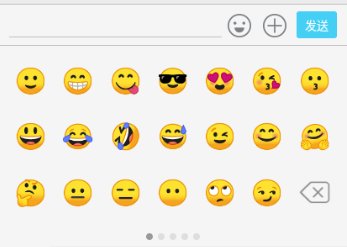
faceList: [{nodes: ['?','?','?','?','?','?','?','?','?','?','?','?','?','?','?','?','?','?','?','?','del',]},...{nodes: ['?','?','?','?','?','?','?','?','?','?','?','?','??','??','??','??','??','???','???','??✈️','del',]},... ]
2、光标定位:在指定光标处插入内容,textInput提供了光标起始位置
let selection = this.textInput._lastNativeSelection || null;
this.textInput.setNativeProps({
selection : { start : xxx, end : xxx}
})
3、textInput判断内容是否为空,过滤空格、回车
isEmpty = (html) => {
return html.replace(/\r\n|\n|\r/, "").replace(/(?:^[ \t\n\r]+)|(?:[ \t\n\r]+$)/g, "") == ""
}
/*** 聊天模块JS----------------------------------------------------*/
// ...滚动至聊天底部
scrollToBottom = (t) => {let that = thisthis._timer = setTimeout(() => {that.refs.scrollView.scrollToEnd({animated: false})}, t ? 16 : 0);
}// ...隐藏键盘
hideKeyboard = () => {Keyboard && Keyboard.dismiss()
}// 点击表情
handlePressEmotion = (img) => {if(img === 'del') returnlet selection = this.editorInput._lastNativeSelection || null;if (!selection){this.setState({editorText : this.state.editorText + `${img}`,lastRange: this.state.editorText.length})}else {let startStr = this.state.editorText.substr(0 , this.state.lastRange ? this.state.lastRange : selection.start)let endStr = this.state.editorText.substr(this.state.lastRange ? this.state.lastRange : selection.end)this.setState({editorText : startStr + `${img}` + endStr,lastRange: (startStr + `${img}`).length})}
}// 发送消息
isEmpty = (html) => {return html.replace(/\r\n|\n|\r/, "").replace(/(?:^[ \t\n\r]+)|(?:[ \t\n\r]+$)/g, "") == ""
}
handleSubmit = () => {// 判断是否为空值if(this.isEmpty(this.state.editorText)) returnlet _msg = this.state.__messageJsonlet _len = _msg.length// 消息队列let _data = {id: `msg${++_len}`,msgtype: 3,isme: true,avator: require('../../../assets/img/uimg/u__chat_img11.jpg'),author: '王梅(Fine)',msg: this.state.editorText,imgsrc: '',videosrc: ''}_msg = _msg.concat(_data)this.setState({ __messageJson: _msg, editorText: '' })this.scrollToBottom(true)
}// >>> 【选择区功能模块】------------------------------------------
// 选择图片
handleLaunchImage = () => {let that = thisImagePicker.launchImageLibrary({// title: '请选择图片来源',// cancelButtonTitle: '取消',// takePhotoButtonTitle: '拍照',// chooseFromLibraryButtonTitle: '相册图片',// customButtons: [//     {name: 'baidu', title: 'baidu.com图片'},// ],// cameraType: 'back',// mediaType: 'photo',// videoQuality: 'high',// maxWidth: 300,// maxHeight: 300,// quality: .8,// noData: true,
        storageOptions: {skipBackup: true,},}, (response) => {// console.log(response)if(response.didCancel){console.log('user cancelled')}else if(response.error){console.log('ImagePicker Error')}else{let source = { uri: response.uri }// let source = {uri: 'data:image/jpeg;base64,' + response.data}
            that.setState({ imgsrc: source })that.scrollToBottom(true)}})
}
◆ 附上vue/react/angular聊天室IM实例
Vue网页版聊天室:https://www.cnblogs.com/xiaoyan2017/p/10793728.html
React版聊天室:https://www.cnblogs.com/xiaoyan2017/p/11106246.html
Angular聊天室:https://www.cnblogs.com/xiaoyan2017/p/11194828.html

转载于:https://www.cnblogs.com/xiaoyan2017/p/11441285.html
本文来自互联网用户投稿,文章观点仅代表作者本人,不代表本站立场,不承担相关法律责任。如若转载,请注明出处。 如若内容造成侵权/违法违规/事实不符,请点击【内容举报】进行投诉反馈!