vue结合antdv与sortable.js实现表格拖拽排序
vue结合antdv与sortable.js实现表格拖拽排序
最近在工作项目中使用-design-vue做表格时,有个业务需求是需要对表格进行拖拽排序的,但是在antdv官网的表格示例中是并没有对表格进行拖拽排序功能的,然后就在网上查询资料,发现可以使用sortable.js来对表格进行排序,所以写个文章记录一下。感兴趣的朋友可以去了解一下,这个是sortable官网的地址:http://www.sortablejs.com/index.html
效果图:
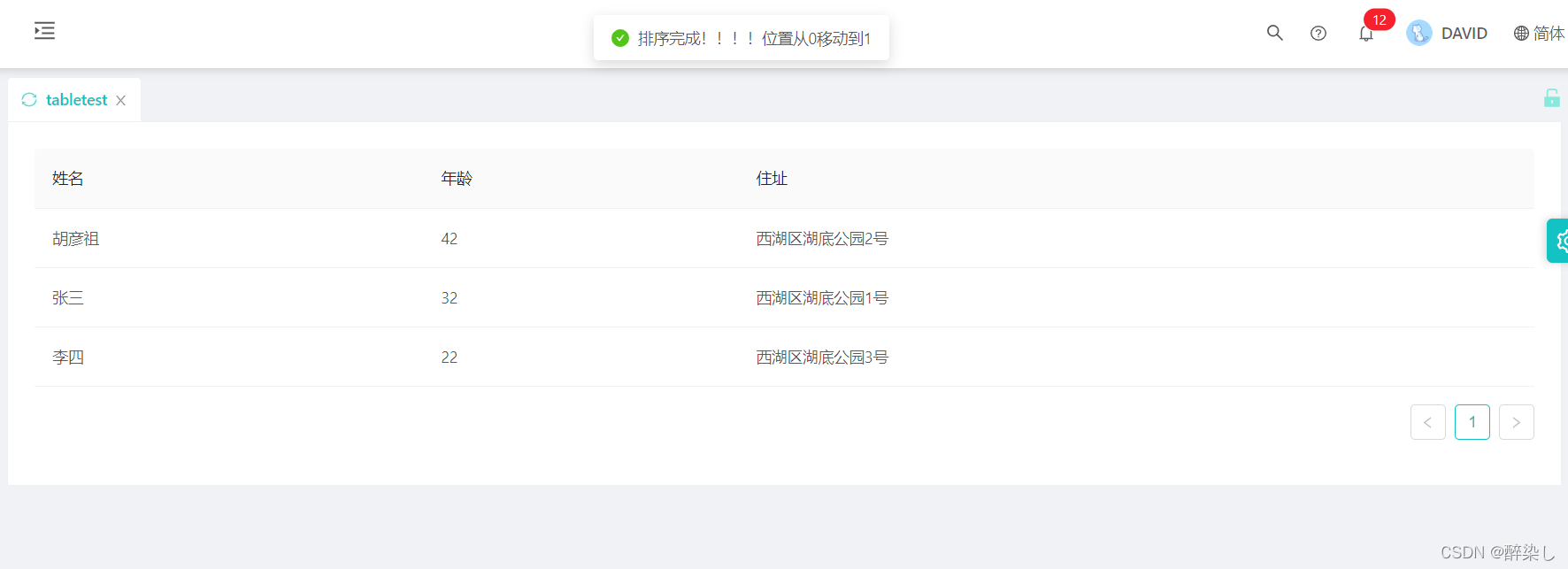
一、安装sortable.js
npm install sortablejs --save
二、demo
去博客设置页面,选择一款你喜欢的代码片高亮样式,下面展示同样高亮的 代码片.
<template><a-card><div class="demo"><a-tableid="mytb"rowKey="key":dataSource="dataSource":columns="columns"/></div></a-card>
</template>
<script>
import Sortable from "sortablejs";
import { message } from "ant-design-vue";
export default {data() {return {dataSource: [{key: "1",name: "张三",age: 32,address: "西湖区湖底公园1号",},{key: "2",name: "胡彦祖",age: 42,address: "西湖区湖底公园2号",},{key: "3",name: "李四",age: 22,address: "西湖区湖底公园3号",},],columns: [{title: "姓名",dataIndex: "name",key: "name",},{title: "年龄",dataIndex: "age",key: "age",},{title: "住址",dataIndex: "address",key: "address",},],};},mounted() {//  拖拽事件一定要放在 mounted 生命周期内,因为这时真实的DOM才渲染出来this.initSortable();},methods: {//初始化表格拖动/*** oldIndex:谁* newIndex:移动到哪儿*/initSortable() {console.log(this.dataSource[0]);const mytb = document.querySelector("#mytb tbody");const _this = this;new Sortable(mytb, {handle: ".ant-table-row",animation: 150,ghostClass: "blue-background-class",sort: true,onEnd({ newIndex, oldIndex }) {console.log(oldIndex, newIndex);const currRow = _this.dataSource.splice(oldIndex, 1)[0];_this.dataSource.splice(newIndex, 0, currRow);message.success("排序完成!!!!位置从" + oldIndex + "移动到" + newIndex);},});},},
};
</script>
第一次写文章记录,有写的不好的地方欢迎各位大佬指正,谢谢。
參考链接: https://www.cnblogs.com/dshvv/p/15002303.html.
本文来自互联网用户投稿,文章观点仅代表作者本人,不代表本站立场,不承担相关法律责任。如若转载,请注明出处。 如若内容造成侵权/违法违规/事实不符,请点击【内容举报】进行投诉反馈!