ant-design-vue a-upload 多图上传并拖拽排序
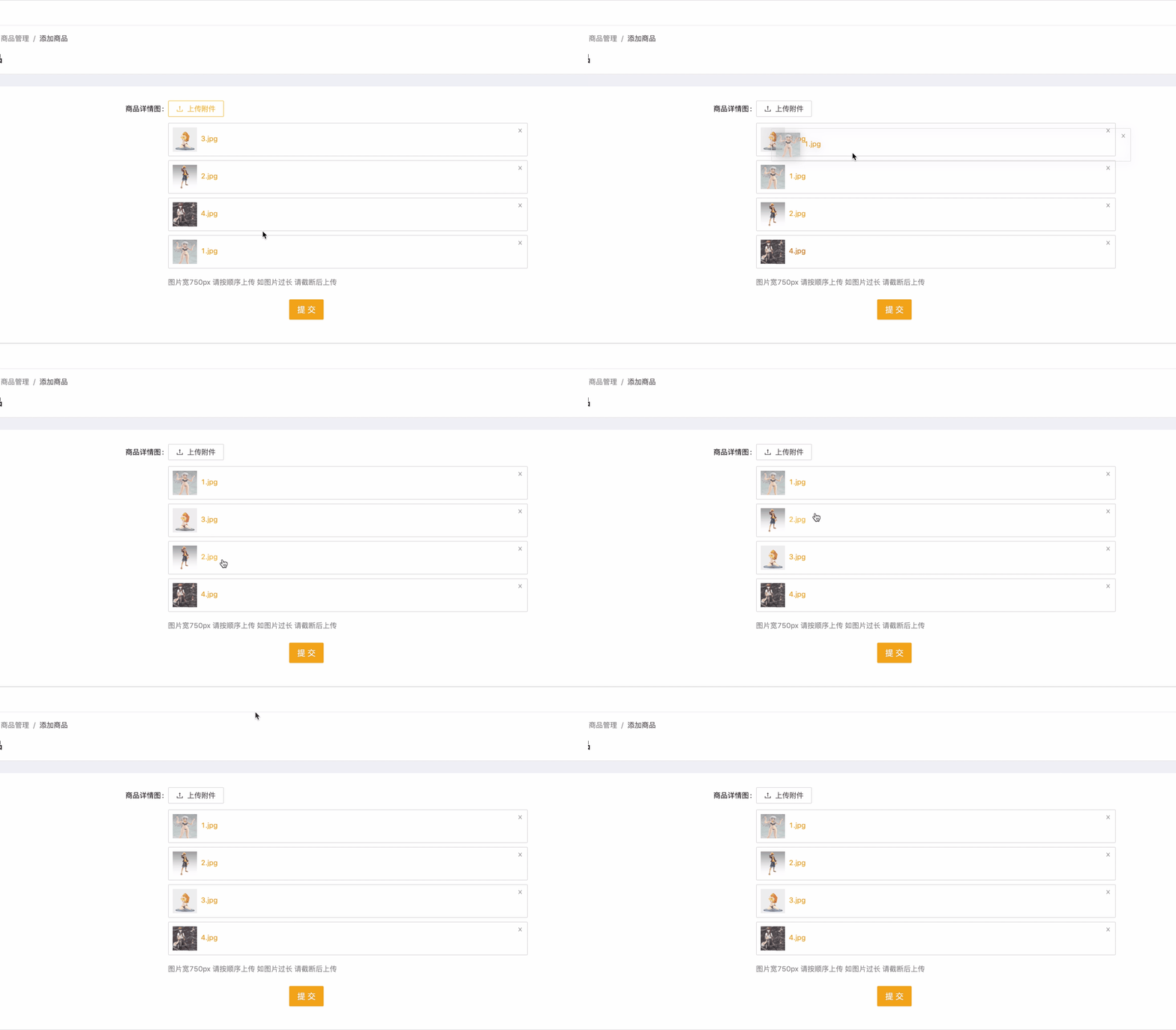
说下思路,ant自己的a-upload组件,不好套拖拽,因为我们需要拖拽的是fileList,所以我就把组件自己的fileList搞成空了,自己写了一个‘fileList’,这样我们用数据自己循环出来的filelist就可以进行很多操作了。
1.我是把a-upload写成了一个组件,
在组件里用了vue-draggable进行拖拽
先安装 npm install vuedraggable
新建组件文件,路径:src/components/UploadImage/UploadImage.vue
组件见代码
![4.jpg]() {{item.name}}
{{item.name}}
2.使用
import UploadImage from ‘…/…/…/components/UploadImage/UploadImage’
components: {
UploadImage
},
(1)添加页面,不需要图片回显
(2)编辑页面,需要回显图片
单张回显:
多张回显:
2022/01/12更新上传图片压缩
(真不是我说,有些使用的用户是真尼玛有毛病啊,传一张5mb的图,问我怎么传这么慢)
替换一下上面的beforeUpload,或者新增进去
beforeUpload (file, fileList) {return new Promise(resolve => {// 图片压缩let reader = new FileReader(),img = new Image();reader.readAsDataURL(file);reader.onload = function(e) {img.src = e.target.result;};img.onload = function() {let canvas = document.createElement('canvas');let context = canvas.getContext('2d');let originWidth = this.width;let originHeight = this.height;canvas.width = originWidth;canvas.height = originHeight;context.clearRect(0, 0, originWidth, originHeight);context.drawImage(img, 0, 0, originWidth, originHeight);canvas.toBlob(blob => {let imgFile = new File([blob], file.name, { type: file.type }); // 将blob对象转化为图片文件const isLt2M = file.size / 1024 / 1024 < 2;if (!isLt2M) {that.$notification['error']({message: '图片过大,请压缩至2mb以下'})}else{resolve(imgFile);}},file.type,0.2); // file压缩的图片类型};});},本文来自互联网用户投稿,文章观点仅代表作者本人,不代表本站立场,不承担相关法律责任。如若转载,请注明出处。 如若内容造成侵权/违法违规/事实不符,请点击【内容举报】进行投诉反馈!