Unity 如何使随机颜色更粉嫩
Unity 如何使随机颜色更粉嫩
先上对比图:
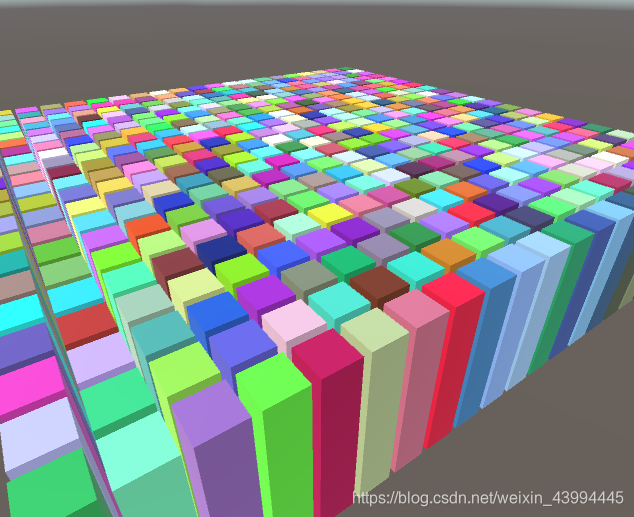
- ↓RGB都在0-255之间随机 (0-255, 0-255, 0-255)
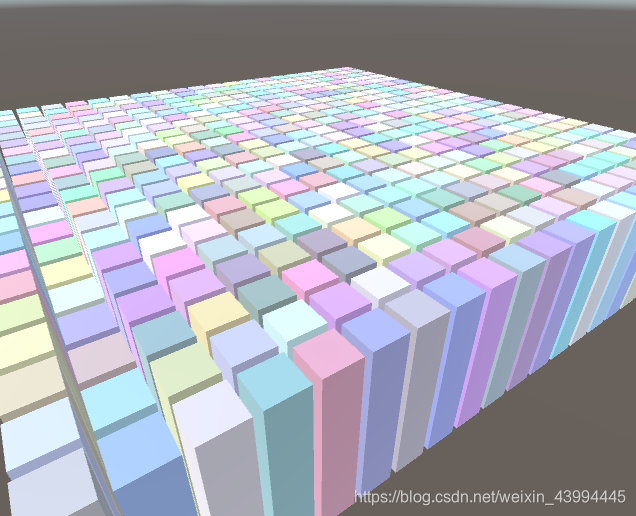
- ↓RGB都在150-255之间随机, 就是偏灰白的 (150-255, 150-255, 150-255)
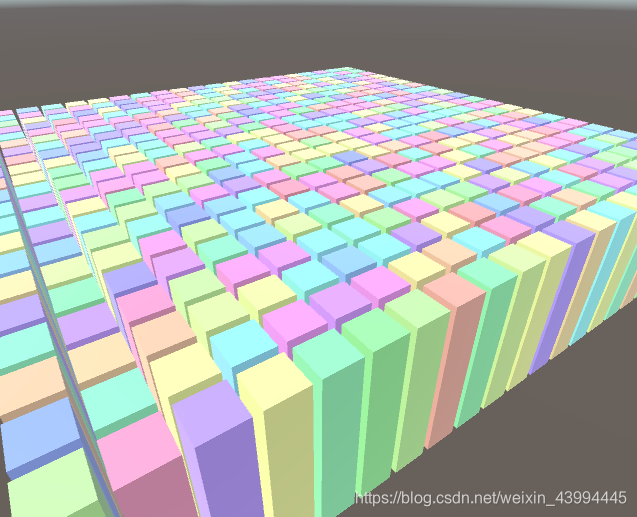
- ↓RGB随机分配这3个值: 255, 150, 150-250(随机), 就会粉粉嫩嫩的
如: (255, 150, 200), (150, 170, 255), (240, 255, 150)等
代码:
方法1↓ 直接手写switch, 一共6种分配方式
float r, g, b;Color GetRandomColor(){//定义3个颜色备用float c1 = 1f;float c2 = 150 / 255f;float c3 = Random.Range(150 / 255f, 1f);//将3个颜色随机分配给R,G,Bint choose = Random.Range(0, 6);switch (choose){case 0:r = c1; g = c2; b = c3; break;case 1:r = c1; g = c3; b = c2; break;case 2:r = c2; g = c1; b = c3; break;case 3:r = c2; g = c3; b = c1; break;case 4:r = c3; g = c1; b = c2; break;case 5:r = c3; g = c2; b = c1; break;}return new Color(r, g, b);}
方法2↓ 条条大路通罗马, 用列表也能达到同样的效果, 用的是Add和Remove
//定义3个颜色备用float c1 = 1f;float c2 = 150 / 255f;float c3 = Random.Range(150 / 255f, 1f);//将3个颜色随机分配给R,G,BList<float> ListRandom = new List<float>() { c1, c2, c3 };List<float> ListRGB = new List<float>();for (int i = 0; i < 3; i++){ListRGB.Add(ListRandom[Random.Range(0, ListRandom.Count)]);ListRandom.Remove(ListRGB[i]);}return new Color(ListRGB[0], ListRGB[1], ListRGB[2]);
方法3↓ 改了一版, 用的是Insert(洗牌算法). 提高了效率. (但效率最高的还是手写switch)
float[] rgbTemp = new float[3] { 1f, 1f, 150 / 255f };List<float> randomColor = new List<float>();Color GetRandomColor(){rgbTemp[0] = Random.Range(150 / 255f, 1f);randomColor.Clear();//将3个颜色随机分配给R,G,Bfor (int i = 0; i < 3; i++){int randomIndex = Random.Range(0, randomColor.Count + 1);randomColor.Insert(randomIndex, rgbTemp[i]);}return new Color(randomColor[0], randomColor[1], randomColor[2]);}
不过, 每种颜色都随机, 就没法渲染合批了(除非用GPU Instancing)
为了避免渲染消耗, 一般的思路是在几个固定的材质中做随机.
本文来自互联网用户投稿,文章观点仅代表作者本人,不代表本站立场,不承担相关法律责任。如若转载,请注明出处。 如若内容造成侵权/违法违规/事实不符,请点击【内容举报】进行投诉反馈!