优雅地处理参数传递:Spring Boot中的技巧
目录
一:四种传参方式
1.1:在 URL 中传递参数
1.2:PathVariable 传递参数(Restful 风格)
1.3:在请求体中传递参数
1.4:在请求头中传递参数
二:文件上传接口测试
2.1 : test.java
三、@RequestParam
3.1 多个参数
3.2 单个参数
四、@PathVariable
4.1 单个参数
4.2 多个参数
五、@RequestBody
5.1 单个参数
5.2 User对象
5.3 Map对象
编辑
5.4 List 集合
六:RequestHeader
七、HttpServletRequest
一:四种传参方式
SpringBoot 接收参数的常用方式主要有以下几种:
1.1:在 URL 中传递参数
可以通过在 URL 中添加参数来传递数据,例如:
/user?id=123&name=Tom。在 SpringBoot 中,可以使用@RequestParam注解来获取请求参数。

1.2:PathVariable 传递参数(Restful 风格)
PathVariable 可以接受 URL 中的变量值,例如:
/user/123,其中 123 就是一个变量。在 SpringBoot 中,可以使用@PathVariable注解来获取 URL 中的变量值。

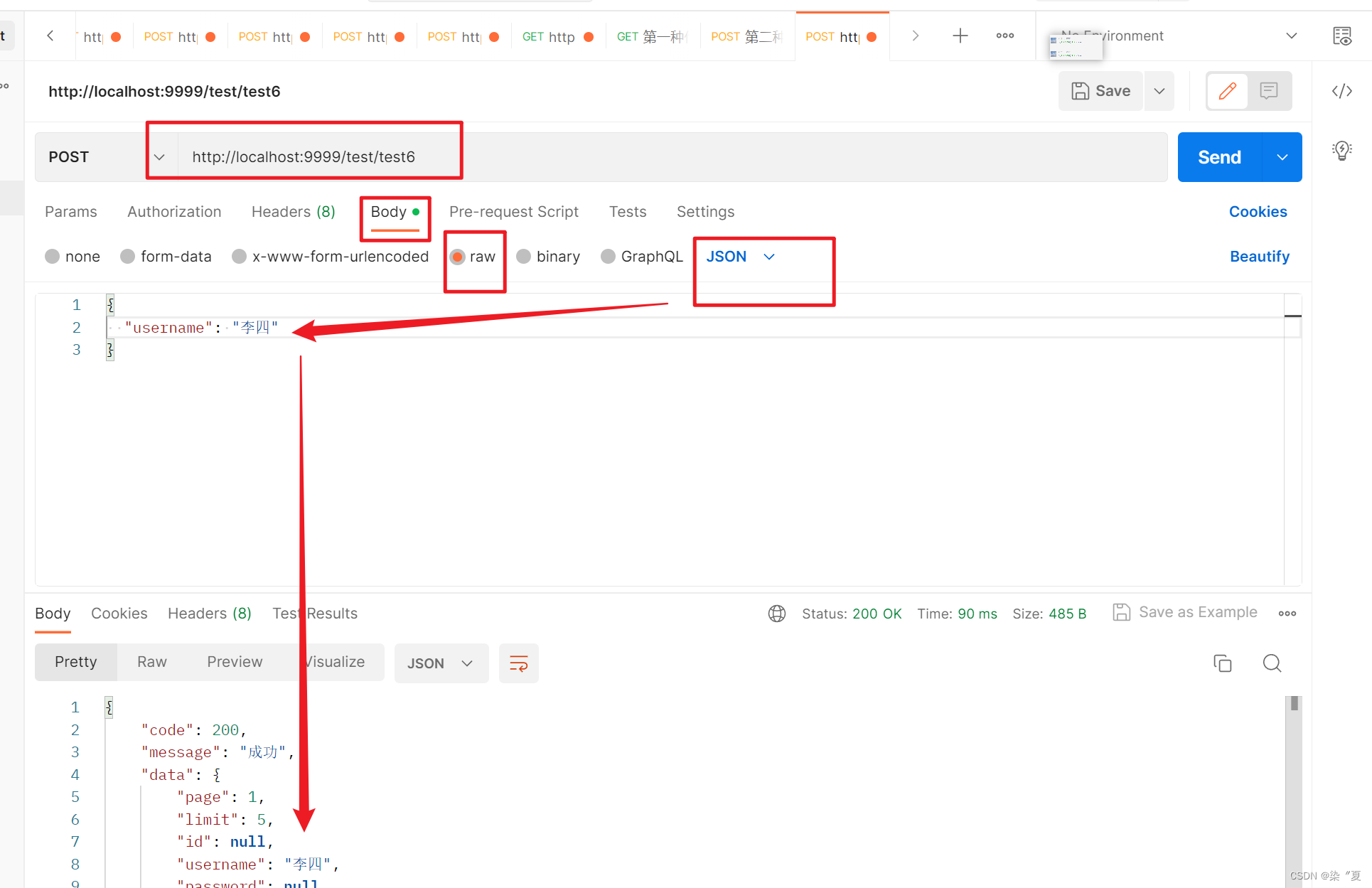
1.3:在请求体中传递参数
可以将参数放在请求体中传递,例如:POST 请求中的表单数据或 JSON 数据。在 SpringBoot 中,可以使用
@RequestBody注解来获取请求体中的参数。
1.4:在请求头中传递参数
可以在请求头中添加参数,例如:JWT Token。在 SpringBoot 中,可以使用
@RequestHeader注解来获取请求头中的参数。

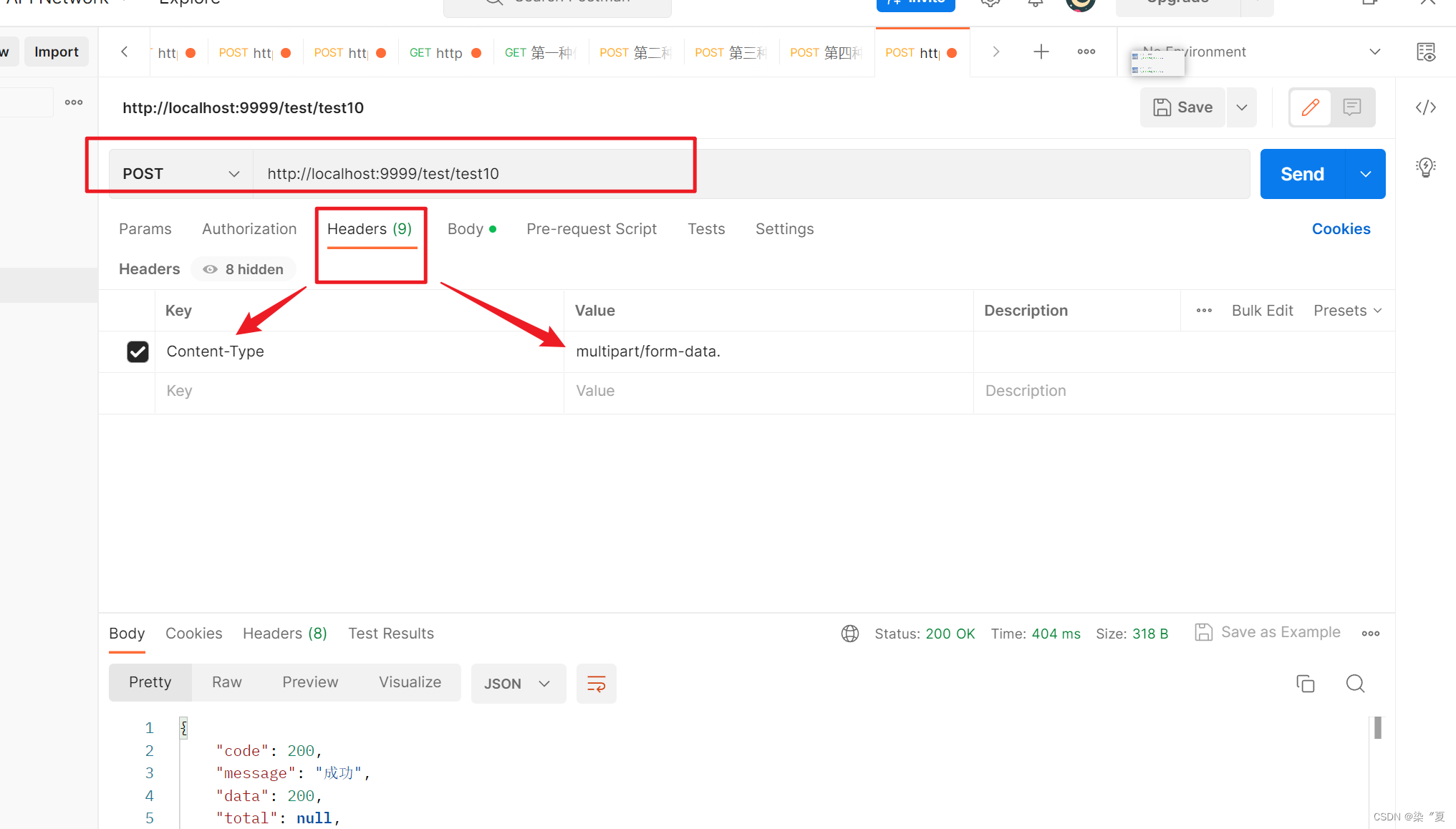
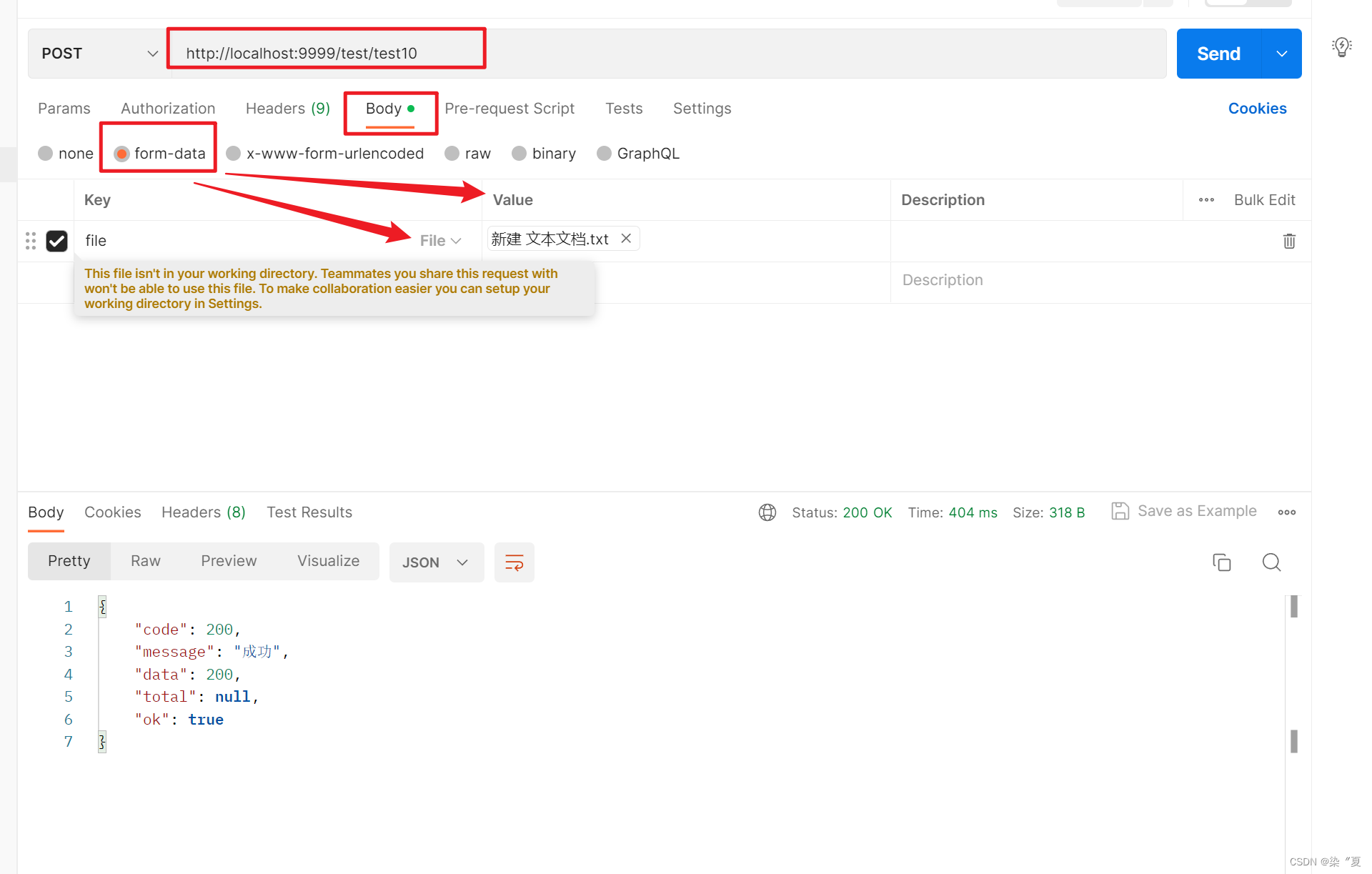
二:文件上传接口测试
2.1 : test.java
@PostMapping("/test10")public Result test10(@RequestParam("file") MultipartFile file) {return Result.ok(200);}
三、@RequestParam
3.1 多个参数
@GetMapping("/test3")public Result test3(@RequestParam("id") Integer id ,@RequestParam("name") String name){return Result.ok(name+id);}执行结果:

3.2 单个参数
@PostMapping("/test4")public Result test4(@RequestParam("name") String name) {return Result.ok(name);}执行结果:

四、@PathVariable
@PathVariable 用于绑定 url 中的占位符。例如:请求 url 中 /delete/{id},这个{id}就是 url 占位符。url 支持占位符是 spring3.0 之后加入的。是 springmvc 支持 rest 风格 URL 的一个重要标志。
4.1 单个参数
@PostMapping("/test2/{id}")public Result test2(@PathVariable("id") Integer id) {return Result.ok(id);}4.2 多个参数
@GetMapping("/test1/{id}/{name}")public Result test1(@PathVariable("id") Integer id,@PathVariable("name") String name) {return Result.ok(id+":"+name);}
五、@RequestBody
@RequestBody一般被用来接收http请求中body中json数据。get、post都可以使用。一般用于post。
5.1 单个参数
注意:不支持 (@RequestBody String name 2,@RequestBody String name2)
@PostMapping("/test5")public Result test5(@RequestBody String name) {return Result.ok(name);}不同传参得到的结果不同:
" 李四 "

JSON格式:
{"name": "李四"
}
5.2 User对象
@PostMapping("/test6")public Result test6(@RequestBody User user) {return Result.ok(user);}结果:

5.3 Map对象
@PostMapping("/test7")public Result test7(@RequestBody HashMap map) {return Result.ok(map);}
结果:

5.4 List 集合
@PostMapping("/test8")public Result test8(@RequestBody List list) {return Result.ok(list);} 结果:

六:RequestHeader
@RequestHeader主要用来获取请求当中的请求头
代码示例:
@PostMapping("/test9")public Result test9(@RequestHeader("token") String token ) {return Result.ok(token);}
结果:

七、HttpServletRequest
直接拿到request对象,通过request可以从对象中灵活的获取参数:
@RestController
@RequestMapping("/request")
public class HttpServletRequestController {@GetMapping("/getUrlValue")public String getUrlValue(HttpServletRequest request) {// 没有的时候不会报错,直接为nullString msg = request.getParameter("msg");System.out.println(msg);return msg;}@GetMapping("/getUrlValues")public String getHttpServletRequestValue(HttpServletRequest request) {Map parameterMap = request.getParameterMap();return JSONObject.toJSONString(request.getParameterMap());;}
}
本文来自互联网用户投稿,文章观点仅代表作者本人,不代表本站立场,不承担相关法律责任。如若转载,请注明出处。 如若内容造成侵权/违法违规/事实不符,请点击【内容举报】进行投诉反馈!