vue——点击按钮实现不同元素或组件显示和隐藏(切换)
- 默认
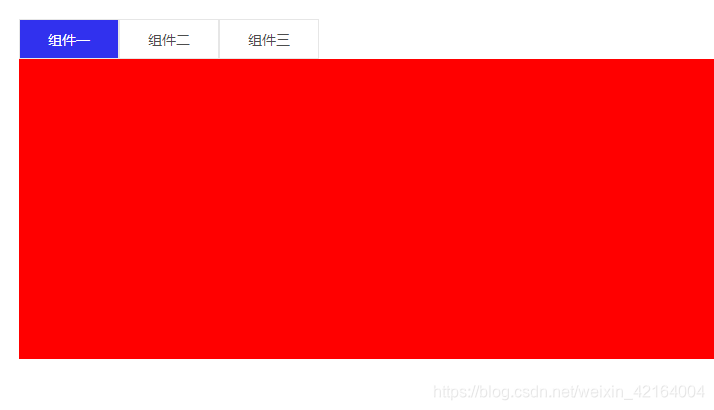
-
再次点击组件一按钮组件一面板隐藏,按钮样式也发生改变
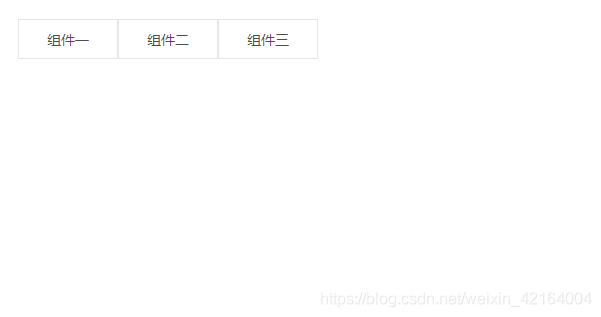
-
切换按钮后,面板发生改变
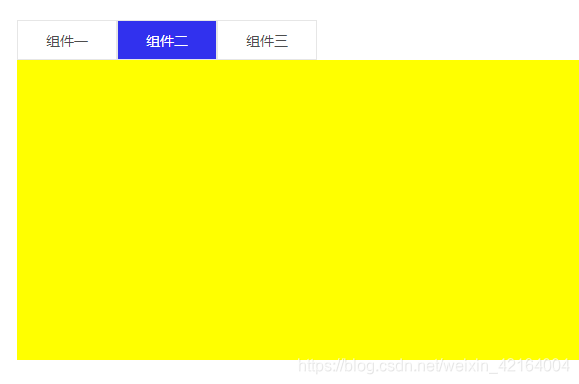
1、同一组件中实现不同元素切换
<template><div class="page"><div class="button"><span @click="show(1)":class="index===1? 'active':''">组件一</span><span @click="show(2)":class="index===2? 'active':''">组件二</span><span @click="show(3)":class="index===3? 'active':''">组件三</span></div><!-- 面板一 --><div class="one"v-show="index===1 && isShow"></div><!-- 面板二 --><div class="two"v-show="index===2 && isShow"></div><!-- 面板三 --><div class="three"v-show="index===3 && isShow"></div></div>
</template>
<script>
export default {data () {return {// 控制切换按钮后按钮改变样式index: 1,// 控制点击按钮后子组件显示,再次点击隐藏isShow: true}},methods: {show (value) {this.index === value ? this.isShow = !this.isShow : this.isShow = truethis.index = value}}
}
</script>
<style scoped lang="scss">
.page {padding: 20px;.button {span {display: inline-block;height: 40px;line-height: 40px;text-align: center;width: 100px;border: 1px solid #e6e6e6;cursor: pointer;}.active {color: #ffffff;background: rgb(49, 49, 238);}}.one {height: 300px;background: red;}.two {height: 300px;background: yellow;}.three {height: 300px;background: blue;}
}
</style>
2、利用< keep-alive >和< component >实现不同子组件切换,效果一样
子组件一:one.vue
<template><div class="one-com">11111</div>
</template>
<style scoped lang="scss">
.one-com {height: 300px;background: red;
}
</style>
子组件二:two.vue
<template><div class="one-com">22222</div>
</template>
<style scoped lang="scss">
.one-com {height: 300px;background: yellow;
}
</style>
子组件三:three.vue
<template><div class="one-com">333333</div>
</template>
<style scoped lang="scss">
.one-com {height: 300px;background: blue;
}
</style>
父组件
<template><div class="page"><div class="button"><span @click="show(1)":class="index===1? 'active':''">组件一</span><span @click="show(2)":class="index===2? 'active':''">组件二</span><span @click="show(3)":class="index===3? 'active':''">组件三</span></div><div class="tab_content"><keep-alive><component :is="comp"v-show="isShow"></component></keep-alive></div></div>
</template>
<script>
import one from '@/components/dynamic/one.vue'
import Two from '@/components/dynamic/two.vue'
import Three from '@/components/dynamic/three.vue'
export default {components: { one, Two, Three },data () {return {// 控制切换按钮后按钮改变样式index: 1,// 控制子组件显示comp: 'one',// 控制点击按钮后子组件显示,再次点击隐藏isShow: true}},methods: {show (value) {if (this.index === value) {this.index = 0this.isShow = !this.isShow} else {this.index = valuethis.isShow = true}if (value === 1) this.comp = 'one'if (value === 2) this.comp = 'two'if (value === 3) this.comp = 'three'}}
}
</script>
<style scoped lang="scss">
.page {.button {span {display: inline-block;height: 40px;line-height: 40px;text-align: center;width: 100px;border: 1px solid #e6e6e6;cursor: pointer;}.active {color: #ffffff;background: rgb(49, 49, 238);}}
}
</style>
本文来自互联网用户投稿,文章观点仅代表作者本人,不代表本站立场,不承担相关法律责任。如若转载,请注明出处。 如若内容造成侵权/违法违规/事实不符,请点击【内容举报】进行投诉反馈!