animation动画封装函数(js小案例)

function animation(obj, target, callback) {clearInterval(obj.timer); /* 让每次只有一个定时器 */obj.timer = setInterval(move, 30);// 1. 不占内存   2. 避免命名冲突function move() {/* 将目标值取整 */var step = (target - obj.offsetLeft) / 10;step = step > 0 ? Math.ceil(step) : Math.floor(step); /* key */obj.style.left = obj.offsetLeft + step + 'px';if (target == obj.offsetLeft) {clearInterval(obj.timer);if (callback) {callback();}}}
}
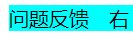
<html lang="en"><head><meta charset="UTF-8"><meta name="viewport" content="width=device-width, initial-scale=1.0"><title>Documenttitle><style>div.sliderbar {position: absolute;right: -100px;background-color: aqua;width: 120px;height: 20px;}div.sliderbar span {position: absolute;width: 20px;z-index: 1;}div.sliderbar div.con {position: absolute;display: inline-block;width: 100px;right: 0;background-color: aqua;}style>
head><body><div class="sliderbar"><span>左span><div class="con">问题反馈div>div><script src="animate.js">script><script>var sliderbar = document.querySelector('.sliderbar');var con = document.querySelector('.con');var span = document.querySelector('span');sliderbar.addEventListener('mouseenter', function() {animation(con, -80, function() {span.innerHTML = "右";});})sliderbar.addEventListener('mouseleave', function() {animation(con, 20, function() {span.innerHTML = "左";});})script>
body>html>
本文来自互联网用户投稿,文章观点仅代表作者本人,不代表本站立场,不承担相关法律责任。如若转载,请注明出处。 如若内容造成侵权/违法违规/事实不符,请点击【内容举报】进行投诉反馈!