jquery-file-upload angularjs下使用简介
1.什么是jquery-file-upload
jQuery File Upload是一个非常优秀的上传组件,主要使用了XHR作为上传方式,并且利用了相当多的现代浏览器功能,所以可以实现诸如批量上传、超大文件上传、图片预览、拖拽上传、上传进度显示、跨域上传等功能。
美中不足的是jQuery File Upload的默认UI比较复杂,集成了全部功能,让jQuery File Upload的定制变得比较繁琐。同时jquery-file-upload官网上对angualrjs集成没有相关的API,doc 使得jquery-file-upload在angualrjs中难度极为复杂,网上关于相关集成的文章少之又少,故在此介绍。
2.jquery-file-upload 与angualrJs 集成效果图
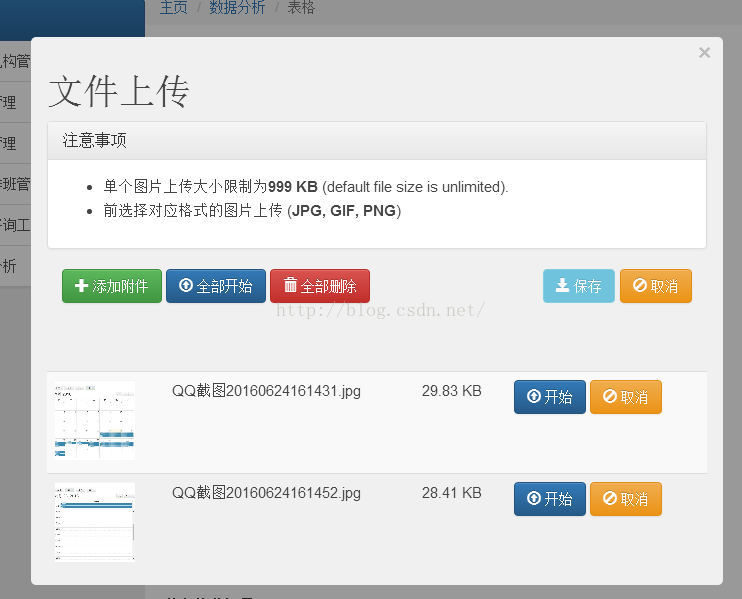
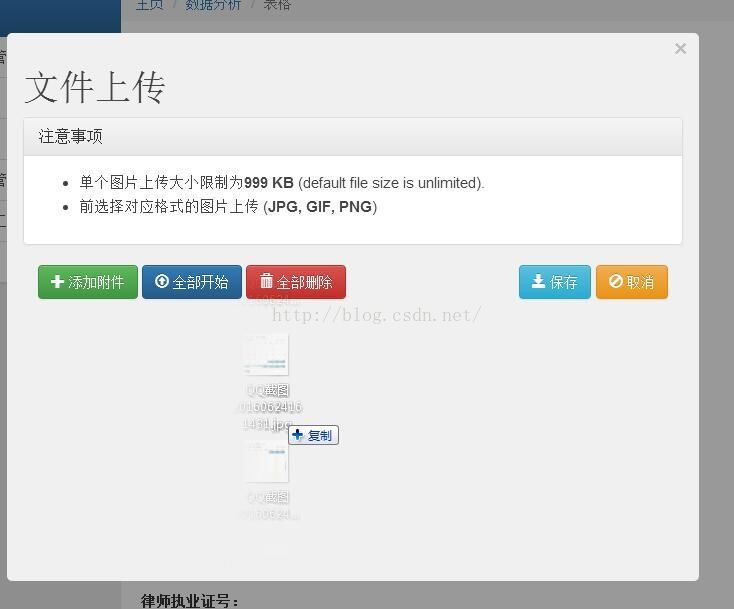
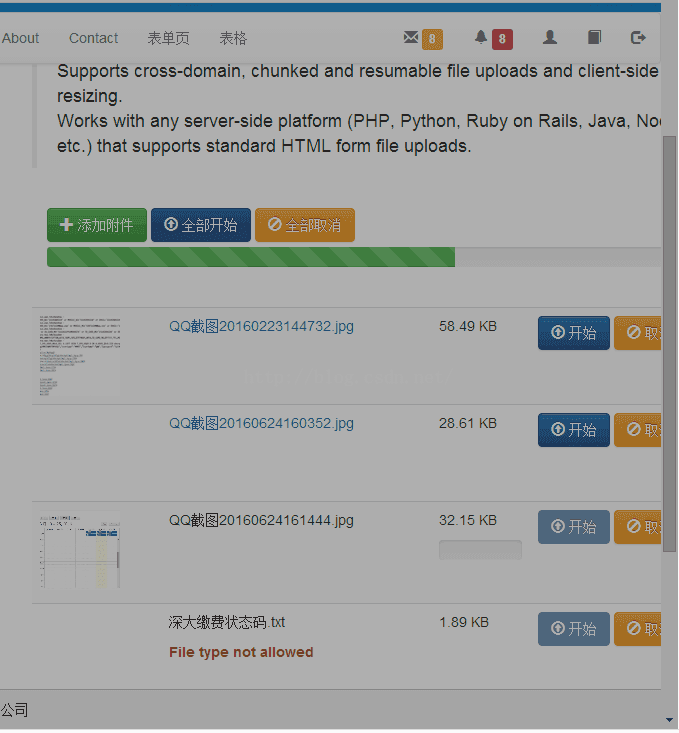
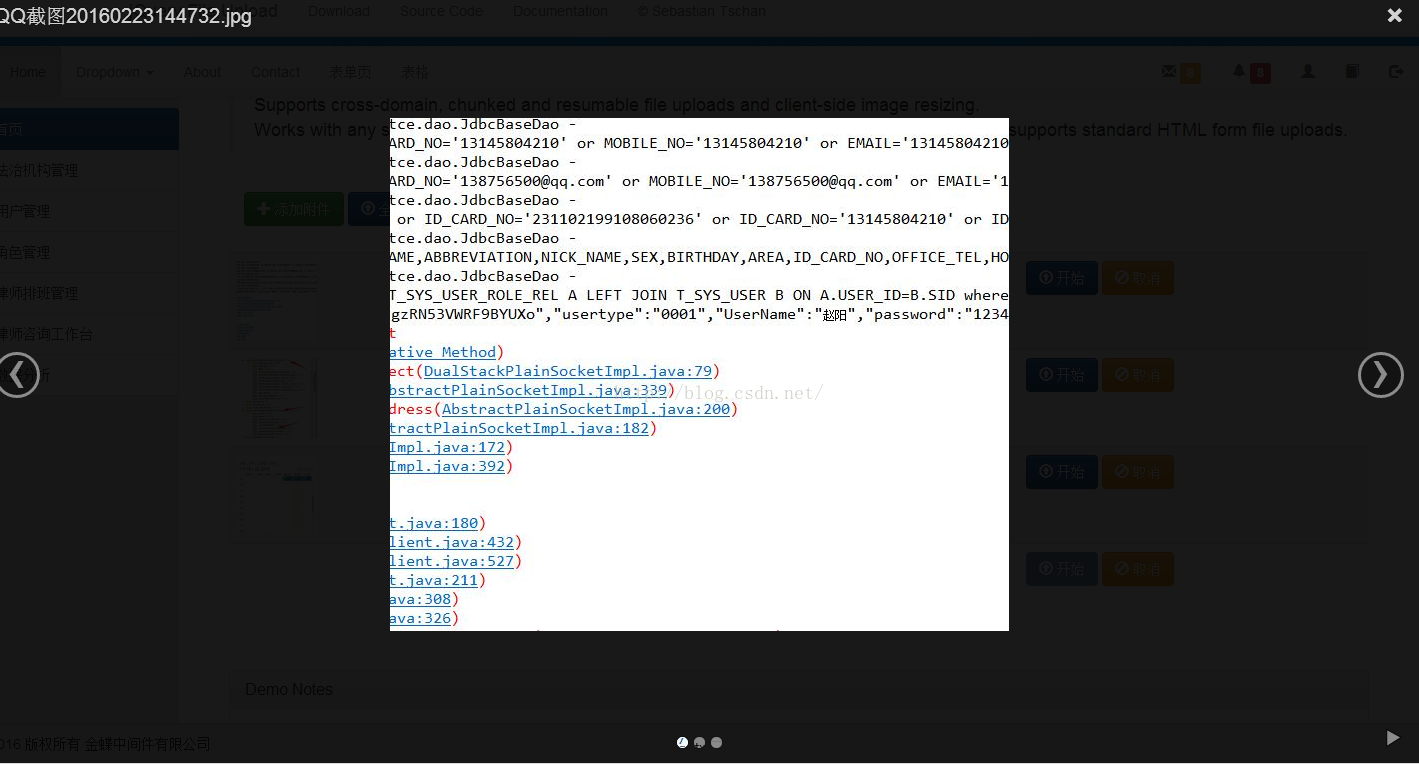
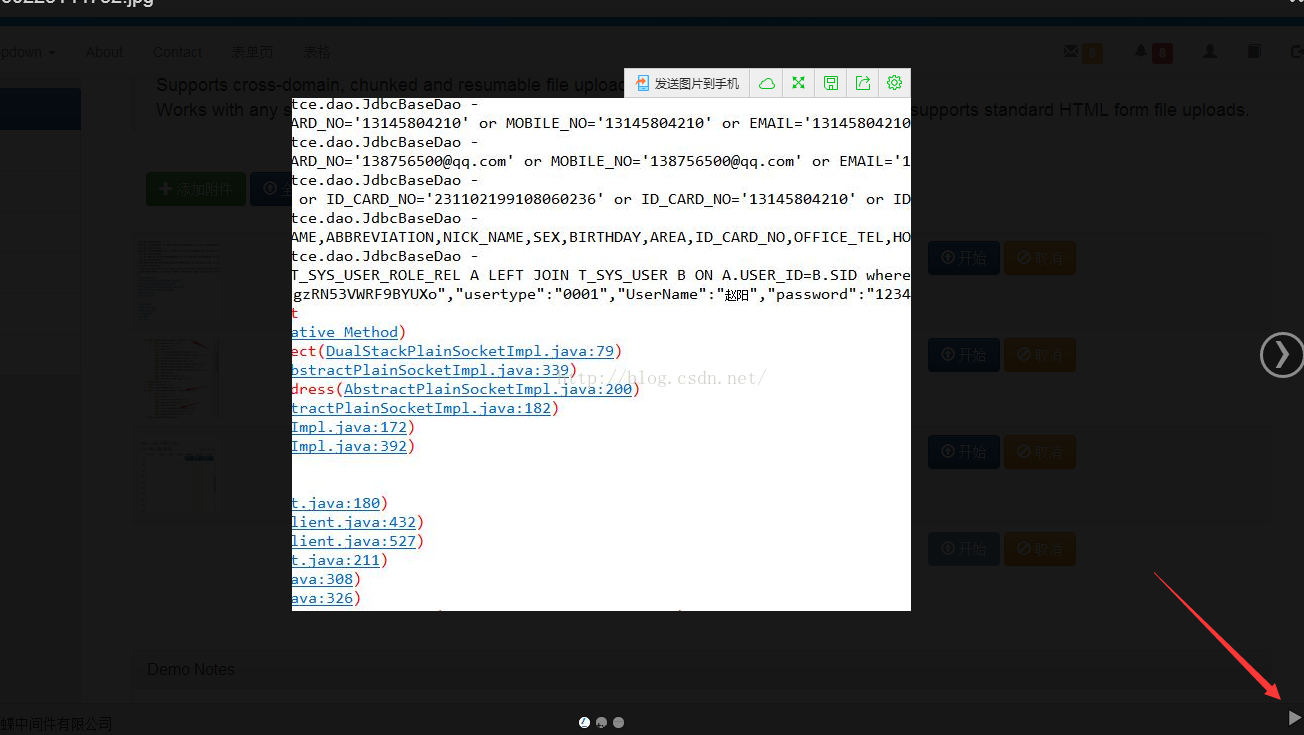
自动播放功能
3.相关实现
1.需要的js库
query-file-upload 方面
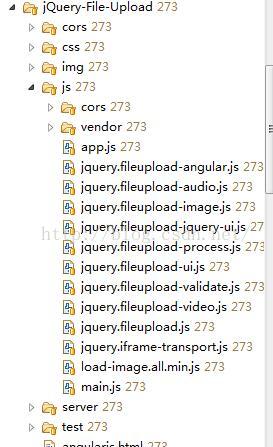
预览效果依赖blueimp 的 gallery库 相关资源如下:

为了预览效果的实现还需要load-image.all.min.js和canvas-to-blob.min.js这两个js 可以从网上下载
相关资源整合: http://pan.baidu.com/s/1slN6Jox
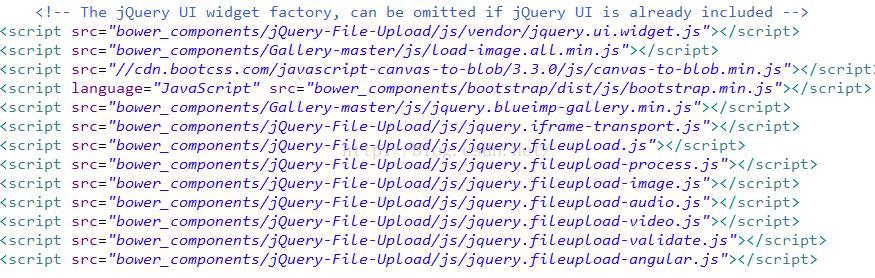
2.在app中引入相关js css

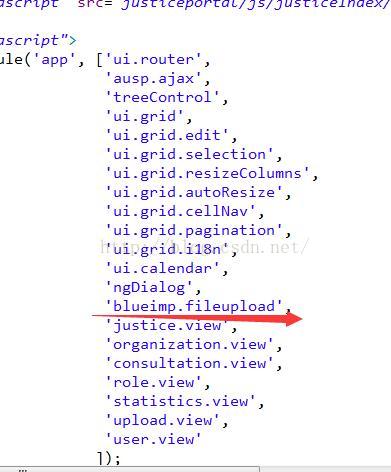
在app中引入相关module
3.html的编写
文件上传
注意事项
- 单个图片上传大小限制为999 KB (default file size is unlimited).
- 前选择对应格式的图片上传 (JPG, GIF, PNG)
‹›×
4.controller的编写
var page=angular.module('upload.view',[]);page.config(['$httpProvider', 'fileUploadProvider',function ($httpProvider, fileUploadProvider) {delete $httpProvider.defaults.headers.common['X-Requested-With'];fileUploadProvider.defaults.redirect = window.location.href.replace(/\/[^\/]*$/,'/cors/result.html?%s');angular.extend(fileUploadProvider.defaults, {disableImageResize: /Android(?!.*Chrome)|Opera/.test(window.navigator.userAgent),maxFileSize: 999000,acceptFileTypes: /(\.|\/)(gif|jpe?g|png)$/i,maxNumberOfFiles :10 });}]);page.controller('uploadController', [ '$scope', '$rootScope', '$http', 'RoleService', '$state', '$stateParams','$window', function($scope, $rootScope, $http, RoleService, $state, $stateParams, $window) {var url = '/servlet/UploadServlet';$scope.options = {url : url,dataType : 'json',autoUpload : false,acceptFileTypes : /(\.|\/)(gif|jpe?g|png)$/i,previewCrop : true,maxNumberOfFiles :1};$scope.queue=[];$scope.fileList=[];$scope.saveStatus=true;$scope.$on('fileuploadadd', function(event, data) {if($scope.options.maxNumberOfFiles==1){$scope.queue=[];}});$scope.$on('fileuploaddone', function(event, data) {if(data.result.length==1){var uploadSuccessName=data.result[0].name;var uploadSuccessFileName=data.result[0].fileName;var uploadSuccessStatus=data.result[0].status;var uploadSuccessFileId=data.result[0].fileId;for(var i=0;i<$scope.queue.length;i++){if($scope.queue[i].name==uploadSuccessName){$scope.queue[i].url="/servlet/DownLoadServlet?f="+uploadSuccessFileName;$scope.queue[i].thumbnailUrl="/servlet/DownLoadServlet?f="+uploadSuccessFileName; $scope.queue[i].status=uploadSuccessStatus; $scope.queue[i].fileId=uploadSuccessFileId;$scope.saveStatus=false;}}}for(var i=0;i<$scope.queue.length;i++){if($scope.queue[i].status==1){$scope.saveStatus=false;}else{$scope.saveStatus=true;break;}}});$scope.destoryAll=function(){$scope.clear($scope.queue);} $scope.saveUpload=function(){$scope.fileList=[];for(var i=0;i<$scope.queue.length;i++){if($scope.queue[i].status){$scope.fileList.push($scope.queue[i]);}}$scope.closeThisDialog($scope.fileList);}$scope.cancelUpload=function(){$scope.closeThisDialog();}$scope.destory=function(file){$scope.clear(file);}}]);
UploadServlet
protected void doPost(HttpServletRequest request, HttpServletResponse response)throws ServletException, IOException{// 得到上传文件的保存目录,将上传的文件存放于WEB-INF目录下,不允许外界直接访问,保证上传文件的安全String savePath = this.getServletContext().getRealPath("/WEB-INF/upload");File file = new File(savePath);// 判断上传文件的保存目录是否存在if (!file.exists() && !file.isDirectory()) {System.out.println(savePath + "目录不存在,需要创建");// 创建目录file.mkdirs();}List files = new LinkedList();// 1. 使用Apache的FileUpload上传文件files.addAll(MultipartRequestHandler.getInstance().uploadByApacheFileUpload(request, savePath));// Remove some fileswhile (files.size() > 20) {files.remove(0);}// 2.设置响应类型的JSONresponse.setContentType("application/json");// 3. 转换 List 为 JSON 格式ObjectMapper mapper = new ObjectMapper();// 4. 发送结果到客户端mapper.writeValue(response.getOutputStream(), files);} public List uploadByApacheFileUpload(HttpServletRequest request,String savePath) throws IOException, ServletException{List files = new LinkedList();// 1. 检查要求有多文件内容boolean isMultipart = ServletFileUpload.isMultipartContent(request);FileMeta temp = null;// 2. If yes (it has multipart "files")if(isMultipart){// 2.1 Apache的FileUpload类实例化DiskFileItemFactory factory = new DiskFileItemFactory();factory.setSizeThreshold(1024*100);//设置缓冲区的大小为100KB,如果不指定,那么缓冲区的大小默认是10KBServletFileUpload upload = new ServletFileUpload(factory);upload.setHeaderEncoding("UTF-8"); //设置上传单个文件的大小的最大值,目前是设置为1024*1024*5字节,也就是5MBupload.setFileSizeMax(1024*1024*5);//设置上传文件总量的最大值,最大值=同时上传的多个文件的大小的最大值的和,目前设置为100MBupload.setSizeMax(1024*1024*100);// 2.2 解析请求try {// 2.3 得到所有上传FileItemList items = upload.parseRequest(request);// 2.4 遍历每一个FileItemfor(FileItem item:items){// 2.5 如果FileItem不是文件类型 if (item.isFormField()) { } else {// 2.7 创建filemeta对象temp = new FileMeta();temp.setContent(item.getInputStream());temp.setFileType(item.getContentType());temp.setSize(item.getSize()/1024+ "Kb");saveFile(temp,item,savePath);temp.setStatus("1");String fileId=saveAttachment(temp); //保存到数据库temp.setFileId(fileId);files.add(temp);} }} catch (FileUploadException e) {e.printStackTrace();}}return files;}private void saveFile(FileMeta temp,FileItem item,String savePath){String filename=item.getName();//注意:不同的浏览器提交的文件名是不一样的,有些浏览器提交上来的文件名是带有路径的,如: c:\a\b\1.txt,//而有些只是单纯的文件名,如:1.txtfilename = filename.substring(filename.lastIndexOf("\\")+1);temp.setName(filename);//得到上传文件的扩展名
// String fileExtName = filename.substring(filename.lastIndexOf(".")+1);//得到文件保存的名称 UUIDString saveFilename=makeFileName(filename);temp.setFileName(saveFilename);//得到文件的保存目录 hash打散String realSavePath = makePath(saveFilename, savePath);try {//获取item中的上传文件的输入流InputStream in = item.getInputStream();//创建一个文件输出流FileOutputStream out = new FileOutputStream(realSavePath + "\\" + saveFilename);//创建一个缓冲区byte buffer[] = new byte[1024];//判断输入流中的数据是否已经读完的标识int len = 0;//循环将输入流读入到缓冲区当中,(len=in.read(buffer))>0就表示in里面还有数据while((len=in.read(buffer))>0){//使用FileOutputStream输出流将缓冲区的数据写入到指定的目录(savePath + "\\" + filename)当中out.write(buffer, 0, len);}//关闭输入流 关闭输出流 删除处理文件上传时生成的临时文件in.close();out.flush();out.close();item.delete();} catch (Exception e) {temp.setError("上传失败,文件类型错误/超过上传大小限制");e.printStackTrace();} }private String saveAttachment(FileMeta temp){Attachment attachment=new Attachment();attachment.setAttachmentId(temp.getFileName());attachment.setName(temp.getName());attachment.setFileType(temp.getFileType());attachment.setSize(temp.getSize());String id=attachmentService.saveAttachment(attachment);return id;}/*** @Method: makeFileName* @Description: 生成上传文件的文件名,文件名以:uuid+"_"+文件的原始名称*/private static String makeFileName(String filename) { // 2.jpg// 为防止文件覆盖的现象发生,要为上传文件产生一个唯一的文件名return UUID.randomUUID().toString() + "_" + filename;}/*** 为防止一个目录下面出现太多文件,要使用hash算法打散存储*/private static String makePath(String filename, String savePath) {// 得到文件名的hashCode的值,得到的就是filename这个字符串对象在内存中的地址int hashcode = filename.hashCode();int dir1 = hashcode & 0xf; // 0--15int dir2 = (hashcode & 0xf0) >> 4; // 0-15// 构造新的保存目录String dir = savePath + "\\" + dir1 + "\\" + dir2; // upload\2\3 upload\3\5// File既可以代表文件也可以代表目录File file = new File(dir);// 如果目录不存在if (!file.exists()) {// 创建目录file.mkdirs();}return dir;} @JsonIgnoreProperties({"content"})
public class FileMeta {private String fileName;private String fileType;private String size;private String thumbnailUrl;private String url;private String name;private String error;private String status;private InputStream content;private String fileId;public String getFileId() {return fileId;}public void setFileId(String fileId) {this.fileId = fileId;}public String getFileName() {return fileName;}public void setFileName(String fileName) {this.fileName = fileName;}public String getFileType() {return fileType;}public void setFileType(String fileType) {this.fileType = fileType;}public InputStream getContent() {return content;}public void setContent(InputStream content) {this.content = content;}public String getSize() {return size;}public void setSize(String size) {this.size = size;}public String getThumbnailUrl() {return thumbnailUrl;}public void setThumbnailUrl(String thumbnailUrl) {this.thumbnailUrl = thumbnailUrl;}public String getUrl() {return url;}public void setUrl(String url) {this.url = url;}public String getName() {return name;}public void setName(String name) {this.name = name;}public String getError() {return error;}public void setError(String error) {this.error = error;}public String getStatus() {return status;}public void setStatus(String status) {this.status = status;}原理:上传成功后服务器需向客户端返回上传成功的files 方便jquery-file-upload进行解析 以此判断上传状态 进行下载 预览等后续操作
文件下载Servlet
package com.apusic.justice.wx.util;import java.io.File;
import java.io.FileInputStream;
import java.io.IOException;
import java.io.OutputStream;
import java.net.URLEncoder;import javax.servlet.ServletException;
import javax.servlet.http.HttpServlet;
import javax.servlet.http.HttpServletRequest;
import javax.servlet.http.HttpServletResponse;/*** 下载文件Servlet* * @author zhaoyang* */public class DownLoadServlet extends HttpServlet {private static final long serialVersionUID = 1L;public void doGet(HttpServletRequest request, HttpServletResponse response) throws ServletException, IOException {// 得到要下载的文件名request.setCharacterEncoding("UTF-8");String fileName = request.getParameter("f"); // 23239283-92489-QQ图片.jpg// 上传的文件都是保存在/WEB-INF/upload目录下的子目录当中String fileSaveRootPath = this.getServletContext().getRealPath("/WEB-INF/upload");// 通过文件名找出文件的所在目录String path = findFileSavePathByFileName(fileName, fileSaveRootPath);// 得到要下载的文件File file = new File(path + "\\" + fileName);// 如果文件不存在if (!file.exists()) {return;}// 处理文件名String realname = fileName.substring(fileName.indexOf("_") + 1);// 设置响应头,控制浏览器下载该文件response.setHeader("content-disposition", "attachment;filename=" + URLEncoder.encode(realname, "UTF-8"));// 读取要下载的文件,保存到文件输入流FileInputStream in = new FileInputStream(path + "\\" + fileName);// 创建输出流OutputStream out = response.getOutputStream();// 创建缓冲区byte buffer[] = new byte[1024];int len = 0;// 循环将输入流中的内容读取到缓冲区当中while ((len = in.read(buffer)) > 0) {// 输出缓冲区的内容到浏览器,实现文件下载out.write(buffer, 0, len);}// 关闭文件输入流in.close();// 关闭输出流out.close();}/*** @Method: findFileSavePathByFileName* @Description: 通过文件名和存储上传文件根目录找出要下载的文件的所在路径*/public String findFileSavePathByFileName(String filename, String saveRootPath) {int hashcode = filename.hashCode();int dir1 = hashcode & 0xf; // 0--15int dir2 = (hashcode & 0xf0) >> 4; // 0-15String dir = saveRootPath + "\\" + dir1 + "\\" + dir2; // upload\2\3 upload\3\5File file = new File(dir);if (!file.exists()) {// 创建目录file.mkdirs();}return dir;}public void doPost(HttpServletRequest request, HttpServletResponse response) throws ServletException, IOException {doGet(request, response);}
}
web.xml
UploadServlet com.a_1.a_1.wx.util.UploadServlet UploadServlet /servlet/UploadServlet DownLoadServlet com.a_1.a_1.wx.util.DownLoadServlet DownLoadServlet /servlet/DownLoadServlet 本文来自互联网用户投稿,文章观点仅代表作者本人,不代表本站立场,不承担相关法律责任。如若转载,请注明出处。 如若内容造成侵权/违法违规/事实不符,请点击【内容举报】进行投诉反馈!