element ui 修改el-select中model数据格式
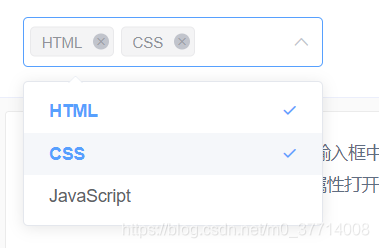
官网显示:
需求:根据所选逻辑关系对显示数据进行处理
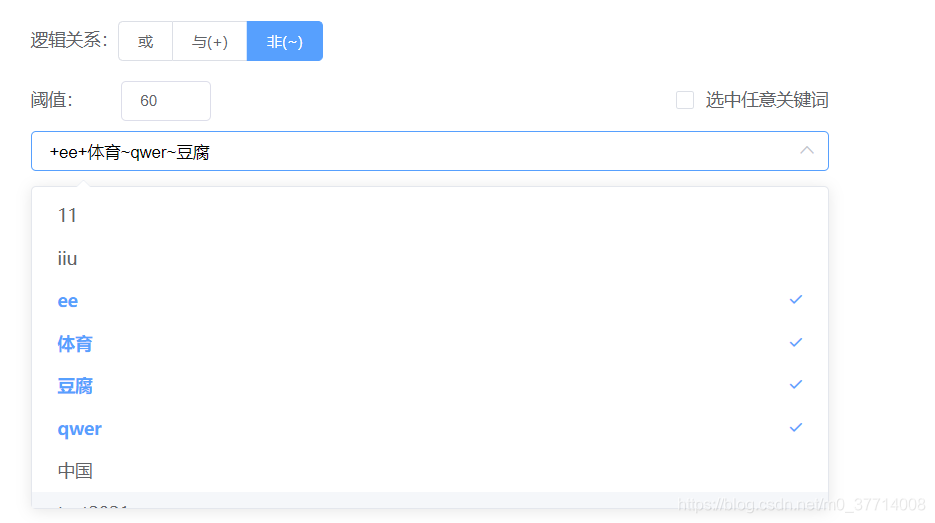
逻辑: 1、修改el-select组件样式(失败)2、对数据处理后赋值给v-model,发现model数据不能与下拉框数据相对应,即下拉框中数据不能显示选中状态 (失败)3、在组件el-select 上添加一个input框相对el-select框定位,对处理过后的数据赋值给input;选项可进行添加和取消
代码:
input绑定方法触发el-select 下拉框
dropBox() {this.$refs.startSelect.focus()},选项发生变化
getArrDifference(newVal, originalVal) {return newVal.concat(originalVal).filter(function (v, i, arr) {return arr.indexOf(v) === arr.lastIndexOf(v);});},
selectKeyword(val) {if (this.hitKeyword) {return}if (val.length == 0) {this.recordInputValue = [];this.inputArray = [];this.inputValue = '';return}// 取消选中if (val.length < this.recordInputValue.length) { // 判断是选中还是取消选中并找出取消选中的数据进行删除let newVal = val, originalVal = this.recordInputValue;let deleteValue = this.getArrDifference(newVal, originalVal);this.inputArray.forEach((item, index) => {if (item.substr(1) == deleteValue) {this.inputArray.splice(index, 1); // 删除相同元素this.inputValue = this.inputArray.join("");}})} else {// 添加选项switch (this.radio) {case 1:this.inputArray.push(` ${val[val.length - 1]}`)break;case 2:this.inputArray.push(`+${val[val.length - 1]}`)break;case 3:this.inputArray.push(`~${val[val.length - 1]}`)break;}this.inputValue = this.inputArray.join("");}this.recordInputValue = val;// 记录当前所有选项},
css
.select_keyword {position: relative;width: 100%;.el-select__tags {margin-left: 10px;}.inputs {position: absolute;overflow: visible;word-break: break-all;background: #fff;height: calc(100% - 4px);top: 2px;left: 15px;z-index: 1;width: calc(100% - 38px);outline: none;border: none;}
本文来自互联网用户投稿,文章观点仅代表作者本人,不代表本站立场,不承担相关法律责任。如若转载,请注明出处。 如若内容造成侵权/违法违规/事实不符,请点击【内容举报】进行投诉反馈!