uniapp使用canvas+手势缩放
功能介绍,工程类app,需要在手机端查看图纸,canvas绘制点,线。整理随意放大缩小。
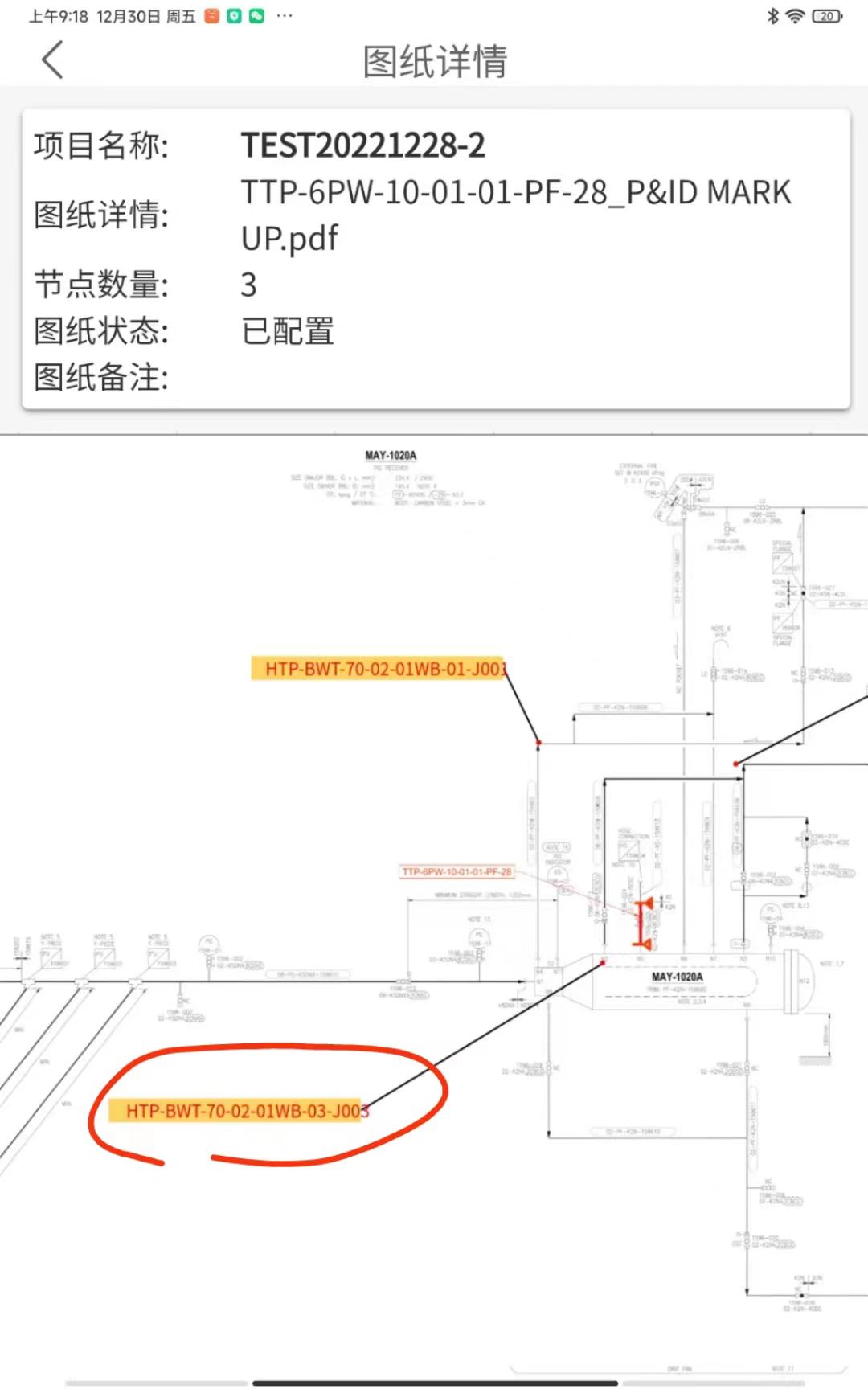
canvas绘制方法
//画布imagedrawImage(ctx, path, x, y, dWidth, dHeight) {ctx.drawImage(path, x, y, dWidth, dHeight)},//圆角矩形roundNode(ctx, x, y, width, height, radius, color) {//圆角矩形部分ctx.beginPath()if (width < 2 * radius) radius = width / 2;if (height < 2 * radius) radius = height / 2;ctx.moveTo(x + radius, y);ctx.arcTo(x + width, y, x + width, y + height, radius);ctx.arcTo(x + width, y + height, x, y + height, radius);ctx.arcTo(x, y + height, x, y, radius);ctx.arcTo(x, y, x + width, y, radius);ctx.setFillStyle(color)ctx.fill()},//绘制三角形 type:箭头朝向:bottom、right、leftdrawTriangle(ctx, x, y, color, type) {ctx.beginPath()let height = 10 //计算等边三角形的高ctx.moveTo(x, y); //x y开始switch (type) {case 'bottom':ctx.lineTo(x - height / 2, y)ctx.lineTo(x, y + height)ctx.moveTo(x, y)ctx.lineTo(x + height / 2, y)ctx.lineTo(x, y + height)break;case 'left':ctx.lineTo(x, y - height / 2)ctx.lineTo(x - height, y)ctx.moveTo(x, y)ctx.lineTo(x, y + height / 2)ctx.lineTo(x - height, y)break;case 'right':ctx.lineTo(x, y - height / 2)ctx.lineTo(x + height, y)ctx.moveTo(x, y)ctx.lineTo(x, y + height / 2)ctx.lineTo(x + height, y)break;default:break;}ctx.setFillStyle(color)ctx.fill();},drawText(ctx, text, x, y, color, size) {//文字部分ctx.beginPath()ctx.setTextAlign('center')ctx.setFillStyle(color)ctx.setFontSize(size)const metrics = ctx.measureText(text)//文字统一偏移ctx.fillText(text, x + metrics.width / 2, y + 17)},// 绘制带箭头线 type:箭头朝向:bottom、right、leftdrawLine(ctx, fromX, fromY, toX, toY, color, type, isArrow = true, isDash = false) {ctx.beginPath()if (isDash) {ctx.setLineDash([10]);} else {ctx.setLineDash([]);}ctx.moveTo(fromX, fromY)ctx.lineTo(toX, toY)ctx.setLineWidth(1)ctx.setStrokeStyle(color)ctx.stroke()//是否绘制箭头if (isArrow) {this.drawTriangle(ctx, toX, toY, color, type)}},手势缩放 拖拽功能实现
movable-view + movable-area 实现该功能
windowWidth、windowHeight 是计算屏幕占比 如果需要多设备可以参考
widths、heights 动态movable-view宽高 (我这里图纸太大需要一定缩放,并且movable-view内容最好跟movable-view宽高相同)
//开始绘制
that.context = uni.createCanvasContext('myCanvas')
//画背景that.drawImage(that.context,that.infos.pic, 0, 0,that.widths, that.heights)//画节点//开始节点this.roundNode(this.context, 553, 38, 100, 36, 26, '#1EC1C3')this.node.push({x:553,y:38,w:100,h:36,targe:0})that.context.draw()
//s缩放比例
scaleChange(e) {this.scale = e.detail.scale
}//点击事件 判断缩放比例 touchstart(e) {let x = e.touches[0].xlet y = e.touches[0].ythis.node.forEach(item => {if (x > item.x * this.scale && x < (item.x + item.w) * this.scale&& y > item.y * this.scale && y < (item.y + item.h) * this.scale) {//在范围内,根据标记定义节点类型this.lookDetial(item)}}) },目前就可以 最后需要注意 uniapp 对画布图片的大小,宽高,有很大的限制,如果页面没有显示,或者报错 80%就是这个原因
plus.io.resolveLocalFileSystemURL 安卓可以使用这个来压缩
本文来自互联网用户投稿,文章观点仅代表作者本人,不代表本站立场,不承担相关法律责任。如若转载,请注明出处。 如若内容造成侵权/违法违规/事实不符,请点击【内容举报】进行投诉反馈!