angular ng-class\tab切换(从服务器引入数据)或用指令写
1.ng-class
(1)
<style>.red{background: red;color: #fff;}style>
head>
<body ng-app="myApp"><div ng-controller="myCtrl"><p ng-class="abc">安徽啊,就安化路诶于海峰斤是为框架锕锕嗄安徽a.h吖哈服用过层面上p>div><script>var app=angular.module('myApp',[]);app.controller('myCtrl',['$scope',function(scope){scope.abc='red';}]);script>
(2)
<style>.red{background:red;}.green{background: green;}.blue{background: blue;}
style>
head>
<body ng-app="myApp"><div ng-controller="myCtrl"><select ng-model="abc"><option value="red">红色option><option value="green">绿色option><option value="blue">蓝色option>select><h1 ng-class="abc">爱极客很搭上次按时,吃吧爱是火车爱是,不好吃暗示会开车h1>div><script>var app=angular.module('myApp',[]);app.controller('myCtrl',['$scope',function(scope){scope.abc='red';}])script>
body>
(3)
<style>.red{background:red;}.green{background: green;}.blue{background: blue;}
style>
head>
<body ng-app="myApp"><div ng-controller="myCtrl"><button ng-click=getSec()>获取当前的秒数button><h1 ng-class="{red:x%2==0,blue:x%2!=0}">当前的秒数为:{{x}}h1>div><script>var app=angular.module('myApp',[]);app.controller('myCtrl',['$scope',function(scope){scope.getSec=function(){scope.x=new Date().getSeconds();}}])script>
body>
(4)
<style>
*{padding: 0;margin: 0;list-style: none;
}.red{background: red;}.pink{background: pink;}.green{background: green;}ul li{height: 40px;font-size: 25px;}
style>
head>
<body ng-app="myApp"><ul ng-controller="myCtrl"><li ng-repeat="d in data" ng-class="{red:$first,pink:$middle,green:$last}"><span>编号:{{$index}}span><span>{{d.name}}span><span>{{d.sex}}span>li>ul><script>var app=angular.module('myApp',[]);app.controller('myCtrl',['$scope',function(scope){scope.data=[{'name':'张三','sex':'男'},{'name':'张三2','sex':'男2'},{'name':'张三3','sex':'男3'},{'name':'张三4','sex':'男4'}];}]);script>
效果图:

2.从远程服务器读取数据
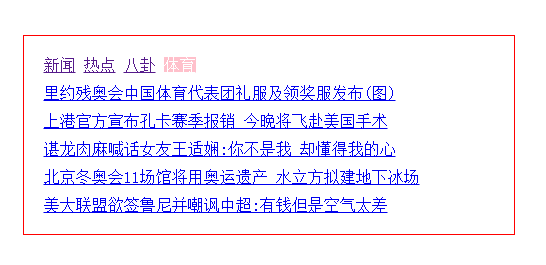
(1)tab切换
注意:ng-repeat遍历的是数组格式的
<script src="angular-1.5.8.min.js">script>
<style>*{margin: 0;padding: 0;list-style: none;}.box{width: 450px;padding: 20px;margin:50px auto 0;border:1px solid red;}.box ul li{margin: 10px 0 0;}.con1 .a1,.con2 .a2,.con3 .a3,.con4 .a4{background: pink;color: #fff;}style>
head>
<body ng-app="myApp" ng-init="x='con1'"><div ng-controller="myCtrl" class="box"><nav ng-class="x"><a ng-click="x='con1'" class="a1" href="#">新闻a><a ng-click="x='con2'" class="a2" href="#">热点a><a ng-click="x='con3'" class="a3" href="#">八卦a><a ng-click="x='con4'" class="a4" href="#">体育a>nav><ul ng-show="x=='con1'"><li ng-repeat="item in data1"><a href="{{item.url}}">{{item.title}}a>li>ul><ul ng-show="x=='con2'"><li ng-repeat="item in data2"><a href="{{item.url}}">{{item.title}}a>li>ul><ul ng-show="x=='con3'"><li ng-repeat="item in data3"><a href="{{item.url}}">{{item.title}}a>li>ul><ul ng-show="x=='con4'"><li ng-repeat="item in data4"><a href="{{item.url}}">{{item.title}}a>li>ul>div>
body>
<script>var app=angular.module('myApp',[]);app.controller('myCtrl',['$scope','$http',function(scope,http){http.get('http://qd.bokanedu.com/tgr/api/index.aspx?day=82&type=tabs').success(function(d){scope.data1=d.a1;scope.data2=d.a2;scope.data3=d.a3;scope.data4=d.a4;})}])
script>
效果图:
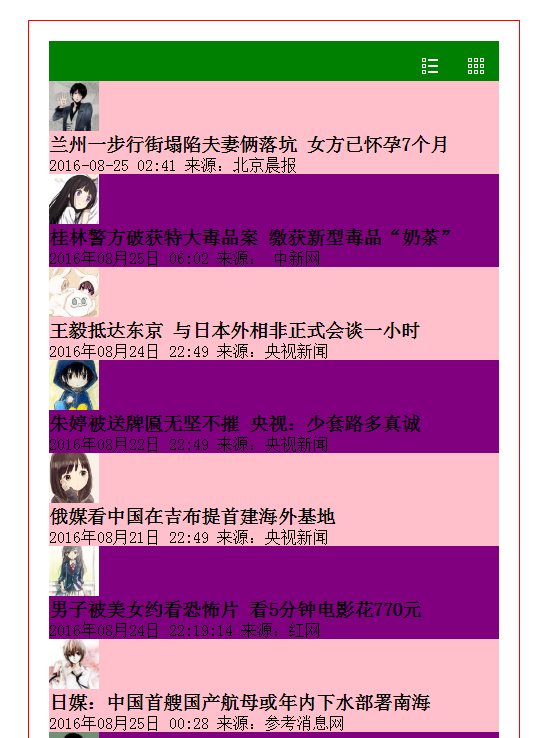
(2)另一种tab切换
<script src="angular-1.5.8.min.js">script>
<style>*{margin: 0;padding: 0;list-style: none;}.box{width: 450px;padding: 20px;margin:50px auto 0;border:1px solid red;}header{overflow: hidden;background: green;height: 40px;}header .grid{margin: 17px 15px 0 15px;float: right;width: 16px;height: 16px;background:url(images/02.png) 0 0 no-repeat; }header .list{margin: 17px 15px 0 0;float: right;width: 16px;height: 16px;background:url(images/01.png) 0 0 no-repeat; }ul.list{overflow: hidden;}ul.list li img{width: 50px;height: 50px;}ul.grid{overflow: hidden;}ul.grid li{float: left;margin: 10px 0  0 25px}ul.grid li img{width: 120px;height: 120px;}.pink{background: pink;}.purple{background: purple;}
style>
head>
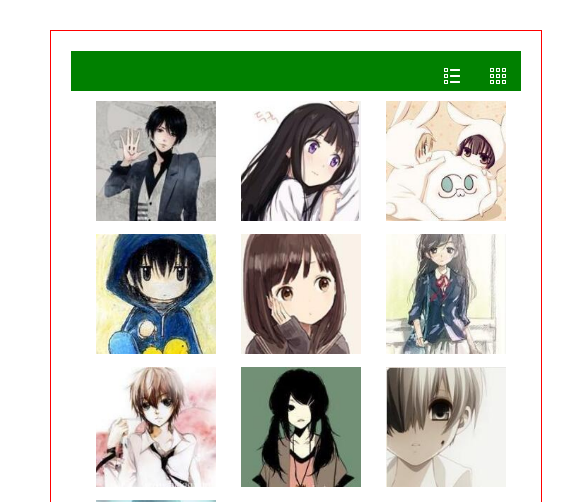
<body ng-app="myApp" ng-init="x='list'"><div ng-controller="myCtrl" class="box"><header><a href="#" ng-click="x='grid'" class="grid">a><a href="#" ng-click="x='list'" class="list">a>header><ul class="list" ng-show="x=='list'"><li ng-repeat="item in data" ng-class="{pink:$index%2==0,purple:$index%2!=0}"><img ng-src="{{item.image}}" alt=""><h3>{{item.title}}h3><p>{{item.date}}p>li>ul><ul class="grid" ng-show="x=='grid'"><li ng-repeat=" item in data"><img ng-src="{{item.image}}" alt="">li>ul>div>
body>
<script>var app=angular.module('myApp',[]);app.controller('myCtrl',['$scope','$http',function(scope,http){http.get('http://qd.bokanedu.com/tgr/api/index.aspx?day=82&type=search').success(function(d){scope.data=d;})}])
script>
效果图:
3.自定义指令写tab切换
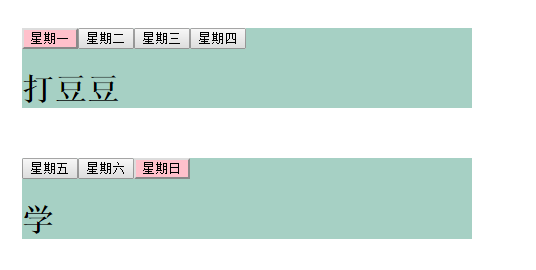
<script src="jquery-2.1.14.min.js">script> <script src="angular-1.5.8.min.js">script> <style>.box{width: 450px;margin: 50px auto 10px;background: #A6D0C4;}h1{display: none;}h1.show{display: block;}.select{background: pink;} style> head> <body ng-app="myApp"><div ng-controller="myCtrl"><div my-tab my-class="box" my-data="data1">div><div my-tab my-class="box" my-data="data2">div>div> body> <script>var app=angular.module('myApp',[]);app.controller('myCtrl',['$scope',function(scope){scope.data1=[{'title':'星期一','content':'打豆豆'},{'title':'星期二','content':'睡觉觉'},{'title':'星期三','content':'看视频'},{'title':'星期四','content':'吃零食'}];scope.data2=[{'title':'星期五','content':'吃'},{'title':'星期六','content':'玩'},{'title':'星期日','content':'学'}];}]);app.directive('myTab',function(){return {restrict:'ECMA',replace:true,scope:{myClass:'@',myData:'=',myFn:'&'},controller:['$scope',function(scope){scope.abc='我是自定义指令';}],template:'{myClass}}">{{d.content}}
',link:function(scope,element,attr,controller){element.on('click','button',function(){var i=$(this).index();$(this).addClass('select').siblings('button').removeClass('select');$(this).siblings('h1').eq(i).addClass('show').siblings('h1').removeClass('show');})}}}) script>
效果图:
转载于:https://www.cnblogs.com/SunShineM/p/6047975.html
本文来自互联网用户投稿,文章观点仅代表作者本人,不代表本站立场,不承担相关法律责任。如若转载,请注明出处。 如若内容造成侵权/违法违规/事实不符,请点击【内容举报】进行投诉反馈!