Vue2使用v-model封装ElementUI_Input组件
核心
可以查阅这篇文章,看一些v-model的具体实现;
简介来讲,就是自定义属性和自定义方法的结合使用。
Vue2.0、Vue3.0分别使用v-model封装组件
首先新建脚手架引入element-ui组件和样式;
新建Input.vue组件:
<template><div><div class="inputBox" v-if="title"><p :style="titleStyle" class="inputBoxP">{{ title }}:<slot name="dropdown"></slot></p><el-input:disabled="disabled"type:autosize="type === 'textarea' ? { minRows: 4, maxRows: 4 } : {}"class="inputBoxIpt"v-bind:value="value":placeholder="placeholder"@input="inputFun"@blur="blurFun"/><span class="isReauireSpan" v-if="isReauired">*</span></div><el-input:disabled="disabled"type:autosize="type === 'textarea' ? { minRows: 4, maxRows: 4 } : {}"v-elseclass="inputBoxIpt"v-bind:value="value":placeholder="placeholder"@input="inputFun"@blur="blurFun"/><!-- <span class="isReauireSpan" v-if="isReauired">*</span> --></div>
</template><script>
export default {model: {prop: "value",event: "inputFun",},props: {titleStyle: {type: String,require: false,},value: {type: String,require: false,},title: {type: String,require: false,// default: "请传入Titlt"},placeholder: {type: String,require: false,default: "请输入",},isReauired: {type: Boolean,require: false,default: false,},type: {type: String,require: false,default: "text",},disabled: {type: Boolean,require: false,default: false,},RegExpFlag: {type: String,require: false,default: "",},},methods: {inputFun(e) {if (this.RegExpFlag) {this.$emit("inputFun", e.replace(eval(this.RegExpFlag), ""));return;}this.$emit("inputFun", e);},blurFun(e) {this.$emit("blurFun", e.target.value);},},
};
</script><style lang="less" scoped>
.inputBox {margin-bottom: 10px;display: flex;justify-content: flex-start;align-items: center;width: var(--boxWidth);.inputBoxP {font-size: 12px;font-weight: 500;text-align: right;white-space: nowrap;width: 150px;}.inputBoxIpt {width: 200px;}/deep/.el-textarea {width: 200px !important;}/deep/.el-textarea__inner {width: 200px;}.isReauireSpan {color: #ff7875;font-size: 12px;margin-top: 8px;margin-left: 8px;}
}
</style>
我这里根据有没有传递title属性,做了渲染判断。原因在于这个组件要分别使用在form表单中和单独使用。
使用
使用肯定需要按部就班:引入_注册_页面使用。
import vInput from "@/components/elementCom/Input";components: {vInput,}
页面使用:
<v-input v-model="msg" title="test1" />
data:
data() {return {msg: "1",msg2: "2",msg3: "3",msg4: "4",msg5: "",msg6: "1",msg7: "2",msg8: ["3", "5"],startDate: new Date()};},
结果:

改变值:
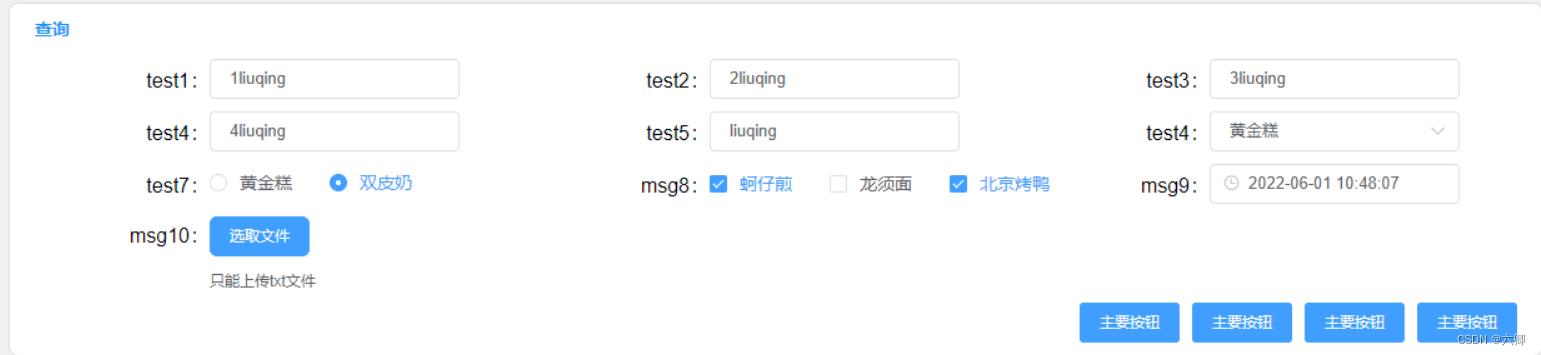
收集输入的值:
<el-button type="primary" @click="getAllInputFun">主要按钮</el-button>methods: {getAllInputFun() {console.log(this.$data,"data");},}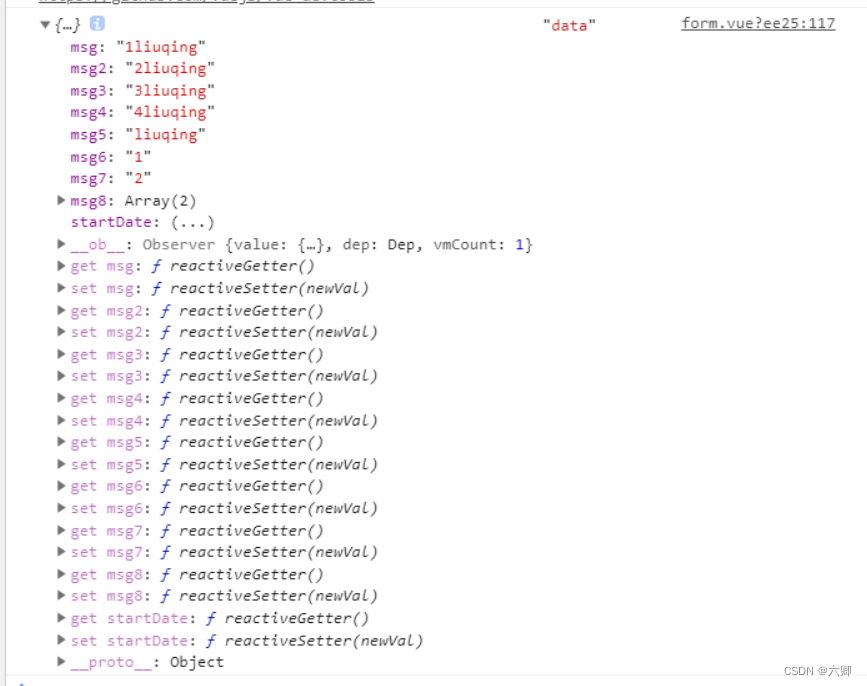
支持正则校验:
<v-inputRegExpFlag="/[^0-9]/g"titleStyle="text-align:left;width:150px"v-show="isShowFormItemFun('speedPercent')"v-model.number="speedPercent"title="百分比"><template slot="dropdown"><el-dropdown @command="handleCommandspeedPercent" trigger="click"><spanclass="el-dropdown-link":title="commandFlagspeedPercent === '0' ? '大于等于' : '小于等于'">{{ commandFlagspeedPercent === "0" ? "≥" : "≤"}}<i class="el-icon-arrow-down el-icon--right">i>span><el-dropdown-menu slot="dropdown"><el-dropdown-item title="大于等于" command="0">≥el-dropdown-item><el-dropdown-item title="小于等于" command="1">≤el-dropdown-item>el-dropdown-menu>el-dropdown>template>v-input>
本文来自互联网用户投稿,文章观点仅代表作者本人,不代表本站立场,不承担相关法律责任。如若转载,请注明出处。 如若内容造成侵权/违法违规/事实不符,请点击【内容举报】进行投诉反馈!