net core Vue ElementUI(1) 前端主框架,左侧导航
.net core vue elementui MVC模式(传统web开发模式)目录
1、Libman 客户端管理库先下载安装ElementUi
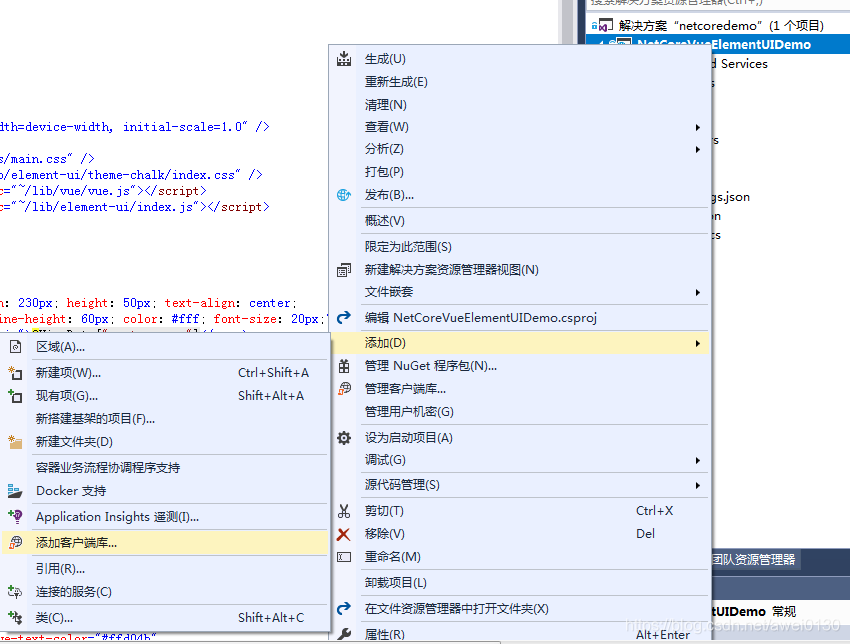
vs2017在项目右键—>添加—>添加客户端库
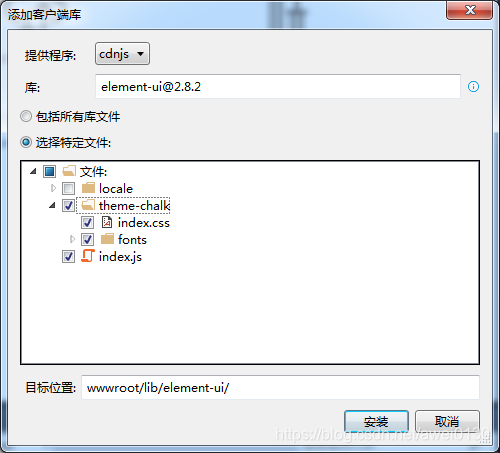
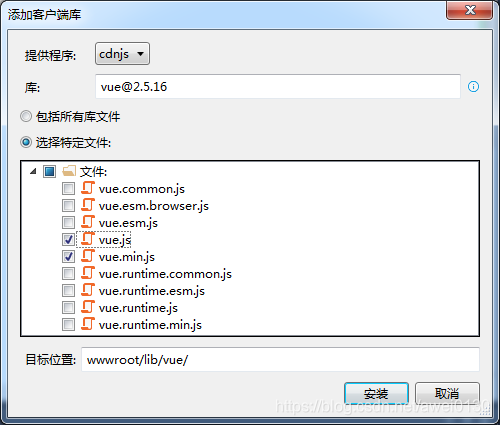
下载安装Vue
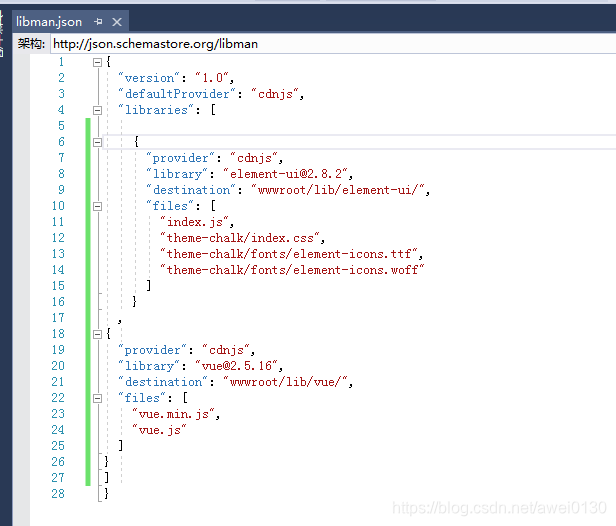
安装后Libman 配置文件
2、项目views文件夹除了Home文件夹Index.cshtml,其他全部删掉,从elementUI官网选择布局容器和导航菜单
Index.cshtml文件
@{Layout = null;
}
Index
Header 导航一分组一选项1 选项2 选项3 选项4选项1 导航二 导航三 Main main.css 文件
* {padding: 0;margin: 0;outline: none;box-sizing: border-box;
}
html, body {width: 100%;height: 100%;overflow: hidden;
}
#app {height: 100%;padding: 3px;
}
.el-header{background-color: #B3C0D1;text-align: center;height:100%;
}
.el-aside {background-color: #D3DCE6;text-align: center;height:100%;}.el-main {background-color: #E9EEF3;text-align: center;height:100%;}
.el-container {height:100%;
}
网页布局显示
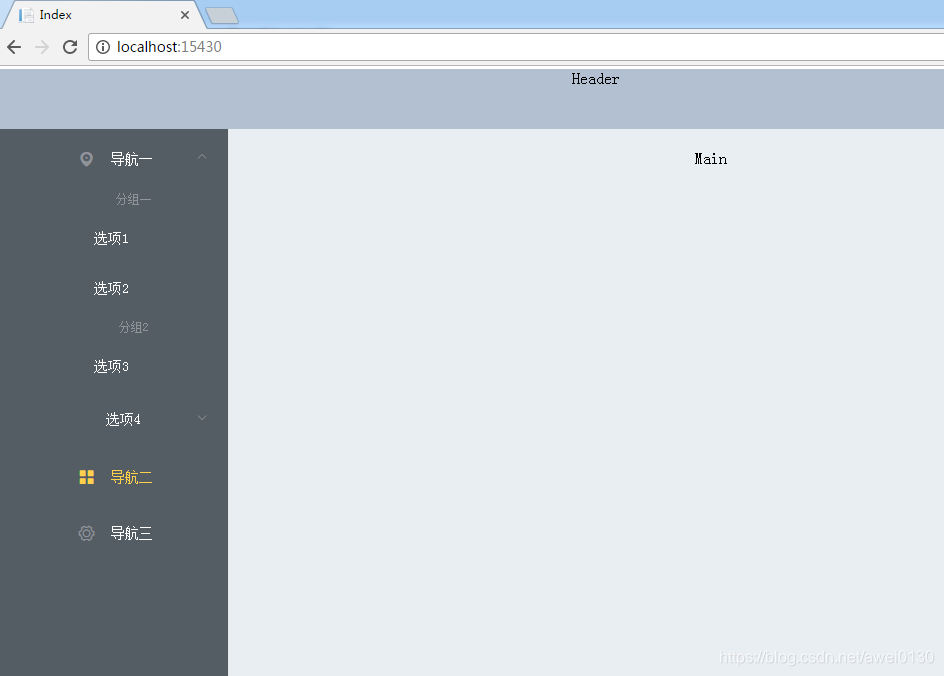
3、控制器数据传给视图。
在控制器组织目录数据传入到视图,分三级导航
public IActionResult Index(){List导航实体类Menu
public class Menu{public Menu(string _title,string _path,string _name,string _icon,string _id,string _parentId){title = _title;path = _path;name = _name;icon = _icon;id = _id;parentId = _parentId;}public string id { set; get; }public string parentId { set; get; }public string name { set; get; }public string title { set; get; }public string icon { set; get; }public string path { get; set; }}视图Index.cshtml循环list
@foreach (var item in Model){@if (item.path.Contains("/") && item.parentId == "0"){@item.title }else if (item.parentId == "0"){@item.title@{ var childMenu = Model.Where }}
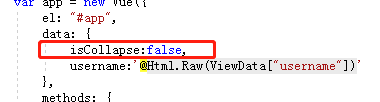
4、 加上左侧导航隐藏功能
先定义一个变量赋值false
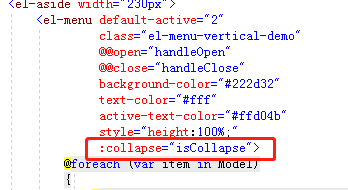
menu导航添加 collapse
在main.css定义class,el-main添加动画
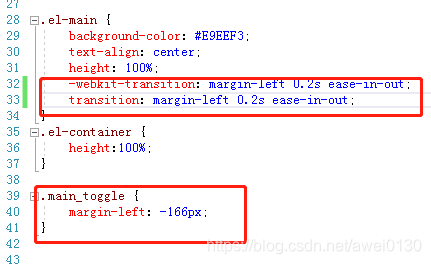
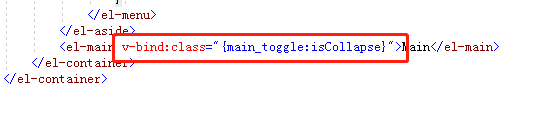
在右侧man 添加bind class
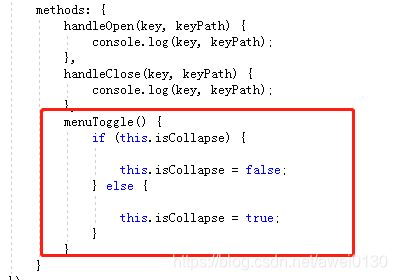
添加方法改变变量值
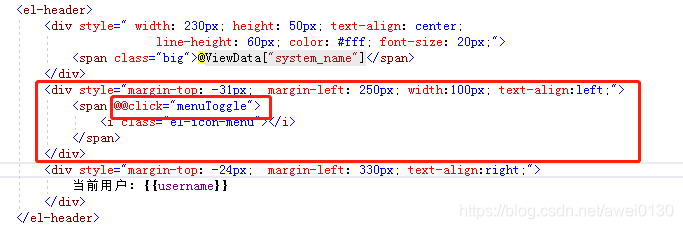
添加触发事件
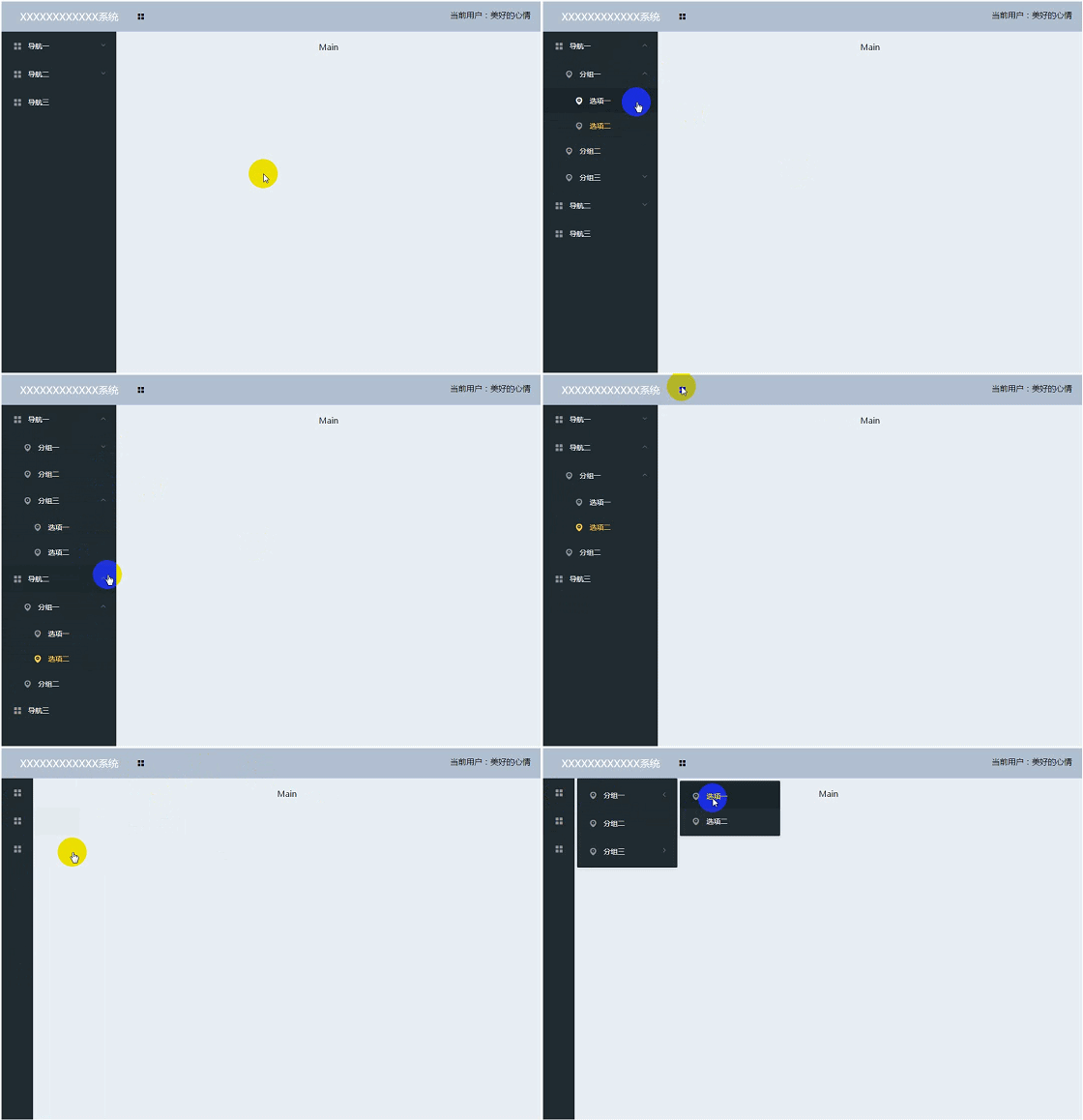
有个bug,在隐藏左侧导航时右侧的动画没有同步,在正式项目上用的elementUI是2.4.8,vue2.5.16是没有问题的,自己调试一下
遇到的问题:
1、vue绑定事件在.net core 里 这样@@click 或者 v-on
2、控制器传值在js 里引用 @Http.Raw().

5、源码
csdn:csdn现在默认积分是5分,不能修改,我想免积分也不行,如果这篇文章对你有用
https://download.csdn.net/download/awei0130/11185562
github
https://github.com/awei0130/NetCoreVueElementUIDemo
下一片文章,elementUI Tabs 动态路由显示网页
本文来自互联网用户投稿,文章观点仅代表作者本人,不代表本站立场,不承担相关法律责任。如若转载,请注明出处。 如若内容造成侵权/违法违规/事实不符,请点击【内容举报】进行投诉反馈!