ant design vue的Upload头像上传
需求就是这么个需求,但实现起来也是为难我挺长时间的
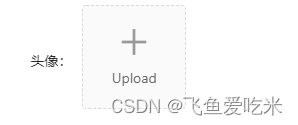

看一下官网的介绍吧:头像上传
好巧不巧,第二个案例介绍的就和我的需求一样!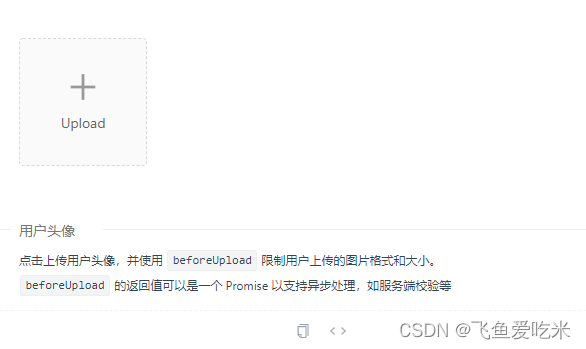
等我在这里测试一下,结果发现:
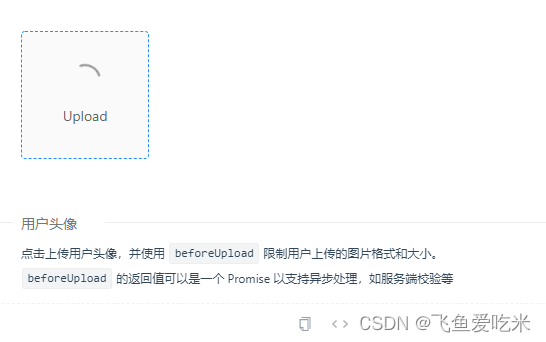
图片一直处于上传状态,怎么也展示不到页面上。
这是怎么回事呢?
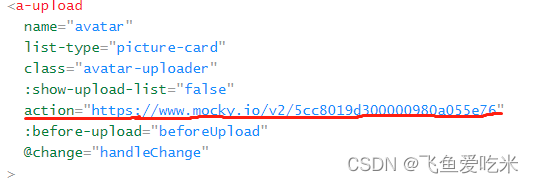
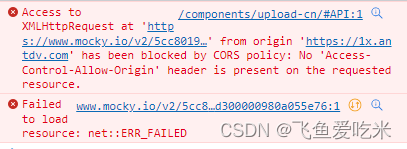
得,问题就是它了,看一下api介绍:

非得加上这个属性吗?我就不能数据收集完再一起提交吗?
当然可以!!
需要这三个api: :show-upload-list="false" :before-upload="beforeUpload" @change="imageUpload"
详细介绍


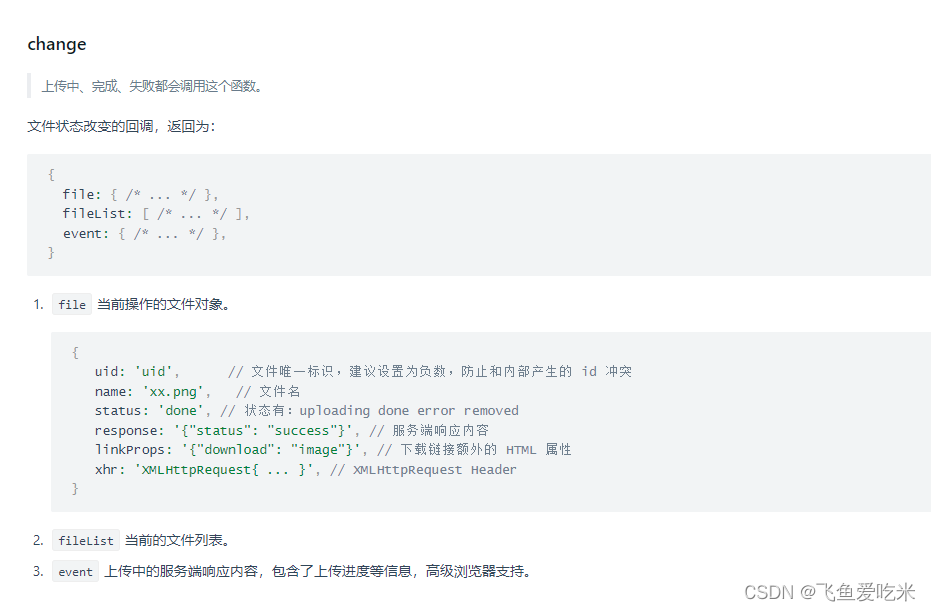
具体实现
html部分:组件的使用以及相关配置项
<a-upload name="avatar2" list-type="picture-card" class="avatar-uploader" :show-upload-list="false" :before-upload="beforeUpload" @change="imageUpload"><img v-if="imageUrl" :src="imageUrl" alt="avatar" style="height: 102px; width: 102px; border-radius: 50%" /><div v-else><a-icon :type="loading ? 'loading' : 'plus'" /><div class="ant-upload-text">Upload</div></div></a-upload>
js部分:文件上传前的处理和文件对象的上传
//import和export同级
function getBase64(img, callback) {const reader = new FileReader();reader.addEventListener('load', () => callback(reader.result));reader.readAsDataURL(img);
}//methods里面的:beforeUpload(file) {const isJpgOrPng = file.type === 'image/jpeg' || file.type === 'image/png' || file.type === 'image/gif' || file.type === 'image/jpg';if (!isJpgOrPng) {return this.$message.error('请上传正确的图片格式!');}const isLt2M = file.size / 1024 / 1024 < 2;if (!isLt2M) {return this.$message.error('图片大小必须小于2MB!');}},// 图片上传async imageUpload(info) {getBase64(info.file.originFileObj, (imageUrl) => {this.imageUrl = imageUrl;});},
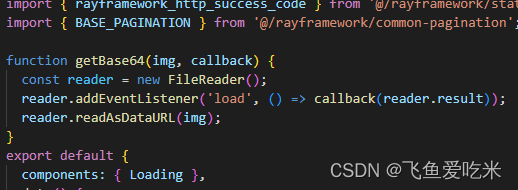
主要做处理的是在change事件里面,调用了转base64的方法,方法里面可以把图像的url赋值、显示。
数据收集完,我们拿到的imageUrl就是转码base64格式的图片数据,传到后台就行了。
一些问题
a-upload的上传文件组件不满足条件的依旧上传
使用beforeUpload
上传文件之前的钩子,参数为上传的文件,若返回 false 则停止上传。支持返回一个 Promise 对象,Promise 对象 reject 时则停止上传,resolve 时开始上传( resolve 传入 File 或 Blob 对象则上传 resolve 传入对象)。注意:IE9 不支持该方法。
使用:
beforeUpload(file) {return new Promise((resolve, reject) => {const isJpgOrPng = file.type === 'image/jpeg' || file.type === 'image/png' || file.type === 'image/gif' || file.type === 'image/jpg';if (!isJpgOrPng) {this.$message.error('请上传正确的图片格式!');return reject(false);}const isLt2M = file.size / 1024 / 1024 < 2;if (!isLt2M) {this.$message.error('图片大小必须小于2MB!');return reject(false);}if (this.fileList.length == 3) {this.$message.error('可上传的长度为3,如若修改,请删除要更换的图片!');return reject(false);}return resolve(true);});},
a-upload的文件上传组件单张图片会上传多次
在imageUpload钩子函数中需要根据文件状态来判断是否上传
// 图片上传async imageUpload(info) {const { file, fileList } = info;this.fileList = fileList;if (file.status == 'removed') {let arr = [];this.fileList.map((item) => {if (item.url) {arr.push(item.url);} else {let data = {imageBase64: item.thumbUrl,};uploadPhoto(data).then((res) => {arr.push(res.data.result.imgRayId);});}});setTimeout(() => {this.imgArr = arr;this.form.repairPic = arr.join(',');}, 500);}if (file.status == 'uploading' && file.thumbUrl !== '') {getBase64(file.originFileObj).then((res) => {let data = {imageBase64: res,};this.loading = true;uploadPhoto(data).then((res) => {if (res.data.code == rayframework_http_success_code) {this.loading = false;this.imgArr.push(res.data.result.imgRayId);this.form.processPic.push(res.data.result.imgRayId);} else {this.loading = false;}}).catch(() => {this.loading = false;});});}},
上传图片的修改,需要可以删除、可以预览:status: ‘removed’,
tomodifyRepairTicket(data).then((res) => {if (res.data.code == rayframework_http_success_code) {this.repairemergencytypeList = res.data.result.staticDictMap.repairemergencytype.staticDictList;this.repairCategoryList = res.data.result.listobject;this.addressList = this.gettreeData(res.data.result.logisticsPlaceTree);this.form = Object.assign(this.form, res.data.result.logisticsRepairTicket);this.addressValue = this.form.repairLocation.split('/');this.mergencytype = this.form.repairEmergency;this.repairCategory = this.form.repairCategory;this.reserveRepairTime = this.form.reserveRepairTime;this.imgArr = this.form.repairPic.split(',');this.imgArr.forEach((item, index) => {let obj = {uid: index,name: item.split('\\')[2],status: 'removed',url: item,};this.fileList.push(obj);});this.visible = true;this.$nextTick(() => {this.initMap();});}});
这里是飞鱼爱吃米,只授渔,不授鱼!
本文来自互联网用户投稿,文章观点仅代表作者本人,不代表本站立场,不承担相关法律责任。如若转载,请注明出处。 如若内容造成侵权/违法违规/事实不符,请点击【内容举报】进行投诉反馈!