Android 画圆环进度条
自定义圆环精度条
(本文主要描述画圆的核心内容,其余的属性自己扩展)
1继承View 初始化
2测量画布的大小
3绘制圆环
4绘制圆弧
5绘制文字
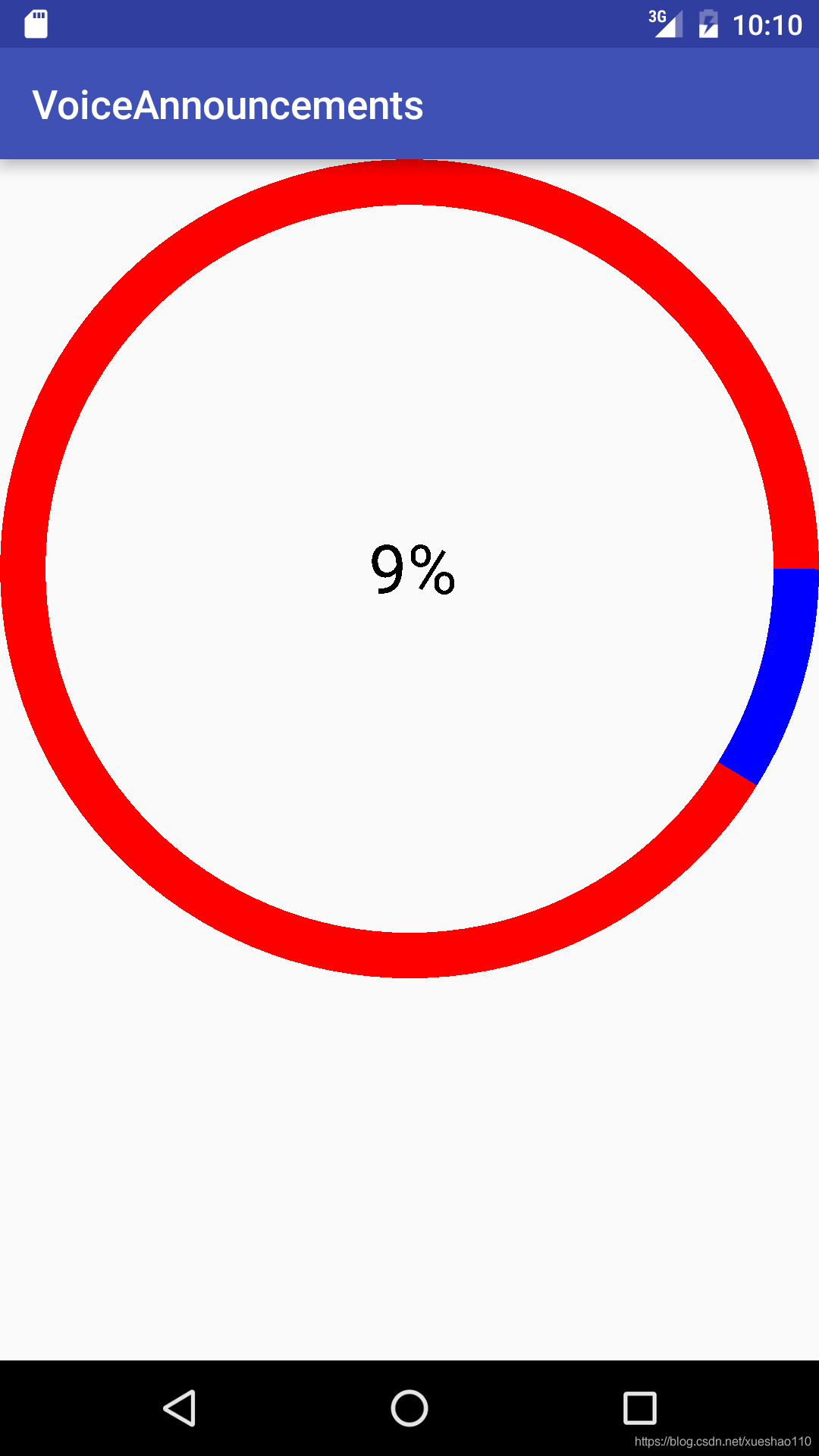
public class Rund extends View {private Paint paint;private int now=20; 当前进度private int max=200;最大进度private Rect rect;private int rundwidth=60;//圆弧宽度private int measuredWidth;public Rund(Context context) {this(context,null);}public Rund(Context context, AttributeSet attrs) {this(context, attrs,0);}public Rund(Context context, AttributeSet attrs, int defStyleAttr) {super(context, attrs, defStyleAttr);//初始化initView();}private void initView() {paint = new Paint();//创建笔rect=new Rect();//创建矩形this.setOnClickListener(new OnClickListener() {@Overridepublic void onClick(View v) {now--;if(now<=0){now=0;}invalidate();//强制重绘}});}@Overrideprotected void onMeasure(int widthMeasureSpec, int heightMeasureSpec) {super.onMeasure(widthMeasureSpec, heightMeasureSpec);//MeasureSpec.measuredWidth = getMeasuredWidth();//测量当前画布大小}@Overrideprotected void onDraw(Canvas canvas) {super.onDraw(canvas);paint.setStyle(Paint.Style.STROKE);//设置为空心圆paint.setStrokeWidth(rundwidth);paint.setColor(Color.RED);float x = measuredWidth / 2;float y = measuredWidth / 2;int rd = measuredWidth / 2 - rundwidth / 2;canvas.drawCircle(x, y, rd, paint);//绘制圆弧RectF rectF = new RectF(rundwidth/2,rundwidth/2,measuredWidth-rundwidth/2,measuredWidth-rundwidth/2);paint.setColor(Color.BLUE);canvas.drawArc(rectF,0,now*360/max,false,paint);//设置当前文字String text=now*100/max+"%";paint.setStrokeWidth(0);Rect rect = new Rect();paint.setTextSize(90);paint.getTextBounds(text,0,text.length(),rect);paint.setColor(Color.BLACK);canvas.drawText(text,measuredWidth/2-rect.width()/2,measuredWidth/2+rect.height()/2,paint);}
}
本文来自互联网用户投稿,文章观点仅代表作者本人,不代表本站立场,不承担相关法律责任。如若转载,请注明出处。 如若内容造成侵权/违法违规/事实不符,请点击【内容举报】进行投诉反馈!