jQuery案例--仿淘宝精品栏
jQuery案例–仿淘宝精品栏
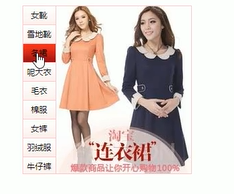
在淘宝(今天我去找了找没找到)之前会有这样一个小窗口,推荐一些精品的东西,左边有推荐的东西,右边会有图片,鼠标放在商品名称上,商品名称的背景颜色会变成红色,而且右边的图片会变成相对应的图片。今天我们来实现一下这个案例。
<html lang="zh-CN">
<head><meta charset="UTF-8"><meta name="viewport" content="width=device-width, initial-scale=1.0"><title>仿淘宝精品栏title><script src="jquery.js">script><style>*{margin: 0;padding: 0;}a {text-decoration: none;color: black;}.box {width: 450px;height: 400px;background-color: black;}.left {float: left;width: 50px;height: 400px;background-color: pink;}.right {float: left;width: 400px;height: 400px;background-color: skyblue;}.left>li {width: 50px;height: 30px;line-height: 30px;text-align: center;}.right div{display: none;}.right .a {display: block;}style>
head><body><div class="box"><li ><a href="#">裙子a>li><li ><a href="#">小皮鞋a>li><li ><a href="#">佛珠a>li>ul><div class="a"><a href="#"><img src="images/q.jpg" width="400px" height="400px">a>div><div><a href="#"><img src="images/x.jpg" width="400px" height="400px">a>div><div><a href="#"><img src="images/f.jpg" width="400px" height="400px">a>div> div>div><script>$(function(){//添加鼠标触发事件$(".left li").mouseover(function(){//获取索引号var index = $(this).index();//将当前div的背景改成红色$(this).css("background","red");//显示与当前索引号相同的索引号的图片$(".right div").eq(index).show();//隐藏其他图片$(".right div").eq(index).siblings().hide();})//添加鼠标离开事件$(".left li").mouseout(function(){//鼠标离开时,去除背景颜色$(this).css("background",""); })})   script>
body>
html>
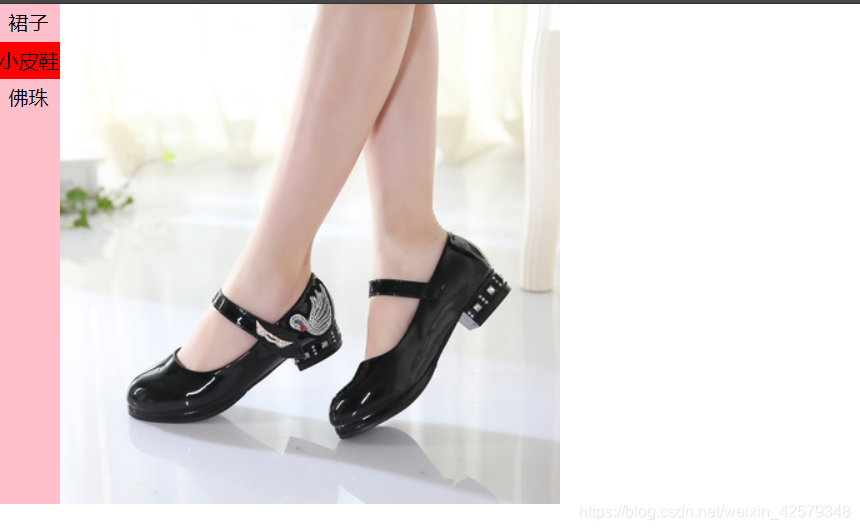
程序运行结果:
本文来自互联网用户投稿,文章观点仅代表作者本人,不代表本站立场,不承担相关法律责任。如若转载,请注明出处。 如若内容造成侵权/违法违规/事实不符,请点击【内容举报】进行投诉反馈!