Spring Boot整合JPA---学习08
文章目录
- 一、JPA
- 二、Spring Boot整合JPA
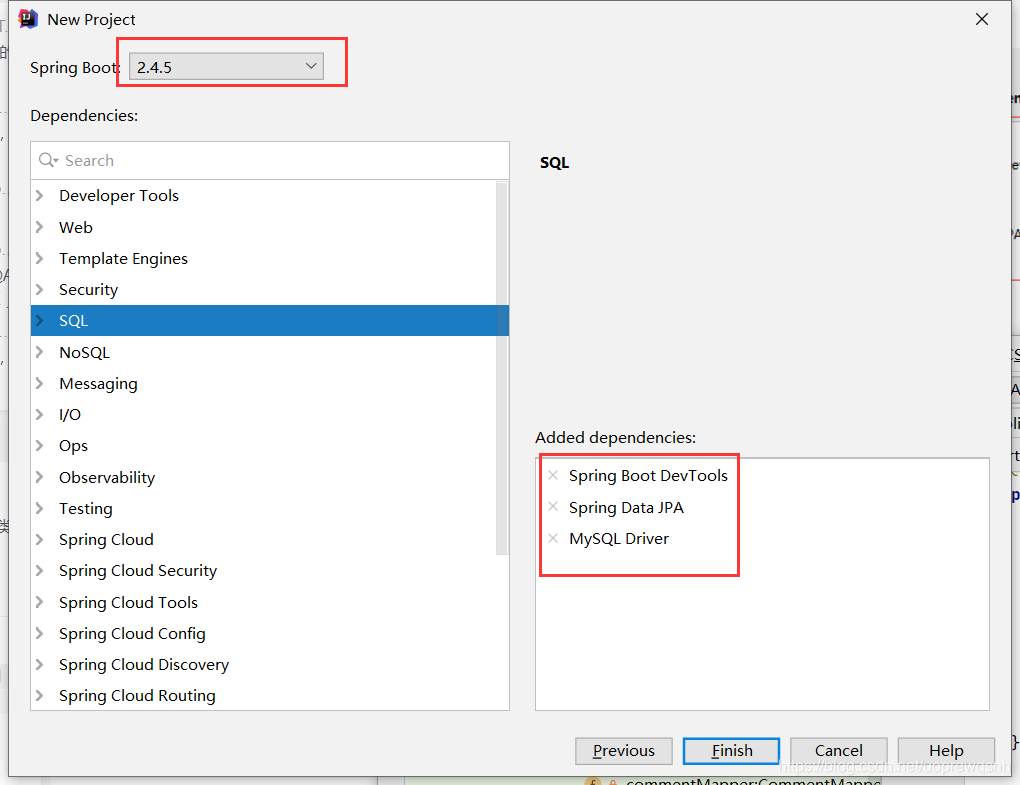
- 1、创建Spring Boot项目JPADemo
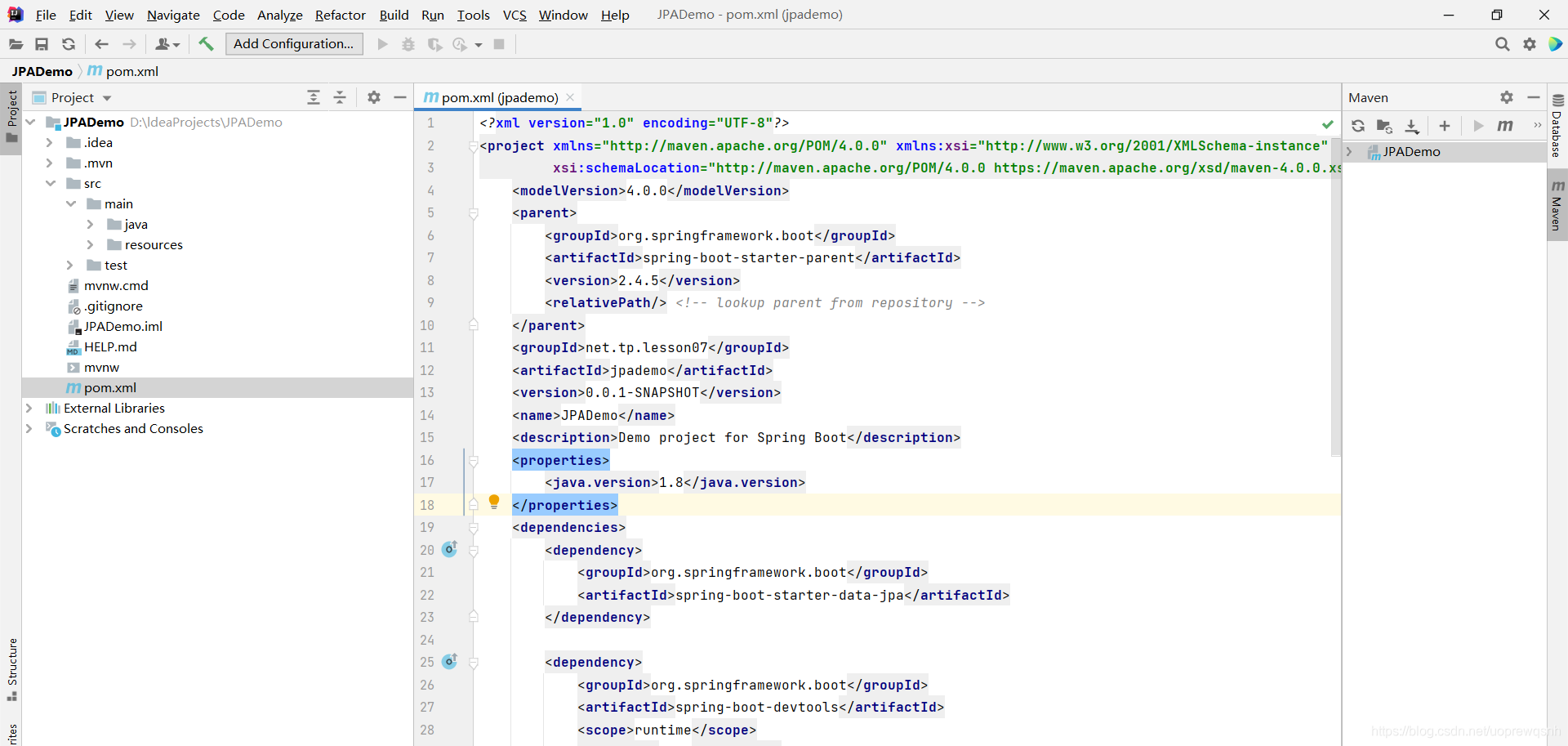
- 2、添加项目依赖
- 3、初始化
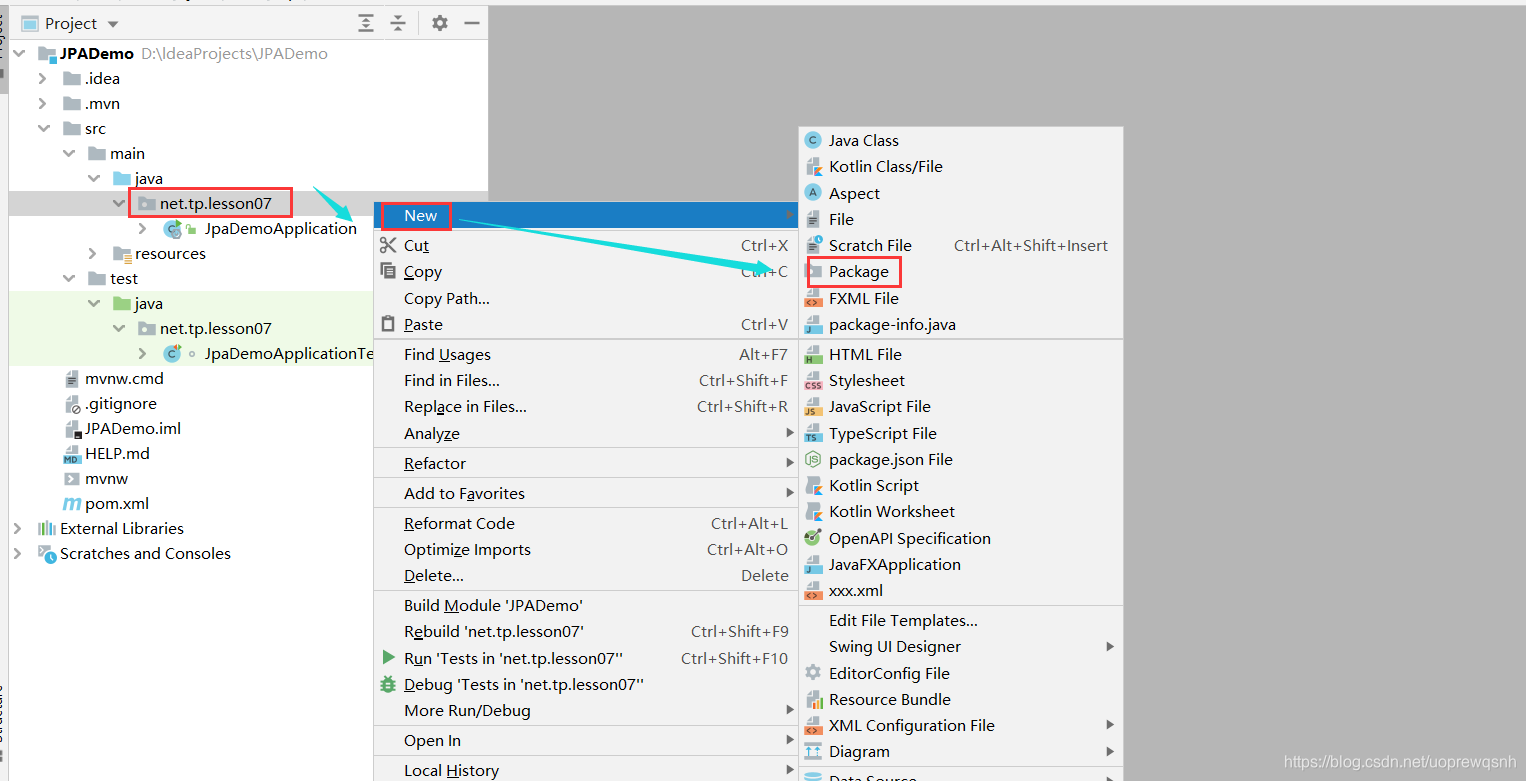
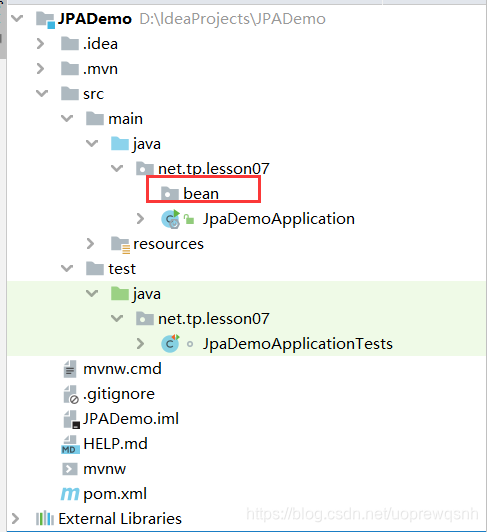
- 4、在main/java下创建net.tp.lesson07.bean子包
- 5、创建评论实体类Comment
- 6、创建文章实体类Article
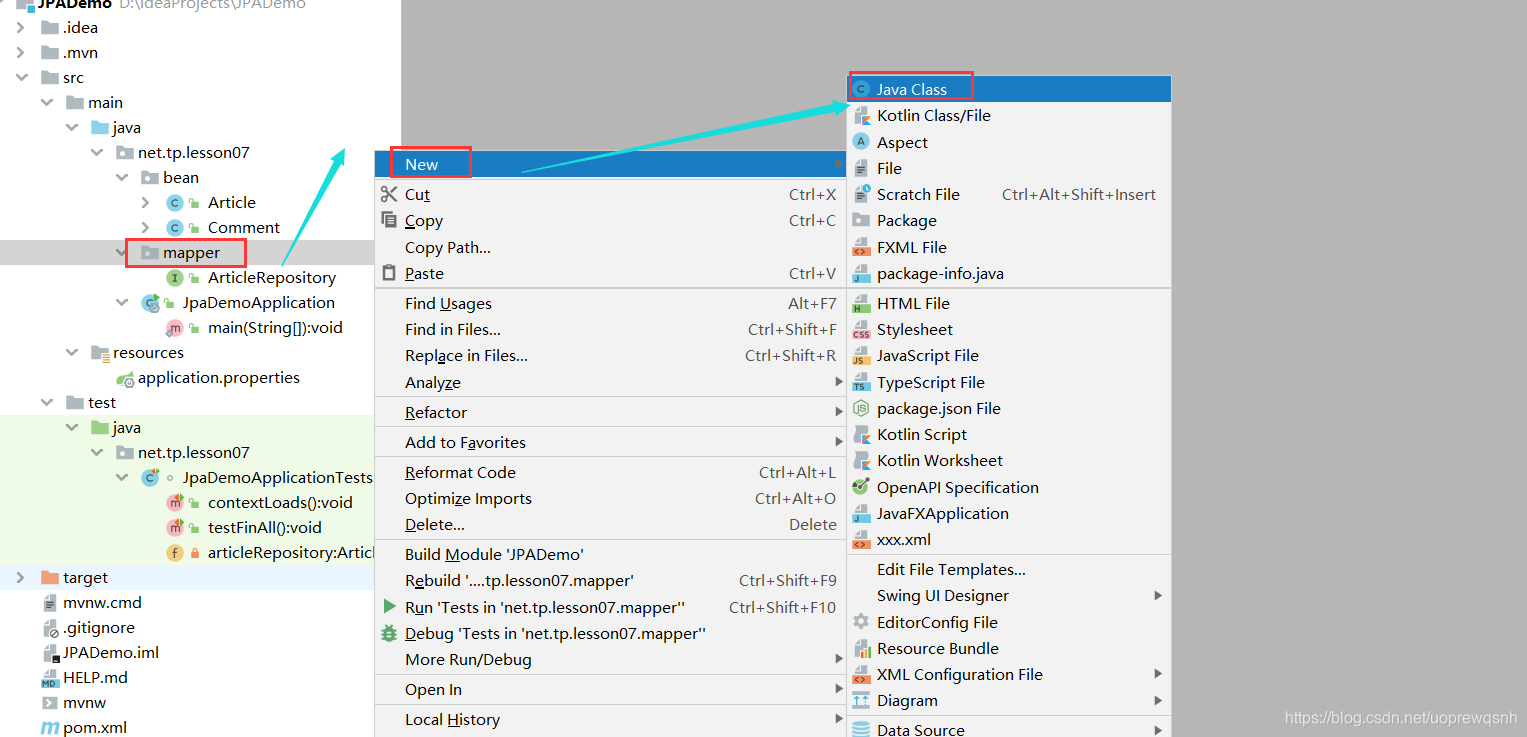
- 7、在main/java下创建net.tp.lesson07.mapper子包
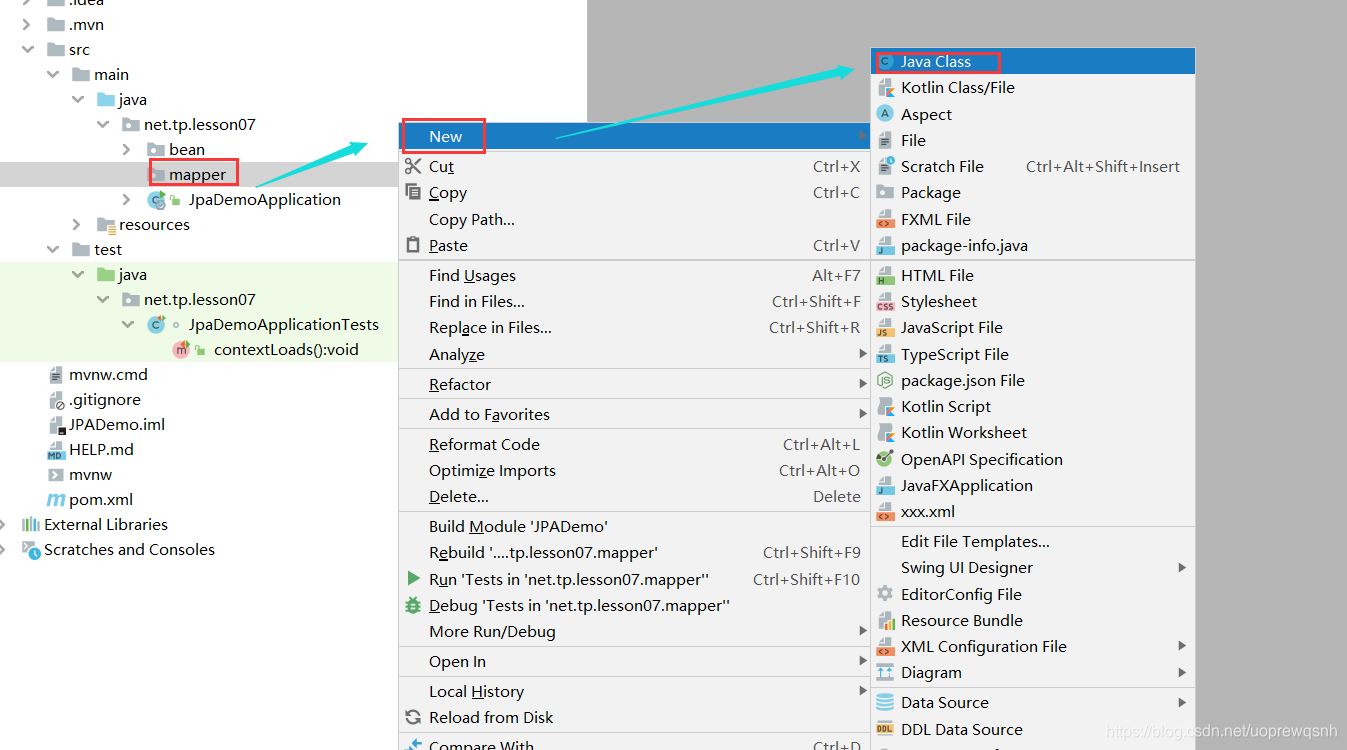
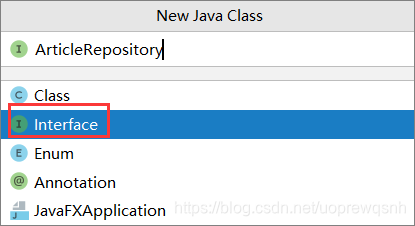
- 8、创建自定义JpaRepository接口 - ArticleRepository
- 9、在pom.xml里添加依赖
- 10、在全局配置文件里配置数据源
- 11、在测试类里编写测试方法
- (1)、添加文章仓库
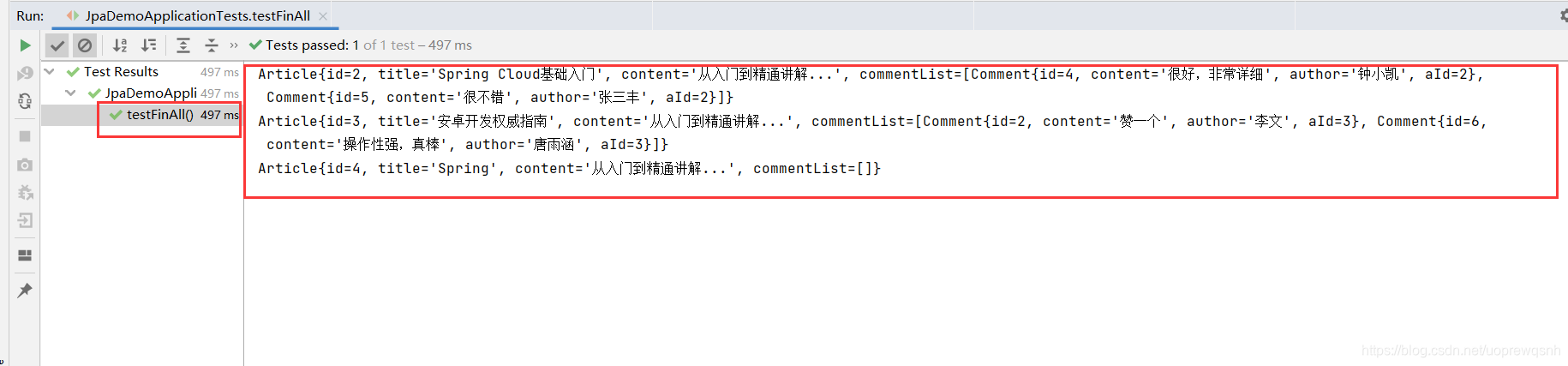
- (2)、运行查看效果
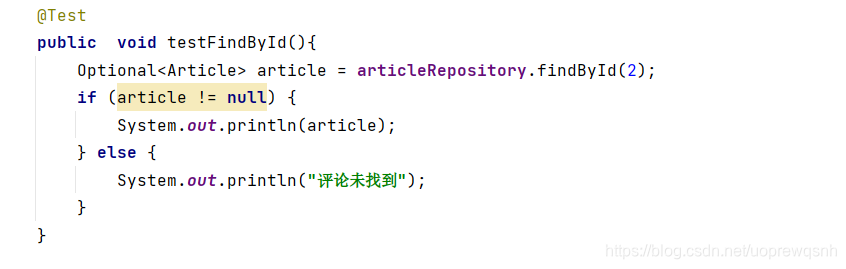
- 12、创建测试类testFindById()
- 13、运行查看效果
- 14、创建测试类testSave()
- 15、运行查看效果
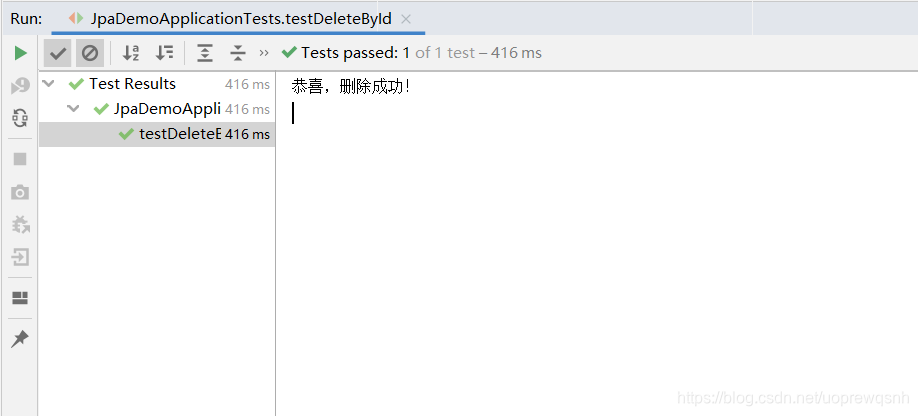
- 16、创建测试类testDeleteById()
- 三、利用JPA实现个性化操作
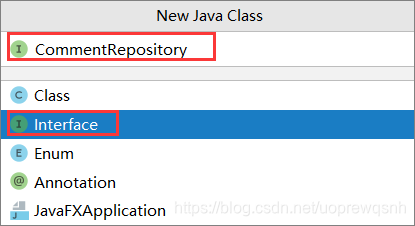
- 1、创建评论仓库接口CommentRepository
- 2、创建测试类CommentTests
- 3、在测试类里创建测试方法
- 4、运行查看效果
- 5、创建测试方法testFindCommentPagedByArticleId02()
- 6、运行查看效果
- 四、根据文章编号更新作者
- 1、在评论仓库接口里编写updateAuthorByArticleId()方法
- 2、在测试类创建testUpdateAuthorByArticleId()
- 3、运行查看效果
- 4、在评论仓库接口里编写deleteCommentByAuthor()方法
- 5、创建测试方法testUpdateAuthorByArticleId()
- 6、运行查看效果
- 7、创建测试方法testUpdateAuthorByArticleId02()
- 8、运行查看效果
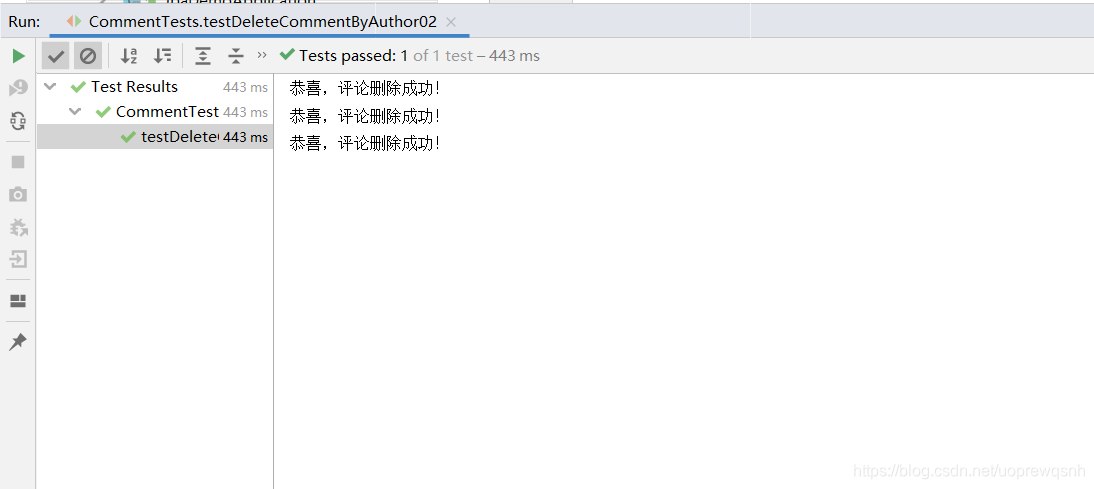
- 9、创建测试方法testDeleteCommentByAuthor02()
- 10、运行查看效果
一、JPA
JPA(Java Persistence API)是Sun官方提出的Java持久化规范。它为Java开发人员提供了一种对象/关联映射工具来管理Java应用中的关系数据。他的出现主要是为了简化现有的持久化开发工作和整合ORM技术,结束现在Hibernate,TopLink,JDO等ORM框架各自为营的局面。值得注意的是,JPA是在充分吸收了现有Hibernate,TopLink,JDO等ORM框架的基础上发展而来的,具有易于使用,伸缩性强等优点。从目前的开发社区的反应上看,JPA受到了极大的支持和赞扬,其中就包括了Spring与EJB3.0的开发团队。
Spring Data JPA 是 Spring 基于 ORM 框架、JPA 规范的基础上封装的一套JPA应用框架,可使开发者用极简的代码即可实现对数据的访问和操作。它提供了包括增删改查等在内的常用功能,且易于扩展!学习并使用 Spring Data JPA 可以极大提高开发效率!
二、Spring Boot整合JPA
1、创建Spring Boot项目JPADemo
2、添加项目依赖
3、初始化
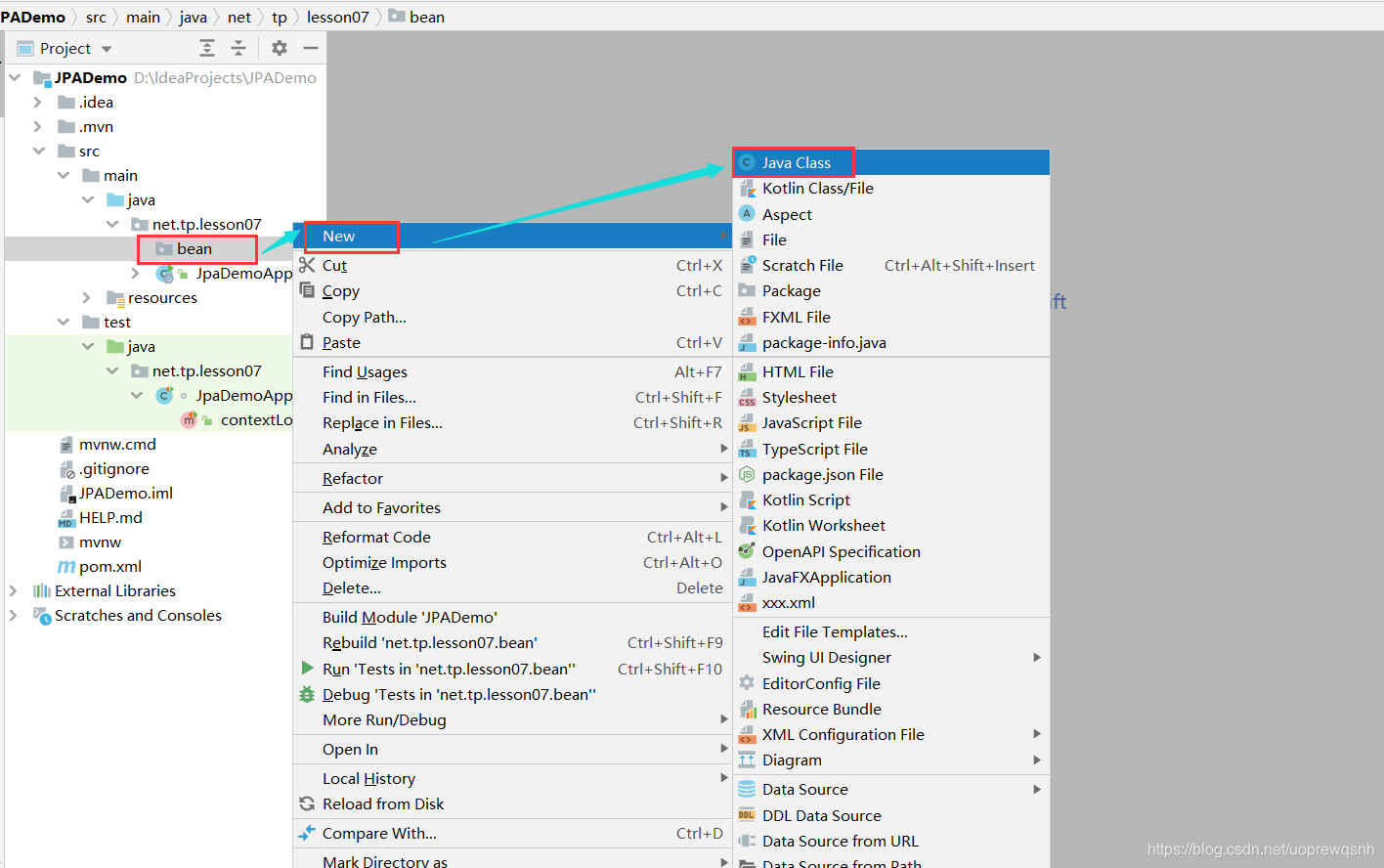
4、在main/java下创建net.tp.lesson07.bean子包

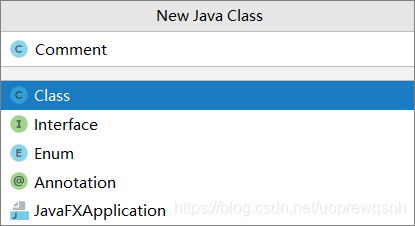
5、创建评论实体类Comment
package net.tp.lesson07.bean;
import javax.persistence.*;
/*** 功能:评论实体类* 作者:tp* 日期:2021年05月12日*/
@Entity(name = "t_comment")
public class Comment {@Id@GeneratedValue(strategy = GenerationType.IDENTITY)@Column(name = "id")private Integer id;@Column(name = "content")private String content;@Column(name = "author")private String author;@Column(name = "a_id")private Integer aId;public Integer getId() {return id;}public void setId(Integer id) {this.id = id;}public String getContent() {return content;}public void setContent(String content) {this.content = content;}public String getAuthor() {return author;}public void setAuthor(String author) {this.author = author;}public Integer getaId() {return aId;}public void setaId(Integer aId) {this.aId = aId;}@Overridepublic String toString() {return "Comment{" +"id=" + id +", content='" + content + '\'' +", author='" + author + '\'' +", aId=" + aId +'}';}
}
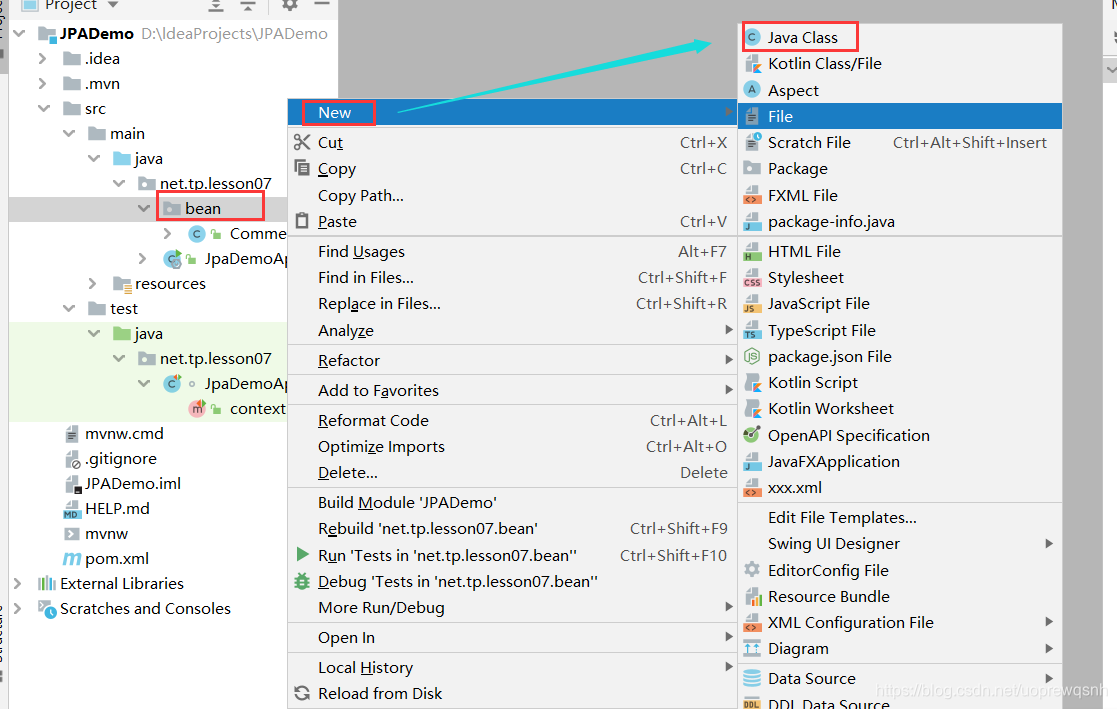
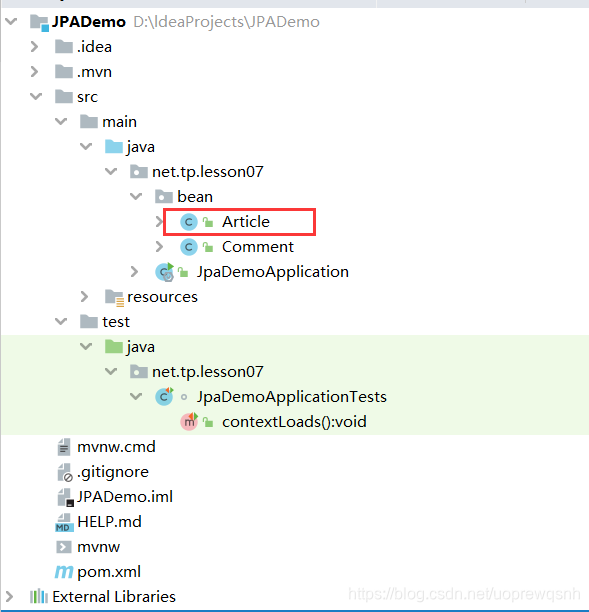
6、创建文章实体类Article
package net.tp.lesson07.bean;import javax.persistence.*;
import java.util.List;/*** 功能:文章实体类* 作者:tp* 日期:2021年05月12日*/
@Entity(name = "t_article")
public class Article {@Id@GeneratedValue(strategy = GenerationType.IDENTITY)private Integer id;@Column(name = "title")private String title;@Column(name = "content")private String content;//查询时把子表一并查出来@OneToMany(fetch = FetchType.EAGER) // FetchType.LAZY 懒加载@JoinTable(name = "t_comment", joinColumns = {@JoinColumn(name = "a_id")},inverseJoinColumns = {@JoinColumn(name = "id")})private List<Comment> commentList;public Integer getId() {return id;}public void setId(Integer id) {this.id = id;}public String getTitle() {return title;}public void setTitle(String title) {this.title = title;}public String getContent() {return content;}public void setContent(String content) {this.content = content;}public List<Comment> getCommentList() {return commentList;}public void setCommentList(List<Comment> commentList) {this.commentList = commentList;}@Overridepublic String toString() {return "Article{" +"id=" + id +", title='" + title + '\'' +", content='" + content + '\'' +", commentList=" + commentList +'}';}
}
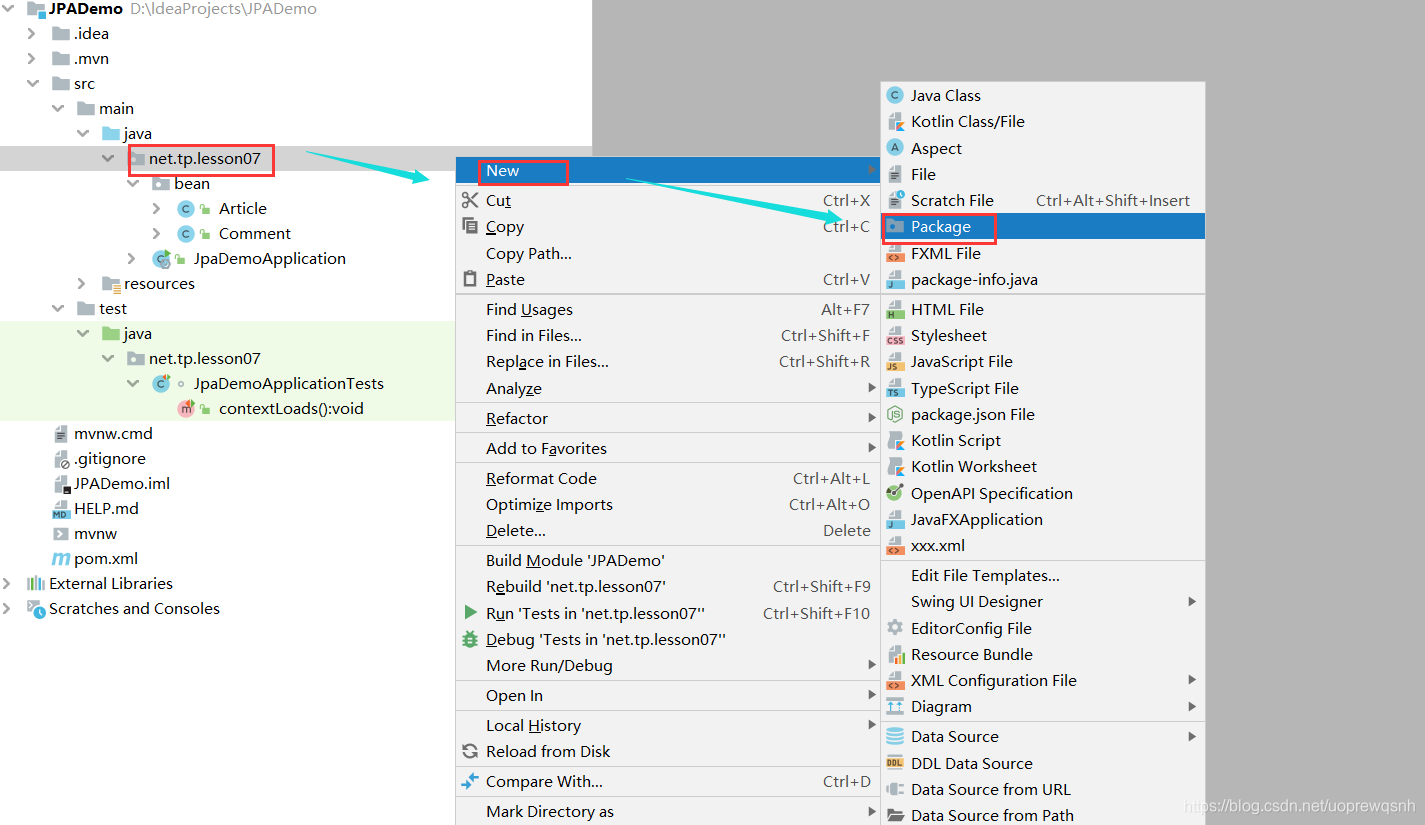
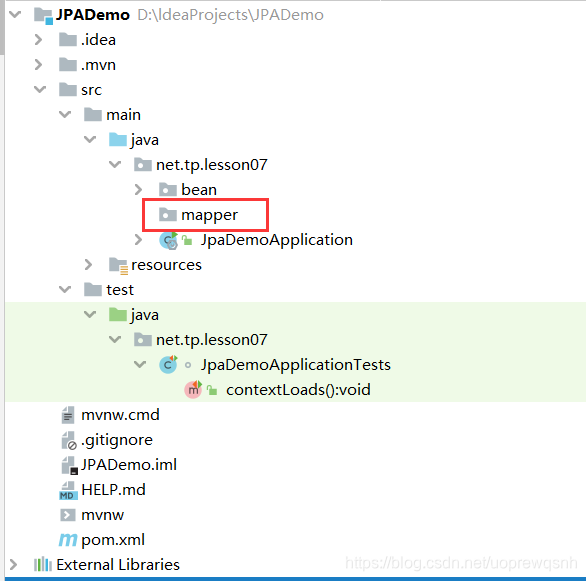
7、在main/java下创建net.tp.lesson07.mapper子包

8、创建自定义JpaRepository接口 - ArticleRepository
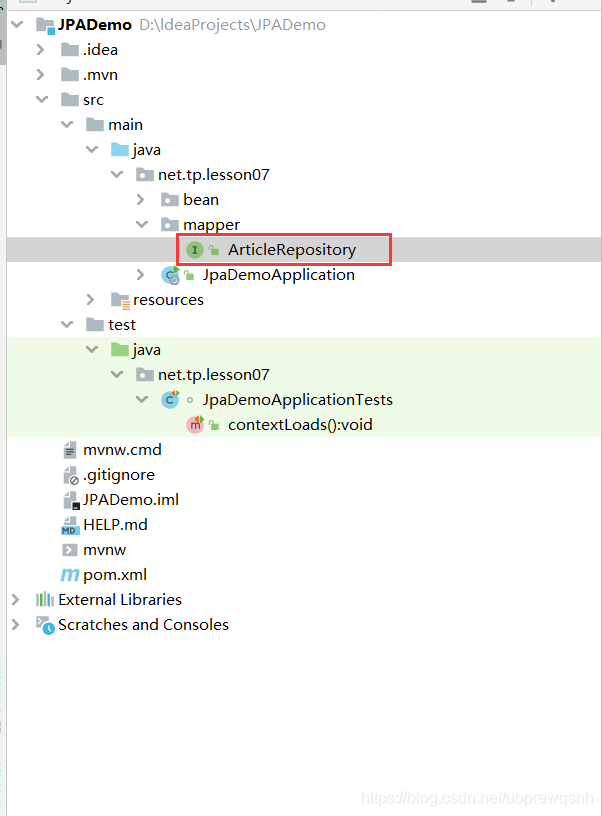
package net.tp.lesson07.mapper;import net.tp.lesson07.bean.Article;
import org.springframework.data.jpa.repository.JpaRepository;/*** 功能:文章仓库接口* 作者:tp* 日期:日期:2021年05月12日*/
public interface ArticleRepository extends JpaRepository<Article, Integer> {}
9、在pom.xml里添加依赖
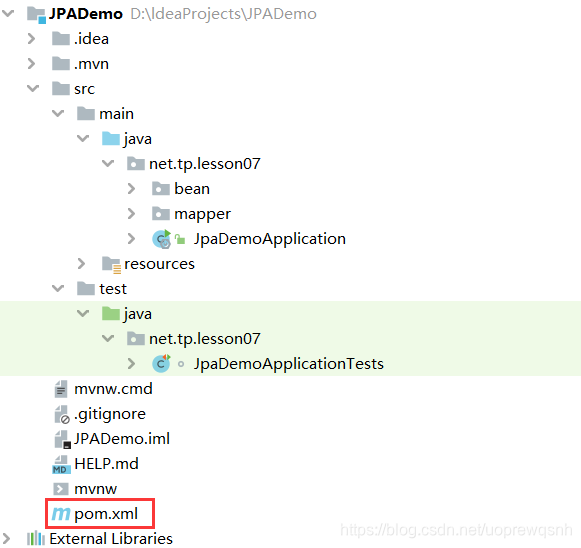
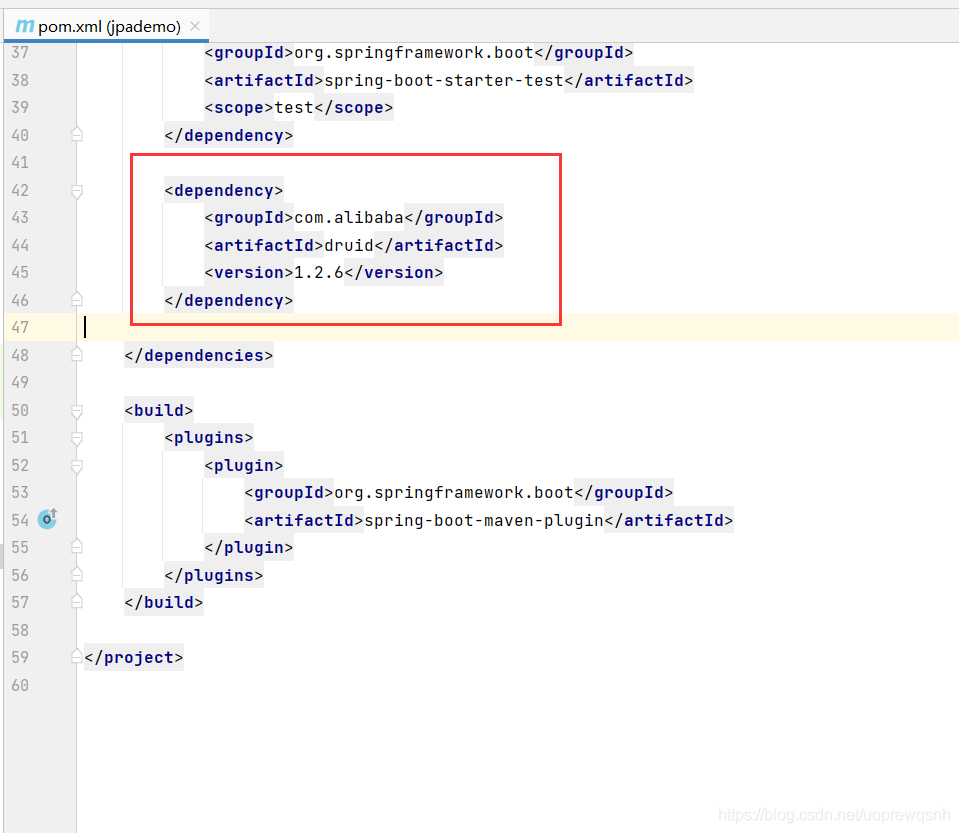
<dependency><groupId>com.alibabagroupId><artifactId>druidartifactId><version>1.2.6version>dependency>
10、在全局配置文件里配置数据源
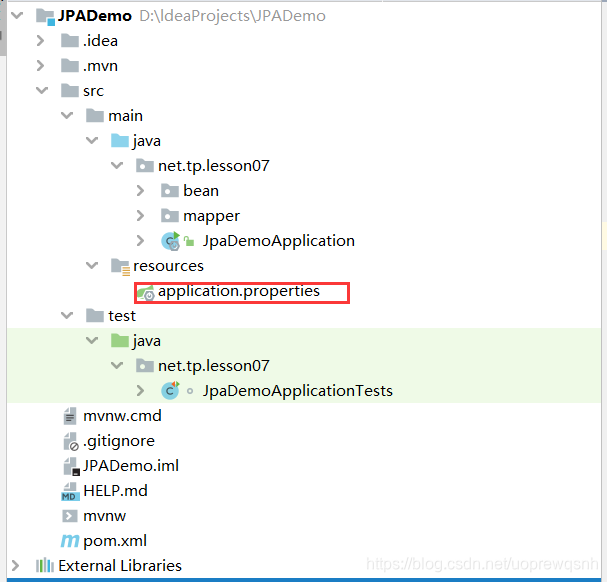
spring.datasource.url=jdbc:mysql://localhost:3306/blog?serverTimezone=UTC
spring.datasource.username=root
spring.datasource.password=rootspring.datasource.druid.max-active=100
spring.datasource.druid.min-idle=10
spring.datasource.druid.initial-size=20
11、在测试类里编写测试方法
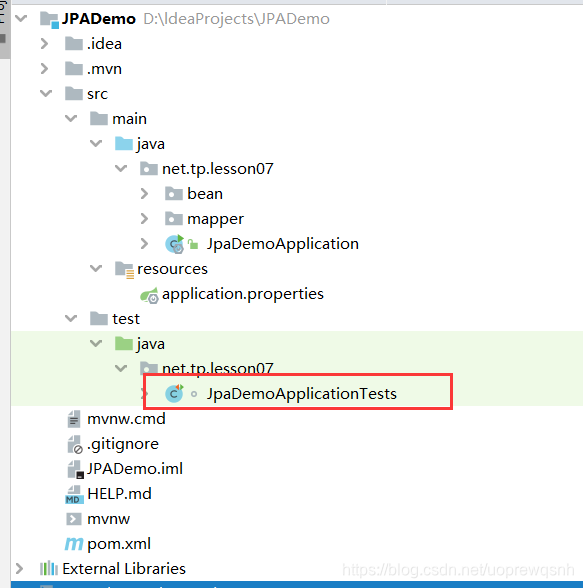
(1)、添加文章仓库
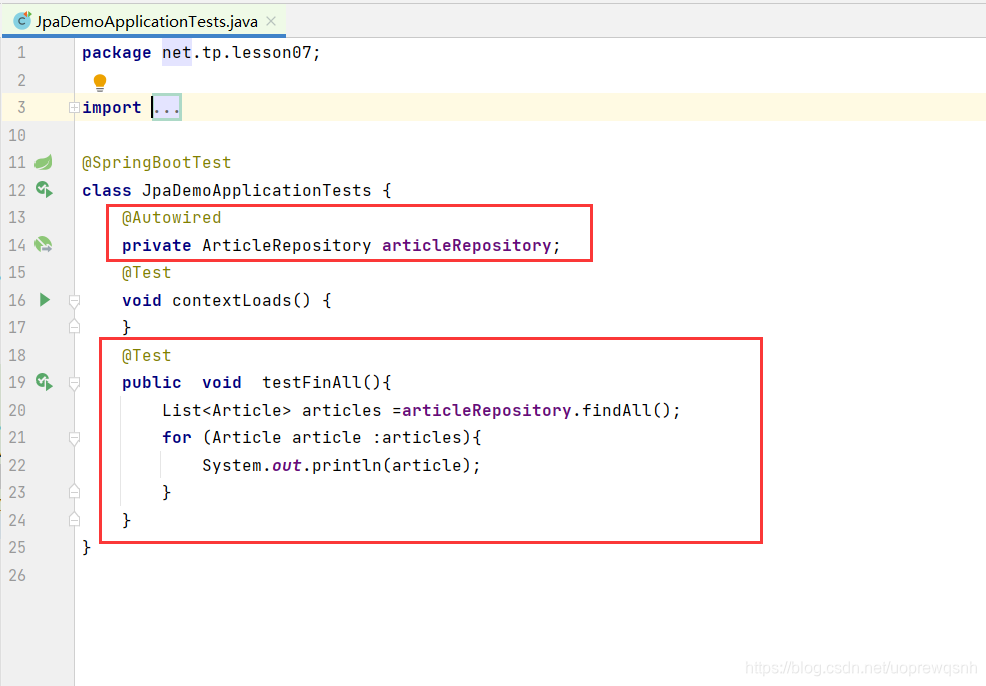
package net.tp.lesson07;import net.tp.lesson07.bean.Article;
import net.tp.lesson07.mapper.ArticleRepository;
import org.junit.jupiter.api.Test;
import org.springframework.beans.factory.annotation.Autowired;
import org.springframework.boot.test.context.SpringBootTest;import java.util.List;@SpringBootTest
class JpaDemoApplicationTests {@Autowiredprivate ArticleRepository articleRepository;@Testvoid contextLoads() {}@Testpublic  void  testFinAll(){List<Article> articles =articleRepository.findAll();for (Article article :articles){System.out.println(article);}}
}
(2)、运行查看效果
12、创建测试类testFindById()
13、运行查看效果

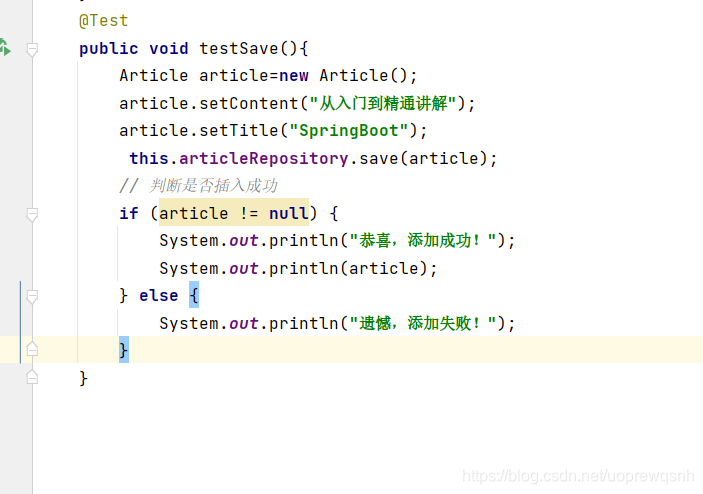
14、创建测试类testSave()
- 如果对应的id不存在,save方法则为insert
15、运行查看效果
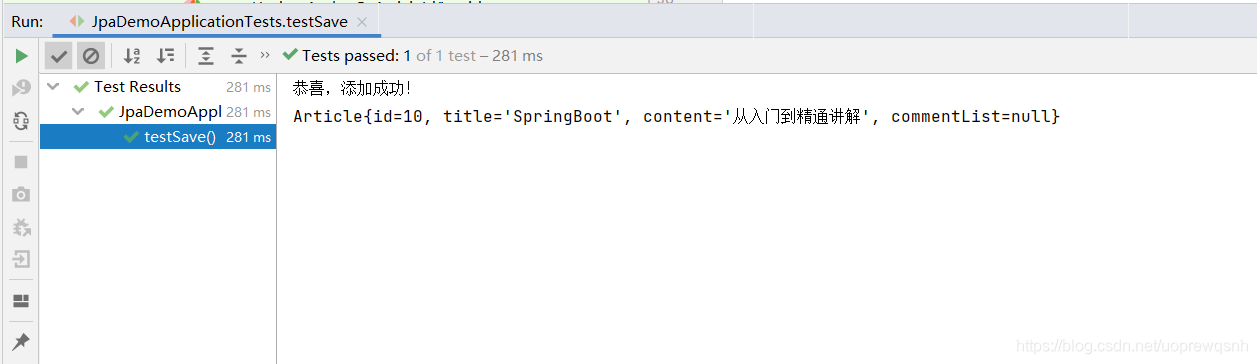
-
先查看数据库数据
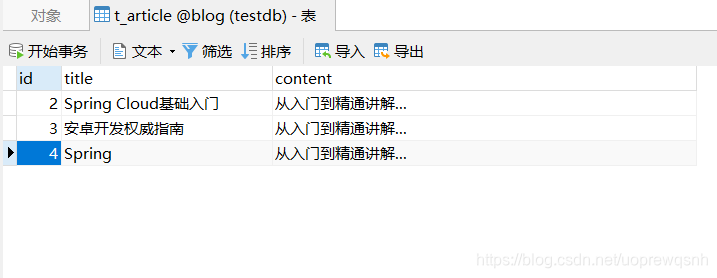
-
刷新后的数据
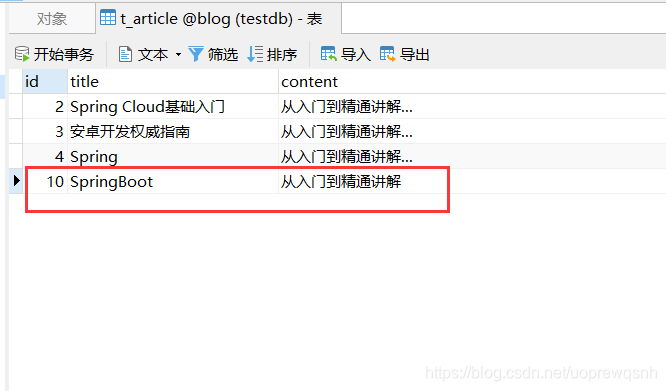
16、创建测试类testDeleteById()
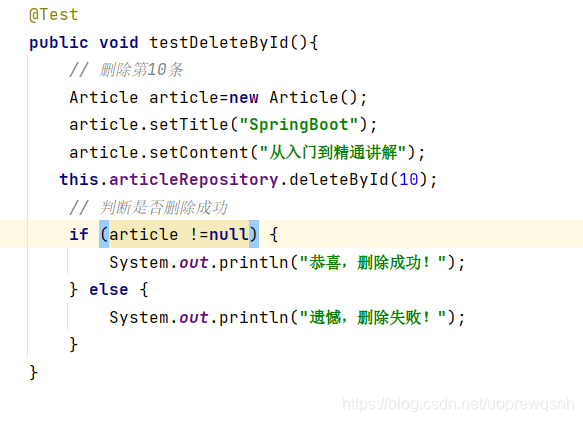
- 运行效果
三、利用JPA实现个性化操作
1、创建评论仓库接口CommentRepository
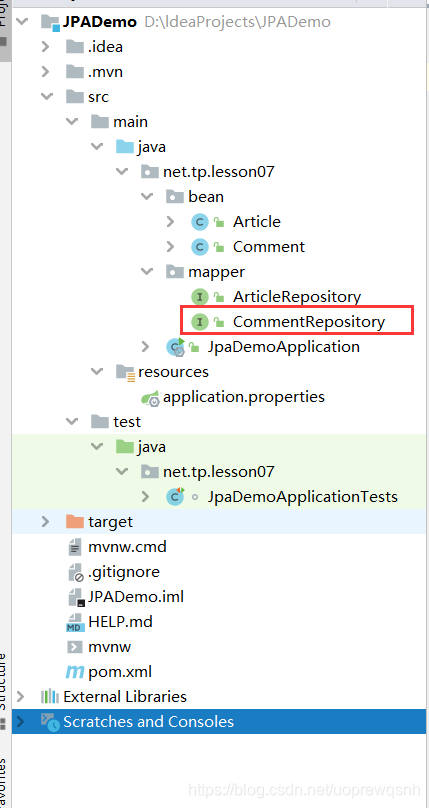
package net.tp.lesson07.mapper;import net.tp.lesson07.bean.Comment;
import org.springframework.data.domain.Page;
import org.springframework.data.domain.Pageable;
import org.springframework.data.jpa.repository.JpaRepository;
import org.springframework.data.jpa.repository.Query;/*** 功能:评论仓库接口* 作者:tp* 日期:2021年05月12日*/
public interface CommentRepository extends JpaRepository<Comment, Integer> {/*** 据文章ID进行分页查询评论* nativeQuery = true表示原生sql语句,否则使用的是实体对象* @param aId 查询条件字段* @param pageable 凡是要实现分页的查询,只需传递pageable参数即可* @return 返回page对象,包含page的相关信息及查询结果集*/@Query(value = "select * from t_comment where a_id = ?1", nativeQuery = true)Page<Comment> findCommentPagedByArticleId01(Integer aId, Pageable pageable);@Query(value = "select c from t_comment c where c.aId = ?1")Page<Comment> findCommentPagedByArticleId02(Integer aId, Pageable pageable);
}
2、创建测试类CommentTests
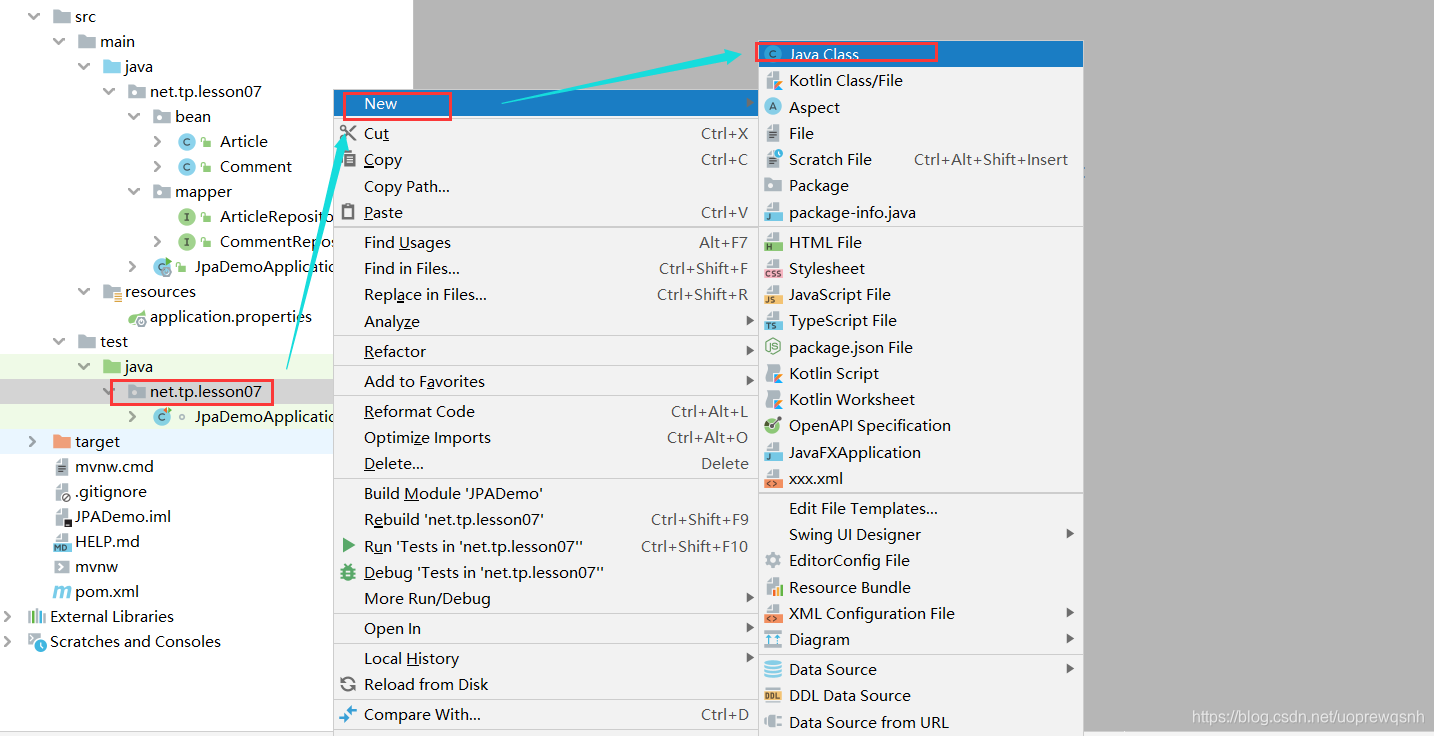
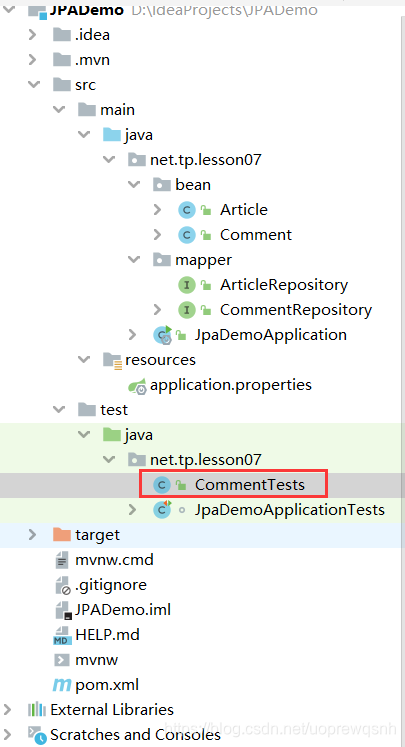
package net.tp.lesson07;import net.tp.lesson07.mapper.CommentRepository;
import org.springframework.beans.factory.annotation.Autowired;
import org.springframework.boot.test.context.SpringBootTest;@SpringBootTest
public class CommentTests {//注入评论仓库@Autowiredprivate CommentRepository commentRepository;
}
3、在测试类里创建测试方法
- 创建测试方法testFindCommentPagedByArticleId01()
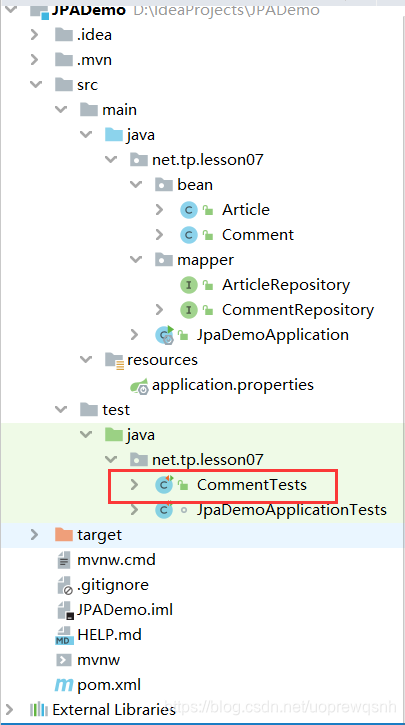
package net.tp.lesson07;import net.tp.lesson07.bean.Comment;
import net.tp.lesson07.mapper.CommentRepository;
import org.junit.jupiter.api.Test;
import org.springframework.beans.factory.annotation.Autowired;
import org.springframework.boot.test.context.SpringBootTest;
import org.springframework.data.domain.Page;
import org.springframework.data.domain.PageRequest;
import org.springframework.data.domain.Pageable;import java.util.List;/*** 功能:测试评论查询方法* 作者:tp* 日期:2021年05月12日*/
@SpringBootTest
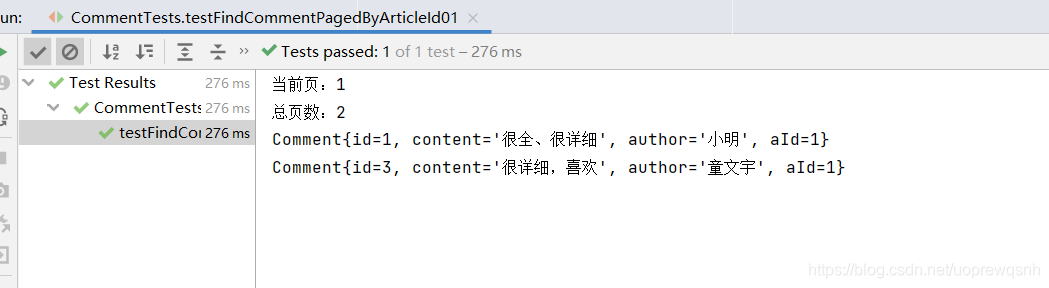
public class CommentTests {//注入评论仓库@Autowiredprivate CommentRepository commentRepository;@Testpublic void testFindCommentPagedByArticleId01() {// 当前页面索引int pageIndex = 0;// 设置页面大小int pageSize = 2;// 创建分页器Pageable pageable = PageRequest.of(pageIndex, pageSize);// 查询文章编号为1的页面对象Page<Comment> page = commentRepository.findCommentPagedByArticleId01(1, pageable);// 获取页面对象里的评论列表List<Comment> comments = page.getContent();// 获取页索引int number = page.getNumber();// 获取总页数int totalPages = page.getTotalPages();System.out.println("当前页:" + (number + 1)); // 页索引加1才是页码System.out.println("总页数:" + totalPages);// 输出当前页全部评论for (Comment comment : comments) {System.out.println(comment);}}}
4、运行查看效果
5、创建测试方法testFindCommentPagedByArticleId02()
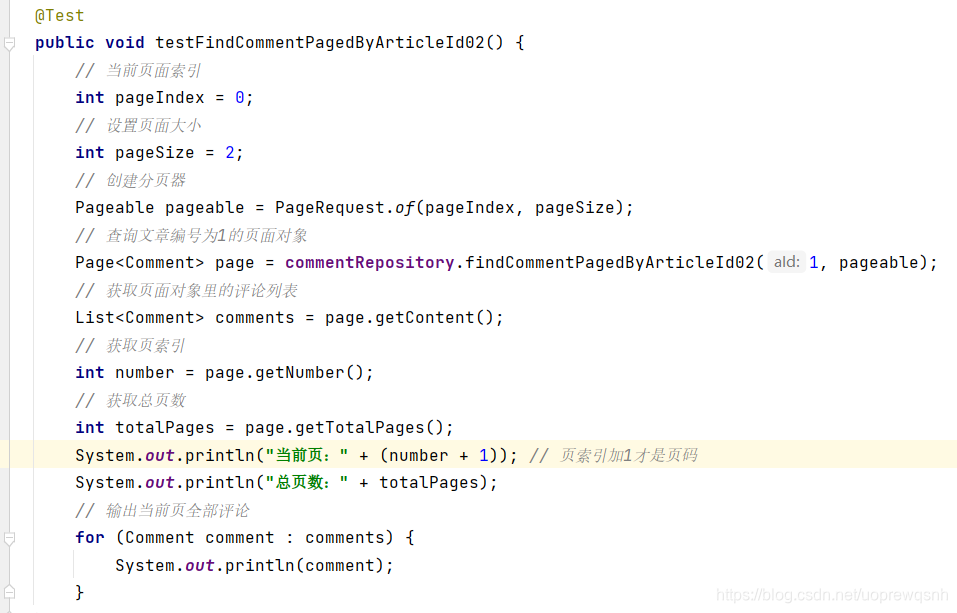
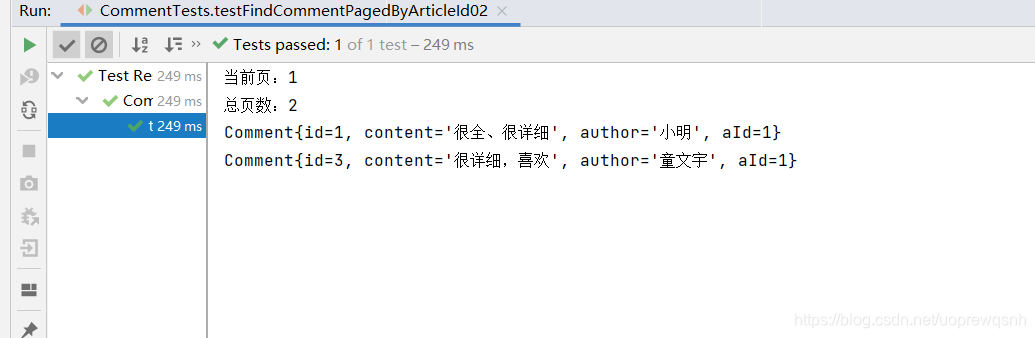
@Testpublic void testFindCommentPagedByArticleId02() {// 当前页面索引int pageIndex = 0;// 设置页面大小int pageSize = 2;// 创建分页器Pageable pageable = PageRequest.of(pageIndex, pageSize);// 查询文章编号为1的页面对象Page<Comment> page = commentRepository.findCommentPagedByArticleId02(1, pageable);// 获取页面对象里的评论列表List<Comment> comments = page.getContent();// 获取页索引int number = page.getNumber();// 获取总页数int totalPages = page.getTotalPages();System.out.println("当前页:" + (number + 1)); // 页索引加1才是页码System.out.println("总页数:" + totalPages);// 输出当前页全部评论for (Comment comment : comments) {System.out.println(comment);}}
6、运行查看效果
四、根据文章编号更新作者
1、在评论仓库接口里编写updateAuthorByArticleId()方法
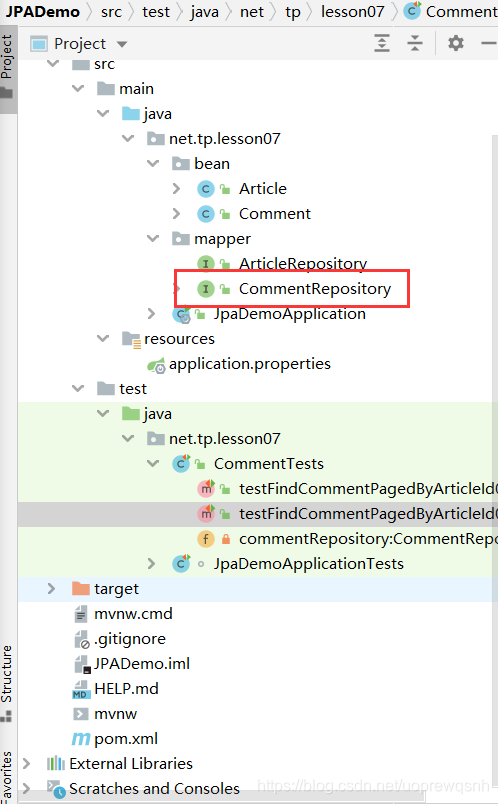
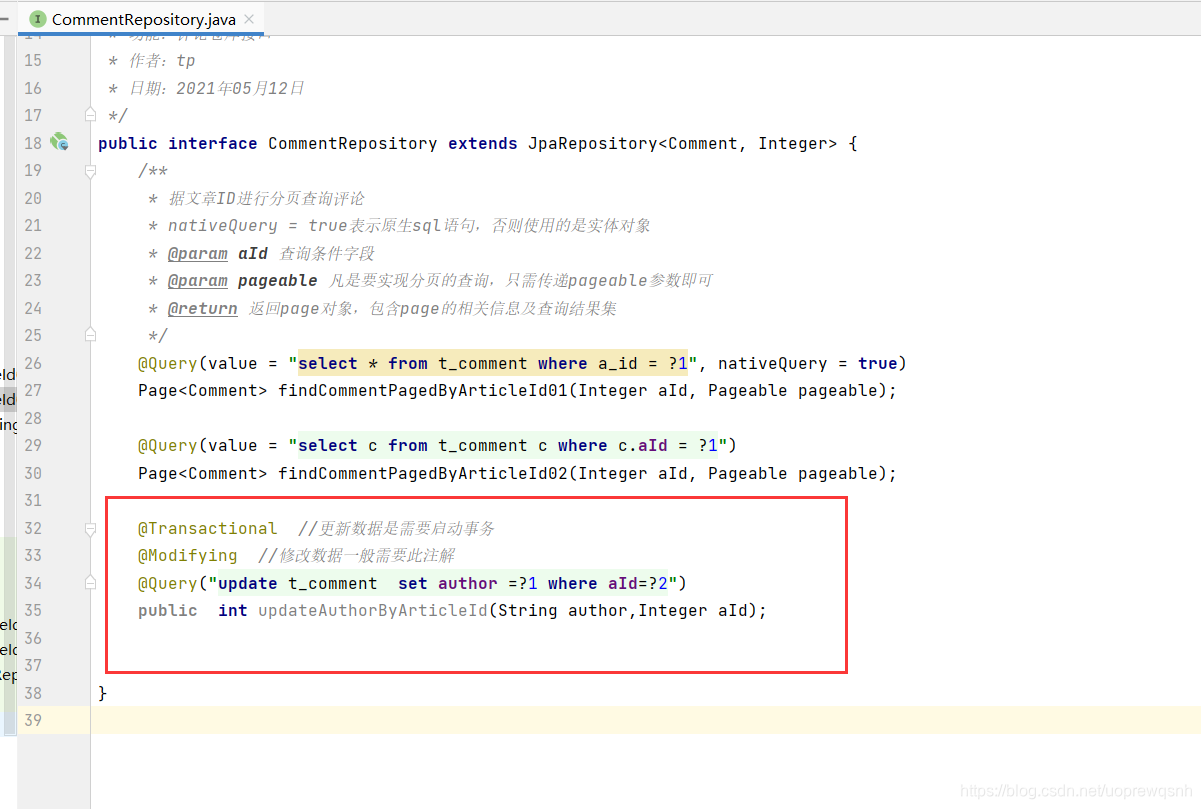
@Transactional //更新数据是需要启动事务@Modifying //修改数据一般需要此注解@Query("update t_comment set author =?1 where aId=?2")public int updateAuthorByArticleId(String author,Integer aId);2、在测试类创建testUpdateAuthorByArticleId()
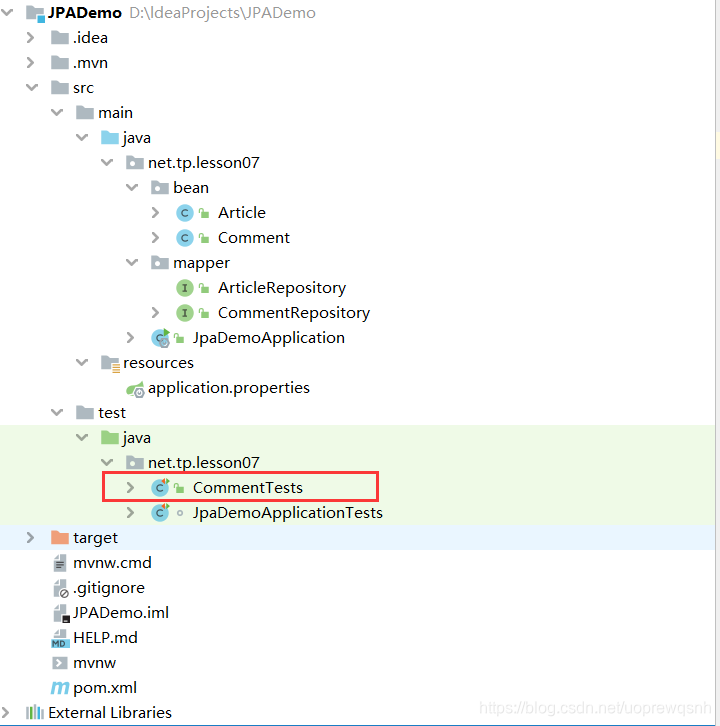
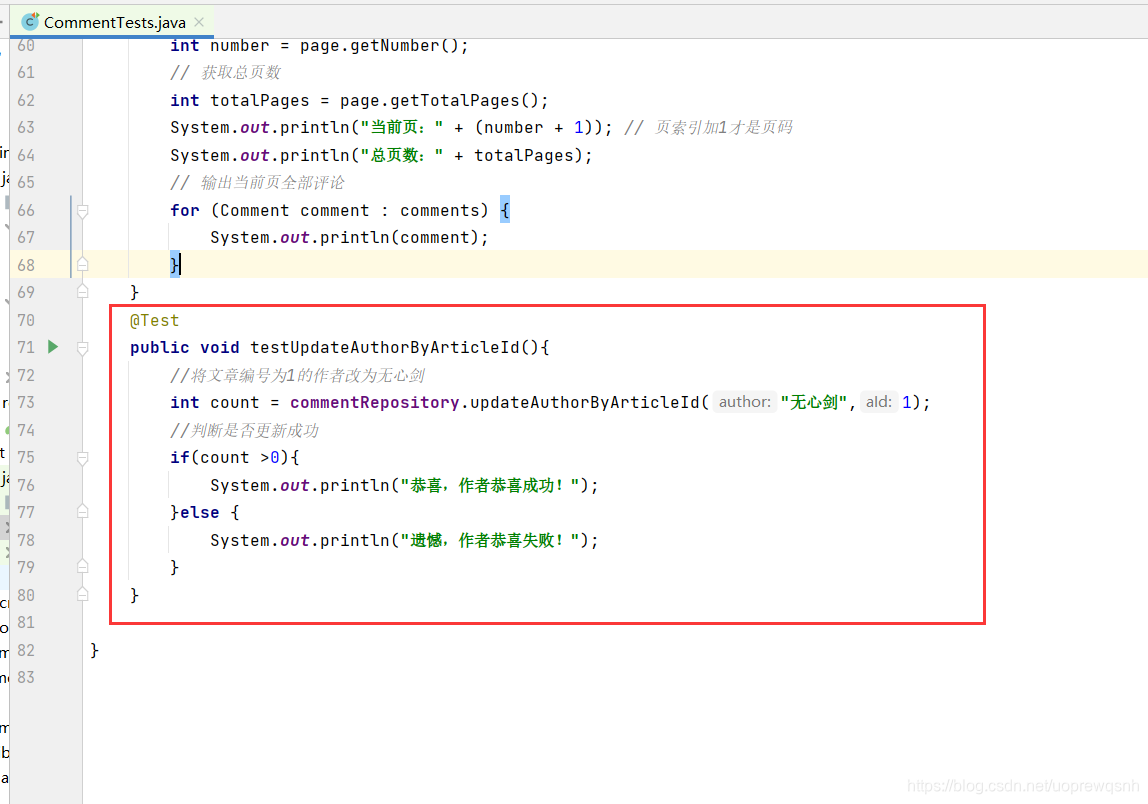
@Testpublic void testUpdateAuthorByArticleId(){//将文章编号为1的作者改为无心剑int count = commentRepository.updateAuthorByArticleId("无心剑",1);//判断是否更新成功if(count >0){System.out.println("恭喜,作者恭喜成功!");}else {System.out.println("遗憾,作者恭喜失败!");}}
3、运行查看效果
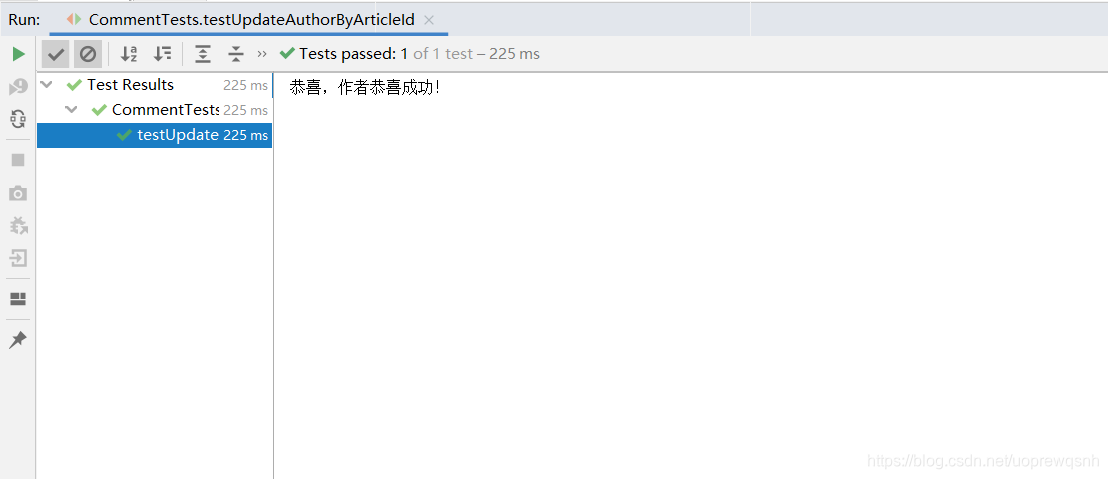
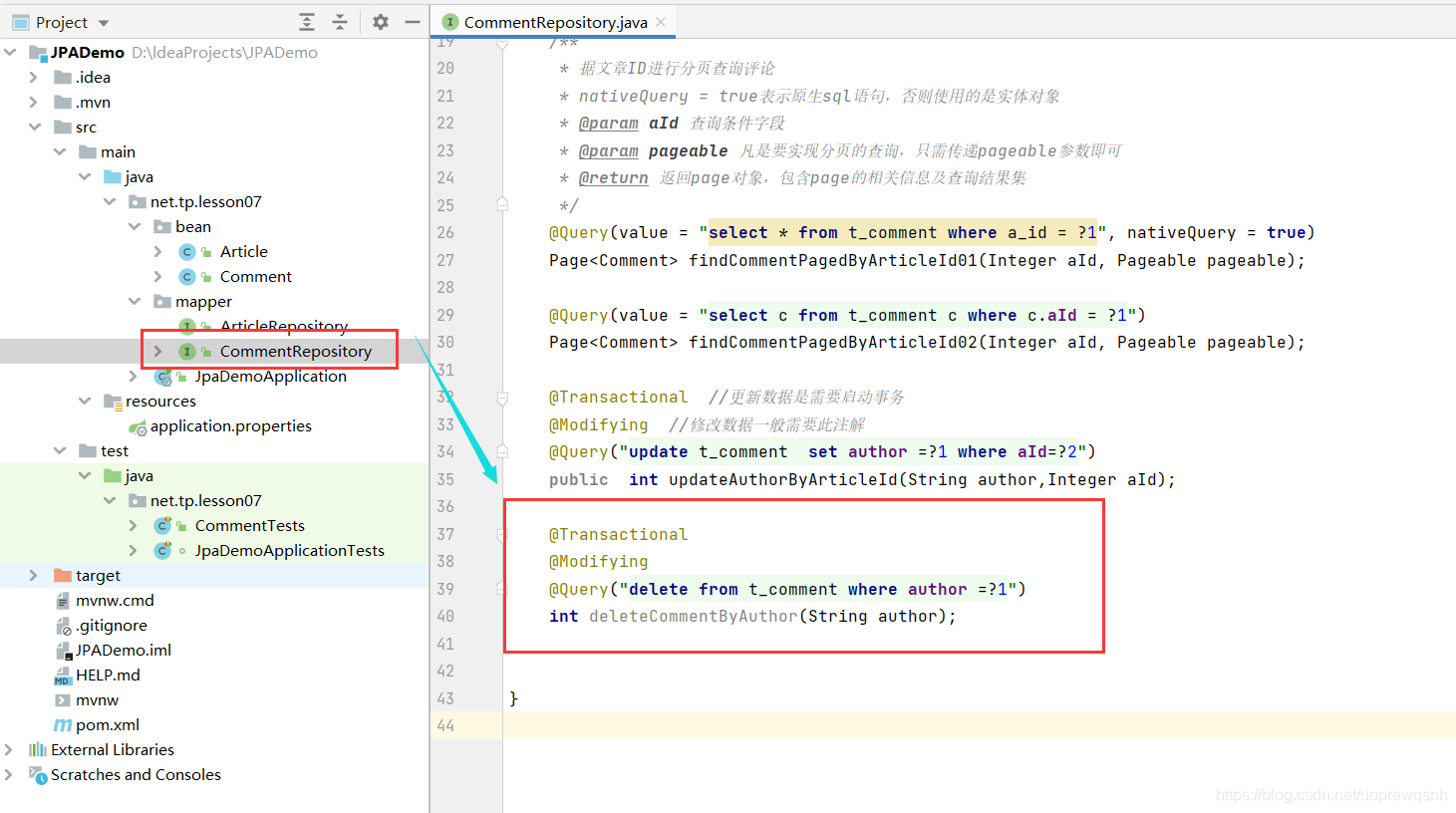
4、在评论仓库接口里编写deleteCommentByAuthor()方法
- 根据评论作者删除评论记录
5、创建测试方法testUpdateAuthorByArticleId()
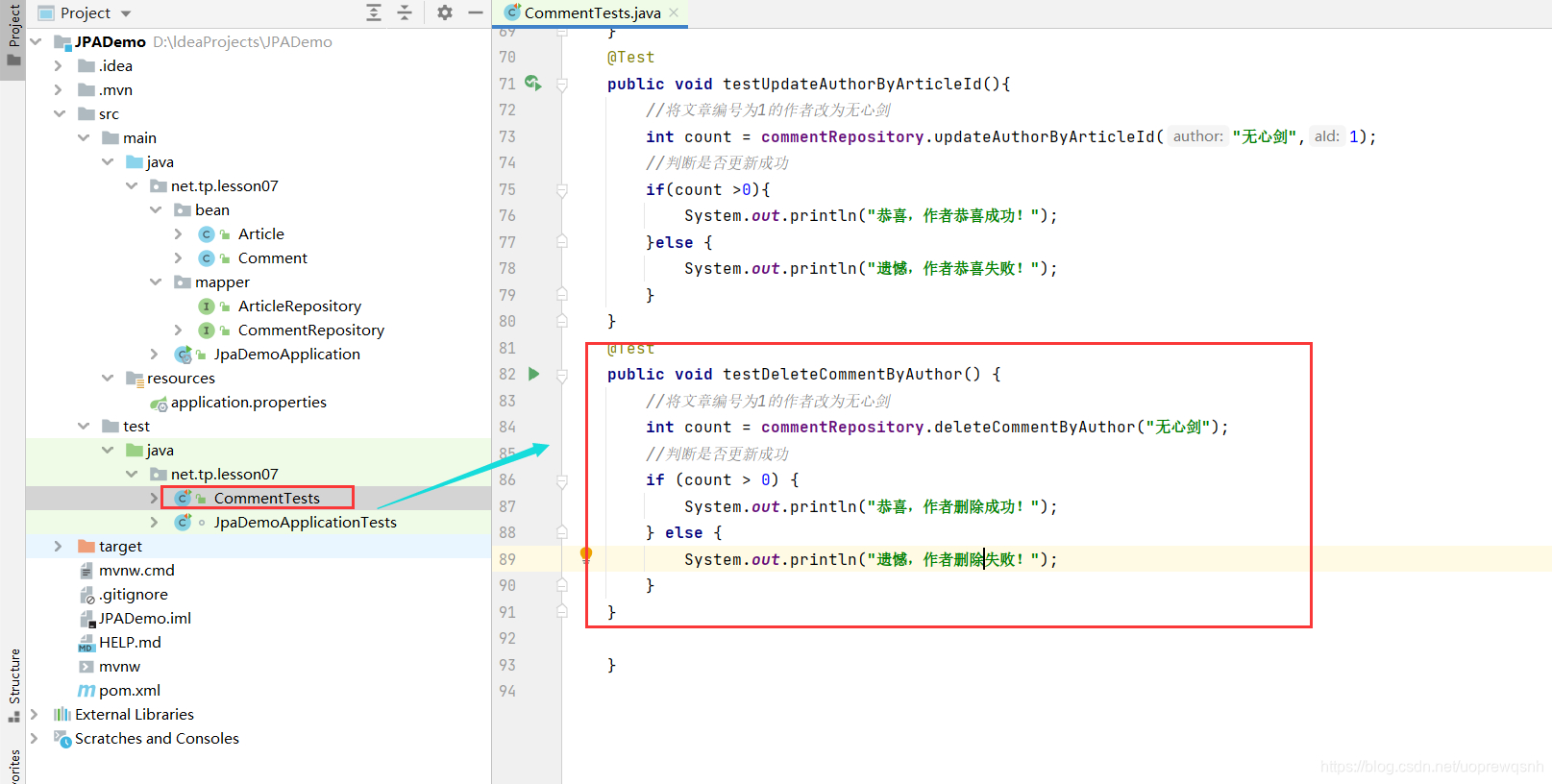
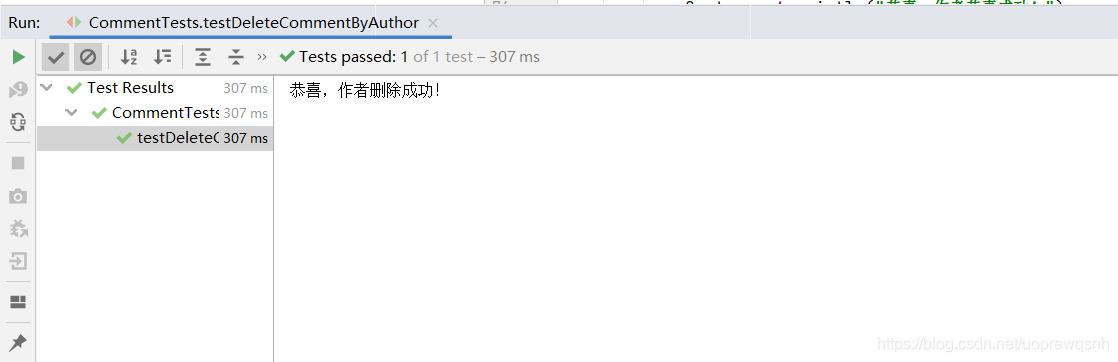
@Testpublic void testDeleteCommentByAuthor() {//将文章编号为1的作者改为无心剑int count = commentRepository.deleteCommentByAuthor("无心剑");//判断是否更新成功if (count > 0) {System.out.println("恭喜,评论删除成功!");} else {System.out.println("遗憾,评论删除失败!");}}
6、运行查看效果
7、创建测试方法testUpdateAuthorByArticleId02()
- 根据文章编号更新作者
- 因刚刚删除无心剑,现在去数据库里添加刚刚删除的数据
INSERT INTO `t_comment` VALUES ('1', '很全、很详细', '小明', '1');
INSERT INTO `t_comment` VALUES ('2', '赞一个', '李文', '3');
INSERT INTO `t_comment` VALUES ('3', '很详细,喜欢', '童文宇', '1');
INSERT INTO `t_comment` VALUES ('4', '很好,非常详细', '钟小凯', '2');
INSERT INTO `t_comment` VALUES ('5', '很不错', '张三丰', '2');
INSERT INTO `t_comment` VALUES ('6', '操作性强,真棒', '唐雨涵', '3');
INSERT INTO `t_comment` VALUES ('7', '内容全面,讲解清晰', '张杨', '1');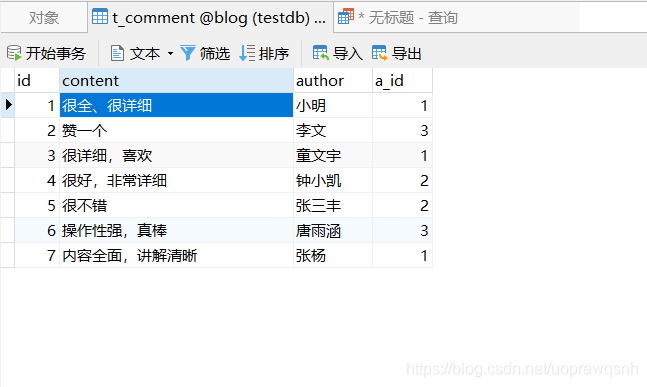
- 现在创建测试方法
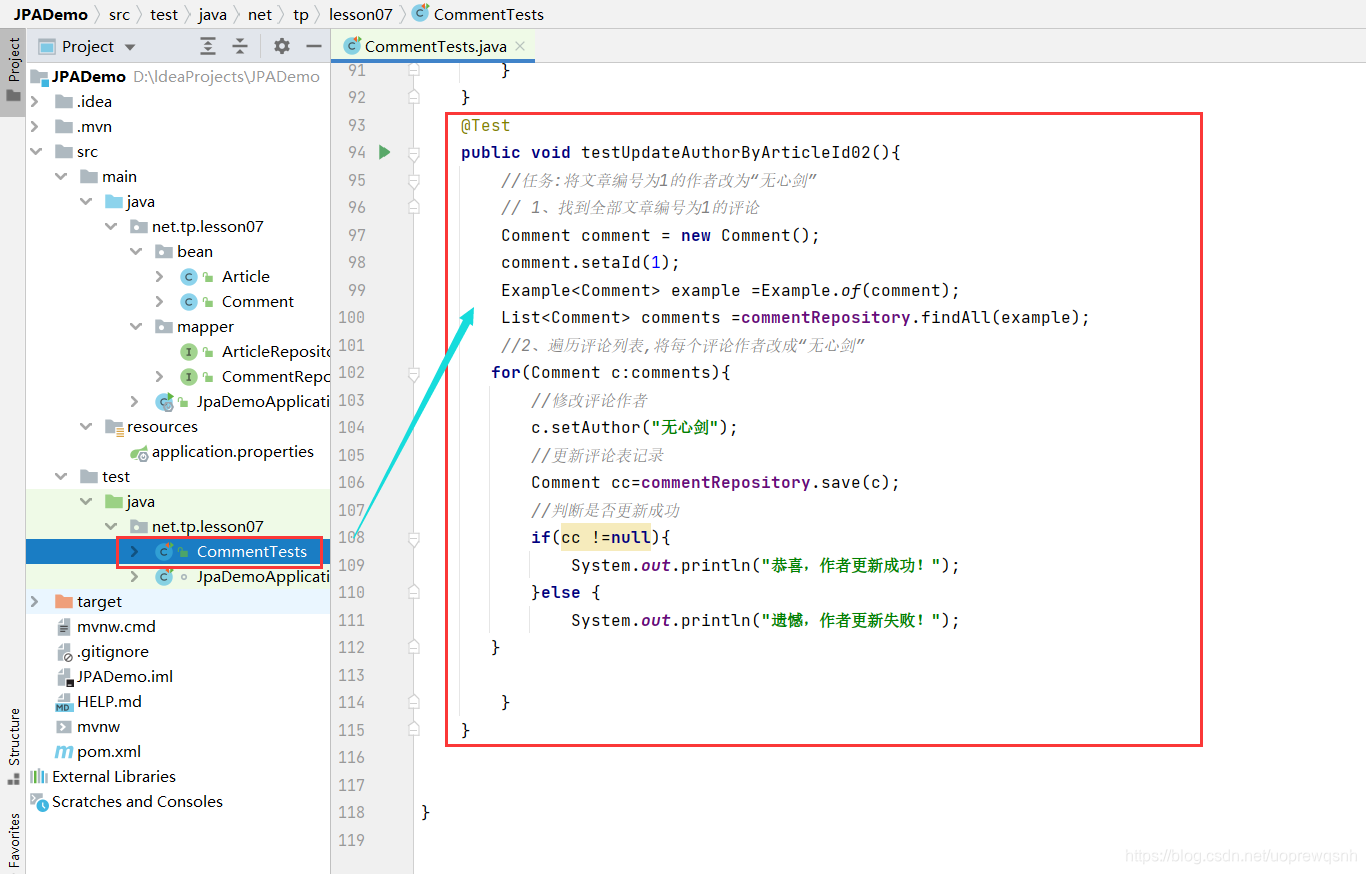
@Testpublic void testUpdateAuthorByArticleId02(){//任务:将文章编号为1的作者改为“无心剑”// 1、找到全部文章编号为1的评论Comment comment = new Comment();comment.setaId(1);Example<Comment> example =Example.of(comment);List<Comment> comments =commentRepository.findAll(example);//2、遍历评论列表,将每个评论作者改成“无心剑”for(Comment c:comments){//修改评论作者c.setAuthor("无心剑");//更新评论表记录Comment cc=commentRepository.save(c);//判断是否更新成功if(cc !=null){System.out.println("恭喜,作者更新成功!");}else {System.out.println("遗憾,作者更新失败!");}}}
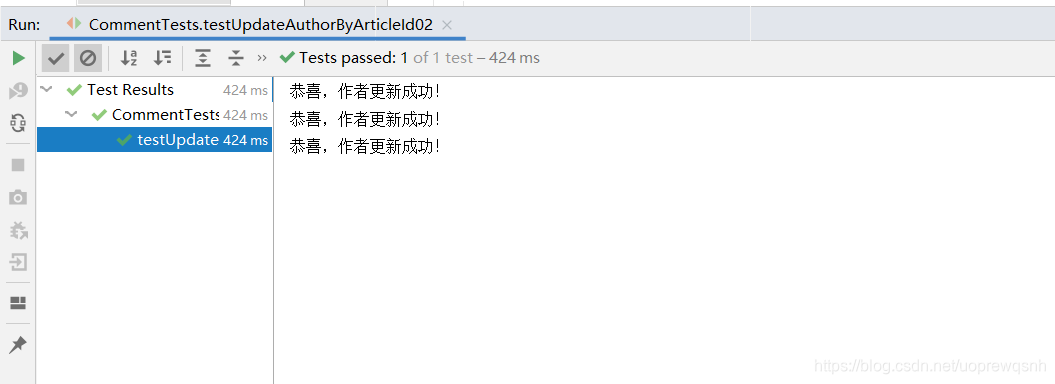
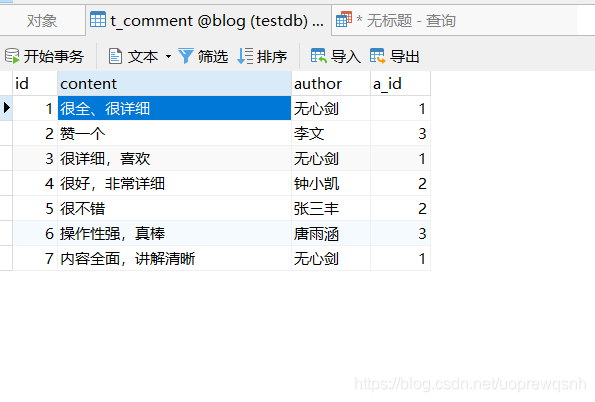
8、运行查看效果
9、创建测试方法testDeleteCommentByAuthor02()
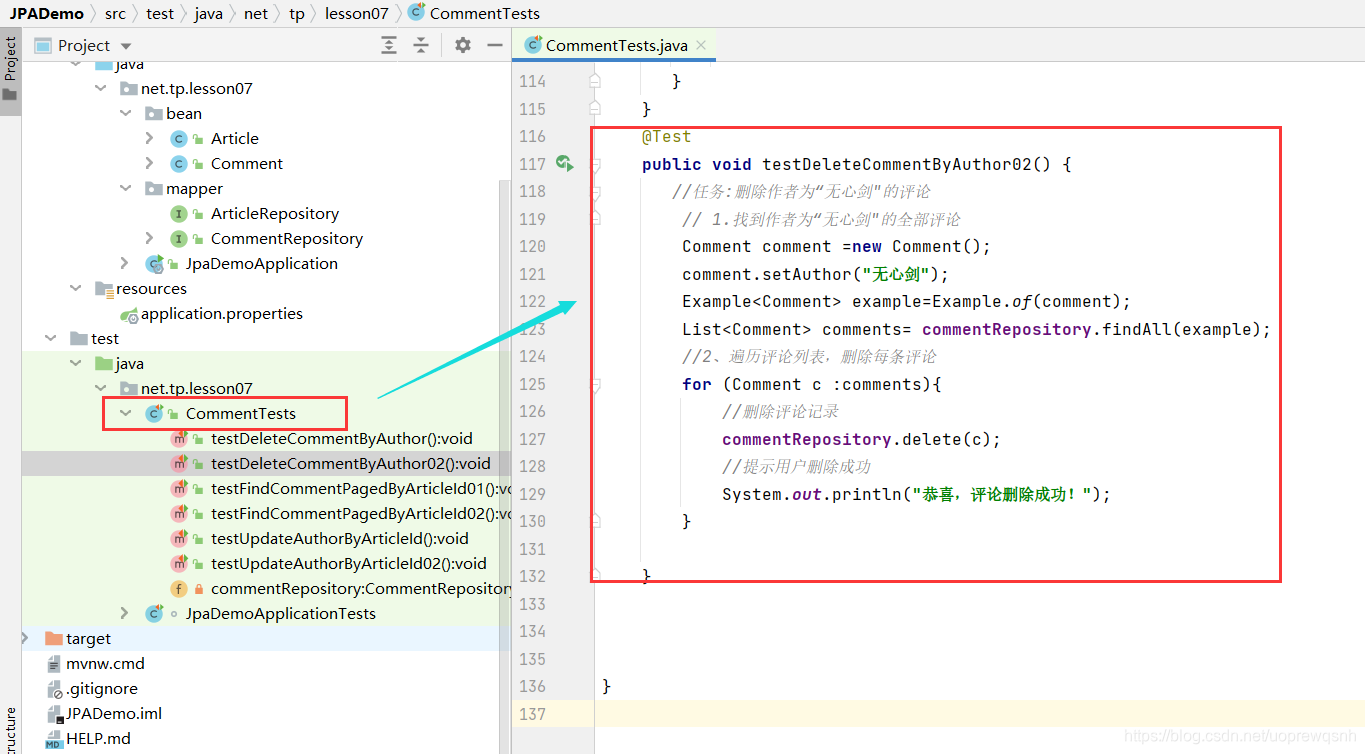
- 根据评论作者删除评论记录
10、运行查看效果
本文来自互联网用户投稿,文章观点仅代表作者本人,不代表本站立场,不承担相关法律责任。如若转载,请注明出处。 如若内容造成侵权/违法违规/事实不符,请点击【内容举报】进行投诉反馈!