前端:运用html+css+js模仿京东上商品图片区域放大特效
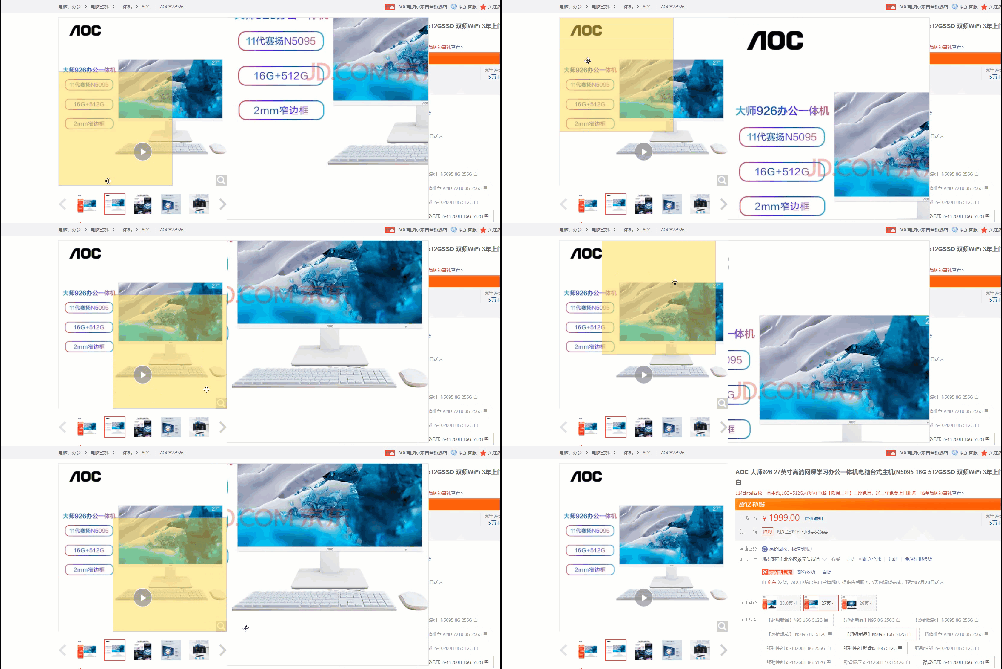
前端:运用html+css+js模仿京东上商品图片区域放大特效
- 1. 前言
- 2. 前端界面
- 3. js实现鼠标移入效果
- 4. 实现代码
1. 前言
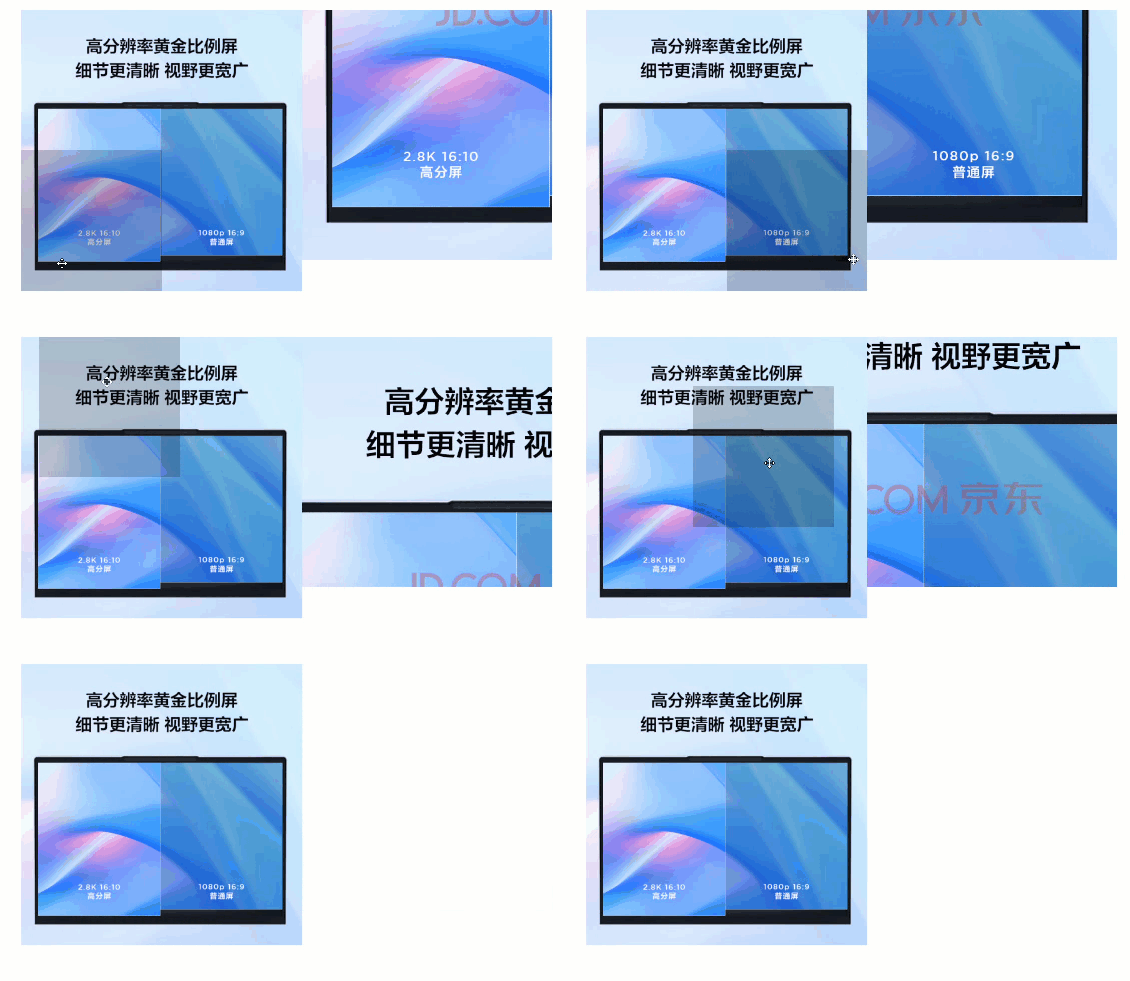
最近在网页端浏览京东上的商品时,觉得上面的那张gif图片上实现的特效不错,于是自己打算使用html+css+js技术来实现一下上述特效效果,我的实效果如下:
2. 前端界面
主要使用到浮动、绝对定位、相对定位等知识,不了解这部分知识点的读者可以先去了解了解,再来阅读小编这篇博文。开始实现时,出现了较多的问题,最后考虑使用设置背景图片属性,而不是直接使用img标签。我们知道,当一个盒子的宽高小于其背景图片大小时,只会显示其背景图片的一部分,如果没有设置background-position属性值,默认情况下,显示的图片部分为背景图片的左上角部分。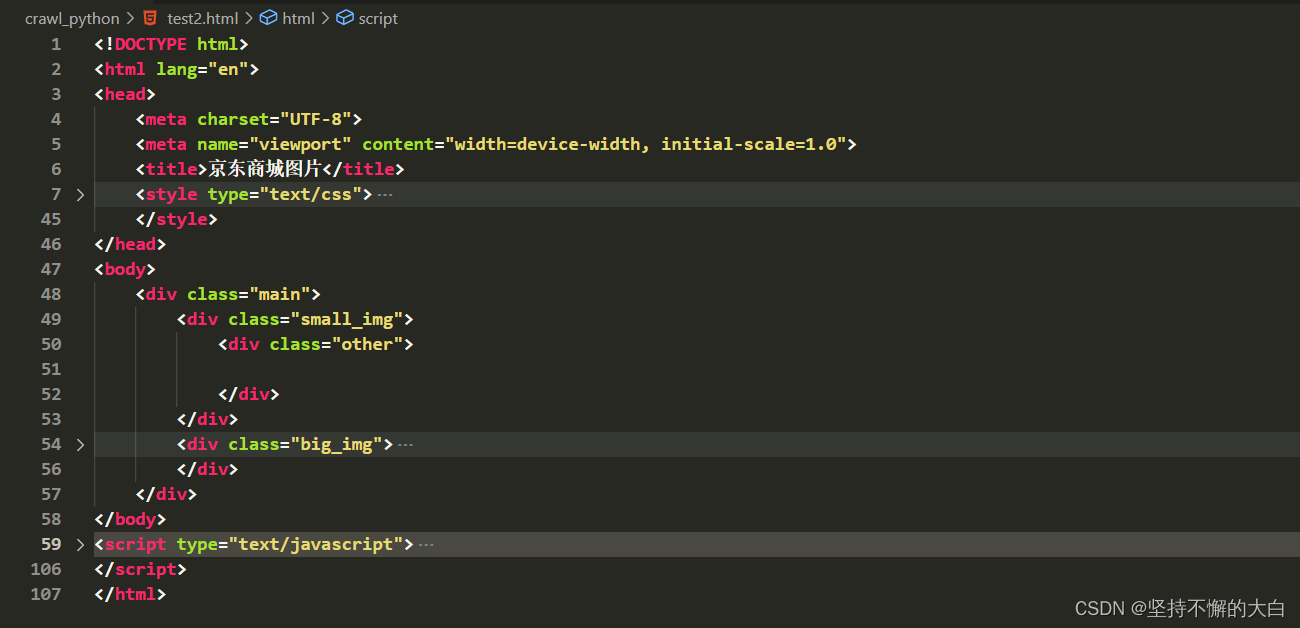
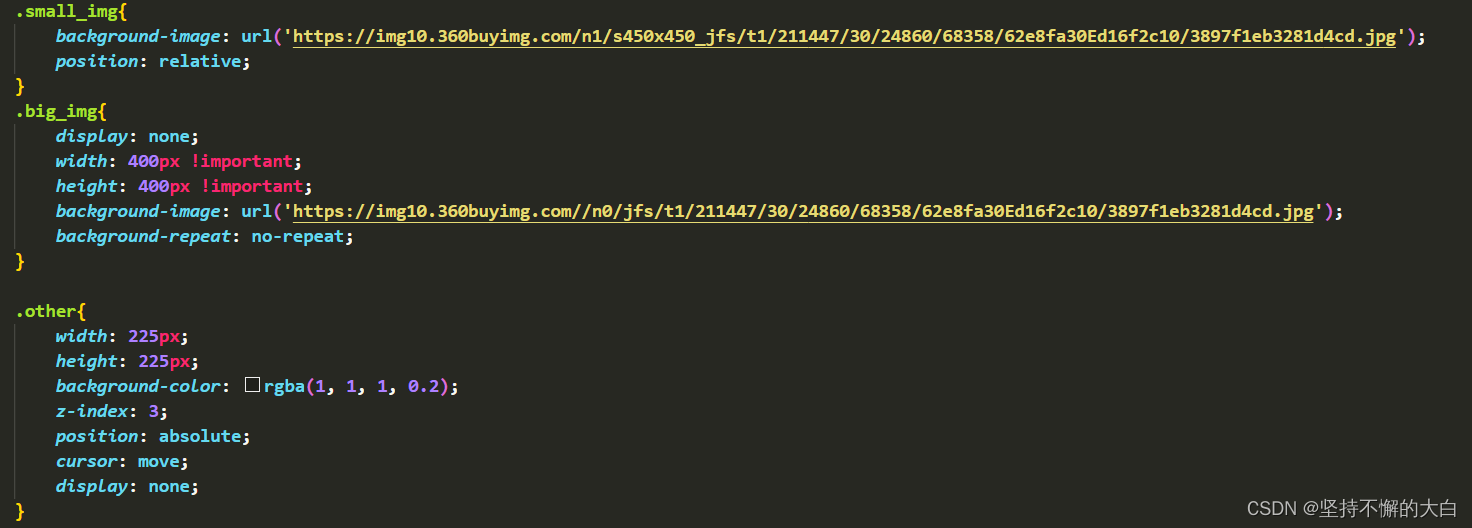
其中class属性值为small_img和big_img的盒子设置为左浮动,同时small_img设置定位为相对定位,big_img的display设置为none(默认情况下不显示,只有当鼠标移入到图片区域时才显示);class属性值为other的盒子设置为绝对定位,其display属性值为none(默认情况下不显示,只有当鼠标移入图片区域时才显示)。
3. js实现鼠标移入效果
考虑到鼠标移入图片区域时,鼠标处于other盒子中心位置问题,只有当鼠标位置处于图片区域边缘时,鼠标不处于other盒子中心,其他情况下均处于other盒子中心位置,为此需要根据鼠标在small_img盒子的位置来来进行一系列判断,如下:

注意到上述图片中代码是根据small_img的背景图片(宽高均为450px)和big_img的背景图片(宽高均为800px)进行计算得出的,虽然进行了一系列判断,但是还是有的情况下不会进入判断,比如处于边缘情况下,mouseX可能满足要求,但mouseY可能不满足条件,为此初始条件下x=mouseX,y=mouseY。
4. 实现代码
DOCTYPE html>
<html lang="en">
<head><meta charset="UTF-8"><meta name="viewport" content="width=device-width, initial-scale=1.0"><title>京东商城图片title><style type="text/css">*{margin: 0;padding: 0;}.main{width: 900px;height: 450px;margin: 20px auto;}.main >div{width: 450px;height: 450px;z-index: 2;float: left;}.small_img{background-image: url('https://img10.360buyimg.com/n1/s450x450_jfs/t1/211447/30/24860/68358/62e8fa30Ed16f2c10/3897f1eb3281d4cd.jpg');position: relative;}.big_img{display: none;width: 400px !important;height: 400px !important;background-image: url('https://img10.360buyimg.com//n0/jfs/t1/211447/30/24860/68358/62e8fa30Ed16f2c10/3897f1eb3281d4cd.jpg');background-repeat: no-repeat;}.other{width: 225px;height: 225px;background-color: rgba(1, 1, 1, 0.2);z-index: 3;position: absolute;cursor: move;display: none;}style>
head>
<body><div class="main"><div class="small_img"><div class="other">div>div><div class="big_img">div>div>
body>
<script type="text/javascript">const small_img = document.querySelector('.small_img');const other = document.querySelector('.other');const big_img = document.querySelector('.big_img');const a = 800 / 450 ;small_img.onmouseover = ()=>{other.style.display = 'block';big_img.style.display = 'block';small_img.onmousemove = (e) => {let mouseX = e.clientX - small_img.getBoundingClientRect().left;let mouseY = e.clientY - small_img.getBoundingClientRect().top;let x = mouseX,y = mouseX;if (mouseX < 112.5)x = 0;if (mouseY < 112.5)y = 0;if (mouseX > 450 - 112.5)x = 225 + 'px';if (mouseY > 450 - 112.5)y = 225 + 'px';if (mouseX >= 112.5 && mouseX <= 450 - 112.5)x = mouseX - 112.5 + 'px';if (mouseY >= 112.5 && mouseY <= 450 - 112.5)y = mouseY - 112.5 + 'px';other.style.left = parseFloat(x) + 'px';other.style.top = parseFloat(y) + 'px';big_img.style.backgroundPosition = `-${parseFloat(x) * a}px -${parseFloat(y) * a}px`;}}small_img.onmouseout = () => {other.style.display = 'none';big_img.style.display = 'none';}script>
html>
本文来自互联网用户投稿,文章观点仅代表作者本人,不代表本站立场,不承担相关法律责任。如若转载,请注明出处。 如若内容造成侵权/违法违规/事实不符,请点击【内容举报】进行投诉反馈!