微信简单界面
这里写目录标题
- 一.top和bottom
- 1.top
- 2.bottom
- 二.创建四个Fragment,分别对应“聊天”、“联系人”、“朋友圈”、“我的”这四个xml文件
- 三.最后效果图:
- 四.我的gitee库: [https://gitee.com/jiang-zhongwen/jiang-zhongwen](https://gitee.com/jiang-zhongwen/jiang-zhongwen/).
一.top和bottom
1.top
需要一个linearlayout和一个text View
2.bottom
需要的控件以及呈现效果如下图所示:
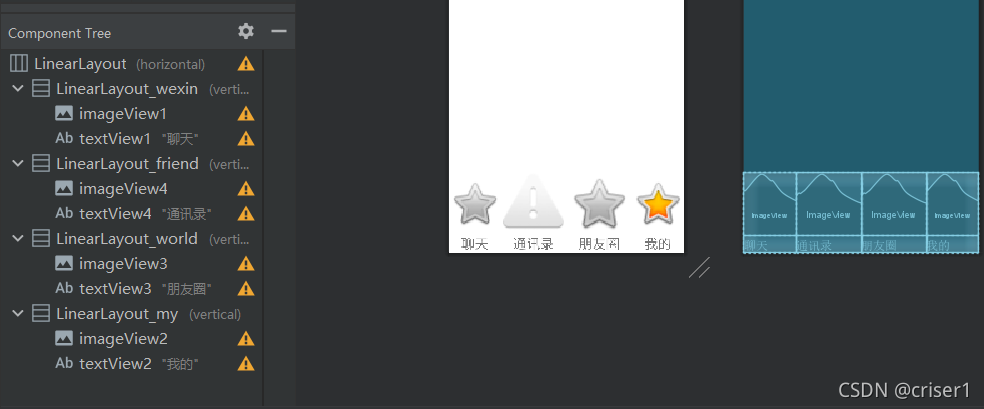
这里给出一个LineaLayout示例代码:
<LinearLayoutandroid:id="@+id/LinearLayout_wexin"android:layout_width="wrap_content"android:layout_height="match_parent"android:layout_weight="1"android:orientation="vertical"><ImageViewandroid:id="@+id/imageView1"android:layout_width="match_parent"android:layout_height="wrap_content"android:layout_weight="1"app:srcCompat="@android:drawable/btn_star" /><TextViewandroid:id="@+id/textView1"android:layout_width="match_parent"android:layout_height="wrap_content"android:layout_weight="0"android:clickable="false"android:gravity="center"android:text="聊天"android:textSize="24sp" /></LinearLayout>
二.创建四个Fragment,分别对应“聊天”、“联系人”、“朋友圈”、“我的”这四个xml文件
其中wexinFragment函数如下:
package com.example.wechat;import android.os.Bundle;import androidx.fragment.app.Fragment;import android.view.LayoutInflater;
import android.view.View;
import android.view.ViewGroup;/** A simple {@link Fragment} subclass.* Use the {@link wexinFragment#newInstance} factory method to* create an instance of this fragment.*/
public class wexinFragment extends Fragment {@Overridepublic View onCreateView(LayoutInflater inflater, ViewGroup container,Bundle savedInstanceState) {// Inflate the layout for this fragmentreturn inflater.inflate(R.layout.fragment_wexin, container, false);}
}
各个java文件及Fragment文件如下:
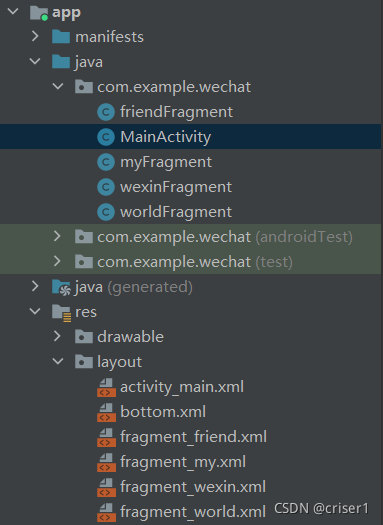
以下是mainactivity函数,具体的函数定义见最后面的链接
public class MainActivity extends AppCompatActivity {private Fragment wexinFragment=new wexinFragment();private Fragment myFragment=new myFragment();private Fragment worldFragment=new worldFragment();private Fragment friendFragment=new friendFragment();private FragmentManager fm;private LinearLayout linearLayout1,linearLayout2,linearLayout3,linearLayout4;private TextView textView1,textView2,textView3,textView4;@Overrideprotected void onCreate(Bundle savedInstanceState) {super.onCreate(savedInstanceState);supportRequestWindowFeature(Window.FEATURE_NO_TITLE);setContentView(R.layout.activity_main);linearLayout1 = findViewById(R.id.LinearLayout_wexin);linearLayout2 = findViewById(R.id.LinearLayout_friend);linearLayout3 = findViewById(R.id.LinearLayout_world);linearLayout4 = findViewById(R.id.LinearLayout_my);linearLayout1.setOnClickListener(this::onClick);linearLayout2.setOnClickListener(this::onClick);linearLayout3.setOnClickListener(this::onClick);linearLayout4.setOnClickListener(this::onClick);initFragment();showfragment(0);}
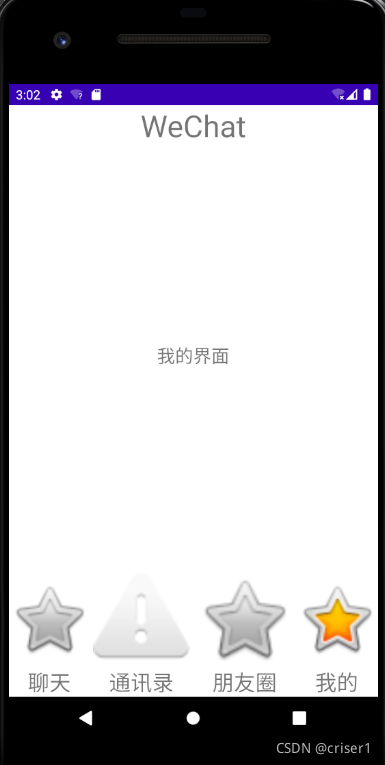
三.最后效果图:
四.我的gitee库: https://gitee.com/jiang-zhongwen/jiang-zhongwen.
本文来自互联网用户投稿,文章观点仅代表作者本人,不代表本站立场,不承担相关法律责任。如若转载,请注明出处。 如若内容造成侵权/违法违规/事实不符,请点击【内容举报】进行投诉反馈!