使用工具类MailUtil发送激活码激活账户
使用工具类MailUtil发送激活码激活账户
使用工具类MailUtil,让qq邮箱变成自己服务器
文章目录
- 使用工具类MailUtil发送激活码激活账户
- 一、MailUtil工具类代码
- 怎么把QQ邮箱变成自己的服务器?
- 二、测试
- 三、结果
一、MailUtil工具类代码
package com.zx.util;import javax.mail.*;
import javax.mail.internet.InternetAddress;
import javax.mail.internet.MimeMessage;
import java.util.Properties;/*** 发邮件工具类*/
public final class MailUtils {private static final String USER = "你的QQ邮箱@qq.com"; // 发件人称号,同邮箱地址private static final String PASSWORD = "cgsfmtperyytdjib";// 如果是qq邮箱可以使户端授权码,或者登录密码/**** @param to 收件人邮箱* @param text 邮件正文* @param title 标题*//* 发送验证信息的邮件 */public static boolean sendMail(String to, String text, String title){try {final Properties props = new Properties();props.put("mail.smtp.auth", "true");props.put("mail.smtp.host", "smtp.qq.com");// 发件人的账号props.put("mail.user", USER);//发件人的密码props.put("mail.password", PASSWORD);// 构建授权信息,用于进行SMTP进行身份验证Authenticator authenticator = new Authenticator() {@Overrideprotected PasswordAuthentication getPasswordAuthentication() {// 用户名、密码String userName = props.getProperty("mail.user");String password = props.getProperty("mail.password");return new PasswordAuthentication(userName, password);}};// 使用环境属性和授权信息,创建邮件会话Session mailSession = Session.getInstance(props, authenticator);// 创建邮件消息MimeMessage message = new MimeMessage(mailSession);// 设置发件人String username = props.getProperty("mail.user");InternetAddress form = new InternetAddress(username);message.setFrom(form);// 设置收件人InternetAddress toAddress = new InternetAddress(to);message.setRecipient(Message.RecipientType.TO, toAddress);// 设置邮件标题message.setSubject(title);// 设置邮件的内容体message.setContent(text, "text/html;charset=UTF-8");// 发送邮件Transport.send(message);return true;}catch (Exception e){e.printStackTrace();}return false;}}
怎么把QQ邮箱变成自己的服务器?
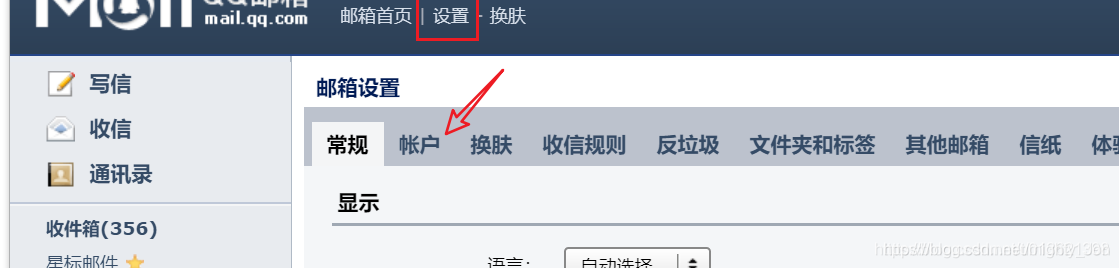

点击开启,他会让你发送短信给他发送完后,一定要记住密码,然后放到MailUtil工具类中
二、测试
package com.zx.util;import org.junit.Test;import static org.junit.Assert.*;public class MailUtilsTest {@Testpublic void sendMail() {// 参一收件人 ,参二内容 参三标题MailUtils.sendMail("jon_email@126.com",
"
点击激活账户","激活账户");}
}
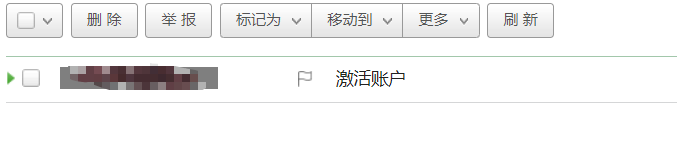
三、结果
本文来自互联网用户投稿,文章观点仅代表作者本人,不代表本站立场,不承担相关法律责任。如若转载,请注明出处。 如若内容造成侵权/违法违规/事实不符,请点击【内容举报】进行投诉反馈!