根据点云拟合贝塞尔曲面
根据点云生成贝塞尔曲面,官方文档见:
https://nurbs-python.readthedocs.io/en/5.x/visualization.html#surfaces
用Conda安装
NURBS-Python can also be installed/upgraded via conda package manager from the Anaconda Cloud repository.
Installing:
$ conda install -c orbingol geomdl
这里有源码:nurbs-python.readthedocs.io/en/5.x/visualization-3.py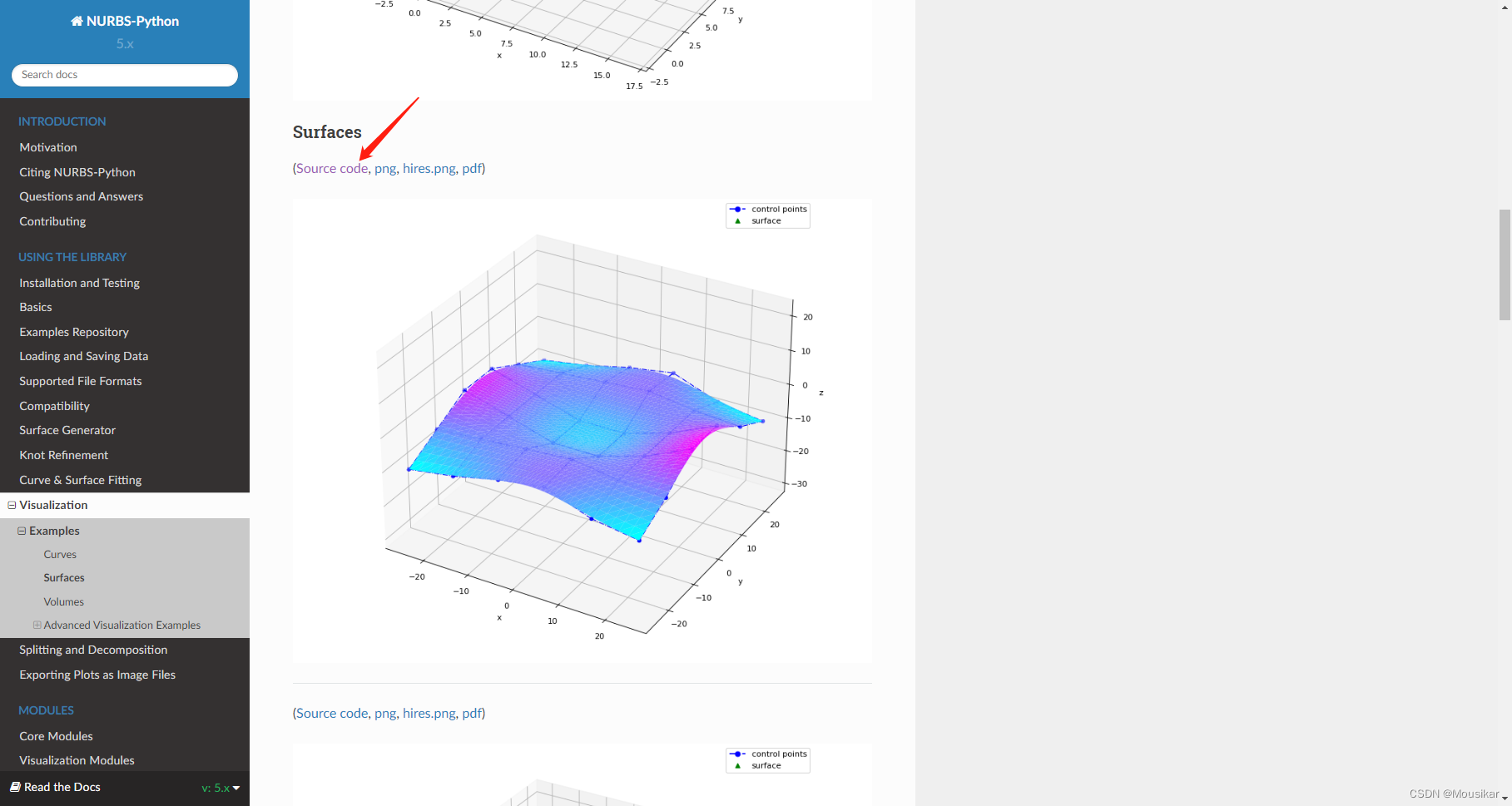
运行发现没有图像显示
就很蒙圈啊啊!
于是参考github的例子:geomdl-examples/fitting/approximation/global_surface.py at master · orbingol/geomdl-examples · GitHub
把可视化改一改,得到如下代码:
import geomdl
print(geomdl.__version__)
from geomdl import BSpline
from geomdl.visualization import VisMPL# Control points
ctrlpts = [[[-25.0, -25.0, -10.0], [-25.0, -15.0, -5.0], [-25.0, -5.0, 0.0], [-25.0, 5.0, 0.0], [-25.0, 15.0, -5.0], [-25.0, 25.0, -10.0]],[[-15.0, -25.0, -8.0], [-15.0, -15.0, -4.0], [-15.0, -5.0, -4.0], [-15.0, 5.0, -4.0], [-15.0, 15.0, -4.0], [-15.0, 25.0, -8.0]],[[-5.0, -25.0, -5.0], [-5.0, -15.0, -3.0], [-5.0, -5.0, -8.0], [-5.0, 5.0, -8.0], [-5.0, 15.0, -3.0], [-5.0, 25.0, -5.0]],[[5.0, -25.0, -3.0], [5.0, -15.0, -2.0], [5.0, -5.0, -8.0], [5.0, 5.0, -8.0], [5.0, 15.0, -2.0], [5.0, 25.0, -3.0]],[[15.0, -25.0, -8.0], [15.0, -15.0, -4.0], [15.0, -5.0, -4.0], [15.0, 5.0, -4.0], [15.0, 15.0, -4.0], [15.0, 25.0, -8.0]],[[25.0, -25.0, -10.0], [25.0, -15.0, -5.0], [25.0, -5.0, 2.0], [25.0, 5.0, 2.0], [25.0, 15.0, -5.0], [25.0, 25.0, -10.0]]
]# Create a BSpline surface
surf = BSpline.Surface()# Set degrees
surf.degree_u = 3
surf.degree_v = 3# Set control points
surf.ctrlpts2d = ctrlpts# Set knot vectors
surf.knotvector_u = [0.0, 0.0, 0.0, 0.0, 1.0, 2.0, 3.0, 3.0, 3.0, 3.0]
surf.knotvector_v = [0.0, 0.0, 0.0, 0.0, 1.0, 2.0, 3.0, 3.0, 3.0, 3.0]# Set evaluation delta
surf.delta = 0.025# Evaluate surface points
surf.evaluate()# Import and use Matplotlib's colormaps
from matplotlib import cm# Plot the control points grid and the evaluated surface
surf.vis = VisMPL.VisSurface()
surf.render(colormap=cm.cool)# # Visualize data and evaluated points together
import numpy as np
import matplotlib.pyplot as plt
evalpts = np.array(surf.evalpts)
pts=[]
for i in range(len(ctrlpts)):for j in range(len(ctrlpts[1])):pts.append(ctrlpts[i][j])pts = np.array(pts)
print(pts[:, 0])
fig = plt.figure()
ax = plt.axes(projection='3d')
ax.scatter(evalpts[:, 0], evalpts[:, 1], evalpts[:, 2])
ax.scatter(pts[:, 0], pts[:, 1], pts[:, 2], color="red")
plt.show()
终于得到了图像: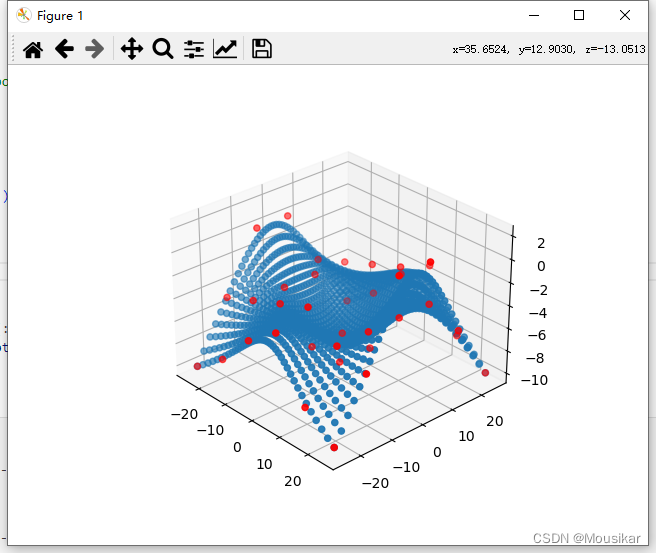
本文来自互联网用户投稿,文章观点仅代表作者本人,不代表本站立场,不承担相关法律责任。如若转载,请注明出处。 如若内容造成侵权/违法违规/事实不符,请点击【内容举报】进行投诉反馈!