1.ROS机器视觉:单目摄像头的调用与标定
(1条消息) ROS改错:vm虚拟机中调用摄像头失败_机械专业的计算机小白的博客-CSDN博客 https://blog.csdn.net/wzfafabga/article/details/127204106?spm=1001.2014.3001.5502 首先保证摄像头是可调用的。
1.安装usb_cam驱动
sudo apt-get install ros-melodic-usb-cam2.启动摄像头测试
roslaunch usb_cam usb_cam-test.launch
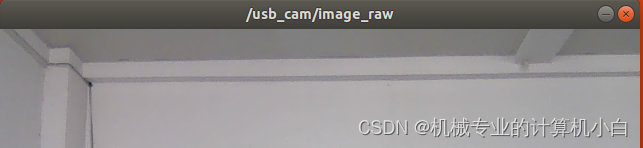
会出现警告1:因为没有进行摄像头光学畸变的标定。
[ WARN] [1665206605.142972044]: Camera calibration file /home/rosmelodic/.ros/camera_info/head_camera.yaml not found.
会出现警告2:因为我的摄像头没有自动对焦功能。
[ WARN] [1665206605.633938816]: unknown control 'focus_auto'
3.查看图像话题信息
rostopic info /usb_cam/image_raw
Type: sensor_msgs/ImagePublishers: * /usb_cam (http://rosmelodic-virtual-machine:42137/)Subscribers: * /image_view (http://rosmelodic-virtual-machine:40955/)话题通信,其中话题消息类型为sensor_msgs/Image传感器类型中的图片类型,其中发布者为usb_cam,订阅者为image_view。
rqt_graph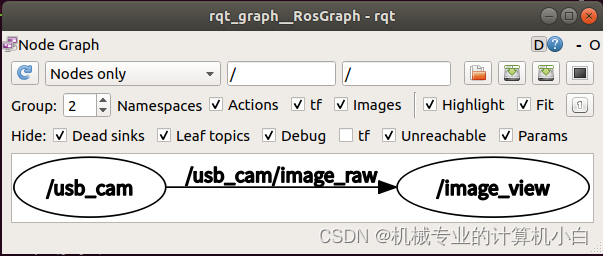
图像消息详细定义,P157
rosmsg show sensor_msgs/Imagestd_msgs/Header headeruint32 seqtime stampstring frame_id
uint32 height
uint32 width
string encoding
uint8 is_bigendian
uint32 step
uint8[] data
其中Image这种消息类型占用带宽大,常采用压缩图片CompressedImage,压缩后的格式是常见的jpeg、png等。
在摄像头运行时,可以通过rqt_image_view看不同的消息类型。
rqt_image_view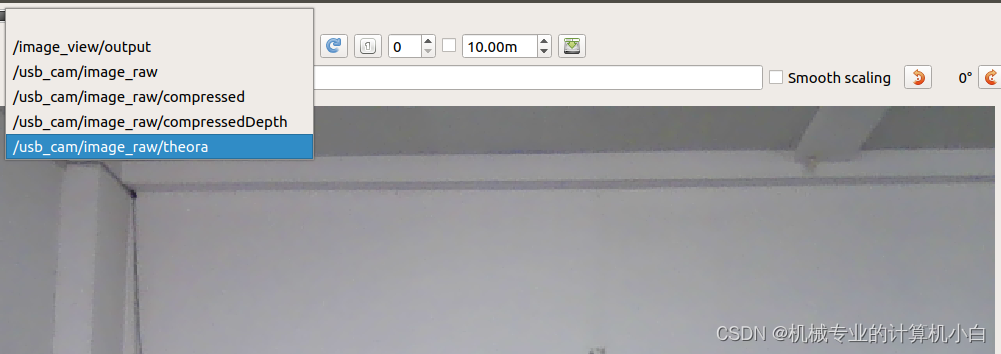
usb_cam功能包中话题与参数。
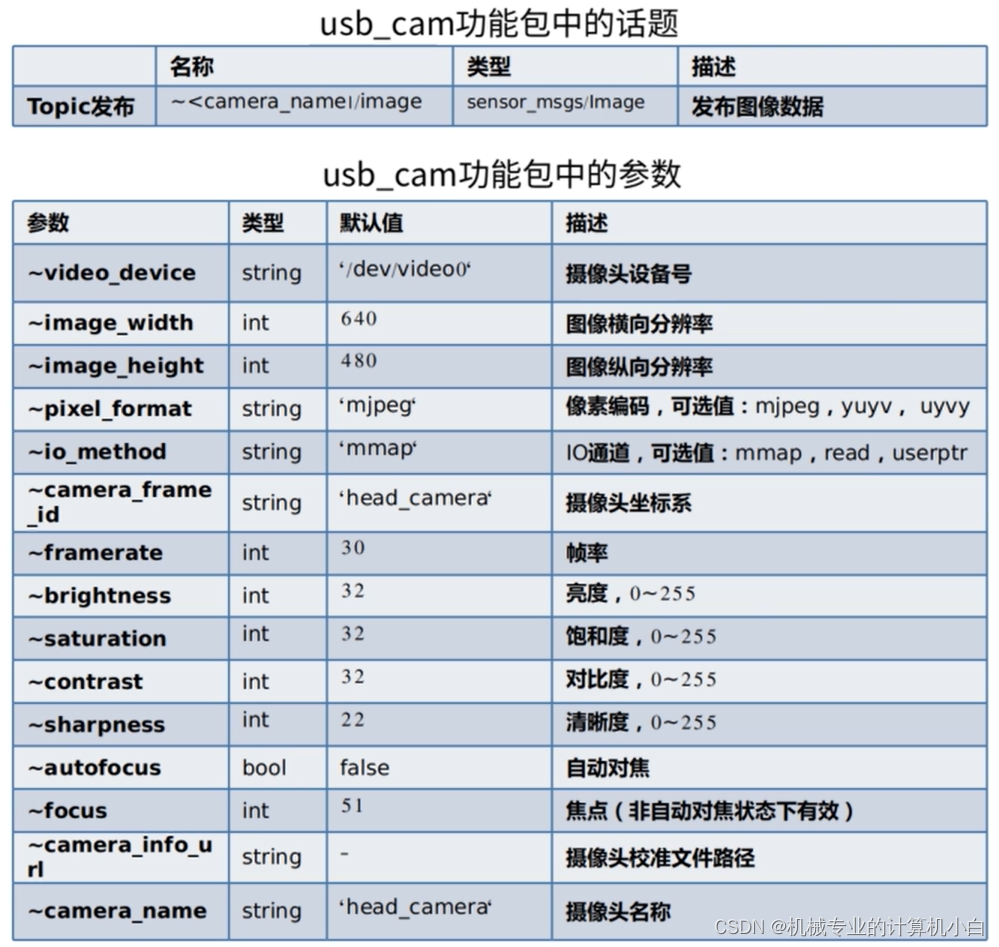
roslaunch usb_cam usb_cam-test.launch
官方源码地址:
ros-drivers/usb_cam: A ROS Driver for V4L USB Cameras (github.com)https://github.com/ros-drivers/usb_cam
启动两个节点,参数对应上表。
尝试了改变image_width和image_height,改成1280×960,报错!说明这两个参数必须和摄像头像素值对应上。
realsence的相机标定等有实物在补齐。
4.单目相机的内参标定(笔记本电脑自带相机)
sudo apt-get install ros-melodic-camera-calibration安装用于单目和双目摄像头标定包,camera_calibration。
guyueclass/planning&perception/robot_vision_beginner at main · guyuehome/guyueclass (github.com)https://github.com/guyuehome/guyueclass/tree/main/planning%26perception/robot_vision_beginner古月学院、ROS机器人开发实践书籍的配套源码,放到工作空间的。
roslaunch robot_vision usb_cam.launch
发现相较于之前的usb_cam usb_cam-test.launch,去掉了订阅者节点,保留了发布者节点。
在roslaunch文件运行后,无须再开启roscore,因为ROS Master已经在roslaunch启动时默认开启了。
rosrun camera_calibration cameracalibrator.py --size 8x6 --square 0.024 image:=/usb_cam/image_raw camera:=/usb_cam
X:左右移动
Y:上下移动
Size:前后移动
Skew:倾斜移动
看进度条颜色,哪个没完成就做哪个,直到calibrate按钮变色。

按下等待一阵,在控制台会出现
camera matrix
885.119512 0.000000 263.058405
0.000000 880.126213 263.382910
0.000000 0.000000 1.000000distortion
0.197546 -1.035223 0.024920 -0.036594 0.000000rectification
1.000000 0.000000 0.000000
0.000000 1.000000 0.000000
0.000000 0.000000 1.000000projection
877.820679 0.000000 246.702290 0.000000
0.000000 899.609436 270.006250 0.000000
0.000000 0.000000 1.000000 0.000000
依次点击save和commit
其中标定文件在home/.ros/camera_info中。(找不到,ctrl+h显示隐藏文件)
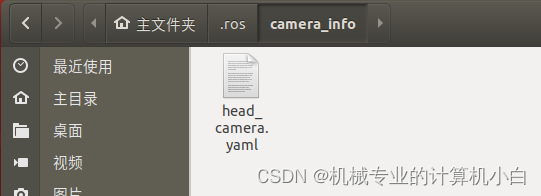
image_width: 640
image_height: 480
camera_name: head_camera
camera_matrix:rows: 3cols: 3data: [885.1195120085875, 0, 263.0584053601851, 0, 880.1262134387691, 263.3829103726786, 0, 0, 1]
distortion_model: plumb_bob
distortion_coefficients:rows: 1cols: 5data: [0.1975462439738717, -1.035222623807585, 0.02491956217836974, -0.03659352464640024, 0]
rectification_matrix:rows: 3cols: 3data: [1, 0, 0, 0, 1, 0, 0, 0, 1]
projection_matrix:rows: 3cols: 4data: [877.8206787109375, 0, 246.7022900744159, 0, 0, 899.6094360351562, 270.0062500380827, 0, 0, 0, 1, 0]
再次运行发布者:
rosrun camera_calibration cameracalibrator.py --size 8x6 --square 0.024 image:=/usb_cam/image_raw camera:=/usb_cam
这个报错相较于之前没标定的,已经消失了。
[ INFO] [1665283680.431090630]: Unable to open camera calibration file [/home/rosmelodic/.ros/camera_info/head_camera.yaml]
[ WARN] [1665283680.431109782]: Camera calibration file /home/rosmelodic/.ros/camera_info/head_camera.yaml not found.
但是这个报错还存在,因为笔记本摄像头不支持自动对焦。
[ WARN] [1665283680.946236000]: unknown control 'focus_auto'
完成任务之后记得关闭发布者usb_cam节点。因为没有订阅者image_view,没有可视化界面,容易忘记关闭。

标定结果文件在 +其他位置→tmp→压缩包
具体位置在点击save按钮时,控制台已经给出:
('Wrote calibration data to', '/tmp/calibrationdata.tar.gz')
这仅仅是单目摄像头的调用与标定。
本文来自互联网用户投稿,文章观点仅代表作者本人,不代表本站立场,不承担相关法律责任。如若转载,请注明出处。 如若内容造成侵权/违法违规/事实不符,请点击【内容举报】进行投诉反馈!