【OpenGL】点精灵案例——模拟宇宙星光
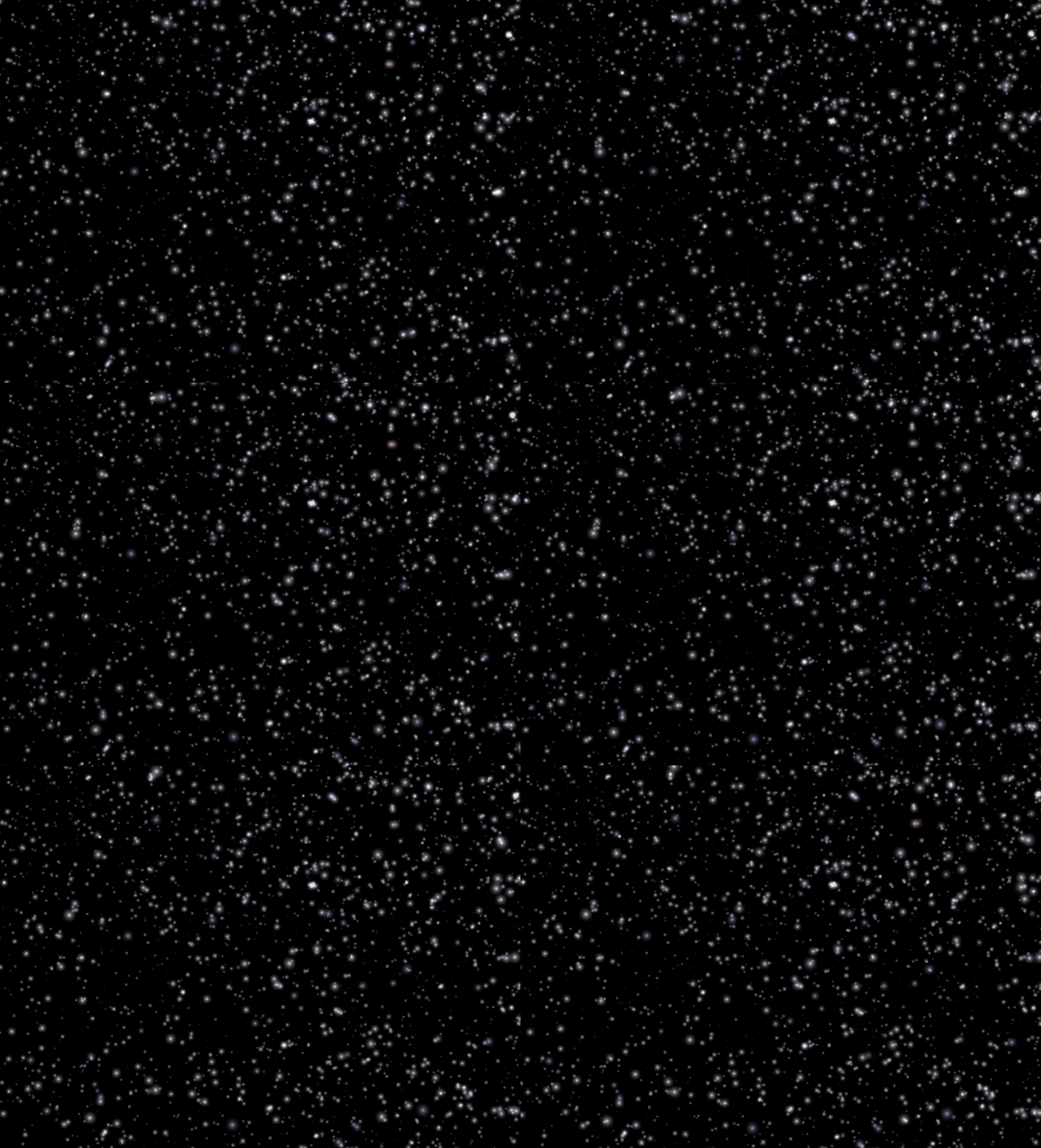
glEnable(GL_POINT_SPRITE); //开启点精灵 在书籍上没有提及但代码里写有,可能旧版需要这样做,新版不需要。
// SpaceFlight Shader
// Vertex Shader
// Richard S. Wright Jr.
// OpenGL SuperBible
#version 130// Incoming per vertex... position and normal
in vec4 vVertex;
in vec4 vColor;uniform mat4   mvpMatrix;
uniform float  timeStamp;out vec4 vStarColor;void main(void) {vec4 vNewVertex = vVertex;vStarColor = vColor;// Offset by running time, makes it move closervNewVertex.z += timeStamp;// If out of range, adjustif(vNewVertex.z > -1.0)vNewVertex.z -= 999.0;gl_PointSize = 30.0 + (vNewVertex.z / sqrt(-vNewVertex.z));// If they are very small, fade them upif(gl_PointSize < 4.0)vStarColor = smoothstep(0.0, 4.0, gl_PointSize) * vStarColor;// Don't forget to transform the geometry!gl_Position = mvpMatrix * vNewVertex;}
// SpaceFlight Shader
// Fragment Shader
// Richard S. Wright Jr.
// OpenGL SuperBible
#version 130out vec4 vFragColor;in vec4 vStarColor;uniform sampler2D  starImage;void main(void){ vFragColor = texture(starImage, gl_PointCoord) * vStarColor;}
// PointSprites.cpp
// OpenGL SuperBible
// Demonstrates Point Sprites via a flythrough star field
// Program by Richard S. Wright Jr.#pragma comment(lib, "gltools.lib")
#include // OpenGL toolkit
#include
#include #include
#include #ifdef __APPLE__
#include
#else
#define FREEGLUT_STATIC
#include
#endif#define NUM_STARS 10000GLFrustum viewFrustum;
GLBatch starsBatch;GLuint starFieldShader; // The point sprite shader
GLint locMVP; // The location of the ModelViewProjection matrix uniform
GLint locTimeStamp; // The location of the time stamp
GLint locTexture; // The location of the texture uniformGLuint starTexture; // The star texture texture object// Load a TGA as a 2D Texture. Completely initialize the state
bool LoadTGATexture(const char *szFileName, GLenum minFilter, GLenum magFilter, GLenum wrapMode)
{GLbyte *pBits;int nWidth, nHeight, nComponents;GLenum eFormat;// Read the texture bitspBits = gltReadTGABits(szFileName, &nWidth, &nHeight, &nComponents, &eFormat);if (pBits == NULL)return false;glTexParameteri(GL_TEXTURE_2D, GL_TEXTURE_WRAP_S, wrapMode);glTexParameteri(GL_TEXTURE_2D, GL_TEXTURE_WRAP_T, wrapMode);glTexParameteri(GL_TEXTURE_2D, GL_TEXTURE_MIN_FILTER, minFilter);glTexParameteri(GL_TEXTURE_2D, GL_TEXTURE_MAG_FILTER, magFilter);glPixelStorei(GL_UNPACK_ALIGNMENT, 1);glTexImage2D(GL_TEXTURE_2D, 0, nComponents, nWidth, nHeight, 0,eFormat, GL_UNSIGNED_BYTE, pBits);free(pBits);if (minFilter == GL_LINEAR_MIPMAP_LINEAR ||minFilter == GL_LINEAR_MIPMAP_NEAREST ||minFilter == GL_NEAREST_MIPMAP_LINEAR ||minFilter == GL_NEAREST_MIPMAP_NEAREST)glGenerateMipmap(GL_TEXTURE_2D);return true;
}// This function does any needed initialization on the rendering
// context.
void SetupRC(void)
{// BackgroundglClearColor(0.0f, 0.0f, 0.0f, 1.0f);// A number of shipping drivers are not conformant to the current OpenGL// spec and require this. NVidia... in particular. The OpenGL specification// states that this is always "on", in fact you can't enable or disable it// anymore. Adding this lines "fixes" this on non-conformant drivers, but// be aware, if you have a pure core (and working correctly) GL context, //you should not do thisglEnable(GL_POINT_SPRITE);GLfloat fColors[4][4] = { { 1.0f, 1.0f, 1.0f, 1.0f}, // White{ 0.67f, 0.68f, 0.82f, 1.0f}, // Blue Stars{ 1.0f, 0.5f, 0.5f, 1.0f}, // Reddish{ 1.0f, 0.82f, 0.65f, 1.0f} }; // Orange// Randomly place the stars in their initial positions, and pick a random colorstarsBatch.Begin(GL_POINTS, NUM_STARS);for (int i = 0; i < NUM_STARS; i++){int iColor = 0; // All stars start as white// One in five will be blueif (rand() % 5 == 1)iColor = 1;// One in 50 redif (rand() % 50 == 1)iColor = 2;// One in 100 is amberif (rand() % 100 == 1)iColor = 3;starsBatch.Color4fv(fColors[iColor]);M3DVector3f vPosition;vPosition[0] = float(3000 - (rand() % 6000)) * 0.1f;vPosition[1] = float(3000 - (rand() % 6000)) * 0.1f;vPosition[2] = -float(rand() % 1000) - 1.0f; // -1 to -1000.0fstarsBatch.Vertex3fv(vPosition);}starsBatch.End();starFieldShader = gltLoadShaderPairWithAttributes("SpaceFlight.vp", "SpaceFlight.fp", 2, GLT_ATTRIBUTE_VERTEX, "vVertex",GLT_ATTRIBUTE_COLOR, "vColor");locMVP = glGetUniformLocation(starFieldShader, "mvpMatrix");locTexture = glGetUniformLocation(starFieldShader, "starImage");locTimeStamp = glGetUniformLocation(starFieldShader, "timeStamp");glGenTextures(1, &starTexture);glBindTexture(GL_TEXTURE_2D, starTexture);LoadTGATexture("Star.tga", GL_LINEAR_MIPMAP_LINEAR, GL_LINEAR, GL_CLAMP_TO_EDGE);
}// Cleanup
void ShutdownRC(void)
{glDeleteTextures(1, &starTexture);
}// Called to draw scene
void RenderScene(void)
{static CStopWatch timer;// Clear the window and the depth bufferglClear(GL_COLOR_BUFFER_BIT);// Turn on additive blendingglEnable(GL_BLEND);glBlendFunc(GL_ONE, GL_ONE);// Let the vertex program determine the point sizeglEnable(GL_PROGRAM_POINT_SIZE);// Bind to our shader, set uniformsglUseProgram(starFieldShader);glUniformMatrix4fv(locMVP, 1, GL_FALSE, viewFrustum.GetProjectionMatrix());glUniform1i(locTexture, 0);// fTime goes from 0.0 to 999.0 and recyclesfloat fTime = timer.GetElapsedSeconds() * 10.0f;fTime = fmod(fTime, 999.0f);glUniform1f(locTimeStamp, fTime);// Draw the starsstarsBatch.Draw();glutSwapBuffers();glutPostRedisplay();
}void ChangeSize(int w, int h)
{// Prevent a divide by zeroif (h == 0)h = 1;// Set Viewport to window dimensionsglViewport(0, 0, w, h);viewFrustum.SetPerspective(35.0f, float(w) / float(h), 1.0f, 1000.0f);
}///
// Main entry point for GLUT based programs
int main(int argc, char* argv[])
{gltSetWorkingDirectory(argv[0]);glutInit(&argc, argv);glutInitDisplayMode(GLUT_DOUBLE | GLUT_RGBA | GLUT_DEPTH | GLUT_STENCIL);glutInitWindowSize(800, 600);glutCreateWindow("Spaced Out");glutReshapeFunc(ChangeSize);glutDisplayFunc(RenderScene);GLenum err = glewInit();if (GLEW_OK != err) {fprintf(stderr, "GLEW Error: %s\n", glewGetErrorString(err));return 1;}SetupRC();glutMainLoop();ShutdownRC();return 0;
}
本文来自互联网用户投稿,文章观点仅代表作者本人,不代表本站立场,不承担相关法律责任。如若转载,请注明出处。 如若内容造成侵权/违法违规/事实不符,请点击【内容举报】进行投诉反馈!