Google Earth Engine 学习3---将时间序列存储为GIF动态图
Google Earth Engine 学习3—将时间序列存储为GIF动态图
何需这么复杂,大可不必写那么多,虾面我把今天的学习内容记录一下。直接贴代码。。。代码来源于:https://developers.google.cn/earth-engine/tutorials/community/modis-ndvi-time-series-animation。。。。今天学习了一下,做了一次完整的搬运工。。。
var col = ee.ImageCollection('MODIS/006/MOD13A2').select('NDVI');// Define a mask to clip the NDVI data by.
var mask = ee.FeatureCollection('USDOS/LSIB_SIMPLE/2017').filter(ee.Filter.eq('wld_rgn', 'Africa'));// Define the regional bounds of animation frames.
var region = ee.Geometry.Polygon([[[-18.698368046353494, 38.1446395611524],[-18.698368046353494, -36.16300755581617],[52.229366328646506, -36.16300755581617],[52.229366328646506, 38.1446395611524]]],null, false
);col = col.map(function(img) {var doy = ee.Date(img.get('system:time_start')).getRelative('day', 'year');return img.set('doy', doy);
});var distinctDOY = col.filterDate('2013-01-01', '2014-01-01');// Define a filter that identifies which images from the complete collection
// match the DOY from the distinct DOY collection.
var filter = ee.Filter.equals({leftField: 'doy', rightField: 'doy'});// Define a join.
var join = ee.Join.saveAll('doy_matches');// Apply the join and convert the resulting FeatureCollection to an
// ImageCollection.
var joinCol = ee.ImageCollection(join.apply(distinctDOY, col, filter));// Apply median reduction among matching DOY collections.
var comp = joinCol.map(function(img) {var doyCol = ee.ImageCollection.fromImages(img.get('doy_matches'));return doyCol.reduce(ee.Reducer.median());
});// Define RGB visualization parameters.
var visParams = {min: 0.0,max: 9000.0,palette: ['FFFFFF', 'CE7E45', 'DF923D', 'F1B555', 'FCD163', '99B718', '74A901','66A000', '529400', '3E8601', '207401', '056201', '004C00', '023B01','012E01', '011D01', '011301'],
};// Create RGB visualization images for use as animation frames.
var rgbVis = comp.map(function(img) {return img.visualize(visParams).clip(mask);
});// Define GIF visualization parameters.
var gifParams = {'region': region,'dimensions': 600,'crs': 'EPSG:3857','framesPerSecond': 10
};// Print the GIF URL to the console.
print(rgbVis.getVideoThumbURL(gifParams));// Render the GIF animation in the console.
print(ui.Thumbnail(rgbVis, gifParams));
效果图如下:
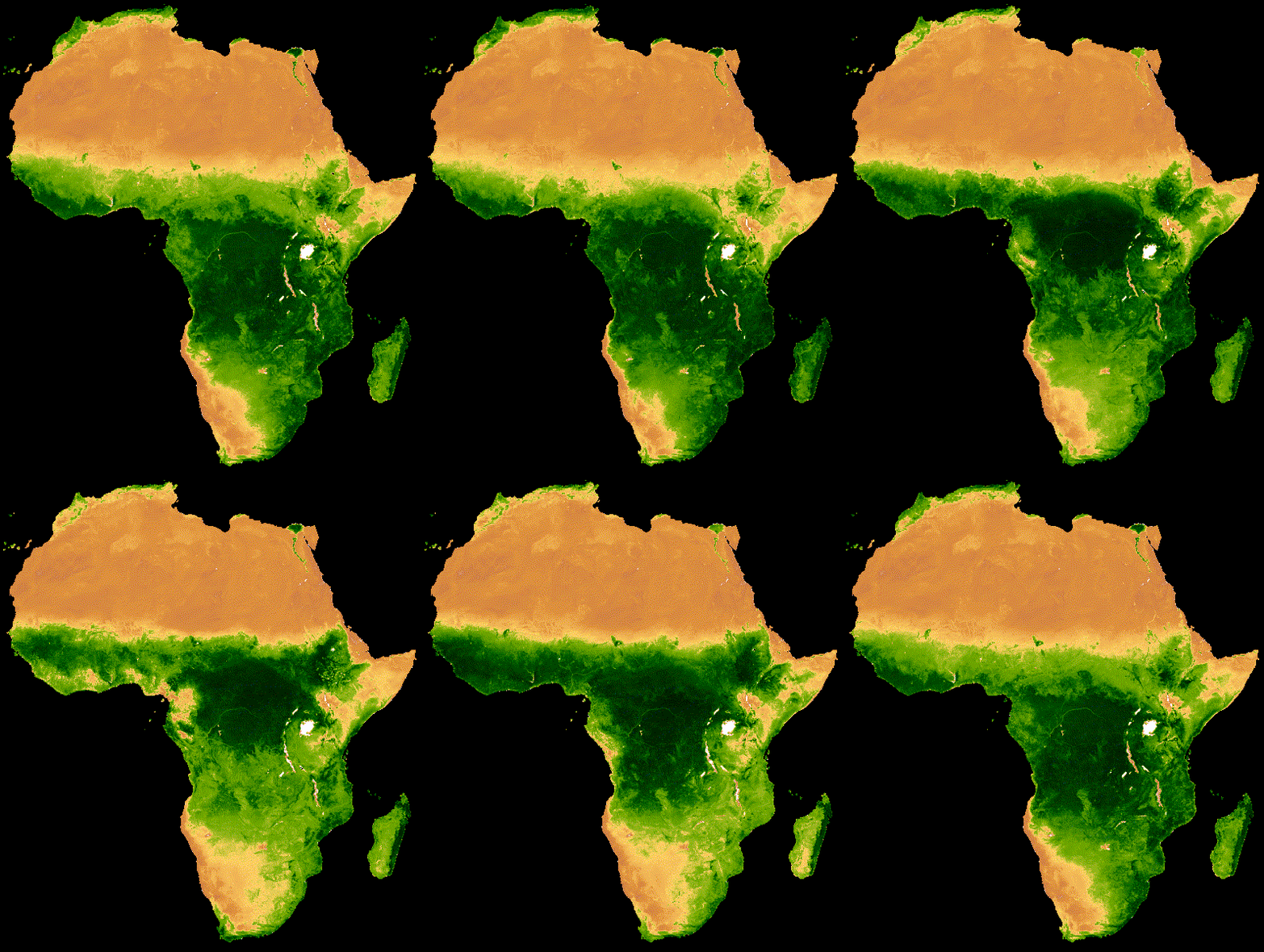
下次再继续学习,如何更加美化的gif图吧!!!
本文来自互联网用户投稿,文章观点仅代表作者本人,不代表本站立场,不承担相关法律责任。如若转载,请注明出处。 如若内容造成侵权/违法违规/事实不符,请点击【内容举报】进行投诉反馈!