使用阿里云OSS进行图片存储
b站参考视频地址
1.开通“对象存储OSS”服务
(1)申请阿里云账号
(2)实名认证
(3)开通“对象存储OSS”服务
(4)进入管理控制台
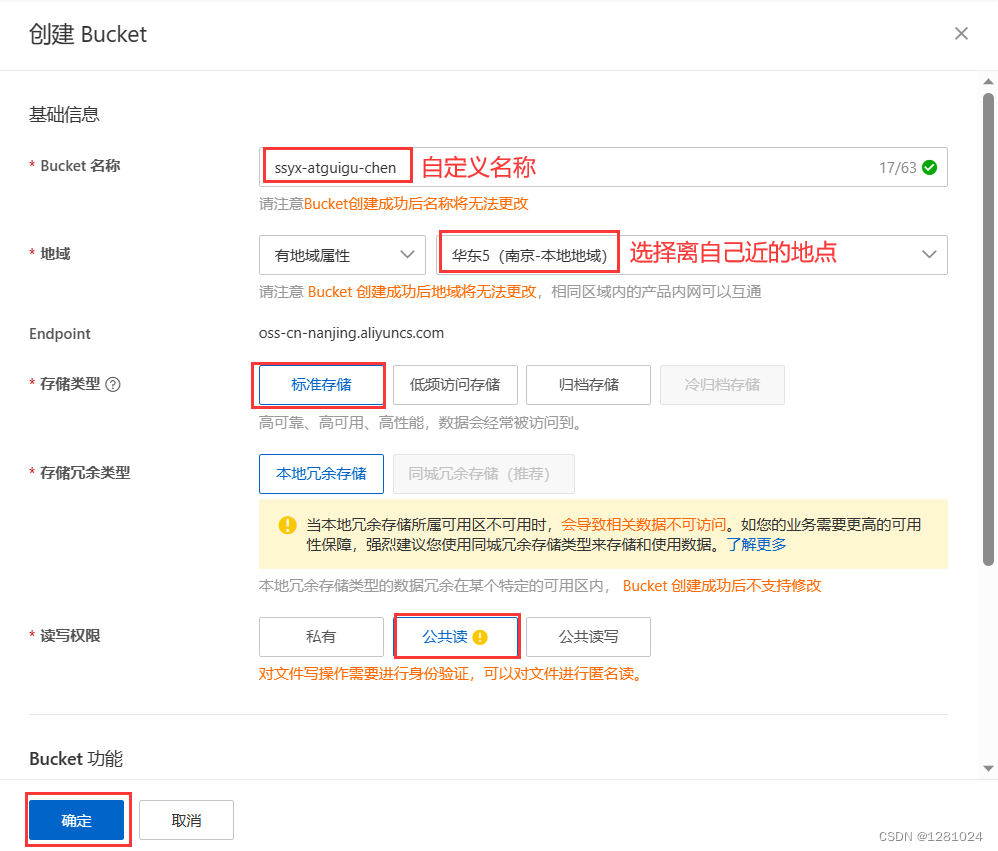
2.创建Bucket
输入名称,选择区域,选择标准存储、公共读:
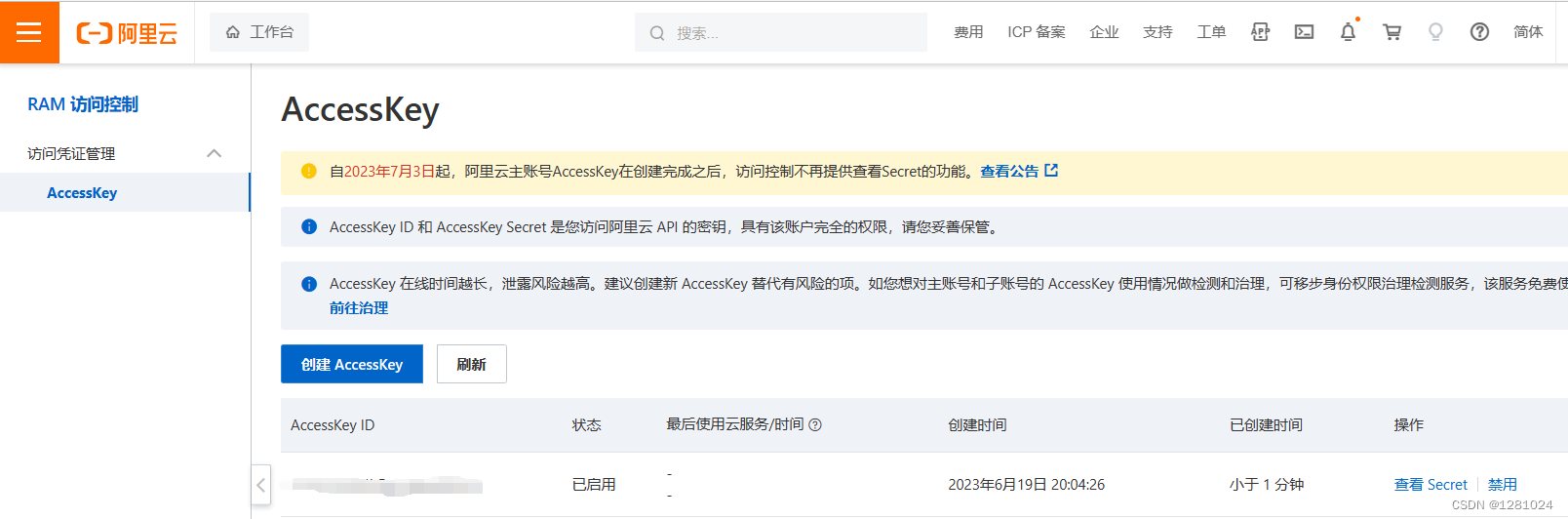
3.创建accessKeys
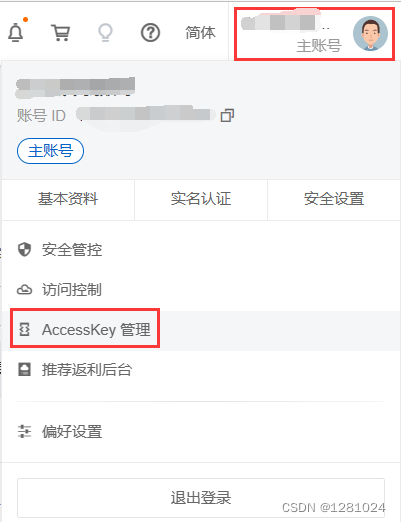
使用手机号验证创建AccessKey:
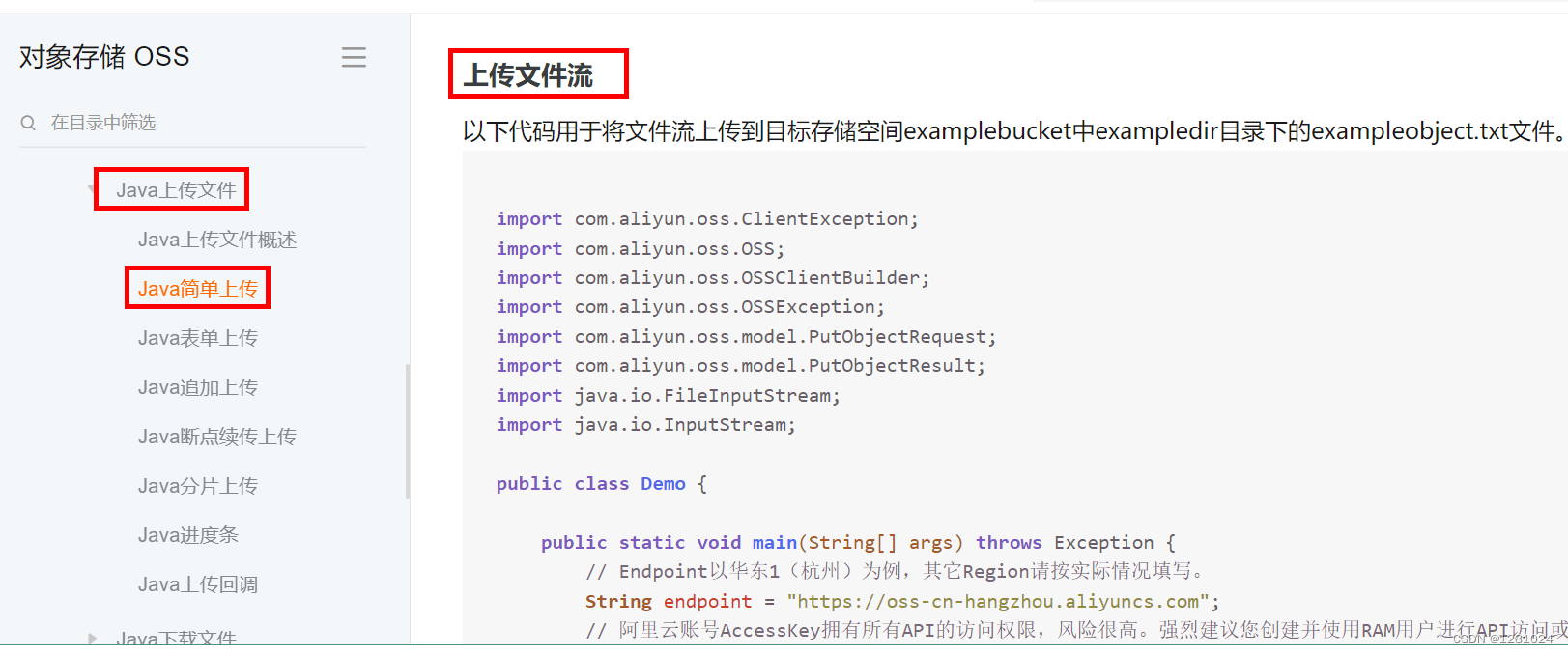
4.使用SDK
参考文档:https://help.aliyun.com/document_detail/84781.html?spm=a2c4g.84778.0.0.6cd73e06WozWvy
5.使用Java代码上传图片操作
(1)pom.xml引入依赖
com.aliyun.oss aliyun-sdk-oss 3.9.1 joda-time joda-time 2.10.1 (2)application-dev.yml添加配置
以下的四个属性需要我们根据自己所创建的Bucket和AccessKey账号密码进行设置,其中endpoint是创建Bucket所选的地域节点,可在Bucket“概述”中查看。
aliyun:endpoint: oss-cn-beijing.aliyuncs.comkeyid: LTAI5tK6q6QVDqZAY3mD459skeysecret: lCaDcmvm7AvfvJ2BhC6456luf45FgMbucketname: ssyx-guigu
(3)controller、service和impl层代码示例:
添加FileUploadController方法
import com.atguigu.ssyx.common.result.Result;
import com.atguigu.ssyx.product.service.FileUploadService;
import io.swagger.annotations.Api;
import org.springframework.beans.factory.annotation.Autowired;
import org.springframework.web.bind.annotation.PostMapping;
import org.springframework.web.bind.annotation.RequestMapping;
import org.springframework.web.bind.annotation.RestController;
import org.springframework.web.multipart.MultipartFile;@Api(tags = "文件上传接口")
@RestController
@RequestMapping("admin/product")
public class FileUploadController {@Autowiredprivate FileUploadService fileUploadService;//文件上传@PostMapping("fileUpload")public Result fileUpload(MultipartFile file) throws Exception{return Result.ok(fileUploadService.fileUpload(file));}
}
添加FileUploadService方法
import org.springframework.web.multipart.MultipartFile;public interface FileUploadService {//文件上传String fileUpload(MultipartFile file) throws Exception;
}
添加FileUploadServiceImpl方法
import com.aliyun.oss.OSS;
import com.aliyun.oss.OSSClientBuilder;
import com.atguigu.ssyx.product.service.FileUploadService;
import org.joda.time.DateTime;
import org.springframework.beans.factory.annotation.Value;
import org.springframework.stereotype.Service;
import org.springframework.web.multipart.MultipartFile;import java.io.IOException;
import java.io.InputStream;
import java.util.UUID;@Service
public class FileUploadServiceImpl implements FileUploadService {@Value("${aliyun.endpoint}")private String endPoint;@Value("${aliyun.keyid}")private String accessKey;@Value("${aliyun.keysecret}")private String secreKey;@Value("${aliyun.bucketname}")private String bucketName;@Overridepublic String fileUpload(MultipartFile file) throws Exception {try {// 创建OSSClient实例。OSS ossClient = new OSSClientBuilder().build(endPoint, accessKey, secreKey);// 上传文件流。InputStream inputStream = file.getInputStream();String fileName = file.getOriginalFilename();//生成随机唯一值,使用uuid,添加到文件名称里面String uuid = UUID.randomUUID().toString().replaceAll("-","");fileName = uuid+fileName;//按照当前日期,创建文件夹,上传到创建文件夹里面//  2021/02/02/01.jpgString timeUrl = new DateTime().toString("yyyy/MM/dd");fileName = timeUrl+"/"+fileName;//调用方法实现上传ossClient.putObject(bucketName, fileName, inputStream);// 关闭OSSClient。ossClient.shutdown();//上传之后文件路径// https://ssyx-atguigu.oss-cn-beijing.aliyuncs.com/01.jpgString url = "https://"+bucketName+"."+endPoint+"/"+fileName;//返回return url;} catch (IOException e) {e.printStackTrace();return null;}}
}
本文来自互联网用户投稿,文章观点仅代表作者本人,不代表本站立场,不承担相关法律责任。如若转载,请注明出处。 如若内容造成侵权/违法违规/事实不符,请点击【内容举报】进行投诉反馈!