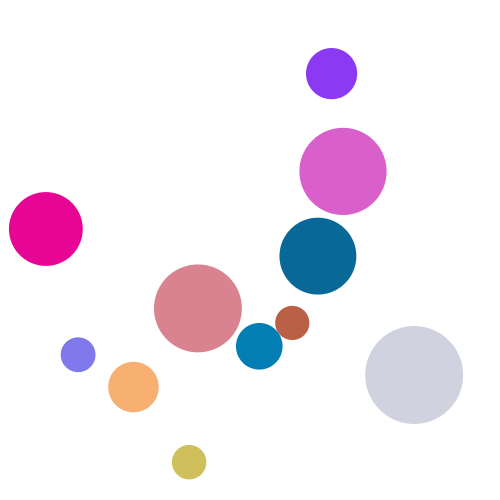
DOCTYPE html>
<html>
<head><meta charset="utf-8"><title>title>
head>
<body><canvas id="cont" width="500" height="500">您的浏览器版本过低!canvas><script>var canvas = document.querySelector("#cont");var ctx = canvas.getContext("2d");var w = 500,h = 500;function r(num) {return Math.random() * num;}function randomBall() {this.r = r(40) + 10; this.x = r(5) + 50;this.y = r(3) + 50;this.color = '#' + Math.random().toString(16).substr(2, 6).toUpperCase();this.xSpeed = r(3) + 2; this.ySpeed = r(3) + 1; };randomBall.prototype.show = function() {ctx.beginPath();ctx.arc(this.x, this.y, this.r, 0, Math.PI * 2, false);ctx.fillStyle = this.color;ctx.fill();};randomBall.prototype.run = function() {if (this.x <= this.r || this.x + this.r >= w) {this.xSpeed = -this.xSpeed;}if (this.y <= this.r || this.y + this.r >= h) {this.ySpeed = -this.ySpeed;}this.x += this.xSpeed;this.y += this.ySpeed;}var ballArr = [];for (var i = 0; i <= 10; i++) {var ball = new randomBall();ballArr.push(ball);}setInterval(function() {ctx.clearRect(0, 0, w, h);for (var i = 0; i < ballArr.length; i++) {var ball = ballArr[i];ball.run();ball.show();}}, 10);script>body>
html>
本文来自互联网用户投稿,文章观点仅代表作者本人,不代表本站立场,不承担相关法律责任。如若转载,请注明出处。 如若内容造成侵权/违法违规/事实不符,请点击【内容举报】进行投诉反馈!
