[Processing和P5.js]简单动态图形临摹和拓展
[Processing和P5.js]简单动态图形临摹和拓展
在这里先说一下,本篇里做的两张动态图形,分别用了processing和p5.js,两者之前差异不大,所以明白了一种之后另一种也就比较好掌握了,但是p5.js相对来说可能更为简单一点。
原版动态图
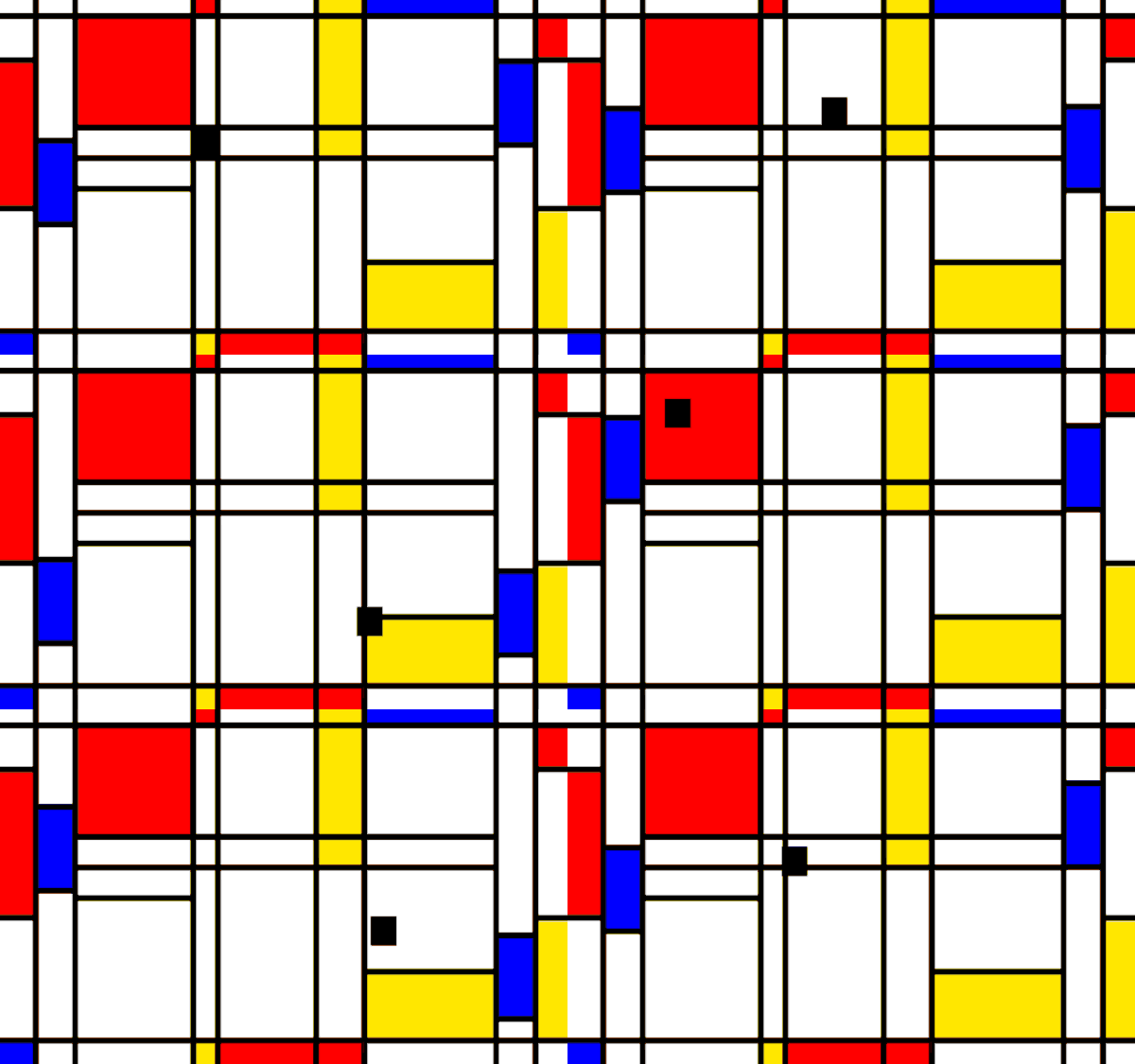
由蒙德里安的作品演变形成的动态图
动态图临摹
观察动图组成及其运动规律
图片的主要构成就是长方形,但是如果把每个长方形都做出来,工作量就实在是太大了,所以就先计算图形四周主要顶点的坐标,然后用直线来进行图片的分割,至于说带有颜色的部分,就直接运用长方形的的函数来进行添加就好了。
相关代码如下:(这里用的processing)
void setup() {size(640, 640);
}void draw(){strokeWeight(5);fill(255);rect(10,20,620,580);fill(255);rect(30,20,20,580);rect(590,20,20,580);drawline();colorrect();activerect();smallrect();
}void drawline(){//画直线分割界面stroke(0); line(10,20,630,20);line(10,40,630,40);line(10,580,630,580); line(10,600,630,600);line(50,280,630,280);line(50,310,630,310);line(50,340,210,340);line(210,20,210,600);line(230,20,230,600);line(420,20,420,600);line(360,20,360,600);line(420,480,590,480);line(10,20,10,600);line(630,20,630,600);
}void colorrect(){//添加带颜色的长方形到指定位置fill(255,0,0);rect(210,20,20,20);rect(50,40,160,240);rect(230,580,130,20);rect(360,580,60,20);rect(610,40,20,20);rect(10,230,20,210);fill(0,0,255);rect(10,580,20,20);rect(420,20,170,20);fill(255,255,0);rect(360,20,60,20);rect(360,40,60,260);rect(360,280,60,30);rect(210,580,20,20);rect(610,480,20,100);rect(420,480,170,100);
}
对于图中几个运动的长方形,观察其运动规律,可发现三者在y轴上均符合正弦变化,中间的小长方形可以看做在x轴上做正弦变化,并且其在y轴上的运动也是和两侧的运动长方形处于相对静止的关系,所以代码如下:
void activerect(){float m=millis()/200;fill(0,0,255);rect(30,260+220*sin(m),20,100);rect(590,260+220*sin(m),20,100);
}void smallrect(){float t=millis()/200; float x=310+270*sin(t),y=260+220*sin(t);fill(0);rect(x,y,20,20);
}
动图临摹结果
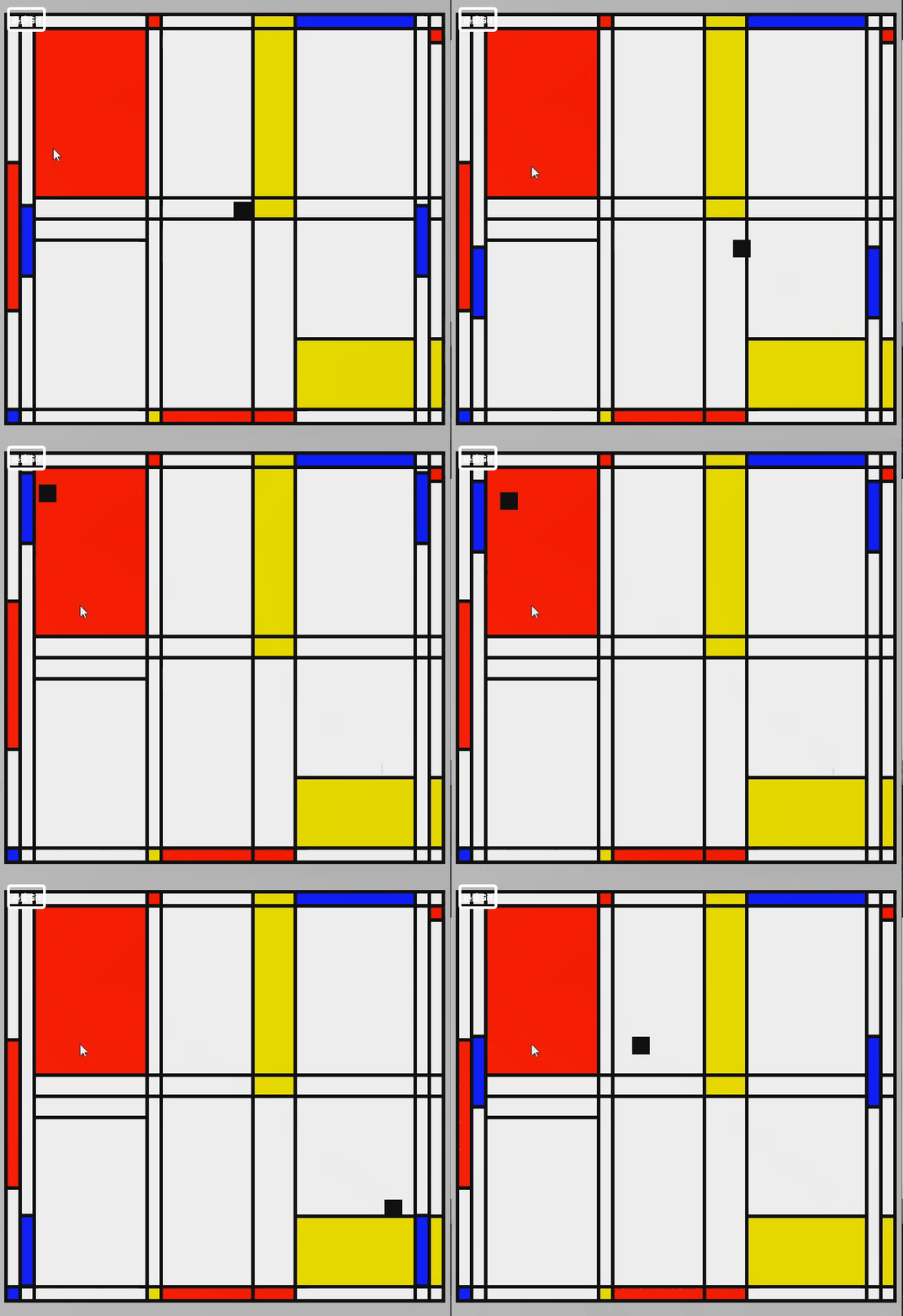
(请忽略图中鼠标的存在!!!录屏的时候没有注意到!!!抱歉!!!)
动态图拓展
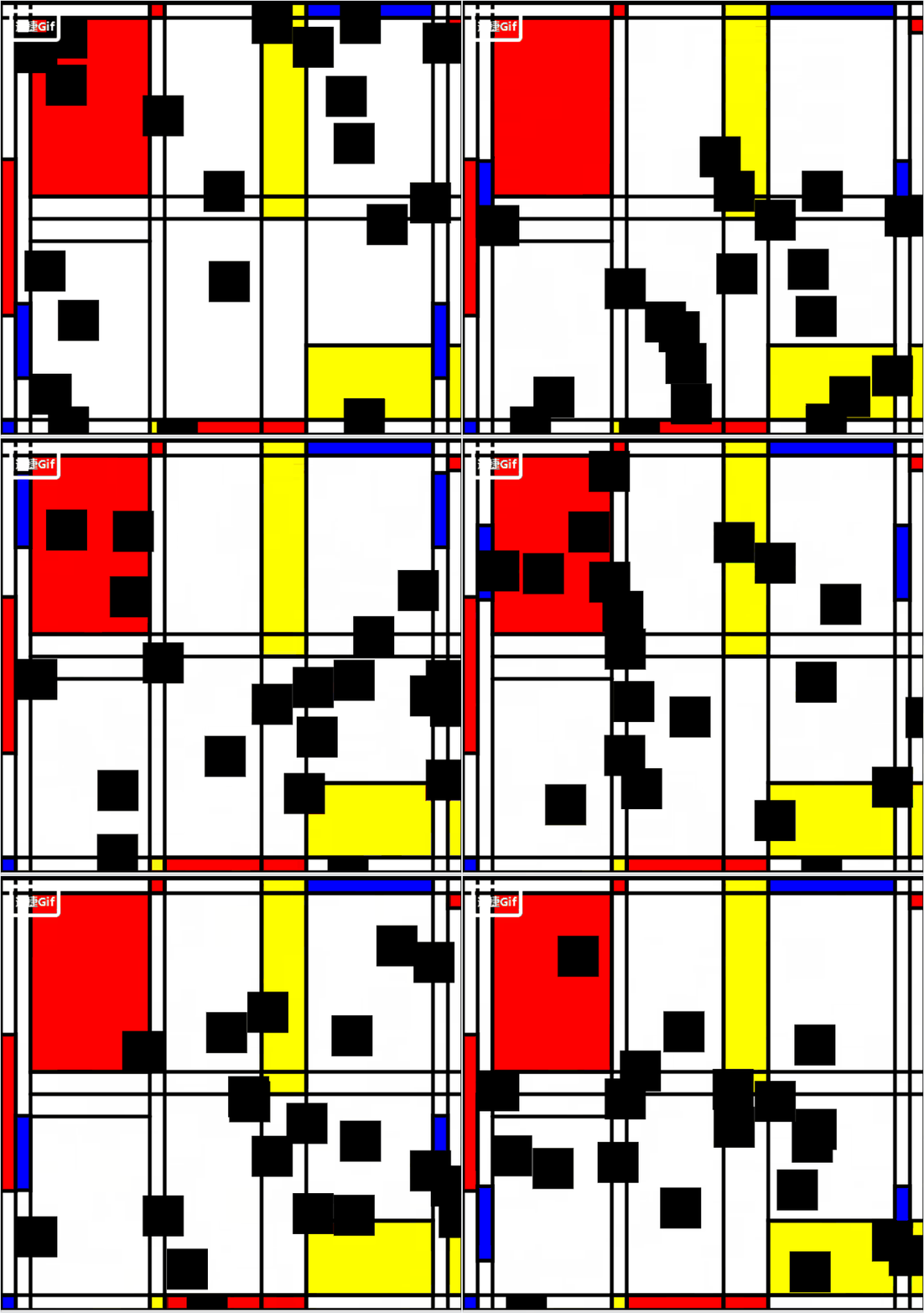
原版的动态图实现了一种“打方块”游戏的感觉,而我写的则是使用代码强行感觉像是在碰撞,所以关于拓展我便想实现小方块之间碰撞的问题。
关于碰撞的问题就涉及到一个物理模型的问题,即碰撞之后小方块角度的变化和运动方向的变化,主要函数就是 SmallRect函数(这里我是做了一些参考,原本写出来的碰撞效果很不自然):
colide中,对两个方块之间的距离和边长50做比较,如果距离小于边长就代表发生了碰撞,然后求出加速度,对两方块速度进行改变。
函数move中,就是在物体发生碰撞之后改变物体的速度方向,
函数display则是调用画矩形的函数。
主要函数参考: https://blog.csdn.net/qq_40346122/article/details/83832420
所以根据案例的方法,我做了些碰撞的参考然后做了一些修改,使其满足我需要的碰撞规律,整体代码如下:(这里用的p5.js)
var numRects = 20;
var gravity = 0.03;
var friction = -0.9;
var smallrect=[];function setup() {createCanvas(630, 600);strokeWeight(5);for(var i=0;i<numRects;i++){smallrect[i]=new SmallRect(random(width),random(height),random(50),     i,smallrect);}}function draw(){colorrect();drawline(); activerect();fill(0);smallrect.forEach(rect=>{rect.collide();rect.move();rect.display();})}function drawline(){stroke(0); line(10,20,630,20);line(10,40,630,40);line(10,580,630,580); line(10,600,630,600);line(50,280,630,280);line(50,310,630,310);line(50,340,210,340);line(210,20,210,600);line(230,20,230,600);line(420,20,420,600);line(360,20,360,600);line(420,480,590,480);line(10,20,10,600);line(630,20,630,600);
}function colorrect(){fill(255);rect(10,20,620,580);  fill(255);rect(30,20,20,580);rect(590,20,20,580);fill(255,0,0);rect(210,20,20,20);rect(50,40,160,240);rect(230,580,130,20);rect(360,580,60,20);rect(610,40,20,20);rect(10,230,20,210);fill(0,0,255);rect(10,580,20,20);rect(420,20,170,20);fill(255,255,0);rect(360,20,60,20);rect(360,40,60,260);rect(360,280,60,30);rect(210,580,20,20);rect(610,480,20,100);rect(420,480,170,100);
}function activerect(){var m=millis()/150;fill(0,0,255);rect(30,260+220*sin(m),20,100);rect(590,260+220*sin(m),20,100);
}function SmallRect(x,y,dis,id,other){this.x = x;this.y = y;var vx = 0;var vy = 0;this.long = dis;this.id = id;this.others =other;this.collide=function(){for (var i = this.id + 1; i < numRects; i++) {// console.log(others[i]);var dx = this.others[i].x - this.x;var dy = this.others[i].y - this.y;var distance = sqrt(dx * dx + dy * dy);if (distance <50) {var angle = atan2(dy, dx);var targetX = this.x + cos(angle) *50;var targetY = this.y + sin(angle) *50;var ax = (targetX - this.others[i].x) *0.05;var ay = (targetY - this.others[i].y) * 0.05;vx -= ax;vy -= ay;this.others[i].vx += ax;this.others[i].vy += ay;}}};this.move = function() {vy += gravity;this.x += vx;this.y += vy;if (this.x + this.long/ 2 > width) {this.x = width - this.long/ 2;vx *= friction;} else if (this.x - this.long/ 2 < 0) {this.x = this.long/ 2;vx *= friction;		 }if (this.y + this.long/ 2 > height) {this.y = height - this.long/ 2;vy *= friction;} else if (this.y - this.long/ 2 < 0) {this.y = this.long/ 2;vy *= friction;}};this.display = function() {rect(this.x, this.y, 50,50);};
}
动图拓展结果
本文来自互联网用户投稿,文章观点仅代表作者本人,不代表本站立场,不承担相关法律责任。如若转载,请注明出处。 如若内容造成侵权/违法违规/事实不符,请点击【内容举报】进行投诉反馈!