httpd配置虚拟主机和ssl
虚拟主机:
1.虚拟主机有三类:
1.1相同IP不同端口
准备工作
[root@localhost ~]# find / -name *vhosts.conf
/etc/httpd24/extra/httpd-vhosts.conf
/etc/httpd24/original/extra/httpd-vhosts.conf
/root/httpd-2.4.54/docs/conf/extra/httpd-vhosts.conf
/usr/share/doc/httpd/httpd-vhosts.conf
[root@localhost ~]#
[root@localhost ~]#
[root@localhost ~]# cd /etc/httpd
[root@localhost httpd]# ls
conf  conf.d  conf.modules.d  logs  modules  run  state
[root@localhost httpd]# cd conf.d
[root@localhost conf.d]#
[root@localhost conf.d]# cp /usr/share/doc/httpd/httpd-vhosts.conf   .
[root@localhost conf.d]# ls
autoindex.conf  httpd-vhosts.conf  README  userdir.conf  welcome.conf
[root@localhost conf.d]#
配置文件
[root@localhost conf.d]# vim httpd-vhosts.conf
DocumentRoot "/var/www/html/zhuawawa"ServerName www.zhuawawa.comErrorLog "/var/log/httpd/www.zhuawawa.com-error_log"CustomLog "/var/log/httpd/www.zhuawawa.com-access_log" common
Listen 81
DocumentRoot "/var/www/html/doudizhu"ServerName www.doudizhu.comErrorLog "/var/log/httpd/www.doudizhu.com-error_log"CustomLog "/var/log/httpd/www.doudizhu.com-access_log" common
配置完成后在/var/www/html/下加入两个游戏安装包
[root@localhost conf.d]# cd /var/www/html/
[root@localhost html]#
[root@localhost html]# ls
index.html  run
[root@localhost html]#
[root@localhost html]# ls
index.html  run  zhuawawaji.zip  斗地主.zip
[root@localhost html]#
[root@localhost html]# yum -y install zip
Last metadata expiration check: 0:51:42 ago on Sat 23 Jul 2022 08:13:54 PM CST.
Package zip-3.0-23.el8.x86_64 is already installed.
Dependencies resolved.
Nothing to do.
Complete![root@localhost html]# ls
index.html  jQuery抓娃娃机游戏代码  run  zhuawawaji.zip  斗地主.zip
[root@localhost html]#
[root@localhost html]# rm -rf zhuawawaji.zip
[root@localhost html]#
[root@localhost html]# ls
index.html  jQuery抓娃娃机游戏代码  run  斗地主.zip
[root@localhost html]#
[root@localhost html]# mv jQuery抓娃娃机游戏代码  zhuawawa
[root@localhost html]# ls
index.html  run  zhuawawa  斗地主.zip[root@localhost html]# unzip 斗地主.zip
[root@localhost html]# rm -rf 斗地主.zip
[root@localhost html]#
[root@localhost html]# ls
'HTML5 canvas移动端斗地主小游戏'   index.html   run   zhuawawa
[root@localhost html]#
[root@localhost html]#
[root@localhost html]# mv 'HTML5 canvas移动端斗地主小游戏'  doudizhu
[root@localhost html]# ls
doudizhu  index.html  run  zhuawawa
[root@localhost html]#
都解压完成后检查一下配置文件有没有问题,然后开启服务
[root@localhost html]# ls
doudizhu  index.html  run  zhuawawa
[root@localhost html]#
[root@localhost html]#
[root@localhost html]# httpd -t
AH00558: httpd: Could not reliably determine the server's fully qualified domain name, using localhost.localdomain. Set the 'ServerName' directive globally to suppress this message
Syntax OK
[root@localhost html]#
[root@localhost html]# systemctl restart httpd.service
[root@localhost html]#
[root@localhost html]#
[root@localhost html]# ss -antl
State       Recv-Q       Send-Q             Local Address:Port             Peer Address:Port      Process
LISTEN      0            128                      0.0.0.0:111                   0.0.0.0:*
LISTEN      0            128                      0.0.0.0:22                    0.0.0.0:*
LISTEN      0            128                         [::]:111                      [::]:*
LISTEN      0            128                            *:80                          *:*
LISTEN      0            128                            *:81                          *:*
LISTEN      0            128                         [::]:22                       [::]:*
[root@localhost html]#
[root@localhost html]# 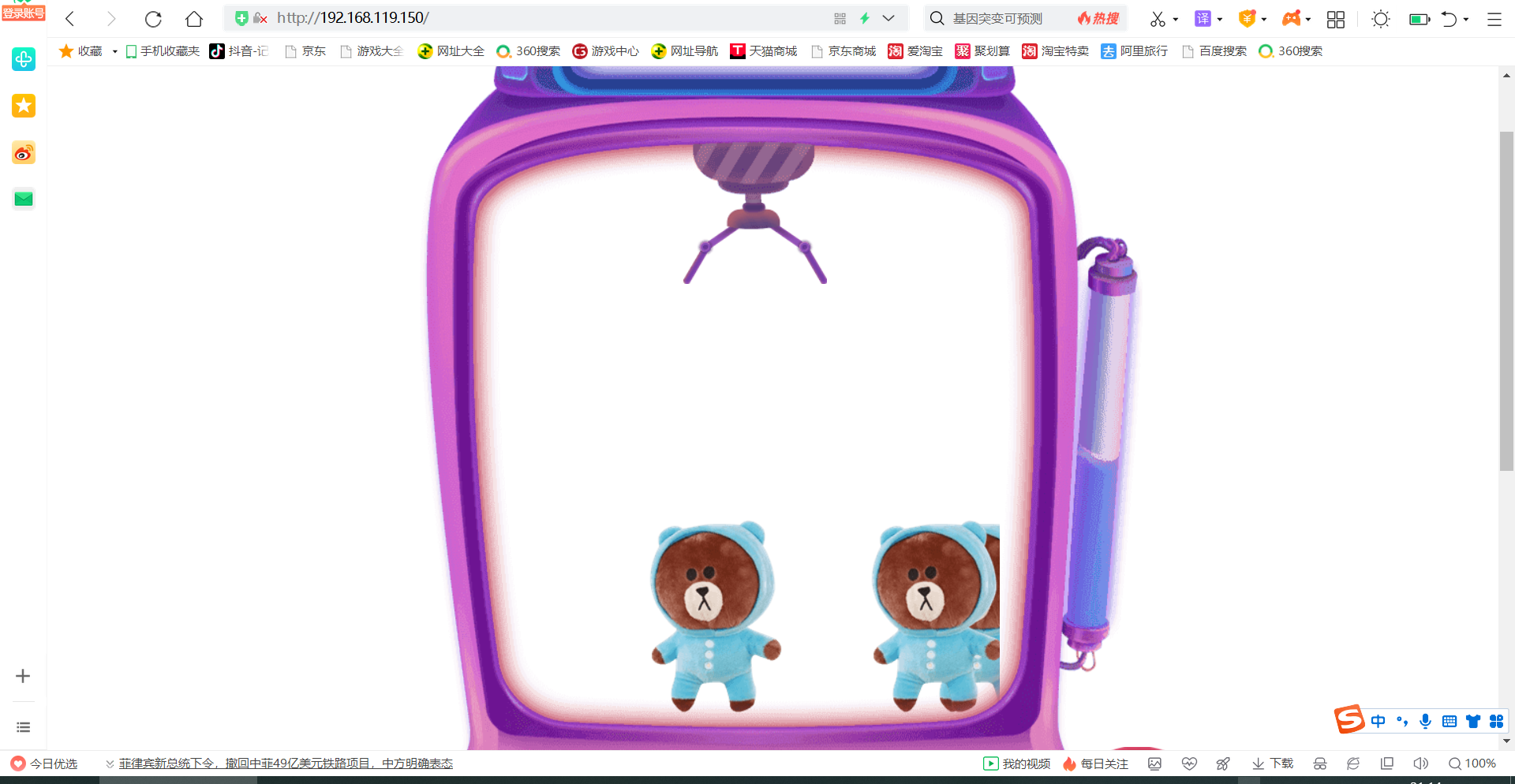
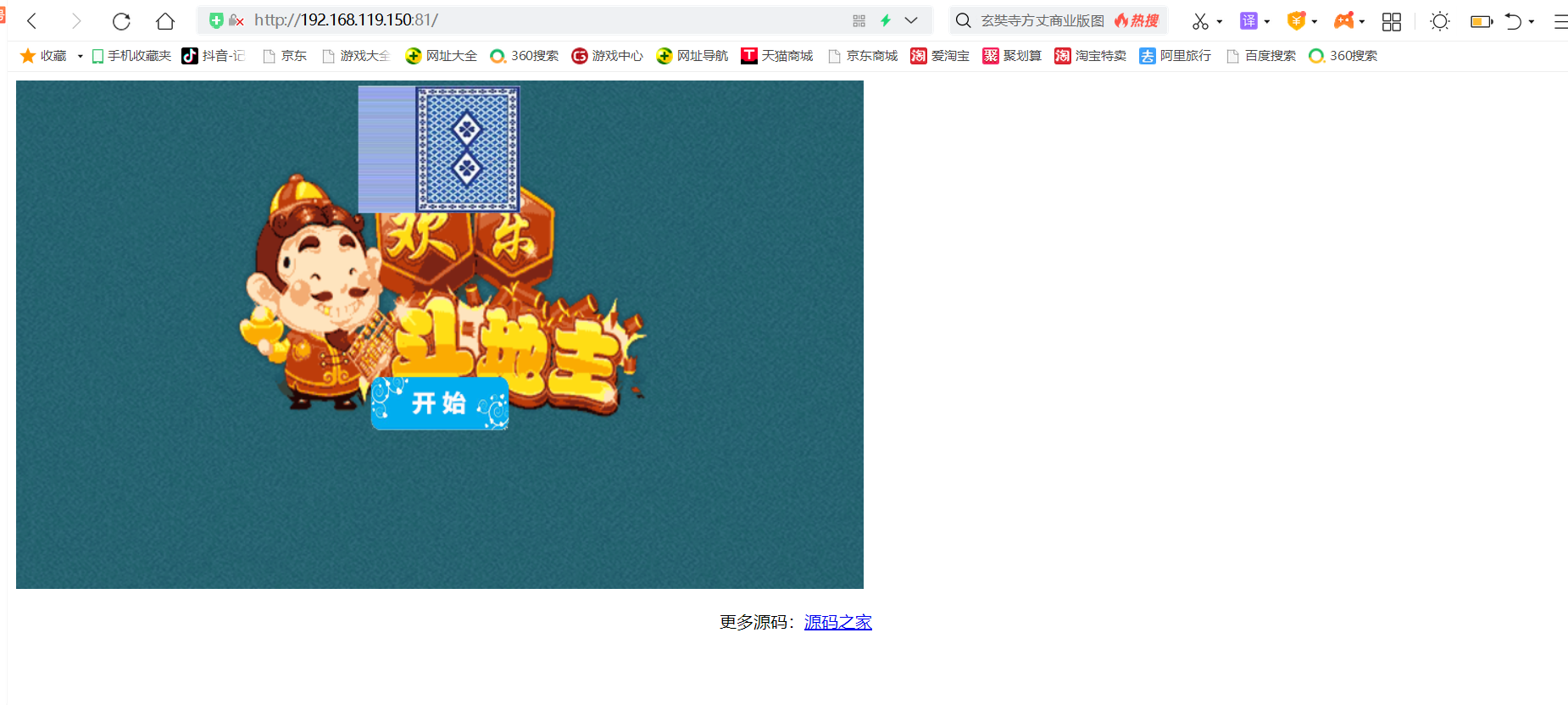
1.2不同IP相同端口
配置相同端口
[root@localhost html]# cd /etc/httpd/conf.d
[root@localhost conf.d]#
[root@localhost conf.d]# ls
autoindex.conf  httpd-vhosts.conf  README  userdir.conf  welcome.conf
[root@localhost conf.d]# vim httpd-vhosts.conf DocumentRoot "/var/www/html/zhuawawa"ServerName www.zhuawawa.comErrorLog "/var/log/httpd/www.zhuawawa.com-error_log"CustomLog "/var/log/httpd/www.zhuawawa.com-access_log" common
Listen 81
DocumentRoot "/var/www/html/doudizhu"ServerName www.doudizhu.comErrorLog "/var/log/httpd/www.doudizhu.com-error_log"CustomLog "/var/log/httpd/www.doudizhu.com-access_log" common
配置一个临时IP给第二个80端口
[root@localhost conf.d]# ip addr add 192.168.119.110/24 dev ens33
[root@localhost conf.d]# ip a
1: lo:  mtu 65536 qdisc noqueue state UNKNOWN group default qlen 1000link/loopback 00:00:00:00:00:00 brd 00:00:00:00:00:00inet 127.0.0.1/8 scope host lovalid_lft forever preferred_lft foreverinet6 ::1/128 scope host valid_lft forever preferred_lft forever
2: ens33:  mtu 1500 qdisc fq_codel state UP group default qlen 1000link/ether 00:0c:29:51:17:f3 brd ff:ff:ff:ff:ff:ffinet 192.168.119.150/24 brd 192.168.119.255 scope global noprefixroute ens33valid_lft forever preferred_lft foreverinet 192.168.119.110/24 scope global secondary ens33valid_lft forever preferred_lft foreverinet6 fe80::8d8e:9b89:f728:8550/64 scope link noprefixroute valid_lft forever preferred_lft forever
[root@localhost conf.d]#
检查语法有没有错误,然后在重启一下
[root@localhost conf.d]# httpd -t
AH00558: httpd: Could not reliably determine the server's fully qualified domain name, using localhost.localdomain. Set the 'ServerName' directive globally to suppress this message
Syntax OK
[root@localhost conf.d]# systemctl restart httpd.service
[root@localhost conf.d]#
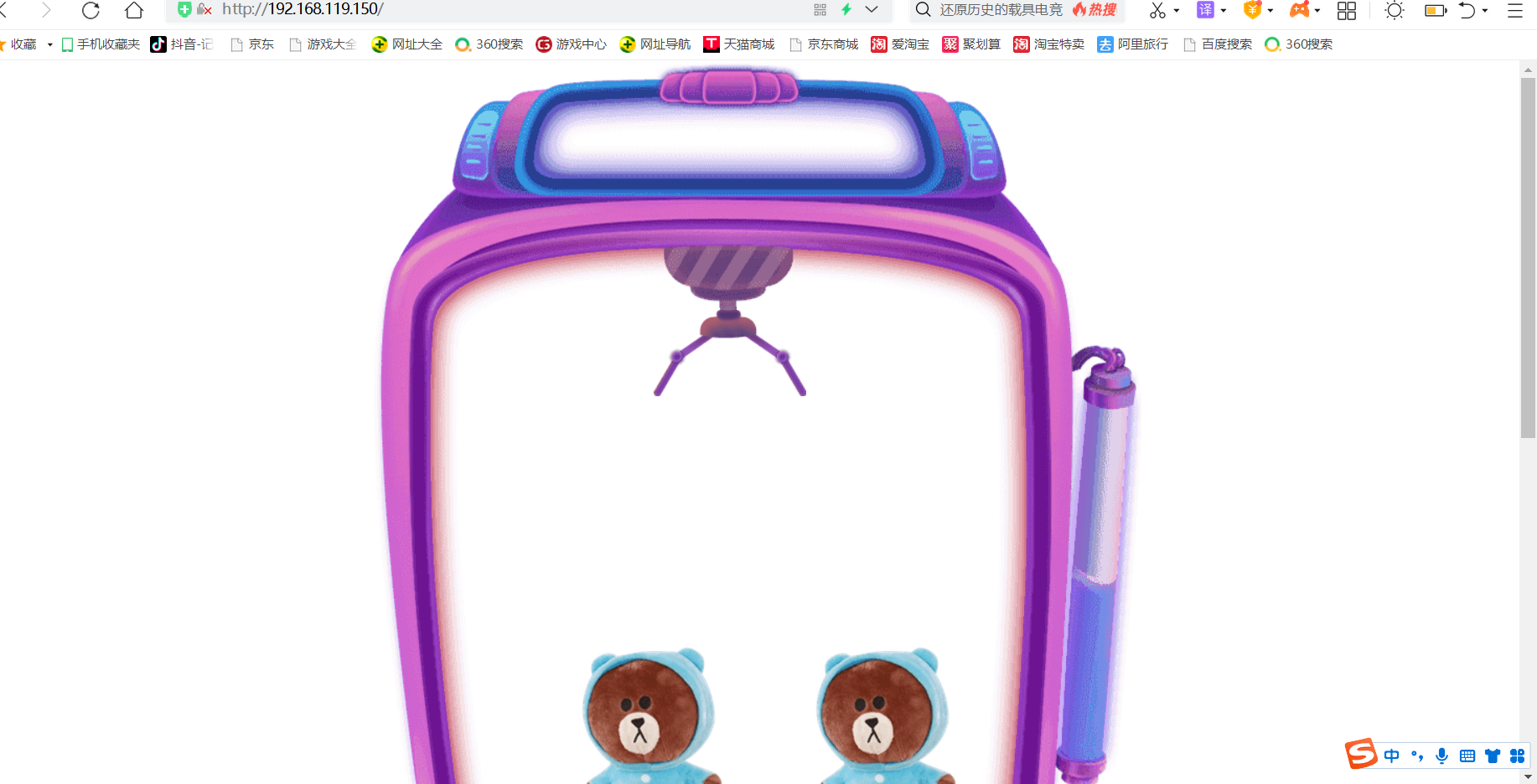
查看结果
1.3相同IP相同端口不同域名
配置文件
[root@localhost conf.d]# vim httpd-vhosts.conf
DocumentRoot "/var/www/html/zhuawawa"ServerName www.zhuawawa.comErrorLog "/var/log/httpd/www.zhuawawa.com-error_log"CustomLog "/var/log/httpd/www.zhuawawa.com-access_log" common
DocumentRoot "/var/www/html/doudizhu"ServerName www.doudizhu.comErrorLog "/var/log/httpd/www.doudizhu.com-error_log"CustomLog "/var/log/httpd/www.doudizhu.com-access_log" common
[root@localhost conf.d]# httpd -t
AH00558: httpd: Could not reliably determine the server's fully qualified domain name, using localhost.localdomain. Set the 'ServerName' directive globally to suppress this message
Syntax OK
[root@localhost conf.d]# systemctl restart httpd.service
[root@localhost conf.d]#
[root@localhost conf.d]#
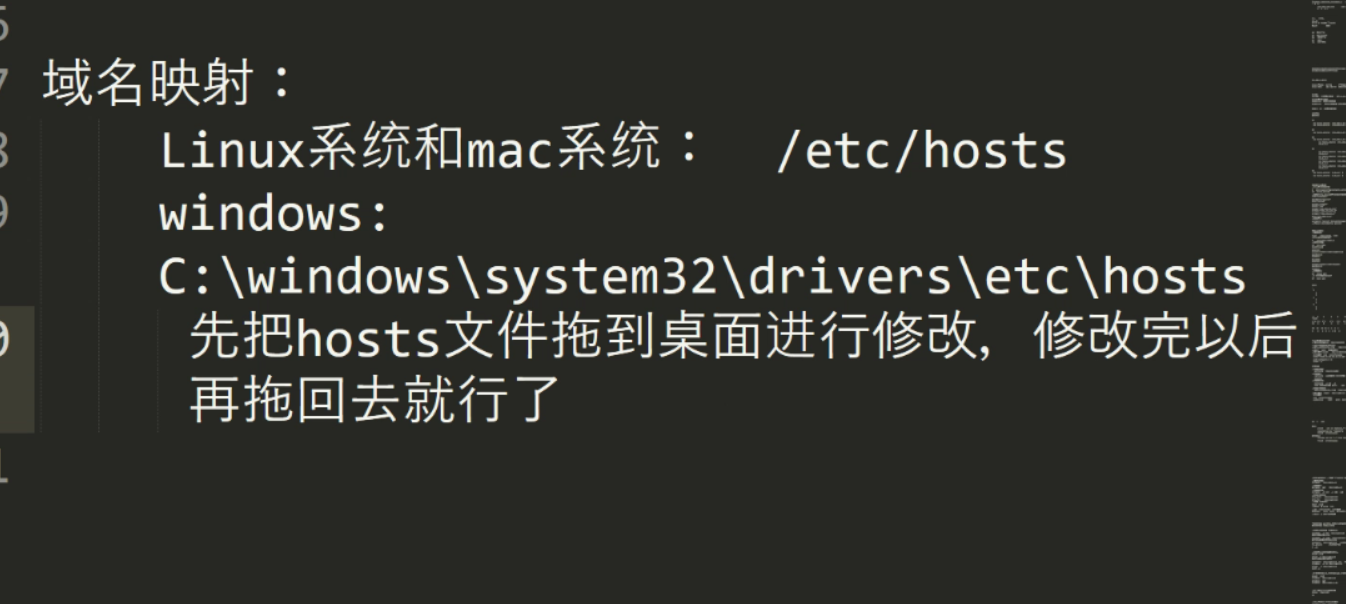
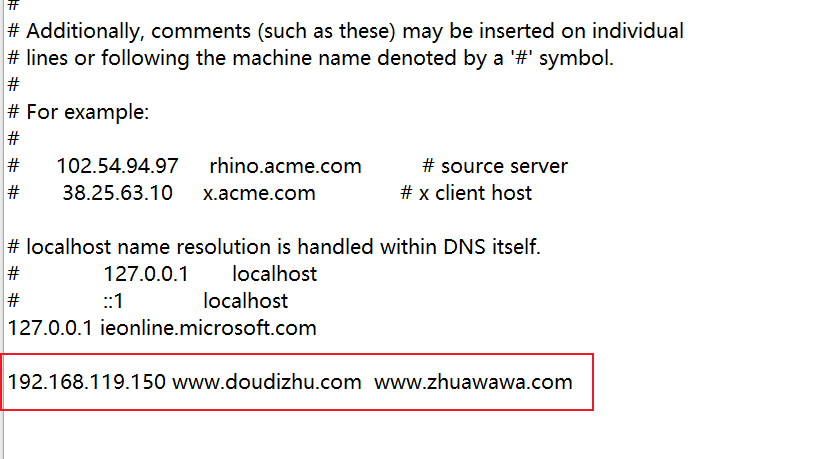
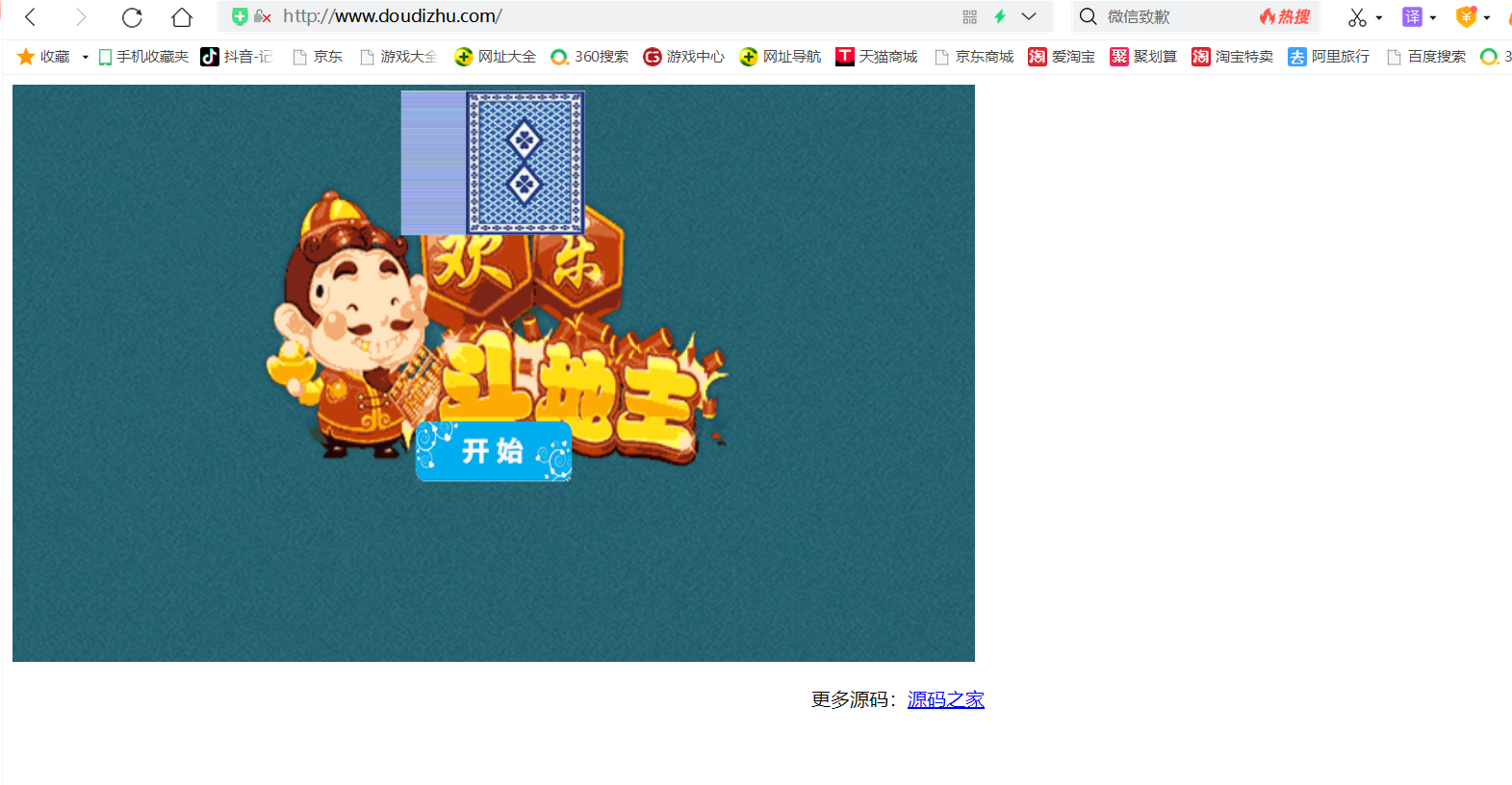
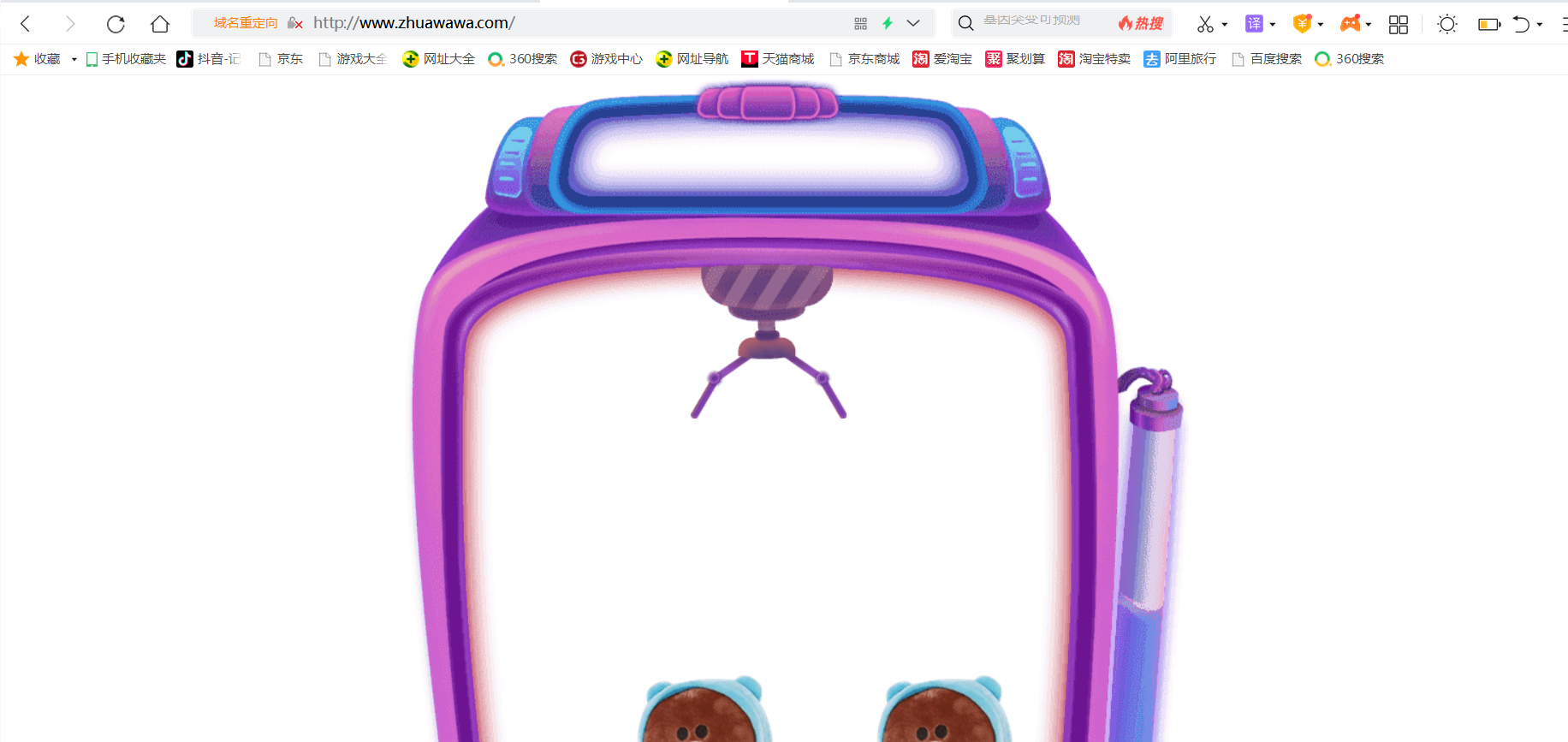
在本机做一个域名映射,让相同IP相同端口网站能访问
4.ssl模块
安装模块
[root@localhost ~]# yum  -y install mod_ssl*
Last metadata expiration check: 2:21:55 ago on Sat 23 Jul 2022 08:13:54 PM CST.
Dependencies resolved.
===============================================================================================================Package          Architecture    Version                                             Repository          Size
===============================================================================================================
Installing:mod_ssl          x86_64          1:2.4.37-47.module_el8.6.0+1111+ce6f4ceb.1          appstream          137 kTransaction Summary
===============================================================================================================
Install  1 PackageTotal download size: 137 k
Installed size: 266 k
Downloading Packages:
mod_ssl-2.4.37-47.module_el8.6.0+1111+ce6f4ceb.1.x86_64.rpm                    7.4 kB/s | 137 kB     00:18
---------------------------------------------------------------------------------------------------------------
Total                                                                          6.5 kB/s | 137 kB     00:21
Running transaction check
Transaction check succeeded.
Running transaction test
Transaction test succeeded.
Running transactionPreparing        :                                                                                       1/1 Installing       : mod_ssl-1:2.4.37-47.module_el8.6.0+1111+ce6f4ceb.1.x86_64                             1/1 Running scriptlet: mod_ssl-1:2.4.37-47.module_el8.6.0+1111+ce6f4ceb.1.x86_64                             1/1 Verifying        : mod_ssl-1:2.4.37-47.module_el8.6.0+1111+ce6f4ceb.1.x86_64                             1/1
Installed products updated.Installed:mod_ssl-1:2.4.37-47.module_el8.6.0+1111+ce6f4ceb.1.x86_64                                                    Complete!
[root@localhost ~]#
重启服务,查看端口
[root@localhost ~]# systemctl restart httpd.service
[root@localhost ~]# httpd -t
Syntax OK
[root@localhost ~]#
[root@localhost ~]# httpd -M | grep ssl
ssl_module (shared)
[root@localhost ~]# [root@localhost ~]# ss -anlt
State       Recv-Q       Send-Q             Local Address:Port             Peer Address:Port      Process
LISTEN      0            128                      0.0.0.0:111                   0.0.0.0:*
LISTEN      0            128                      0.0.0.0:22                    0.0.0.0:*
LISTEN      0            128                         [::]:111                      [::]:*
LISTEN      0            128                            *:80                          *:*
LISTEN      0            128                         [::]:22                       [::]:*
LISTEN      0            128                            *:443                         *:*
[root@localhost ~]#
[root@localhost ~]#
配置https步骤:
openssl实现私有CA:
- CA的配置文件:/etc/pki/tls/openssl.cnf
CA生成一对密钥openssl实现私有CA:
[root@localhost ~]# cd /etc/pki/
[root@localhost pki]# ls
ca-trust  entitlement  nssdb   pesign-rh-test  product-default  rsyslog
consumer  java         pesign  product         rpm-gpg          tls
[root@localhost pki]#
[root@localhost pki]# mkdir CA
[root@localhost pki]# cd CA
[root@localhost CA]# mkdir private
[root@localhost CA]# (umask 077;openssl genrsa -out private/cakey.pem 2048) #生成密钥,括号必须要
Generating RSA private key, 2048 bit long modulus (2 primes)
........................+++++
.........................................................+++++
e is 65537 (0x010001)
[root@localhost CA]# ls
private
[root@localhost CA]# cd private/
[root@localhost private]# ls
cakey.pem
[root@localhost private]# cd ..
[root@localhost CA]# openssl rsa -in private/cakey.pem -pubout     #提取公钥
writing RSA key
-----BEGIN PUBLIC KEY-----
MIIBIjANBgkqhkiG9w0BAQEFAAOCAQ8AMIIBCgKCAQEAz+hozumk2XpiqYZlcyj5
CB9SGg6TNg/acRPeWTE19QjSRGoVkJN3dah7EqurNz5o2kPKl5NYdFIWbIxMEyBQ
uEpkrR43O7OR1TcfRJKsKgKp8T7r6XyCD2TbB3HZqH0y5s5orZWr+JEUm/9BI229
PGWC0HZUyWUnvJe8XK449T/sMnQ/vc7NCuqhoTUru2i1djSP/0zdWnSZIebrBNt1
goA3/wfCS8e0umCH9OrKWq2hzPBigFk+CaUvmND5+BULVOl5Cky3CXRwfQiVFCdI
iFJhglTCiuFZkb/w6cVJ2tV5NY8YFzOKAs/rprbNqP6HtTFaVY+7MPvBh9kGTBW5
LQIDAQAB
-----END PUBLIC KEY-----
[root@localhost CA]# - CA生成自签署证书
[root@localhost CA]# openssl req -new -x509 -key private/cakey.pem -out cacert.pem -days 365
You are about to be asked to enter information that will be incorporated
into your certificate request.
What you are about to enter is what is called a Distinguished Name or a DN.
There are quite a few fields but you can leave some blank
For some fields there will be a default value,
If you enter '.', the field will be left blank.
-----
Country Name (2 letter code) [XX]:cn
State or Province Name (full name) []:hb
Locality Name (eg, city) [Default City]:wh
Organization Name (eg, company) [Default Company Ltd]:runtime
Organizational Unit Name (eg, section) []:peixun
Common Name (eg, your name or your server's hostname) []:www.doudizhu.com
Email Address []:1@2.com
[root@localhost CA]# [root@localhost CA]# ls
cacert.pem  private
[root@localhost CA]# mkdir certs newcerts crl
[root@localhost CA]# touch index.txt && echo 01 > serial
[root@localhost CA]# cat serial
01
[root@localhost CA]#
客户端(例如httpd服务器)生成密钥
[root@localhost CA]# cd /etc/httpd && mkdir ssl && cd ssl
[root@localhost ssl]# pwd
/etc/httpd/ssl
[root@localhost ssl]#
[root@localhost ssl]# (umask 077;openssl genrsa -out httpd.key 2048)
Generating RSA private key, 2048 bit long modulus (2 primes)
..........................................+++++
...................................+++++
e is 65537 (0x010001)
[root@localhost ssl]#
客户端生成证书签署请求
[root@localhost ssl]# openssl req -new -key httpd.key -days 365 -out httpd.csr
Ignoring -days; not generating a certificate
You are about to be asked to enter information that will be incorporated
into your certificate request.
What you are about to enter is what is called a Distinguished Name or a DN.
There are quite a few fields but you can leave some blank
For some fields there will be a default value,
If you enter '.', the field will be left blank.
-----
Country Name (2 letter code) [XX]:cn
State or Province Name (full name) []:hb
Locality Name (eg, city) [Default City]:wh
Organization Name (eg, company) [Default Company Ltd]:runtime
Organizational Unit Name (eg, section) []:peixun
Common Name (eg, your name or your server's hostname) []:www.doudizhu.com
Email Address []:1@2.comPlease enter the following 'extra' attributes
to be sent with your certificate request
A challenge password []:
An optional company name []:
[root@localhost ssl]#
[root@localhost ssl]#
[root@localhost ssl]# ls
httpd.csr  httpd.key
[root@localhost ssl]#
CA签署客户端提交上来的证书
[root@localhost ssl]# openssl ca -in httpd.csr -out httpd.crt -days 365
Using configuration from /etc/pki/tls/openssl.cnf
Check that the request matches the signature
Signature ok
Certificate Details:Serial Number: 1 (0x1)ValidityNot Before: Jul 23 15:14:28 2022 GMTNot After : Jul 23 15:14:28 2023 GMTSubject:countryName               = cnstateOrProvinceName       = hborganizationName          = runtimeorganizationalUnitName    = peixuncommonName                = www.doudizhu.comemailAddress              = 1@2.comX509v3 extensions:X509v3 Basic Constraints: CA:FALSENetscape Comment: OpenSSL Generated CertificateX509v3 Subject Key Identifier: 55:78:E1:1A:11:C6:2A:1B:C0:65:D0:37:ED:4D:70:3A:7B:8D:94:5AX509v3 Authority Key Identifier: keyid:04:5A:BE:29:19:2C:4D:C0:C3:9A:BC:27:EC:62:C8:60:A5:64:4D:8ACertificate is to be certified until Jul 23 15:14:28 2023 GMT (365 days)
Sign the certificate? [y/n]:y1 out of 1 certificate requests certified, commit? [y/n]y
Write out database with 1 new entries
Data Base Updated
[root@localhost ssl]#
[root@localhost ssl]#
[root@localhost ssl]# ls
httpd.crt  httpd.csr  httpd.key
[root@localhost ssl]#
指定证书
SSLCertificateFile /etc/httpd/ssl/httpd.crt#   Server Private Key:
#   If the key is not combined with the certificate, use this
#   directive to point at the key file.  Keep in mind that if
#   you've both a RSA and a DSA private key you can configure
#   both in parallel (to also allow the use of DSA ciphers, etc.)
#   ECC keys, when in use, can also be configured in parallel
SSLCertificateKeyFile /etc/httpd/ssl/httpd.key# General setup for the virtual host, inherited from global configuration
DocumentRoot "/var/www/html/doudizhu"
ServerName www.doudizhu.com:443
检查语法并重启
[root@localhost conf.d]# httpd -t
Syntax OK
[root@localhost conf.d]#
[root@localhost conf.d]# systemctl restart httpd.service
[root@localhost conf.d]#
[root@localhost conf.d]# ss -antl
State       Recv-Q       Send-Q             Local Address:Port             Peer Address:Port      Process
LISTEN      0            128                      0.0.0.0:111                   0.0.0.0:*
LISTEN      0            128                      0.0.0.0:22                    0.0.0.0:*
LISTEN      0            128                         [::]:111                      [::]:*
LISTEN      0            128                            *:80                          *:*
LISTEN      0            128                         [::]:22                       [::]:*
LISTEN      0            128                            *:443                         *:*
[root@localhost conf.d]#
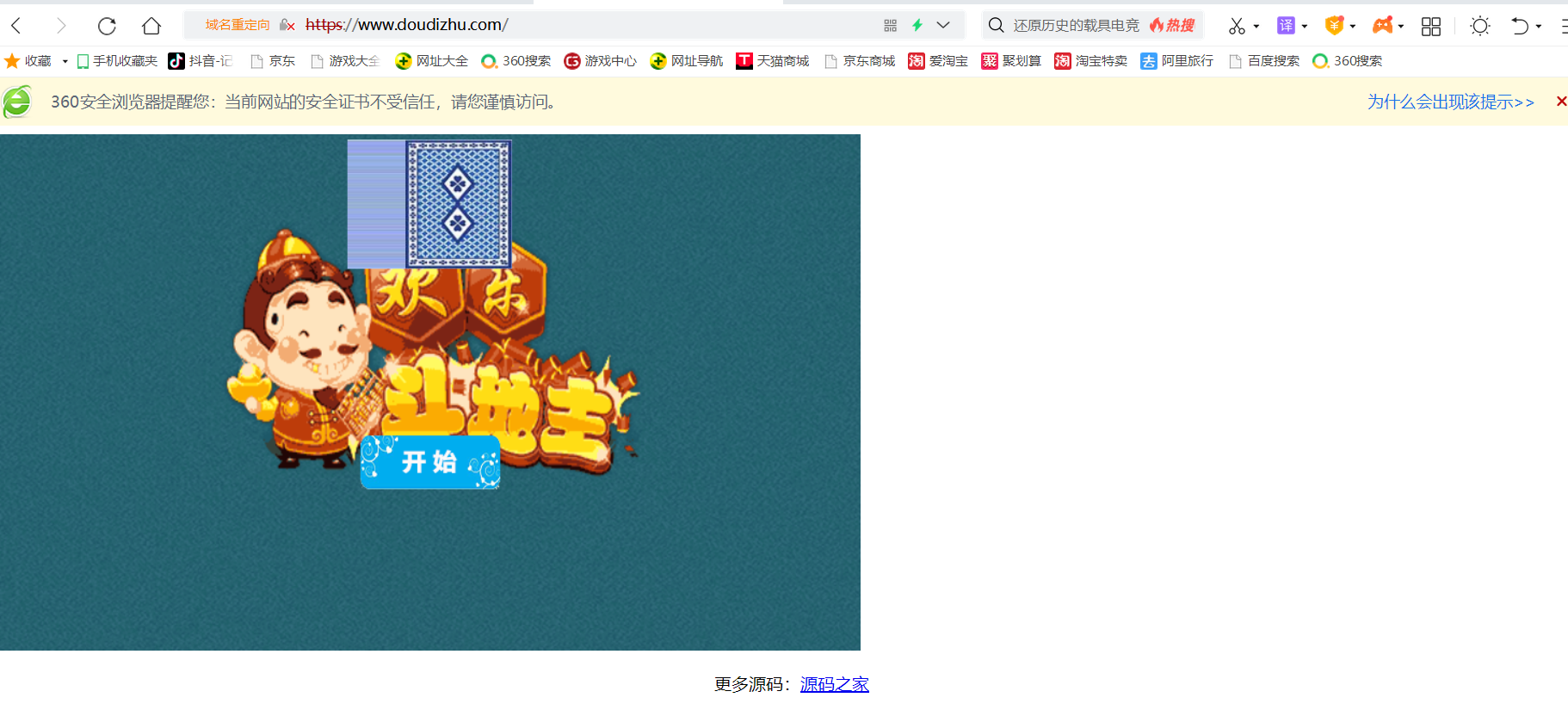
查看效果
本文来自互联网用户投稿,文章观点仅代表作者本人,不代表本站立场,不承担相关法律责任。如若转载,请注明出处。 如若内容造成侵权/违法违规/事实不符,请点击【内容举报】进行投诉反馈!