ROS教程(5)
一、创建编译功能包
切换到catkin_ws/src目录下,如下:
cd catkin_ws/src
catkin_create_pkg mbot_sim_gazebo_mapping urdf xacro
返回到catkin_ws目录下,编译该功能包,如下:
cd ..
catkin_make mbot_sim_gazebo_mapping
在该功能包下创建include、src、launch、urdf、world、map、script文件夹,在urdf文件下创建urdf文件夹和xacro文件夹。
cd src/mbot_sim_gazebo_mapping
mkdir include
mkdir src
mkdir launch
mkdir urdf
mkdir world
mkdir map
mkdir script
cd urdf
mkdir urdf
mkdir xacro
二、xacro文件
1、创建robot_base.xacro文件
切换到xacro文件下,创建robot_base.xacro文件,文件内容如下:
Gazebo/Gray transmission_interface/SimpleTransmission hardware_interface/VelocityJointInterface hardware_interface/VelocityJointInterface 1 Gazebo/Black false Gazebo/Blue Debug true / 1 true true 100.0 true left_wheel_joint right_wheel_joint ${wheel_joint_y*2} ${2*wheel_radius} 1 30 1.8 cmd_vel odom odom base_footprint world 1 2、创建robot_camera.xacro文件
在xacro文件下,创建robot_camera.xacro文件,文件内容如下:
Gazebo/Black 30.0 1.3962634 1280 720 R8G8B8 0.02 300 gaussian 0.0 0.007 true 0.0 /camera image_raw camera_info camera_link 0.07 0.0 0.0 0.0 0.0 0.0 3、创建robot_lidar.xacro文件
在xacro文件下,创建robot_lidar.xacro文件,文件内容如下:
0 0 0 0 0 0 false 40 720 1 -1.570796 1.570796 0.10 30.0 0.01 gaussian 0.0 0.01 /scan hokuyo_link 4、创建robot.xacro文件
在xacro文件下,创建robot.xacro文件,文件内容如下:
接下来需要将.gazebo/models/hokuyo/目录中的meshes文件夹整体复制到我们的功能包mbot_sim_gazebo下面。将桌面上准备的room.world文件,放在功能包下的world文件夹里面。将opt/ros/melodic/lib/teleop_twist_keyboard文件夹下的teleop_twist_keyboard.py文件放入目前功能包里面的script文件夹
三、launch启动文件
1、创建robot_gazebo_mapping.launch文件
在启动文件中配置rviz和gmaping包,robot_gazebo_mapping.launch文件内容如下:
四、下载安装建图定位导航相关的功能包
1、下载与安装
sudo apt-get install ros-melodic-slam-gmapping
sudo apt-get install ros-melodic-gmapping
sudo apt-get install ros-melodic-navigation
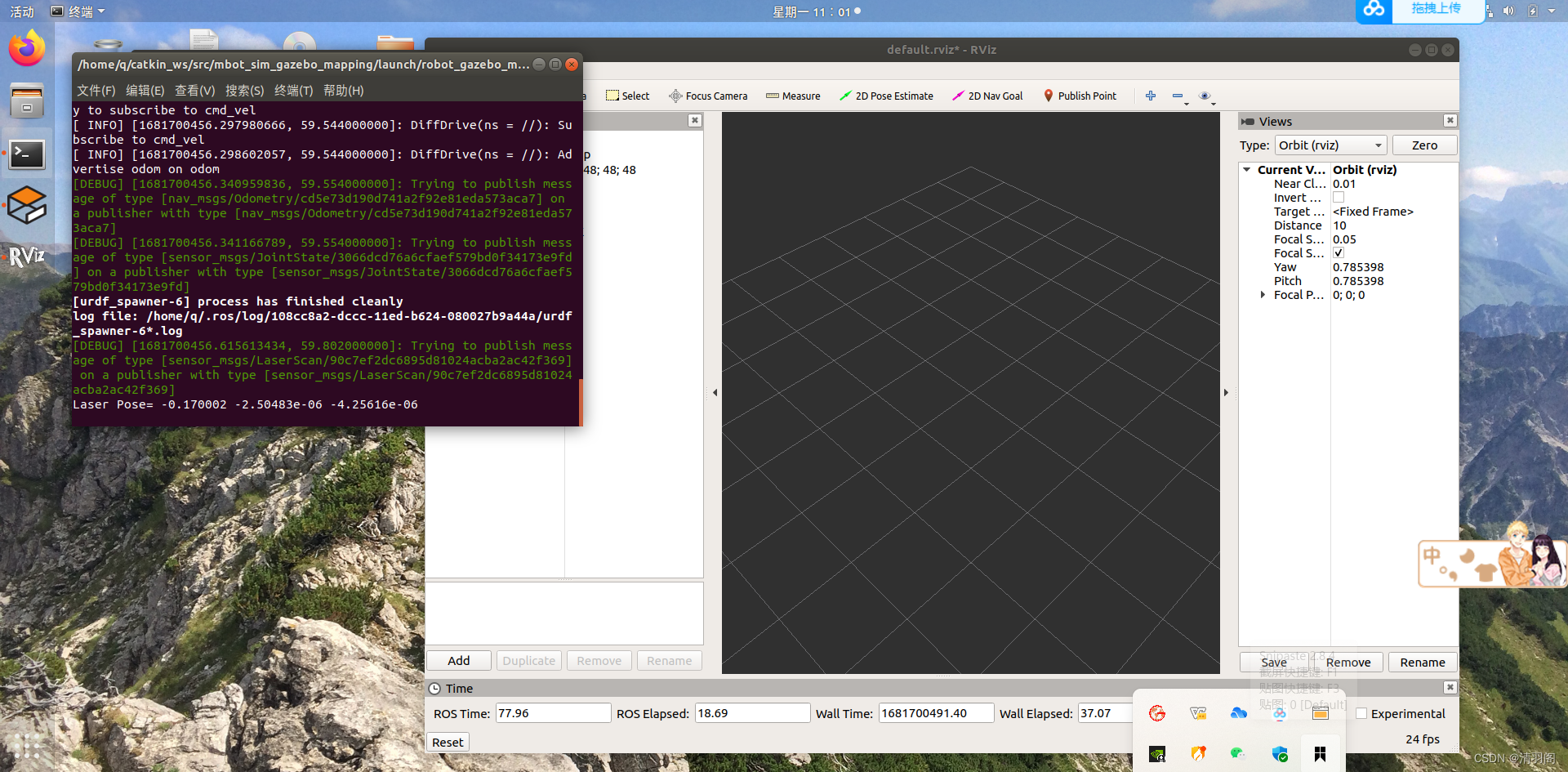
2、运行robot_gazebo_mapping.launch
roslaunch mbot_sim_gazebo_mapping robot_gazebo_mapping.launch
效果如下图:
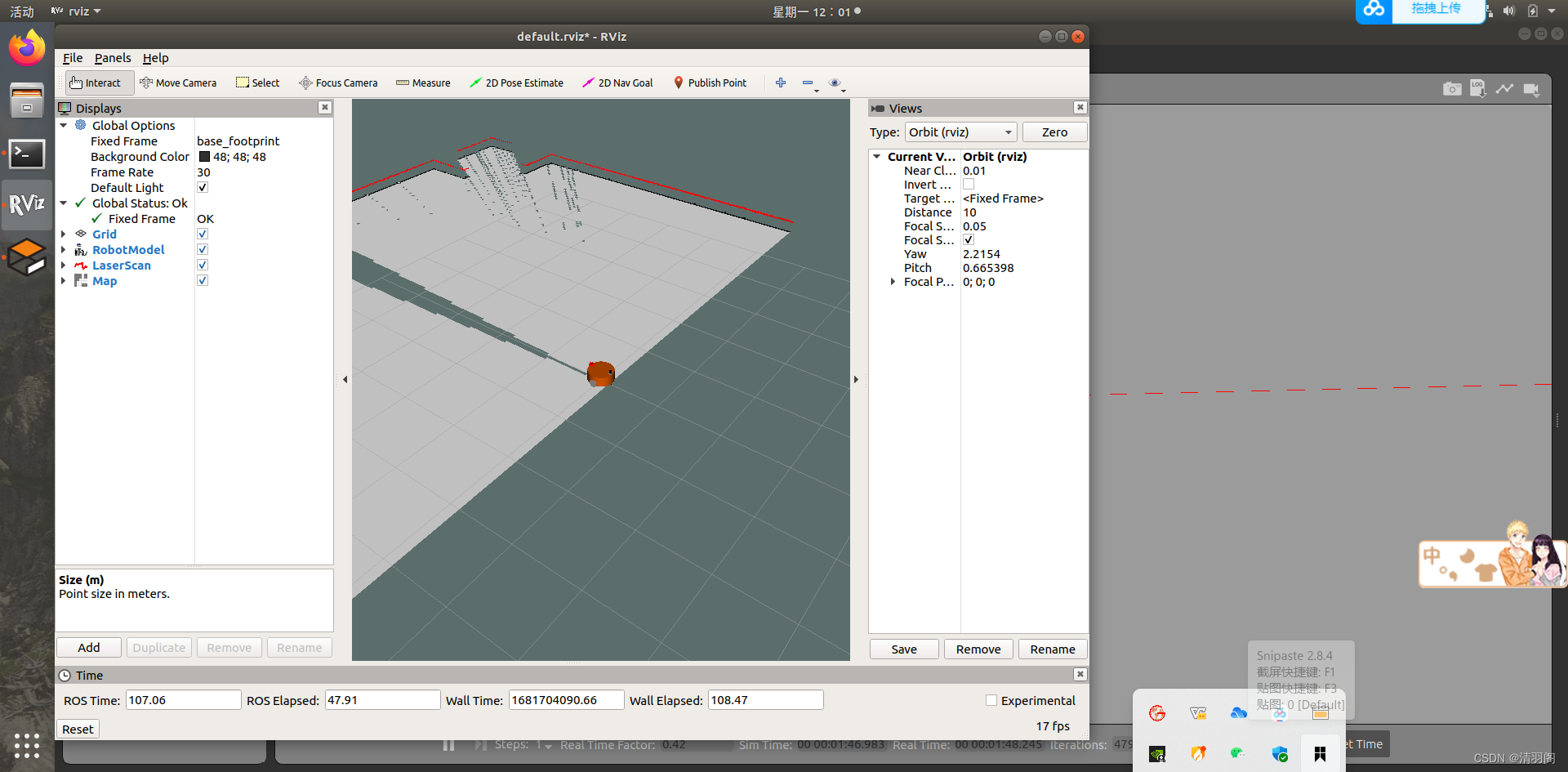
在rviz里面,添加RobotModel,添加LaserScan,添加Map
然后将LaserScan的Topic设置为/scan
将Map的Topic设置为/map
将Global Options——Fixed Frame设置为base_footprint
效果如下:
键盘控制
在功能包里的script文件夹里创建一个名为teleop_twist_keyboard.py的空白文档,内容如下:
#!/usr/bin/env pythonfrom __future__ import print_functionimport threadingimport roslib; roslib.load_manifest('teleop_twist_keyboard')
import rospyfrom geometry_msgs.msg import Twistimport sys, select, termios, ttymsg = """
Reading from the keyboard  and Publishing to Twist!
---------------------------
Moving around:q    w    ea    s    dz    x    cFor Holonomic mode (strafing), hold down the shift key:
---------------------------U    I    OJ    K    LM    <    >t : up (+z)
b : down (-z)anything else : stopq/z : increase/decrease max speeds by 10%
w/x : increase/decrease only linear speed by 10%
e/c : increase/decrease only angular speed by 10%CTRL-C to quit
"""moveBindings = {'w':(1,0,0,0),'e':(1,0,0,-1),'a':(0,0,0,1),'d':(0,0,0,-1),'q':(1,0,0,1),'x':(-1,0,0,0),'c':(-1,0,0,1),'z':(-1,0,0,-1),'O':(1,-1,0,0),'I':(1,0,0,0),'J':(0,1,0,0),'L':(0,-1,0,0),'U':(1,1,0,0),'<':(-1,0,0,0),'>':(-1,-1,0,0),'M':(-1,1,0,0),'t':(0,0,1,0),'b':(0,0,-1,0),}speedBindings={'q':(1.1,1.1),'z':(.9,.9),'w':(1.1,1),'x':(.9,1),'e':(1,1.1),'c':(1,.9),}class PublishThread(threading.Thread):def __init__(self, rate):super(PublishThread, self).__init__()self.publisher = rospy.Publisher('cmd_vel', Twist, queue_size = 1)self.x = 0.0self.y = 0.0self.z = 0.0self.th = 0.0self.speed = 0.0self.turn = 0.0self.condition = threading.Condition()self.done = False# Set timeout to None if rate is 0 (causes new_message to wait forever# for new data to publish)if rate != 0.0:self.timeout = 1.0 / rateelse:self.timeout = Noneself.start()def wait_for_subscribers(self):i = 0while not rospy.is_shutdown() and self.publisher.get_num_connections() == 0:if i == 4:print("Waiting for subscriber to connect to {}".format(self.publisher.name))rospy.sleep(0.5)i += 1i = i % 5if rospy.is_shutdown():raise Exception("Got shutdown request before subscribers connected")def update(self, x, y, z, th, speed, turn):self.condition.acquire()self.x = xself.y = yself.z = zself.th = thself.speed = speedself.turn = turn# Notify publish thread that we have a new message.self.condition.notify()self.condition.release()def stop(self):self.done = Trueself.update(0, 0, 0, 0, 0, 0)self.join()def run(self):twist = Twist()while not self.done:self.condition.acquire()# Wait for a new message or timeout.self.condition.wait(self.timeout)# Copy state into twist message.twist.linear.x = self.x * self.speedtwist.linear.y = self.y * self.speedtwist.linear.z = self.z * self.speedtwist.angular.x = 0twist.angular.y = 0twist.angular.z = self.th * self.turnself.condition.release()# Publish.self.publisher.publish(twist)# Publish stop message when thread exits.twist.linear.x = 0twist.linear.y = 0twist.linear.z = 0twist.angular.x = 0twist.angular.y = 0twist.angular.z = 0self.publisher.publish(twist)def getKey(key_timeout):tty.setraw(sys.stdin.fileno())rlist, _, _ = select.select([sys.stdin], [], [], key_timeout)if rlist:key = sys.stdin.read(1)else:key = ''termios.tcsetattr(sys.stdin, termios.TCSADRAIN, settings)return keydef vels(speed, turn):return "currently:\tspeed %s\tturn %s " % (speed,turn)if __name__=="__main__":settings = termios.tcgetattr(sys.stdin)rospy.init_node('teleop_twist_keyboard')speed = rospy.get_param("~speed", 0.5)turn = rospy.get_param("~turn", 1.0)repeat = rospy.get_param("~repeat_rate", 0.0)key_timeout = rospy.get_param("~key_timeout", 0.0)if key_timeout == 0.0:key_timeout = Nonepub_thread = PublishThread(repeat)x = 0y = 0z = 0th = 0status = 0try:pub_thread.wait_for_subscribers()pub_thread.update(x, y, z, th, speed, turn)print(msg)print(vels(speed,turn))while(1):key = getKey(key_timeout)if key in moveBindings.keys():x = moveBindings[key][0]y = moveBindings[key][1]z = moveBindings[key][2]th = moveBindings[key][3]elif key in speedBindings.keys():speed = speed * speedBindings[key][0]turn = turn * speedBindings[key][1]print(vels(speed,turn))if (status == 14):print(msg)status = (status + 1) % 15else:# Skip updating cmd_vel if key timeout and robot already# stopped.if key == '' and x == 0 and y == 0 and z == 0 and th == 0:continuex = 0y = 0z = 0th = 0if (key == '\x03'):breakpub_thread.update(x, y, z, th, speed, turn)except Exception as e:print(e)finally:pub_thread.stop()termios.tcsetattr(sys.stdin, termios.TCSADRAIN, settings)
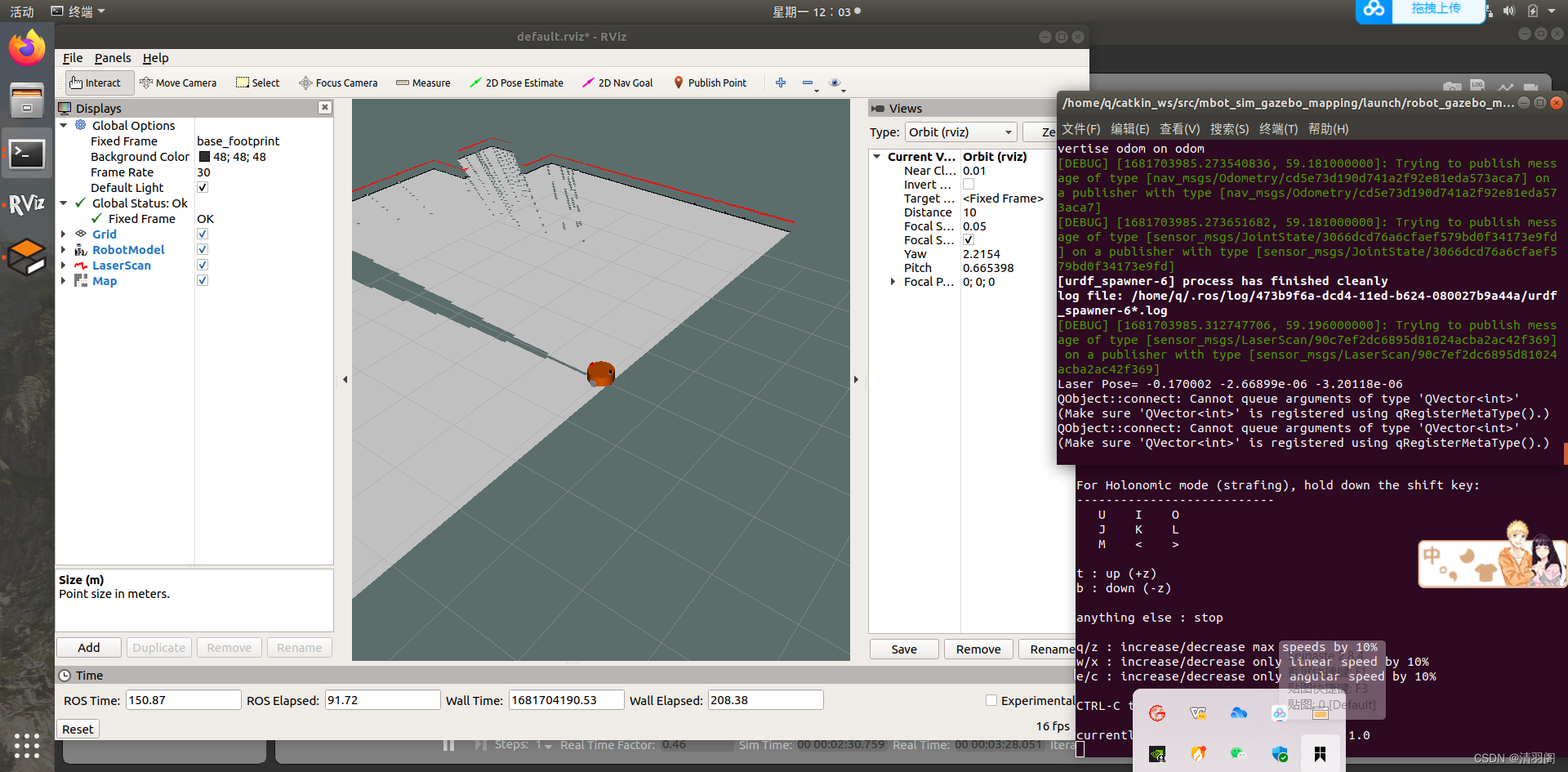
执行如下代码,实现模型的键盘控制:
rosrun mbot_sim_gazebo_mapping teleop_twist_keyboard.py
通过qweasdzxc让小车运动
效果如下:
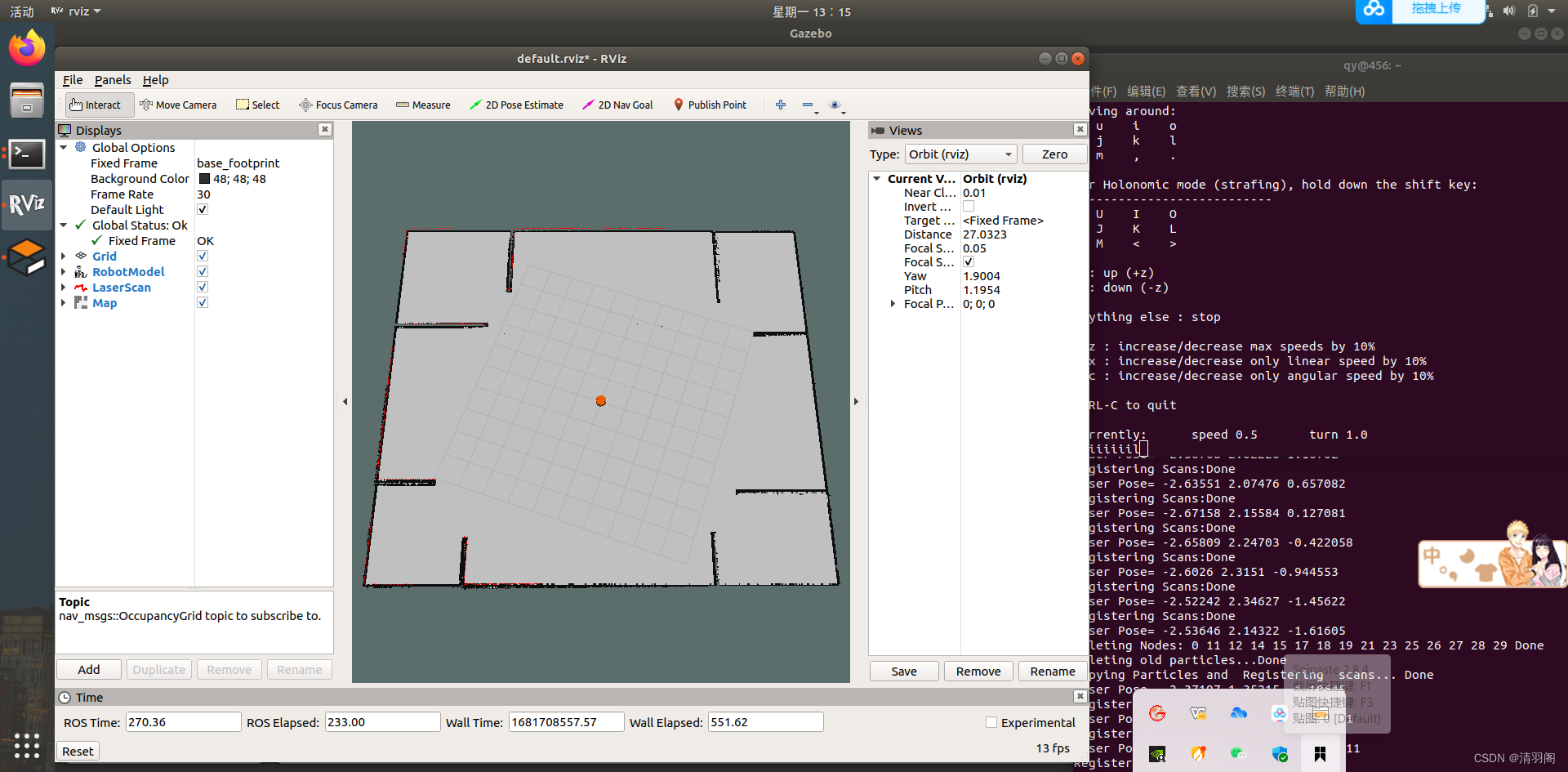
通过键盘控制机器人的移动,完成建图过程,移动过程中可以观察到rviz中地图的变化,在这里我已经把整个图扫完了。
五、保存地图
在mbot_sim_gazebo_mapping功能包下,切换到map文件夹下,右键打开终端,执行如下命令,完成地图保存:
rosrun map_server map_saver -f myMapFile
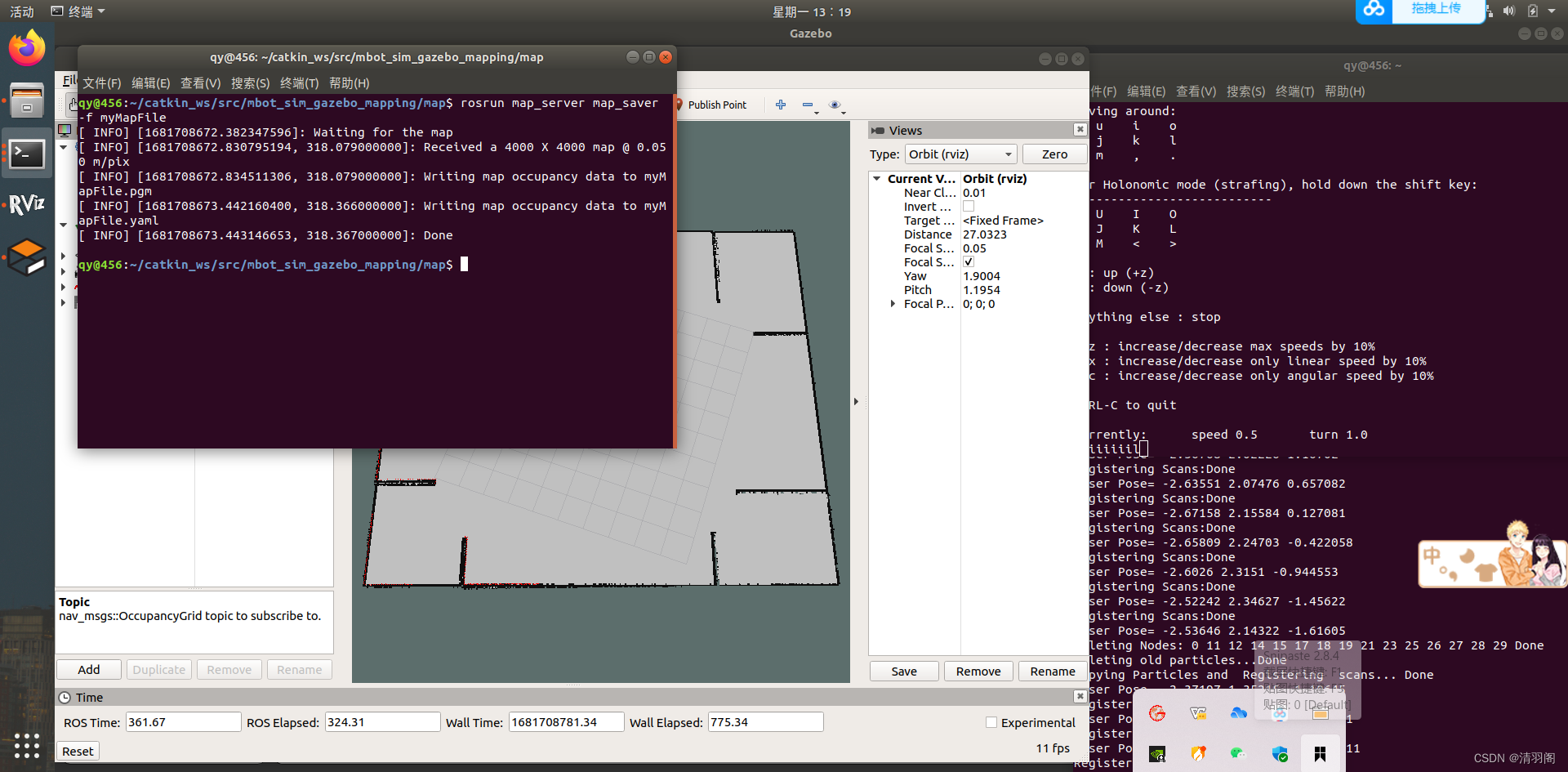
然后打开该功能包里面的map文件,如果里面有1个刚扫完的图片和一个文件,即可。后期需要用到这两个文件
本文来自互联网用户投稿,文章观点仅代表作者本人,不代表本站立场,不承担相关法律责任。如若转载,请注明出处。 如若内容造成侵权/违法违规/事实不符,请点击【内容举报】进行投诉反馈!