canvas 烟花特效 感兴趣的快来学一学
这次的特效利用的是JavaScript面向对象语法与canvas绘画技术,全程并无难点,但是可以增强一下自我面向对象编程思维!!! 其中利用了固定加速度的写法,当然也可以利用物理知识写一个与高度成开方关系的加速度方程
废话少说 先上特效结果 再上代码!!!
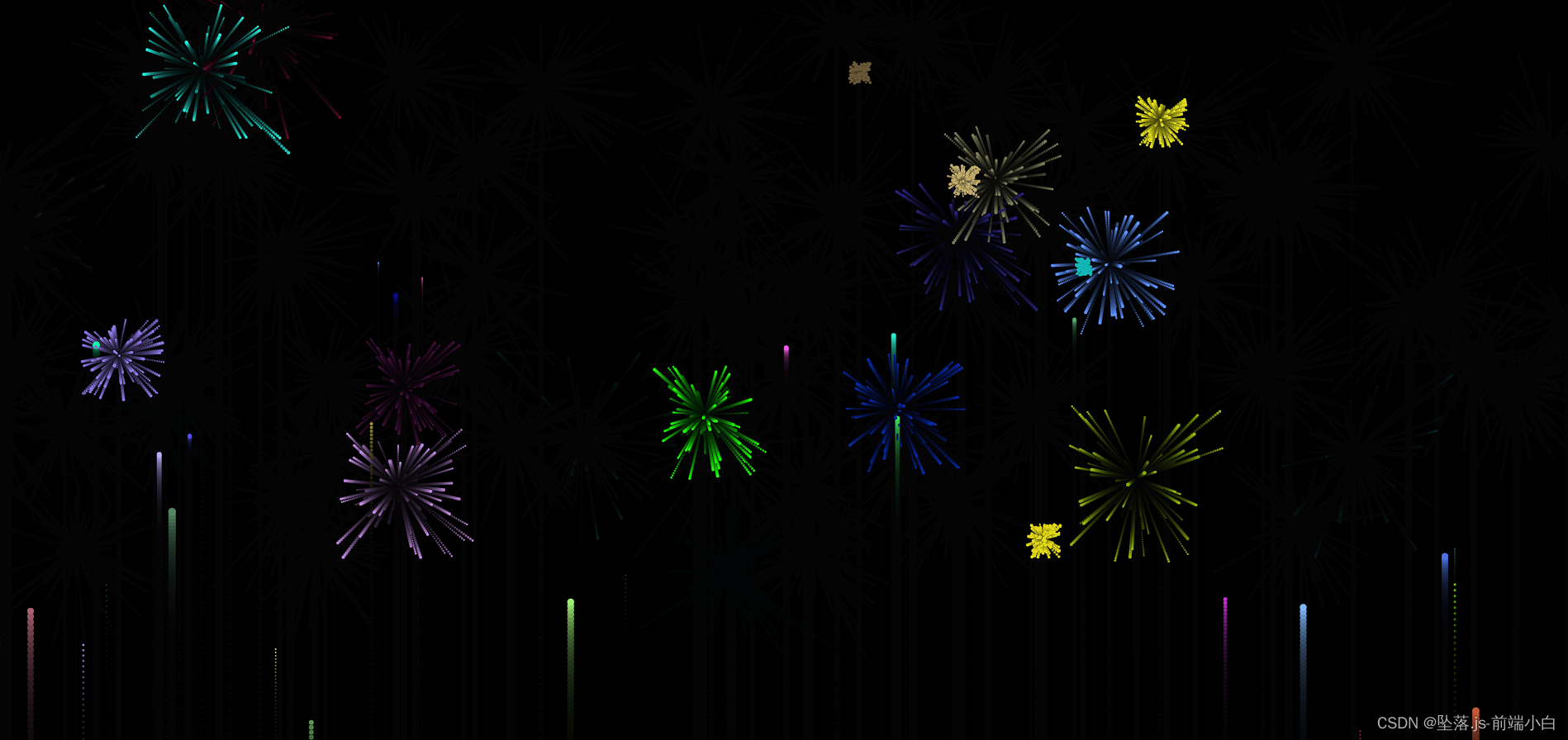
html部分:
css部分:
*{padding: 0;margin: 0;box-sizing: border-box;
}
html,body{height: 100vh;background-color: black;overflow: hidden;
}
JavaScript部分:
/**@type{HTMLCanvasElement}*/
let can = document.querySelector("canvas");
can.width = window.innerWidth;
can.height = window.innerHeight;
window.onresize = function () {can.width = window.innerWidth;can.height = window.innerHeight;
}
let ctx = can.getContext("2d");let boobarr = [];
let Boobarr2 = [];class Max {                  // 制造向上运动的轨迹小球constructor() {this.x = this.Random().x;this.y = window.innerHeight;;this.r = this.Random().r;this.color = this.Random().color;this.speed = this.Random().speed;this.g = 0.035;                              // 向下的加速度boobarr.push(this);}Random() {return {x: Math.random() * window.innerWidth,color: `rgb(${Math.random() * 256},${Math.random() * 256},${Math.random() * 256})`,speed: Math.random() * (8 - 4) + 4,                                              //  初始速度r: Math.random() * 5,}}makeBoob() {ctx.beginPath();ctx.arc(this.x, this.y, this.r, 0, Math.PI * 2, true)ctx.fillStyle = this.color;ctx.fill();ctx.closePath();}run() {this.y -= this.speed;this.makeBoob();this.speed -= this.g;if (this.speed <= 0) {for (let i = 0; i <= 100; i++) {new BB(this.x, this.y, this.color);}}}
}class BB {constructor(x_, y_, color) {this.x__ = x_;this.y__ = y_;this.color = color;this.r = Math.random() * (2 - 1) + 1this.rx = this.Random2().rx;this.ry = this.Random2().ry;this.speeds = Math.random() * (3 - 2) + 2;this.life = 50 * (Math.random());Boobarr2.push(this)}Random2() {return {rx: (Math.random() - 0.45) * 5,                               // 爆炸时分散烟花的方向ry: (Math.random() - 0.45) * 5}}make() {ctx.beginPath();ctx.arc(this.x__, this.y__, this.r, 0, 2 * Math.PI, true)ctx.fillStyle = this.color;ctx.fill();ctx.closePath();}runimg() {this.x__ += this.rx;this.y__ += this.ry;this.life--this.make();}
}function makerun(num) {for (let index = 0; index < num; index++) {new Max();}
}makerun(30);function runing() {ctx.fillStyle = `rgba(0,0,0,${0.1})`              /// 渲染拖尾ctx.fillRect(0, 0, can.width, can.height)            /// 渲染拖尾for (let i = 0; i < boobarr.length; i++) {boobarr[i].run();if (boobarr[i].speed <= 0) {boobarr.splice(i, 1);new Max();}}for (let o = 0; o < Boobarr2.length; o++) {console.log(111);Boobarr2[o].runimg();if (Boobarr2[o].life <= 0) {Boobarr2.splice(o, 1);}}requestAnimationFrame(runing)
}
runing();
我自己写了一个加速度返回表达式:
v2: -(Math.random() * Math.sqrt(can.height) / 3 + Math.sqrt(4 * can.height) / 2) / 5, //自由落体加速度内容包括canvas的基本使用,希望对你有所启发!!!
本文来自互联网用户投稿,文章观点仅代表作者本人,不代表本站立场,不承担相关法律责任。如若转载,请注明出处。 如若内容造成侵权/违法违规/事实不符,请点击【内容举报】进行投诉反馈!