access_token/生成小程序码/图片流转换图片
click test 获取access_token
clicktest(){var access_tokenwx.request({url:`https://api.weixin.qq.com/cgi-bin/token?grant_type=client_credential&appid=自己的小程序appid`,method:'get',header: { 'Content-Type': 'application/x-www-form-urlencoded;charset=utf-8'},success: (res) => {console.log('接口1---',res) access_token=res.data.access_token},fail:(res)=>{console.log('fail')},complete:(res)=> {}})}返回access_token

获取小程序码并转图片显示在页面
1、获取小程序码,见官方文档:获取小程序码 | 微信开放文档
这里我用的是第三个无限量:wxacode.getUnlimited | 微信开放文档
返回结果:

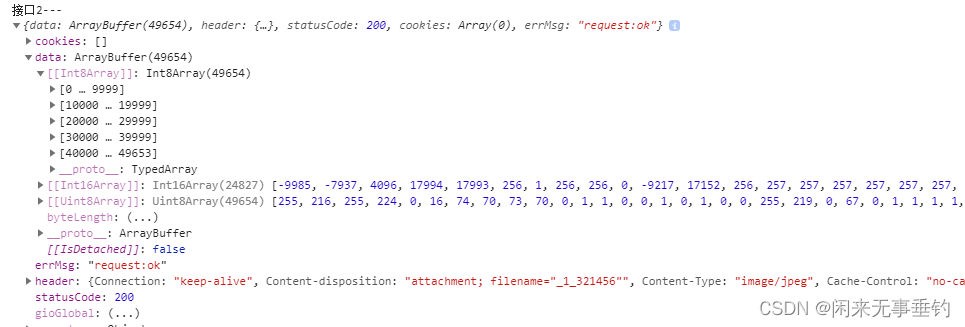
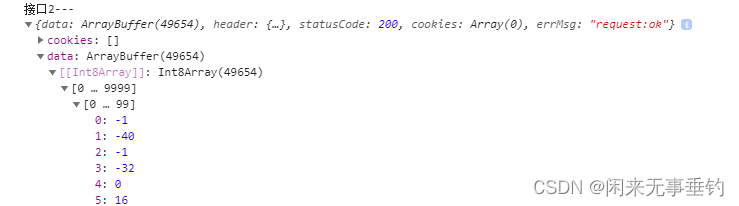
2、官方有直接讲图片流转成base64的方法,但是不维护了 string wx.arrayBufferToBase64(ArrayBuffer arrayBuffer) | 微信开放文档
3、获取文件管理器(就是代码里用到的),具体介绍可详见官方文档:
FileSystemManager | 微信开放文档
FileSystemManager.writeFile(Object object) | 微信开放文档
打印结果
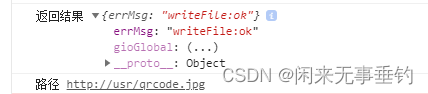
具体代码如下:
var postData={page:'pages/index',//小程序需要打开的页面路径scene:'1_321456',//小程序码上需要携带的参数,形式自己定义,我这边是以_分割参数width:'200',//图片大小check_path:true,//检查 page 是否存在,具体详解见apienv_version:'release'//要打开的小程序版本:正式版release,体验版trial,开发版develop
}
wx.request({url:`https://api.weixin.qq.com/wxa/getwxacodeunlimit?access_token=${access_token}`,method:'post',data:postData,header: { 'Content-Type':'application/json;charset=utf-8'},//在Network下Preview下如果返回47001的错误,是数据格式不对,可以试试把x-www-form-urlencoded换成application/jsonresponseType: 'arraybuffer',success: (res) => {console.log('接口2---',res)  //---------------以下是将图片流转成图片显示在页面//图片流转base64的这个方法api已经停止维护了// const base64 = wx.arrayBufferToBase64(res.data);// this.setData({//   userImageBase64: `data:image/jpg;base64,${base64}`// });var filePath = wx.env.USER_DATA_PATH + '/qrcode.jpg';//设置临时路径wx.getFileSystemManager().writeFile({//获取到的数据写入临时路径filePath: filePath,//临时路径encoding: 'binary',//编码方式,二进制data: res.data,//请求到的数据success:  (res) => {console.log('返回结果',res)console.log('路径',filePath)//打印路径this.setData({imgSrc:filePath})//---------------以下是将图片流转成图片显示在页面  End},fail: function(res) {console.log(res)},})},fail:(res)=>{console.log('fail')},complete:(res)=> {}})
本文来自互联网用户投稿,文章观点仅代表作者本人,不代表本站立场,不承担相关法律责任。如若转载,请注明出处。 如若内容造成侵权/违法违规/事实不符,请点击【内容举报】进行投诉反馈!