Ursina制作我的世界跑酷游戏(附源码)
ursina是Python的一个强大的3d模块。用了它,我们可以在里面“复刻“我的世界,并制作跑酷赛道。
第一步:pip安装ursina模块:
pip install ursina因为模块有点大(实际包含Panda3d等几个模块),为提升下载速度,我们可以设置国内镜像源:
pip install ursina -i https://pypi.tuna.tsinghua.edu.cn/simple这里用的是清华大学的,可自己选择源
然后写代码:
第一步:引用ursina模块和第一人称
from ursina import *
from ursina.prefabs.first_person_controller import FirstPersonController
第二步,创建Ursina程序并赋值纹理(图在后面),为下面代码做铺垫
grass_texture = load_texture('texture\grass')
stone_texture = load_texture('texture\stone')
brick_texture = load_texture(r'texture\brick')
dirt_texture  = load_texture('texture\dirt')
sky_texture   = load_texture('sky')
arm_texture   = load_texture('white_cube')
bedrock_texture=load_texture(r"texture\bedrock")
punch_sound   = Audio('sine',loop = False, autoplay = False)
block_pick = 1
block_texture_dict={
1:grass_texture,2:stone_texture,3:brick_texture,4:dirt_texture,5:'white_cube'}
diction={}
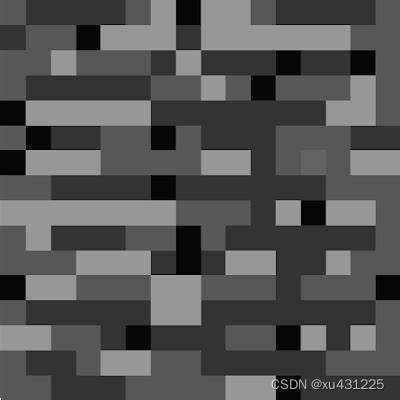
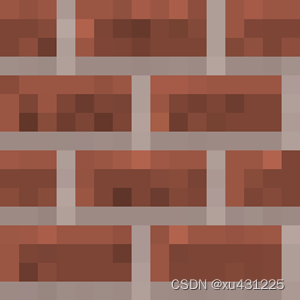
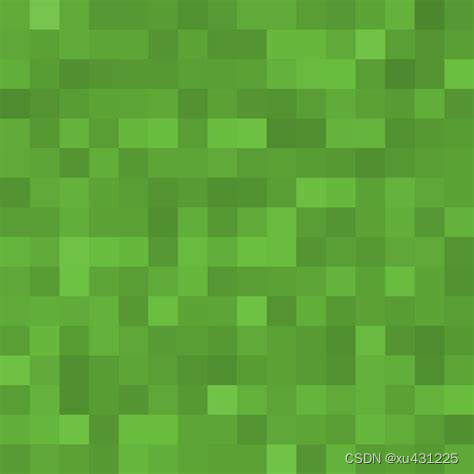
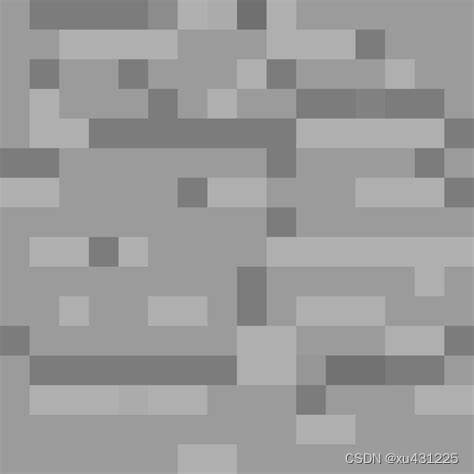
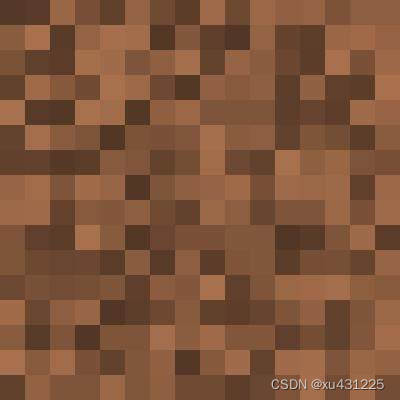
grass,stone,brick,dirt和bedrock_texture是方块的纹理,load_texture(r'texture\brick')表示打开ursina模块中textures文件夹中texture文件夹中的brick图片(格式jpg和png都行),而sky和arm的纹理图片是ursina自带的,不用下载。Audio('sine',loop=False,autoplay=False)表示打开ursina自带的音频sine.wav,因其声音像挖放方块的声音,为后面的代码做铺垫。loop=False即循环为假,autoplay=False即自动播放为假。block_texture_dict,diction是为方便下文的字典。
接下来是定义方块的类,继承Button类,因为Entity是没有碰撞体积的
class Voxel(Button):def __init__(self, position = (0,0,0), texture = grass_texture,scale_y=1):super().__init__(parent = scene,position = position,model = 'cube',origin_y = 0.5,texture = texture,color = color.color(0,0,random.uniform(0.9,1)),scale_y = scale_y)def update(self):sx=self.xsy=self.ysz=self.zif ((self.x - player.x) ** 2 + (self.y - player.y) ** 2 + (self.z - player.z) ** 2) ** 0.5>=10: #远离玩家10格以外的方块将被破坏destroy(self)try:del diction[(sx,sy,sz)] #not exist any moreexcept KeyError:passdef input(self,key):if self.hovered:if ((self.x - player.x) ** 2 + (self.y - player.y) ** 2 + (self.z - player.z) ** 2) ** 0.5 <= 7: #distance #7格的手长if key == 'right mouse down':if block_pick!=5: punch_sound.play()if block_pick == 1: voxel = Voxel(position = self.position + mouse.normal, texture = grass_texture)if block_pick == 2: voxel = Voxel(position = self.position + mouse.normal, texture = stone_texture)if block_pick == 3: voxel = Voxel(position = self.position + mouse.normal, texture = brick_texture)if block_pick == 4: voxel = Voxel(position = self.position + mouse.normal, texture = dirt_texture)if key == 'left mouse down':if ((self.x-player.x)**2+(self.y-player.y)**2+(self.z-player.z)**2)**0.5<=7:punch_sound.play()if self.texture!=bedrock_texture: #基岩不能破坏destroy(self)因为是跑酷,赛道肯定很长,方块数量多了,电脑就危险了,所以我在update()中规定:离玩家距离超过10格的方块(if ((self.x - player.x) ** 2 + (self.y - player.y) ** 2 + (self.z - player.z) ** 2) ** 0.5>=10,后面我把玩家起名为plyer)会被自动清除(destory(self)),并把字典中此方块的位置清除。是的,diction是用于放置已存在的方块的位置的,具体如下:
diction={已存在方块位置:True}。为什么要这样呢?
离玩家距离超过10格的方块自动清除,那么10格以内的方块就要重新放置。但ursina中一个位置是允许有多个方块的,这会导致同位置有无数的方块,电脑同样很卡。所以每当生成一个方块,就把当前位置标记为True,当前位置不再生成方块。同样,当方块被清除,那么此位置的字典就被删除。为什么用True呢?便于后面的if语句。
还有,这里讲一下update()和input()的区别。update(self)用于数据的更新,每一帧都会运行;而input(self,key)函数只有在键盘、鼠标活动时才运行。他们两个会被ursina自动调用,我们只用定义就好了。并且由于我糟糕的跑酷技术,我设置了可以放置(input(self)函数中的if key == 'right mouse down':下的内容)和破坏方块(destory(self)),且加了if ((self.x - player.x) ** 2 + (self.y - player.y) ** 2 + (self.z - player.z) ** 2) ** 0.5 <= 7的限制,我们只够得着7格以内的方块。在左\右键时,播放sine.wav(punch_sound.play())模拟方块破坏声。 if self.texture!=bedrock_texture:是指不能破坏基岩
接下来便是定义天和手的类了:
class Sky(Entity):def __init__(self):super().__init__(parent = scene,model = 'sphere',texture = sky_texture,scale = 150,double_sided = True)class Hand(Entity):def __init__(self,texture=grass_texture,scale_x=0.5,scale_y=0.5):super().__init__(parent = camera.ui,model = 'cube',texture = texture,scale_x = scale_x,scale_y = scale_y,rotation = Vec3(150,-10,0),position = Vec2(0.4,-0.6))def update(self):if block_pick==5:self.scale_x=0.2self.scale_y=0.2 #空手时else:self.scale_x=self.scale_y=0.5self.texture=block_texture_dict[block_pick] #手持方块时def active(self):self.position = Vec2(0.2,-0.4)def passive(self):self.position = Vec2(0.4,-0.6)
这里sky的double_sidede一定要设成True,不然就是黑乎乎一片,其他的非常简单,就不用我讲了
然后便是一些设置和实例:
def input(key):if key == 'q':player.y+=100    #作弊键if key == 'escape':quit()
window.fullscreen = True
player=FirstPersonController()
text=Text(text=f"Position:({player.x},{player.y},{player.z})",position=(-0.85,0.5))
text2=Text(text='Die-times:',color=color.red,position=(-0.85,0.45))
sky = Sky()
hand = Hand()    #创造一系列实例zhi_music = Audio(r"zhi.mp3", autoplay=False, loop=False)
back_music    = Audio(r"gangqinqu.mp3",autoplay=False,loop=True)
back_music.play()
dietimes=0
message=Text(text='',scale=1,position=(-0.85,0.4))
gravity_text=Text(text='',position=(-0.85,0.35))
说了我技术不好,所以按q键玩家y值加100。按ESC退出。
windows.fullscreen是全屏,沉浸式游玩,FirstPersonController是第一人称,里面其实可以加参数,但此游戏不益加。zhi_music是当玩家坠落时用于嘲笑玩家的,可自行选择。back_music是背景音乐,可自行选择。text=Text(text=f"Position:({player.x},{player.y},{player.z})",position=(-0.85,0.5))是记录玩家实时位置的,text2=Text(text='Die-times:',color=color.red,position=(-0.85,0.45))是记录玩家死亡次数的。gravity_text是用于记录重力的,以后要上太空。其中Text的用法:Text(text='文字',scale=规模,填数字,position=(x,y))。
接下来是updata()函数了,十分重要,它同时也包括赛道的生成:
def update():global block_pickglobal dietimesif player.y>=75:message.text='Entered the space!'message.position=(-0.85,0.4)message.scale=1gravity=(player.y-74)**(-0.2) #括号中的-0.2可依个人喜好来,但必须是负数gravity_text.text=f"Gravity:{gravity}"player.gravity = gravityelse:message.text = ''gravity = 1gravity_text.text = ""player.gravity = gravityif player.y>=1000:message.text='Out of Universe!'message.scale=2message.position=(-0.20,0.1)diction2={1:(0,0),2:(0,3),3:(0,6),4:(0,9),5:(0,12),6:(3,12),7:(6,12),8:(9,12),9:(12,12),10:(12,9),11:(12,6),12:(12,3),13:(12,0),14:(9,0),15:(6,0),16:(3,0)}text.text = f"Position:({player.x:.0f},{player.y:.0f},{player.z:.0f})" #格式化位置,不然几十位小数if player.y <= -80:zhi_music.play() #惩罚音乐dietimes+=1 #死亡次数记录text2.text=f"Die-times:{dietimes}"player.x = 0 #重回出生点player.y = 0player.z = 0if held_keys['left mouse'] or held_keys['right mouse']:hand.active()else:hand.passive() #挥舞手臂if held_keys['1']: block_pick = 1if held_keys['2']: block_pick = 2if held_keys['3']: block_pick = 3if held_keys['4']: block_pick = 4if held_keys['5']: block_pick = 5for i in range(1010): #1010个方块try:x=diction2[i%16][0]z=diction2[i%16][1]except KeyError: #预防取模为0的情况x=3z=0y=itry:if diction[(x,y,z)]: #当此位置存在方块时不再放置passexcept KeyError:if ((x - player.x) ** 2 + (y - player.y) ** 2 + (z-player.z) ** 2) ** 0.5 <= 10: #确保在10格以内才生成,防止卡顿diction.update({(x,y,z):True}) #放置后此为置标记为真,防止同一位置无数方块Block=Voxel(position=(x,y,z),texture=bedrock_texture) #放置方块print(f"Position:({x},{y},{z})") #打印出方块位置,便于调试
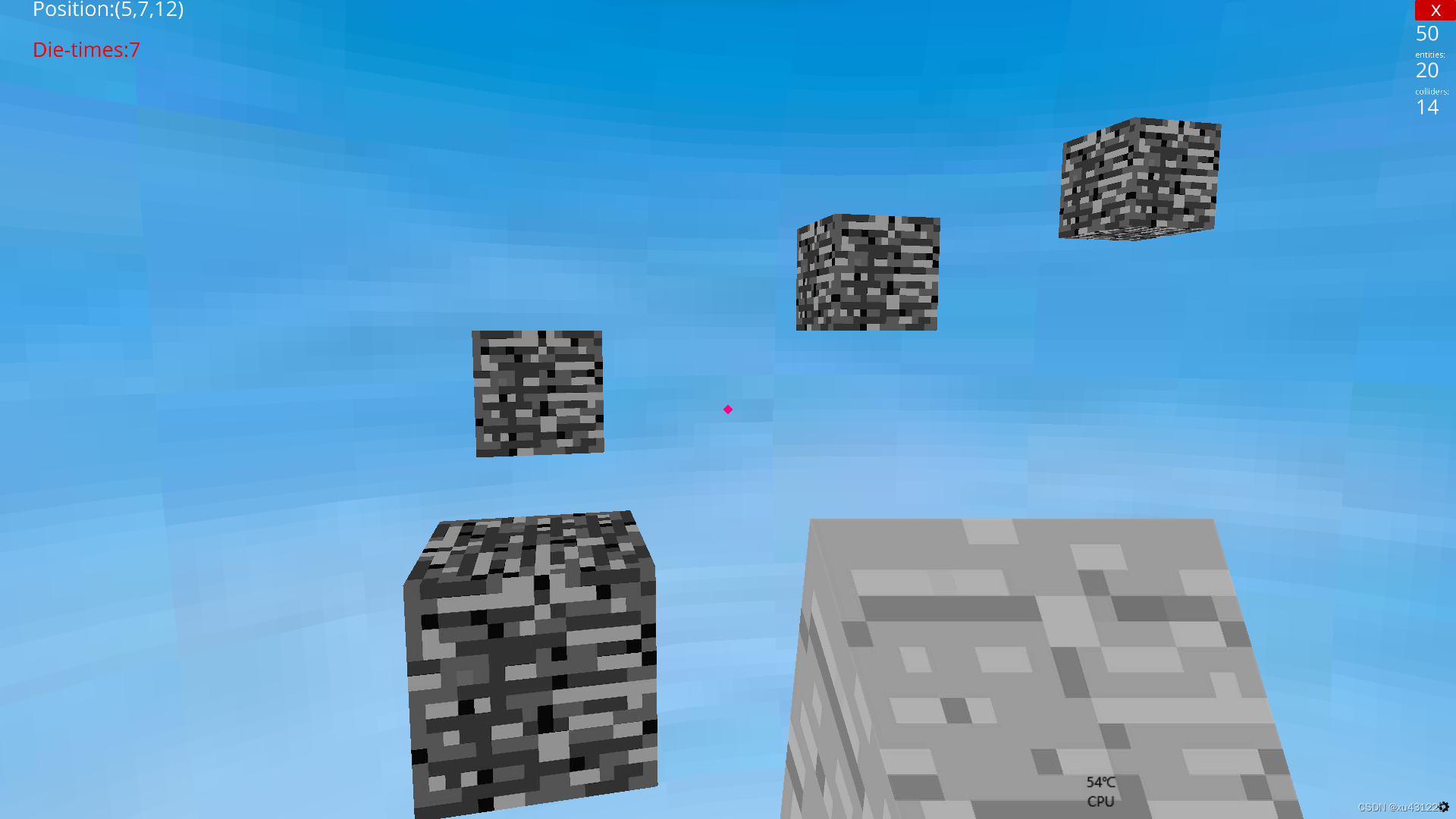
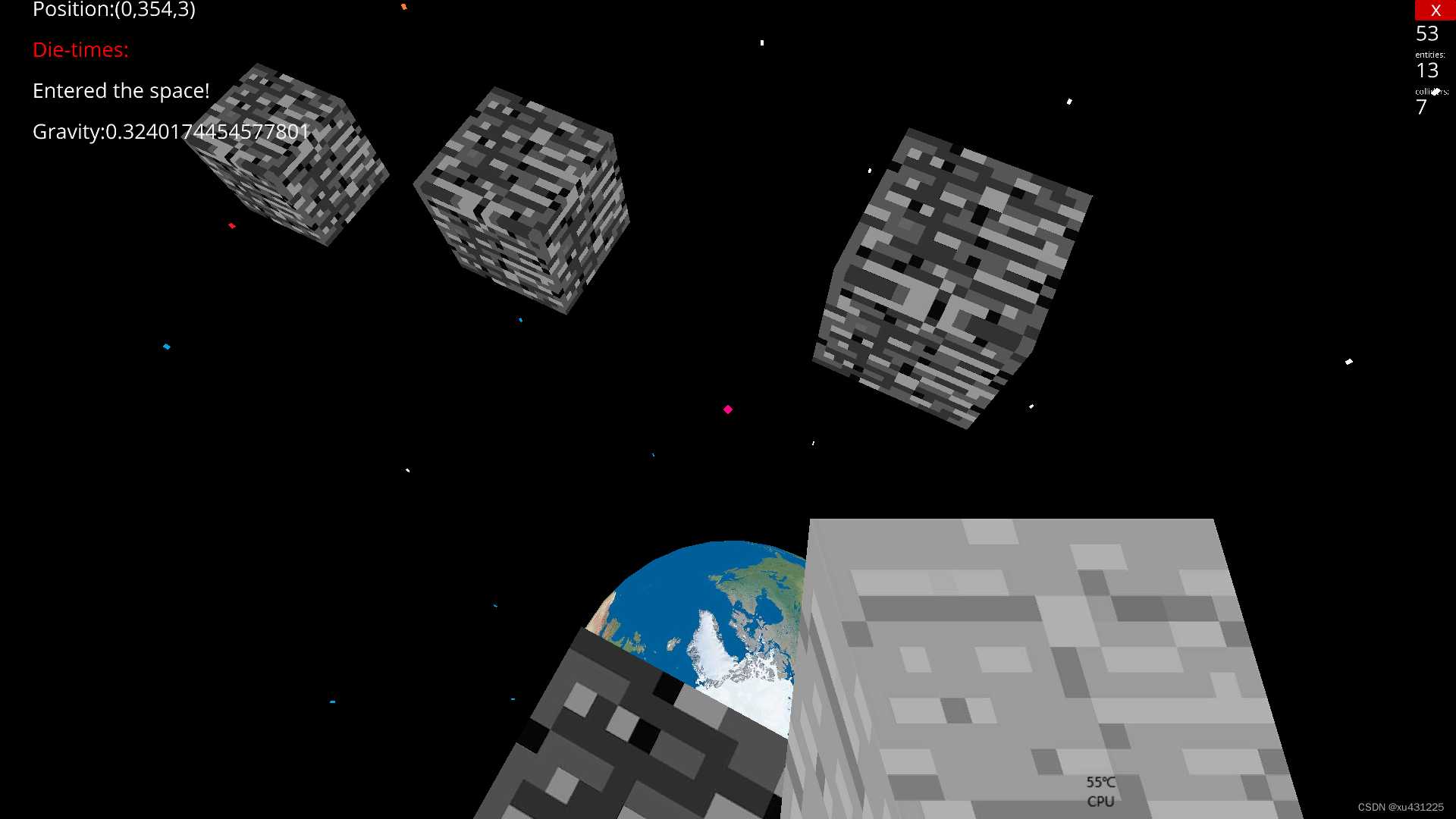
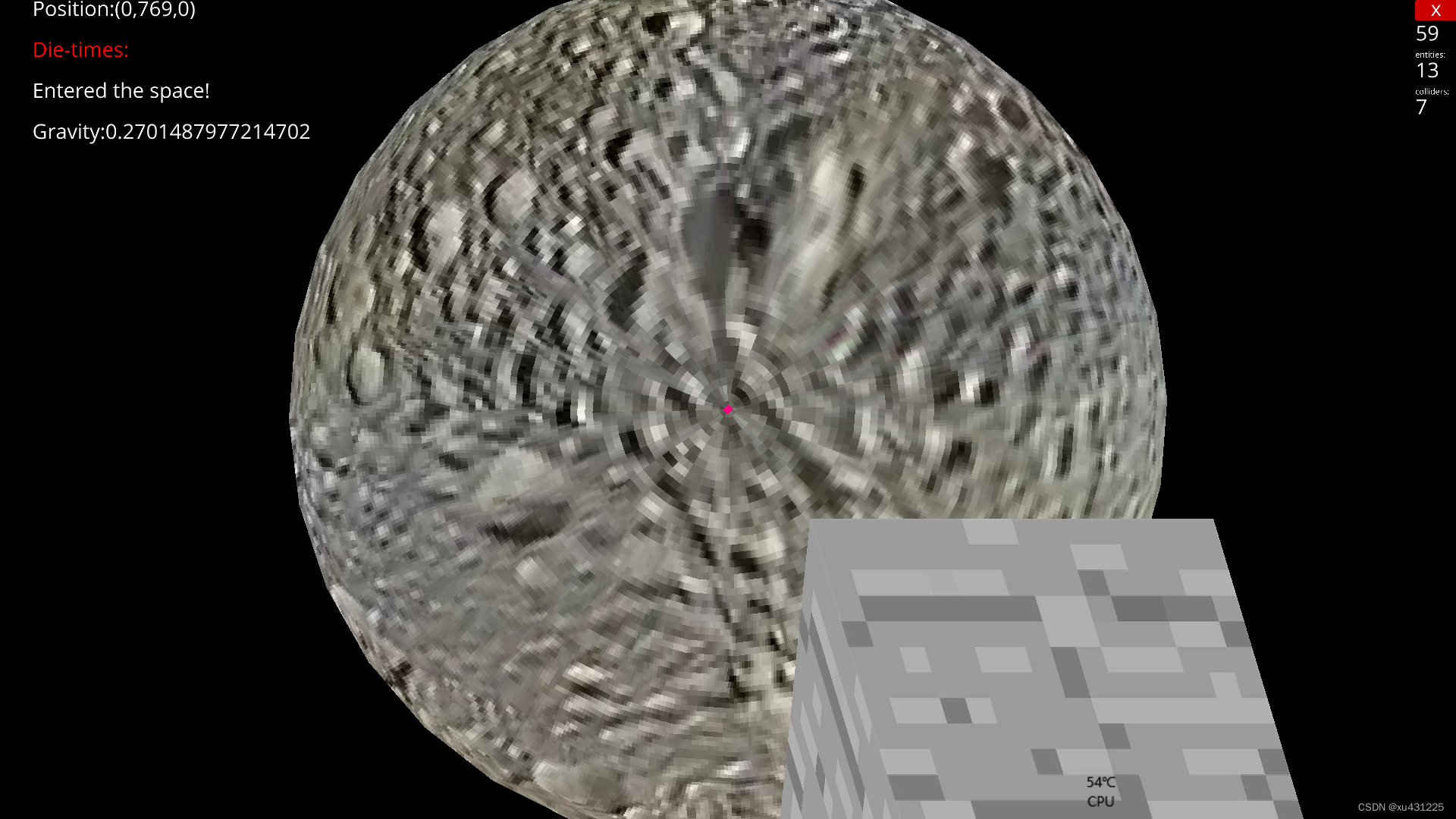
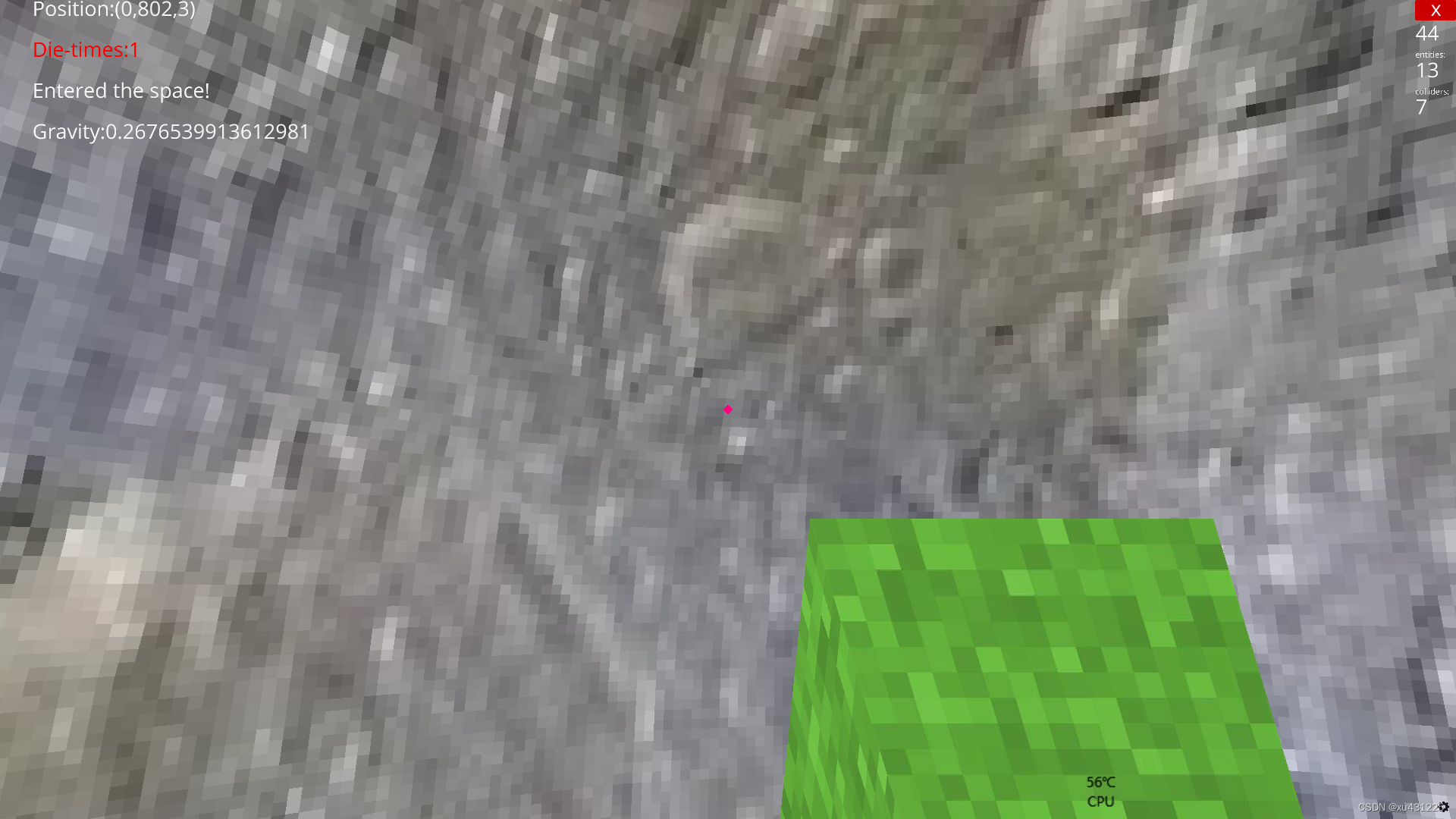
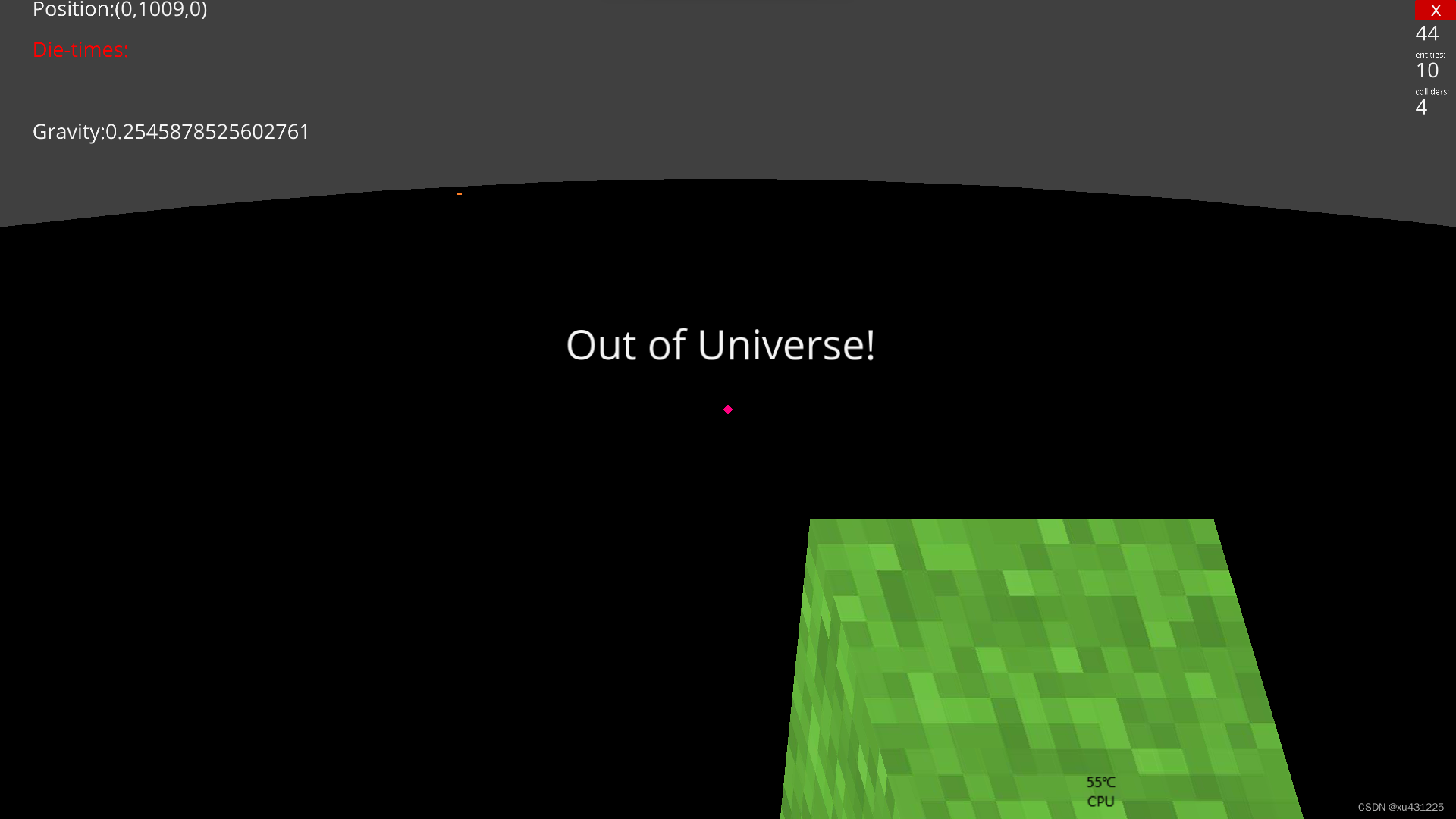
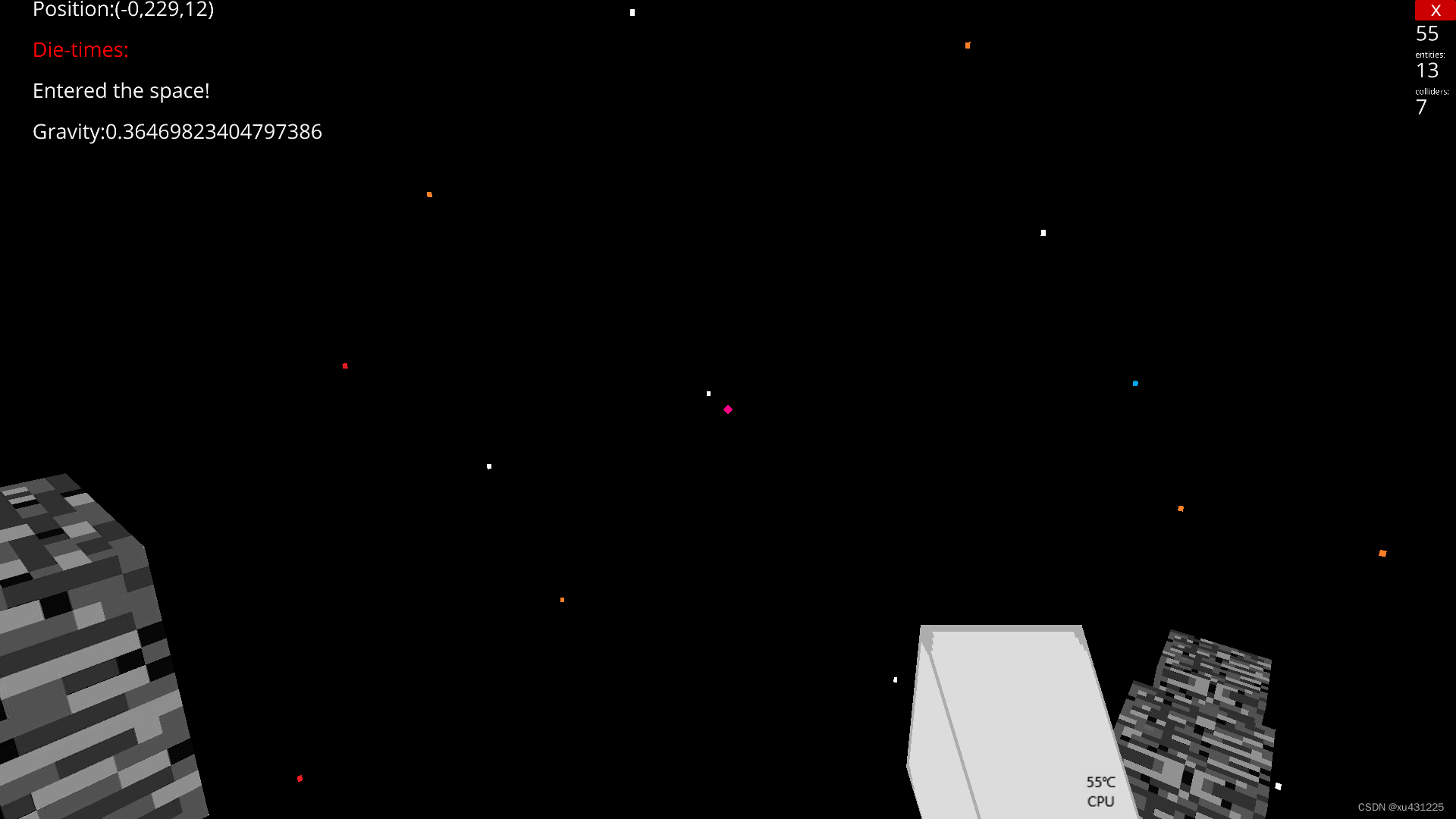
sky的规模设为150,那么玩家高度超过75时即判定进入太空,将message.text的内容更新为“Entered the space!”来提醒玩家已进入太空。既然是太空,失重是必然的。将75格作为地平线,y值越高,重力越小,并通过改变player.gravity属性来改变重力。下面代码把星空贴图的直径设为了2000,所以当玩家y值超过1000时就浅鄙的说离开了宇宙。hand.active()是破坏或放置方块时手的状态,hand.passive则反。接下来便是赛道生成。我们想要一个阶梯状的跑酷赛道,每两个方块之间间隔2格,y轴上升1格。我们来枚举一下:
| 方块 | (0,12) | 方块 | (3,12) | 方块 | (6,12) | 方块 | (9,12) | 方块 | ||||
| (12,12) | ||||||||||||
| 方块 | (0,9) | 方块 | ||||||||||
| (12,9) | ||||||||||||
| 方块 | (0,6) | 方块 | ||||||||||
| (12,6) | ||||||||||||
| 方块 | (0,3) | 方块 | ||||||||||
| (12,3) | ||||||||||||
| 方块 | (0,0) | (3,0) | 方块 | (6,0) | 方块 | (9,0) | 方块 | (12,0) | 方块 |
因为每一圈的方块x和z值相同,所以我们可以用字典来储存数据,即diction2={1:(x,z),2:(x,z)···}
其中1:(0,0)指的是每一圈第一个方块的x,y坐标,再用简单的取模法算得序次,取模为0则为子典最后一个元组,用try except语句应对KeyError
由于update()函数是每一帧都运行的,为防止同一位置被不停地放置方块,方块放置后就把当前位置标记为真,以后不再放置。为什么要这么麻烦?一切都是为了电脑啊!
接着便是收尾了。既然是宇宙,星空少不了吧?有地球,月球也少不了吧?
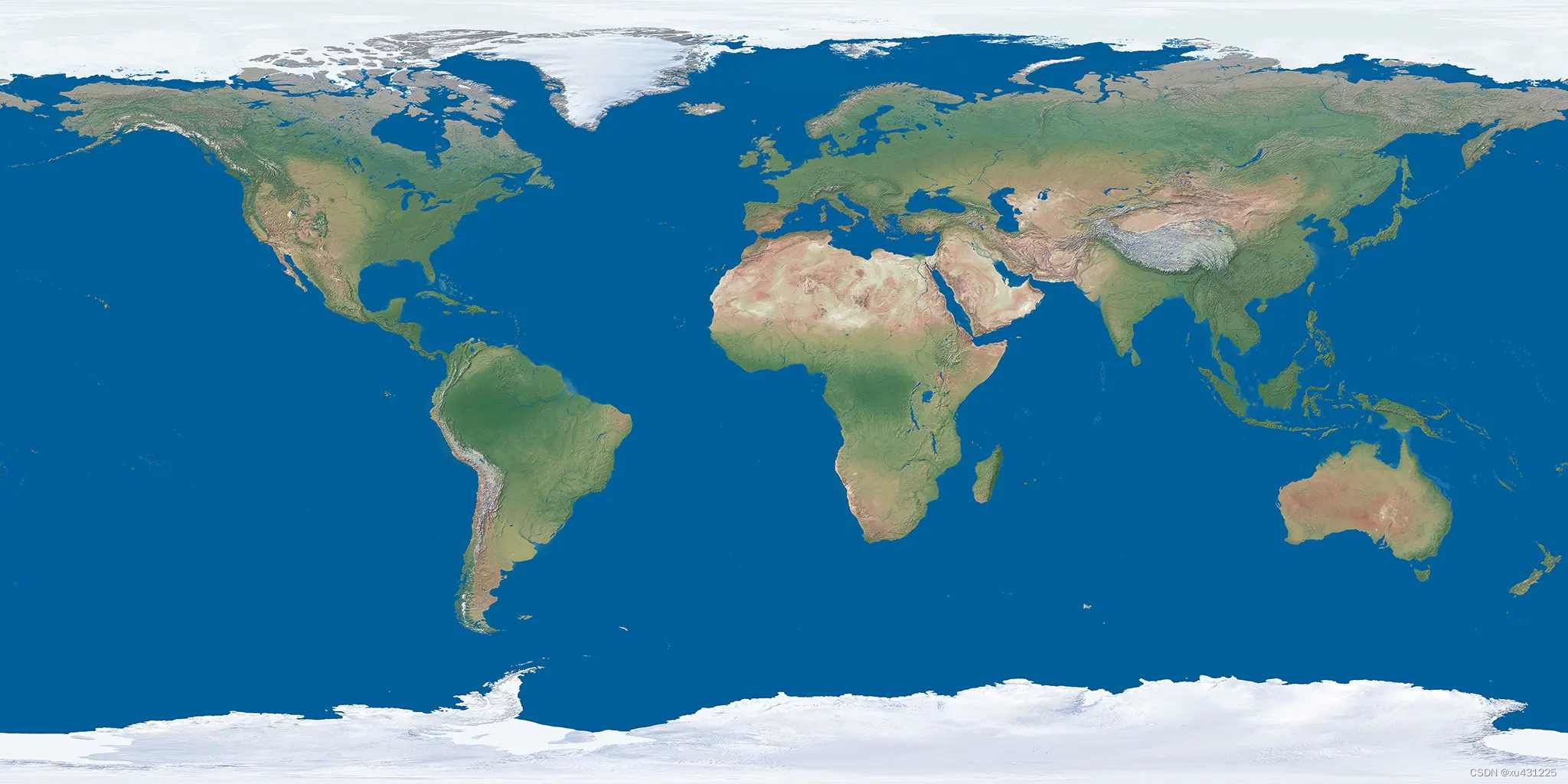
earth=Entity(model='sphere',scale=151,texture='earth')
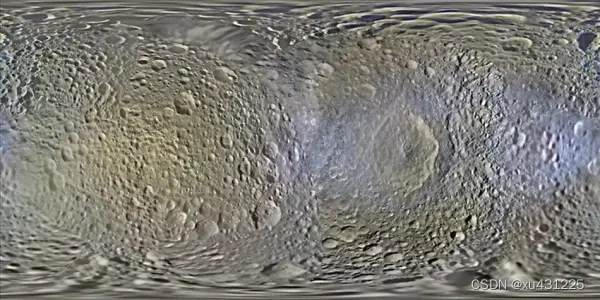
moon =Entity(model='sphere',scale=30,texture='moon',double_sided=True,position=(0,800,0))
star=Entity(model='sphere',scale=2000,texture='星空',double_sided=True)
app.run()
因为sky的规模为150,恐怕重合了,所以地球的规模为151。星空图其实就是黑底子上着了几个白蓝黄像素,虽然小,但放大了1000倍就大了。app.run()少不了,没有它程序转不了。
附源码:(不加注释)
from ursina import *
from ursina.prefabs.first_person_controller import FirstPersonControllerapp = Ursina()
grass_texture = load_texture('texture\grass')
stone_texture = load_texture('texture\stone')
brick_texture = load_texture(r'texture\brick')
dirt_texture  = load_texture('texture\dirt')
sky_texture   = load_texture('sky')
arm_texture   = load_texture('white_cube')
bedrock_texture=load_texture(r"texture\bedrock")
punch_sound   = Audio('sine',loop = False, autoplay = False)
block_pick = 1
block_texture_dict={1:grass_texture,2:stone_texture,3:brick_texture,4:dirt_texture,5:'white_cube'}
diction={}class Voxel(Button):def __init__(self, position = (0,0,0), texture = grass_texture,scale_y=1):super().__init__(parent = scene,position = position,model = 'cube',origin_y = 0.5,texture = texture,color = color.color(0,0,random.uniform(0.9,1)),scale_y = scale_y)def update(self):sx=self.xsy=self.ysz=self.zif ((self.x - player.x) ** 2 + (self.y - player.y) ** 2 + (self.z - player.z) ** 2) ** 0.5>=10:destroy(self)try:del diction[(sx,sy,sz)] #not exist any moreexcept KeyError:passdef input(self,key):if self.hovered:if ((self.x - player.x) ** 2 + (self.y - player.y) ** 2 + (self.z - player.z) ** 2) ** 0.5 <= 7: #distanceif key == 'right mouse down':if block_pick!=5: punch_sound.play()if block_pick == 1: voxel = Voxel(position = self.position + mouse.normal, texture = grass_texture)if block_pick == 2: voxel = Voxel(position = self.position + mouse.normal, texture = stone_texture)if block_pick == 3: voxel = Voxel(position = self.position + mouse.normal, texture = brick_texture)if block_pick == 4: voxel = Voxel(position = self.position + mouse.normal, texture = dirt_texture)if key == 'left mouse down':if ((self.x-player.x)**2+(self.y-player.y)**2+(self.z-player.z)**2)**0.5<=7:punch_sound.play()if self.texture!=bedrock_texture:destroy(self)class Sky(Entity):def __init__(self):super().__init__(parent = scene,model = 'sphere',texture = sky_texture,scale = 150,double_sided = True)class Hand(Entity):def __init__(self,texture=grass_texture,scale_x=0.5,scale_y=0.5):super().__init__(parent = camera.ui,model = 'cube',texture = texture,scale_x = scale_x,scale_y = scale_y,rotation = Vec3(150,-10,0),position = Vec2(0.4,-0.6))def update(self):if block_pick==5:self.scale_x=0.2self.scale_y=0.2else:self.scale_x=self.scale_y=0.5self.texture=block_texture_dict[block_pick]def active(self):self.position = Vec2(0.2,-0.4)def passive(self):self.position = Vec2(0.4,-0.6)def input(key):if key == 'q':player.y+=100if key == 'escape':quit()window.fullscreen = True
player=FirstPersonController()
text=Text(text=f"Position:({player.x},{player.y},{player.z})",position=(-0.85,0.5))
text2=Text(text='Die-times:',color=color.red,position=(-0.85,0.45))
sky = Sky()
hand = Hand()zhi_music = Audio(r"zhi.mp3", autoplay=False, loop=False)
back_music    = Audio(r"gangqinqu.mp3",autoplay=False,loop=True)
back_music.play()
dietimes=0
message=Text(text='',scale=1,position=(-0.85,0.4))
gravity_text=Text(text='',position=(-0.85,0.35))
def update():global block_pickglobal  dietimesif player.y>=75:message.text='Entered the space!'message.position=(-0.85,0.4)message.scale=1gravity=(player.y-74)**(-0.2)gravity_text.text=f"Gravity:{gravity}"player.gravity = gravityelse:message.text = ''gravity = 1gravity_text.text = ""player.gravity = gravityif player.y>=1000:message.text='Out of Universe!'message.scale=2message.position=(-0.20,0.1)diction2={1:(0,0),2:(0,3),3:(0,6),4:(0,9),5:(0,12),6:(3,12),7:(6,12),8:(9,12),9:(12,12),10:(12,9),11:(12,6),12:(12,3),13:(12,0),14:(9,0),15:(6,0),16:(3,0)}text.text = f"Position:({player.x:.0f},{player.y:.0f},{player.z:.0f})"if player.y <= -80:zhi_music.play()dietimes+=1text2.text=f"Die-times:{dietimes}"player.x = 0player.y = 0player.z = 0if held_keys['left mouse'] or held_keys['right mouse']:hand.active()else:hand.passive()if held_keys['1']: block_pick = 1if held_keys['2']: block_pick = 2if held_keys['3']: block_pick = 3if held_keys['4']: block_pick = 4if held_keys['5']: block_pick = 5for i in range(1010):try:x=diction2[i%16][0]z=diction2[i%16][1]except KeyError:x=3z=0y=itry:if diction[(x,y,z)]:passexcept KeyError:if ((x - player.x) ** 2 + (y - player.y) ** 2 + (z-player.z) ** 2) ** 0.5 <= 10:diction.update({(x,y,z):True})Block=Voxel(position=(x,y,z),texture=bedrock_texture)print(f"Position:({x},{y},{z})")earth=Entity(model='sphere',scale=151,texture='earth')
moon =Entity(model='sphere',scale=30,texture='moon',double_sided=True,position=(0,800,0))
star=Entity(model='sphere',scale=2000,texture='星空',double_sided=True)
app.run()
bedrock_texture:d
brick_texture
grass_texture
stone_texture
dirt_texture
星空texture(可以自己用画图画)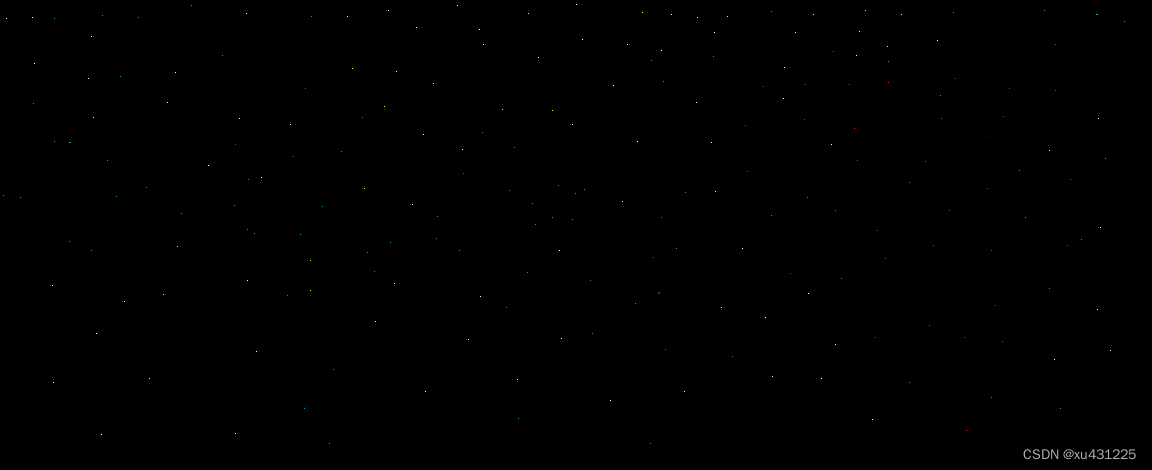
earth_texture
moon_texture
背景音乐和惩罚音乐我就不放出来了,自己酌情选择
游戏画面:
本文来自互联网用户投稿,文章观点仅代表作者本人,不代表本站立场,不承担相关法律责任。如若转载,请注明出处。 如若内容造成侵权/违法违规/事实不符,请点击【内容举报】进行投诉反馈!