vue2,vue3移动端实现表格固定和首列固定
好久都没有写文章了,上个月业务繁忙,事情比较多,最近在做移动端中发现了一个好玩的事情,那就是移动端中实现表格,固定列有哪些方法:
1. position: sticky
粘性布局,这个属性也可以实现行和列的固定,在pc端上没有啥问题,但是在手机端上会抖动。
使用注意事项:
要求父级不能够使用overflow:auto,否则不生效。
牛刀小试
DOCTYPE html>
<html><head><meta charset="UTF-8"><meta name="viewport" content="width=device-width, initial-scale=1.0"><title>Testtitle><style>*,body,html {margin: 0;padding: 0;box-sizing: border-box;height: 100%;width: 100%;}.condition {height: 50px;background-color: rgb(19, 13, 13);color: #fff;font-size: 2em;text-align: center;}.table-container {width: 100%;height: calc(100% - 50px);overflow: auto;}table {border-collapse: collapse;}th,td {padding: 5px;text-align: center;border: 1px solid #999;min-width: 100px;}th {background-color: #333;color: #fff;position: sticky;top: 0px;}td:first-child {background-color: #333;color: #fff;position: sticky;left: 0px;}th:first-child {position: sticky;left: 0px;top: 0px;z-index: 10;}style><script src="https://cdn.staticfile.org/vue/2.5.17-beta.0/vue.min.js">script><script>document.addEventListener("DOMContentLoaded", function () {let t = new Vue({ el: "#app" });});script>
head><body><div id="app"><div class="condition">条件查询div><div class="table-container"><table><thead><tr><th v-for="(n,i) of 50">字段 {{i+1}}th>tr>thead><tbody><tr v-for="(n,i) of 100"><td v-for="(m,j) of 50">{{j+1}}td>tr>tbody>table>div>div>body>html>
pc端的效果如下:
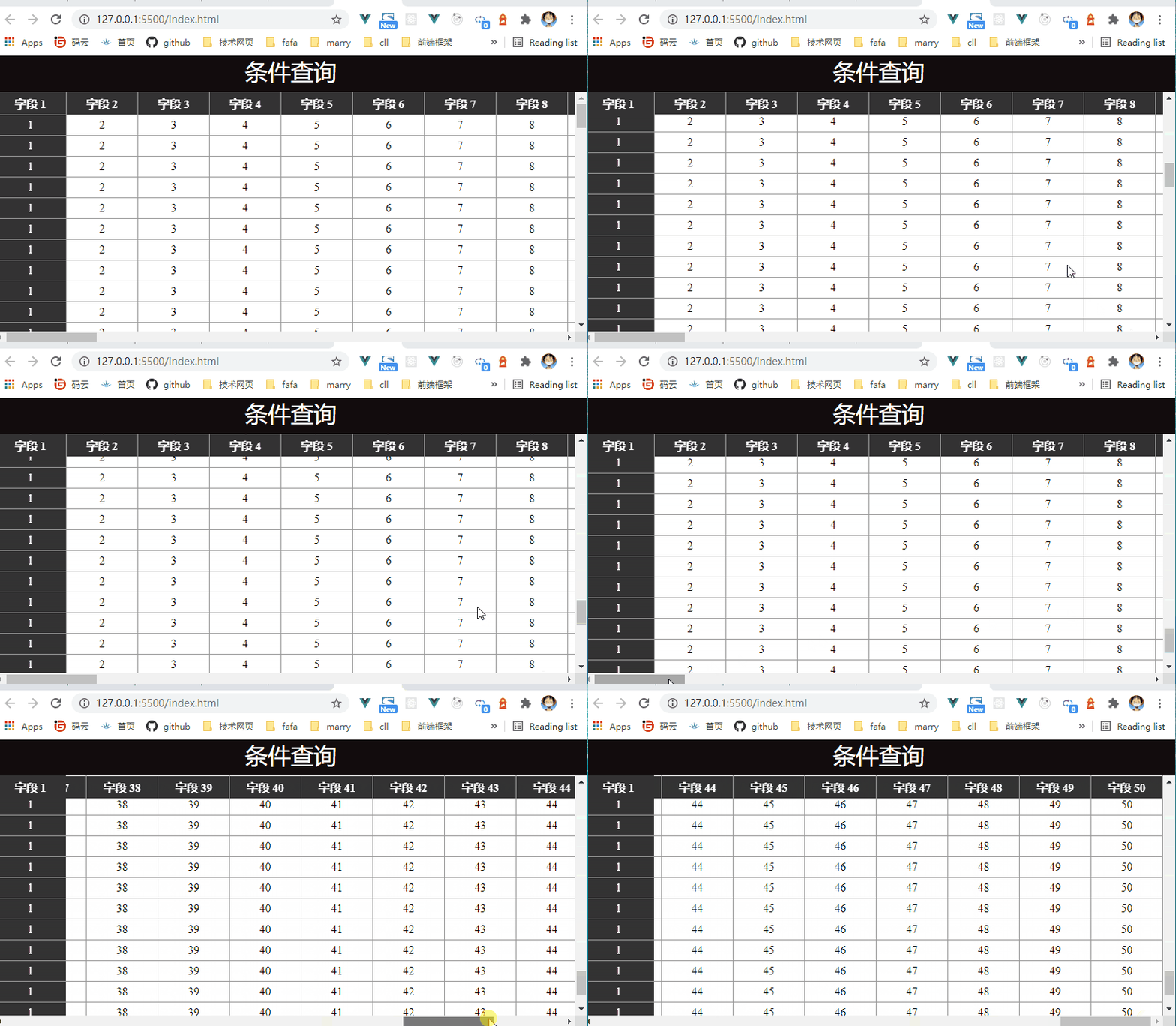
pc端的效果咋们都可以接收,虽然会有点看起来不舒服。
移动端效果
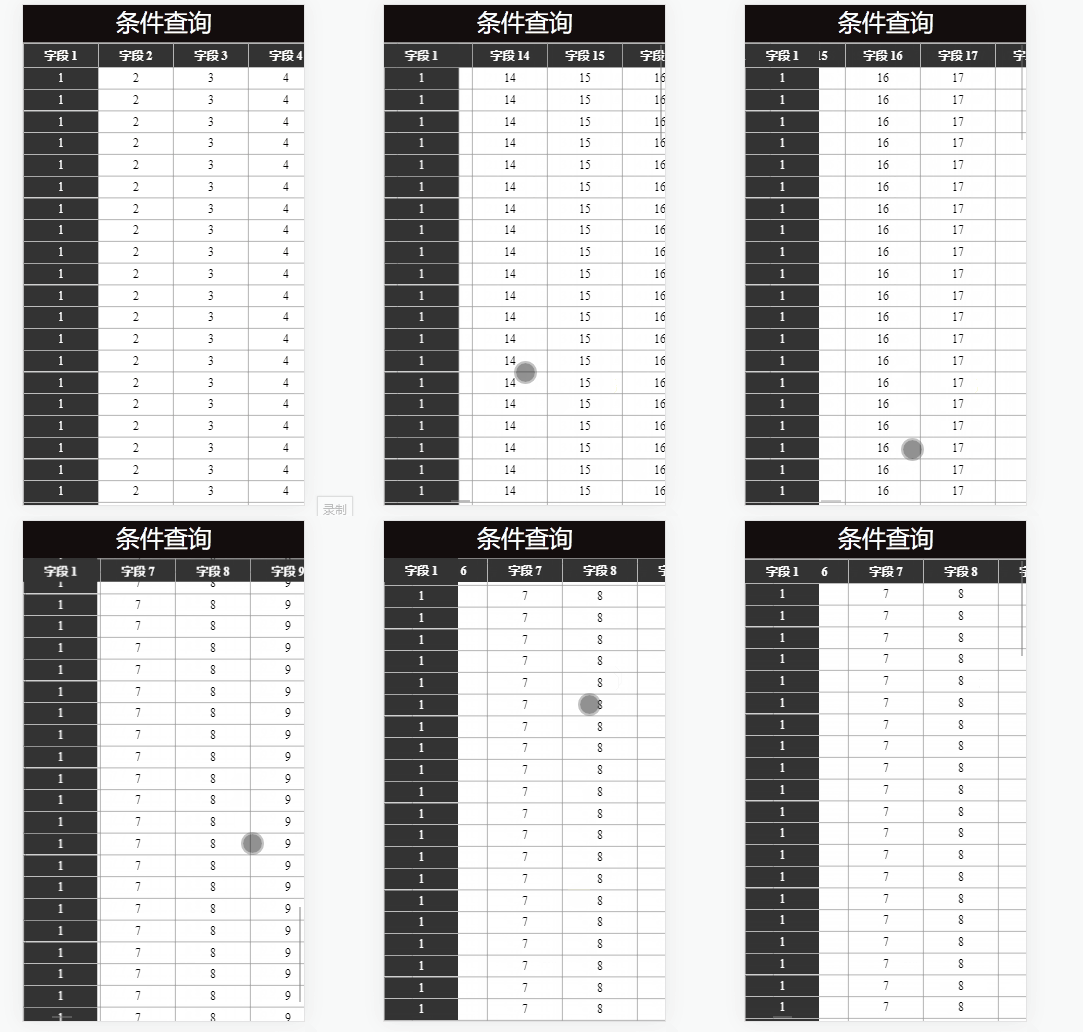
这啥呀,还抖动的,对于真机的测试,安卓会抖动,但是苹果机型不会抖动。这种肯定是不行的,打开ele的table看到人家的表格蛮不错的,那就学习下。
2.多表格实现固定
思路,在ele中,固定是有多个表格来的,所以咋也来搞多个表格。首先将表格分成左右两部分,左边第一列在上下滑动是header部分需要固定;右边第一行在左右滑动时firstRow和header部分也需要是固定的。可将这几个划分区域分别用table填充,滑动tableBody时保持firstRow和firstCol的同步滑动即可。

看看效果图
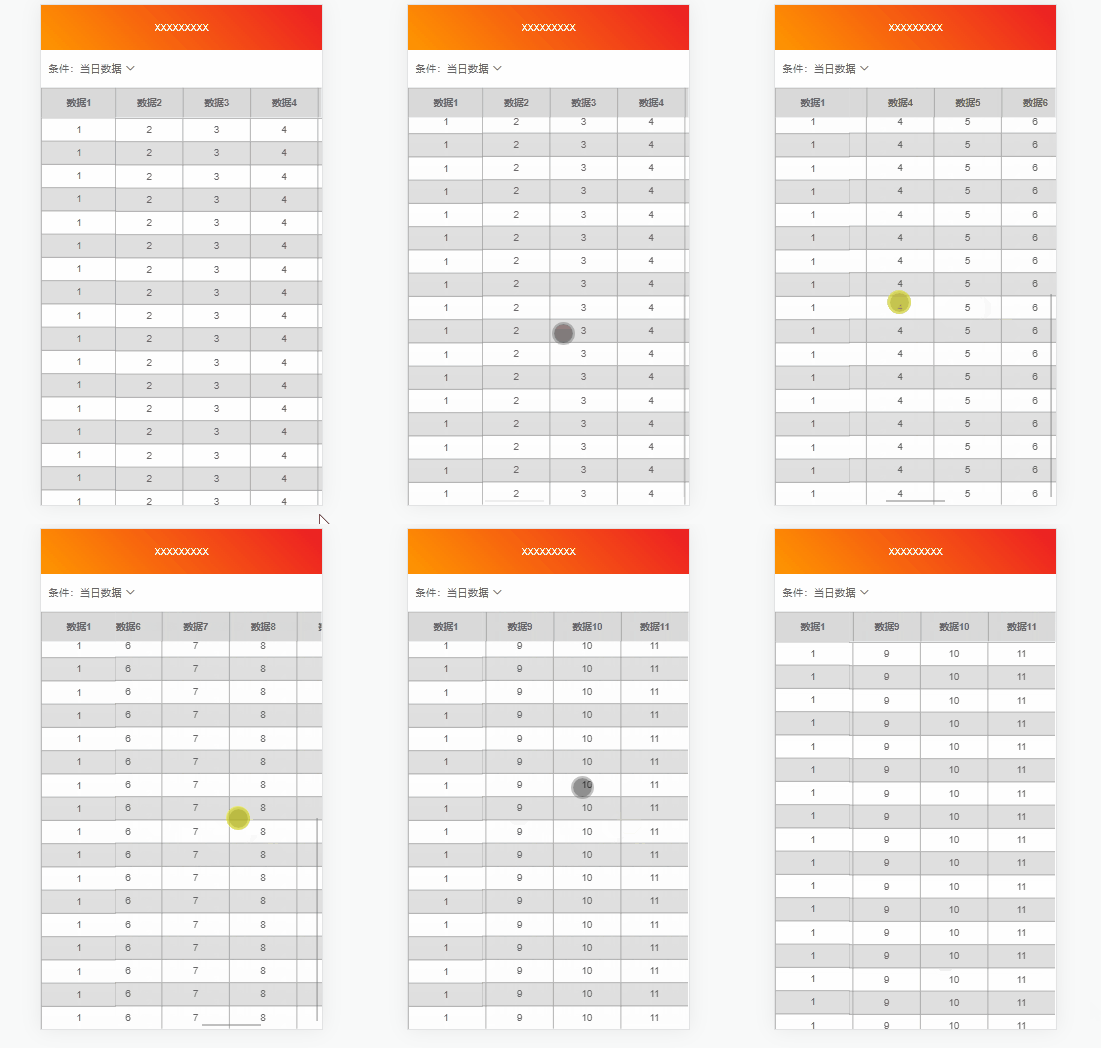
这回总不会抖动了吧,为了方便大家学习,我就把我的这个组件贡献出来。让有需要的同学使用,vue3都出来了这么久,肯定用vue3了哇!
<script lang='ts' setup>
import { computed, Ref, ref } from 'vue'const props = defineProps<{// 传我表头,表头的列数,需要和tableData每一个对象里的属性值一样headerData: { title: string, props: string }[],// 表格数据tableData: { [key: string]: any }[],// 表格高度tableScrollHeight: number
}>()const tableContainer: Ref<HTMLDivElement | null> = ref(null);
const firstRowLayer: Ref<HTMLDivElement | null> = ref(null);
const firstColLayer: Ref<HTMLDivElement | null> = ref(null);// 第一列数据
const firstCol = computed(() => props.tableData.map(p => {const pArr = Object.keys(p);return p[pArr[0]]
}))
// 第一个表头,第一列
const header = computed(() => props.headerData[0].title);
// 第一行
const firstRow = computed(() => {const rows: string[] = [];props.headerData.forEach((f, i) => {if (i !== 0) {rows.push(f.title)}})return rows;
})// 表格内容行
const tableBodyRows = computed(() => {let arr: { [key: string]: any }[] = [];props.tableData.forEach((f, index) => {// 接下来排除第一列let res: { [key: string]: any } = {};for (const key in f) {if (Object.prototype.hasOwnProperty.call(f, key)) {if (key !== props.headerData[0].title) {res[key] = f[key]}}}arr.push(res)})return arr
})
// 表格内容列
const tableBodyCols = computed(() => {let arr: { title: string, props: string }[] = []props.headerData.forEach((f, i) => {if (i !== 0) {arr.push(f)}})return arr;
})// table滚动
const tableScroll = () => {// 首行固定firstRowLayer.value!.scrollLeft = tableContainer.value!.scrollLeft;// 首列固定firstColLayer.value!.scrollTop = tableContainer.value!.scrollTop;
}
</script>
<template><div class="content-table"><template v-if="props.tableData.length > 0"><div class="left-div"><div class="left-div1"><table><tr><th>{{ header }}</th></tr></table></div><divref="firstColLayer"class="left-div2":style="{ height: `calc(100vh - ${tableScrollHeight}px` }"><table class="left-table2"><tr v-for="(col, index) in firstCol" :key="index"><td>{{ col }}</td></tr></table></div></div><div class="right-div"><div ref="firstRowLayer" class="right-div1"><table class="right-table1" :style="{ width: (firstRow.length - 1) * 100 + 'px' }"><tr><th class="first-row-style" v-for="(row, index) in firstRow" :key="index">{{ row }}</th></tr></table></div><divref="tableContainer"class="right-div2":style="{ height: `calc(100vh - ${tableScrollHeight}px` }"@scroll="tableScroll()"><table class="right-table2" :style="{ width: (firstRow.length - 1) * 100 + 'px' }"><tr v-for="(body,index) in tableBodyRows" :key="index"><td v-for="(col, i) in tableBodyCols" :key="col.props + i">{{ body[col.props] }}</td></tr></table></div></div></template><template v-else><div class="empty-content"><tablecellspacing="0":style="{ width: (headerData.length - 1) * 100 + 'px', height: '10rem', overflow: 'auto' }"><thead class="table-header"><tr><th v-for="(item,index) in props.headerData" :key="item.title">{{ item.title }}</th></tr></thead><van-empty class="empty-res" description="空空如也!" /></table></div></template></div>
</template><style lang="scss" scoped>
.content-table {box-sizing: border-box;overflow-x: hidden;
}
table {border-collapse: collapse;margin: 0 auto;width: 100%;border-spacing: 0;font-size: 13px;
}
th {word-break: break-all;word-wrap: break-word;height: 40px;width: 100px;vertical-align: middle;text-align: center;border-left: 1px solid #999;background: #d9d9d9;box-sizing: border-box;
}
td {word-break: break-all;word-wrap: break-word;width: 100px;text-align: center;vertical-align: middle;line-height: 30px;border-left: 1px solid #999;box-sizing: border-box;
}
tr {border-top: 1px solid #999;box-sizing: border-box;
}
.left-div {width: 100px;float: left;
}
.left-div1 {width: 100%;
}
.left-div2 {width: 100%;overflow: hidden;
}
.left-table2 {margin-bottom: 4px;
}
.right-div {float: left;width: calc(100vw - 100px);margin-left: -1px;
}
.right-div1 {width: 100%;overflow: hidden;.first-row-style {box-sizing: border-box;}
}
.right-div2 {width: 100%;overflow: auto;
}.right-table2 {overflow: hidden;
}
table tr:nth-child(odd) {background: rgba(255, 255, 255, 0.3);
}
table tr:nth-child(even) {background: rgba(153, 153, 153, 0.3);
}
.empty-content {width: 100%;overflow: auto;
}
</style>
上个月自己也用vue3写了个前台的管理系统,有需要的可以看看哦!http://ruoyi-doc.chenliangliang.top/
本文来自互联网用户投稿,文章观点仅代表作者本人,不代表本站立场,不承担相关法律责任。如若转载,请注明出处。 如若内容造成侵权/违法违规/事实不符,请点击【内容举报】进行投诉反馈!