使用阿里云实现短信验证码
首先去阿里云中开启短信服务
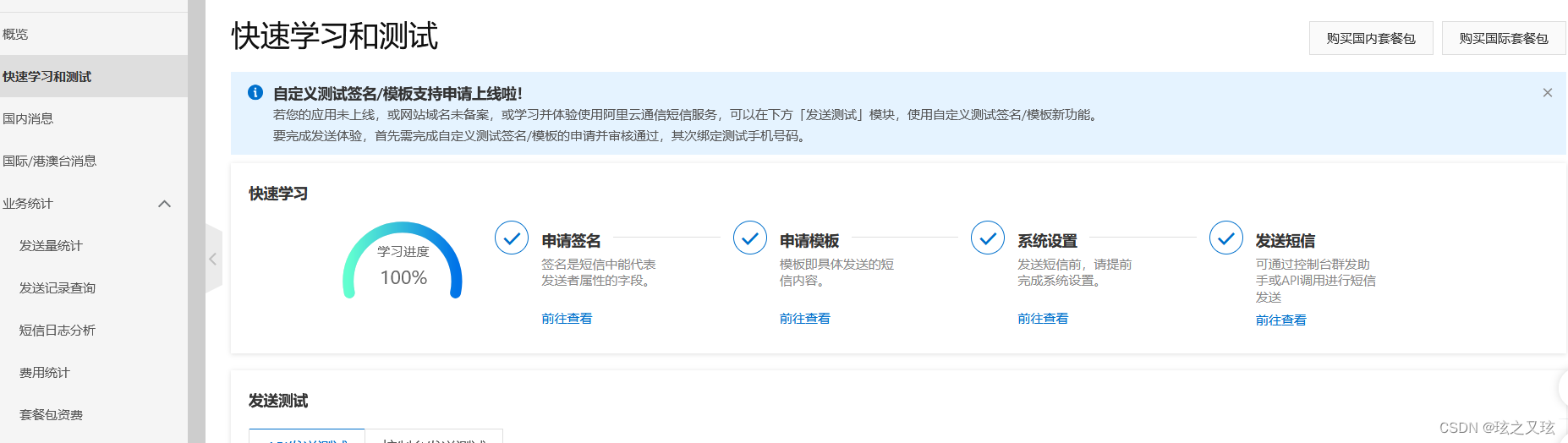
然后申请自己的签名,发送的短信模板,之后点击右上角的头像,点击AccessKey,选第一个就行,然后保存这两个对应的值。
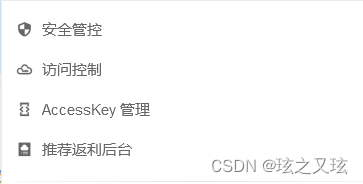
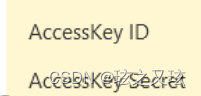
在等待签名和发送模板通过审核之后就可以配置我们的发送方法,我们使用的是redis来存储发送的验证,用来起到验证作用。在Maven中添加需要使用的jar包
com.aliyun aliyun-java-sdk-core 4.4.0 com.aliyun aliyun-java-sdk-dysmsapi 1.0.0 记得在 添加自己redis的配置。
接下来是使用redis来存储数据的工具类
import org.springframework.beans.factory.annotation.Autowired;
import org.springframework.data.redis.core.RedisTemplate;
import org.springframework.stereotype.Component;import java.util.concurrent.TimeUnit;@Component
public class RedisUtils {@Autowiredprivate RedisTemplate redisTemplate;/*** 读取缓存** @param key* @return*/public String get(final String key) {return redisTemplate.opsForValue().get(key);}/*** 写入缓存*/public boolean set(final String key, String value) {boolean result = false;try {redisTemplate.opsForValue().set(key, value);redisTemplate.expire(key,1, TimeUnit.MINUTES); //一分钟过期result = true;} catch (Exception e) {e.printStackTrace();}return result;}/*** 更新缓存*/public boolean getAndSet(final String key, String value) {boolean result = false;try {redisTemplate.opsForValue().getAndSet(key, value);result = true;} catch (Exception e) {e.printStackTrace();}return result;}/*** 删除缓存*/public boolean delete(final String key) {boolean result = false;try {redisTemplate.delete(key);result = true;} catch (Exception e) {e.printStackTrace();}return result;}
}
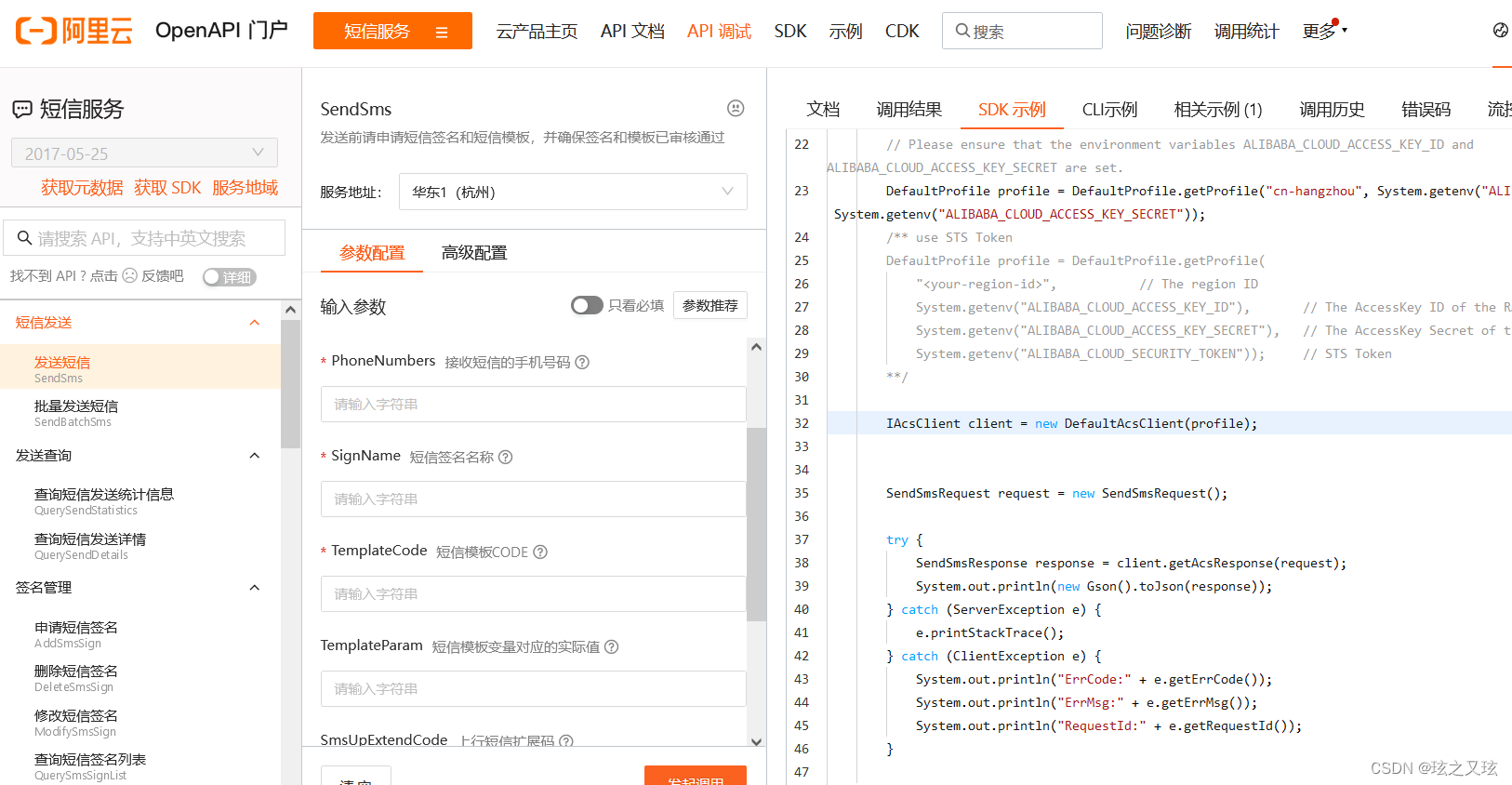
然后是调用发送短信的类,在阿里云操作界面点击这个
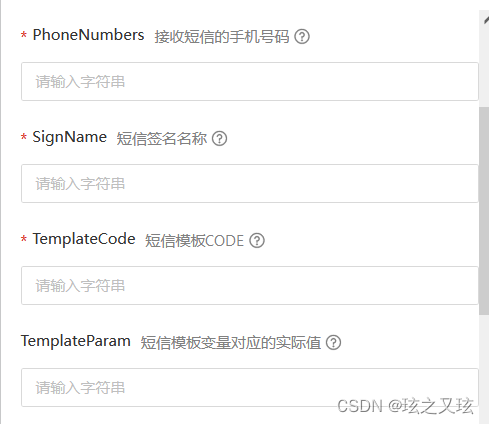
需要填的值,填到下方代码的空缺位置即可。
import com.aliyuncs.CommonRequest;
import com.aliyuncs.CommonResponse;
import com.aliyuncs.DefaultAcsClient;
import com.aliyuncs.IAcsClient;
import com.aliyuncs.exceptions.ClientException;
import com.aliyuncs.exceptions.ServerException;
import com.aliyuncs.http.MethodType;
import com.aliyuncs.profile.DefaultProfile;
import com.example.ResumeIdentifySystem.uitl.RedisUtils;
import org.apache.commons.lang3.RandomStringUtils;
import org.springframework.beans.factory.annotation.Autowired;
import org.springframework.stereotype.Component;@Component
public class Message {@AutowiredRedisUtils redisUtils;public static void messagePost(String u_phone, String message) {DefaultProfile profile = DefaultProfile.getProfile("cn-hangzhou", "填自己ID", "填自己Secret");IAcsClient client = new DefaultAcsClient(profile);CommonRequest request = new CommonRequest();request.setSysMethod(MethodType.POST);request.setSysDomain("dysmsapi.aliyuncs.com");request.setSysVersion("2017-05-25");request.setSysAction("SendSms");request.putQueryParameter("RegionId", "cn-hangzhou");request.putQueryParameter("PhoneNumbers", u_phone);request.putQueryParameter("SignName", "签名");request.putQueryParameter("TemplateCode", "******");request.putQueryParameter("TemplateParam", "{\"code\":" + message + "}");try {CommonResponse response = client.getCommonResponse(request);System.out.println(response.getData());} catch (ServerException e) {e.printStackTrace();} catch (ClientException e) {e.printStackTrace();}}//获取验证码public String authcode_get(String u_phone) {if(redisUtils.get(u_phone)==null){String authcode = "1" + RandomStringUtils.randomNumeric(5);//生成随机数,我发现生成5位随机数时,如果开头为0,发送的短信只有4位,这里开头加个1,保证短信的正确性redisUtils.set(u_phone, authcode);//将验证码存入redis缓存Message.messagePost(u_phone, authcode);//发送短息return "验证码发送成功";}return "该手机号已经发送过验证码,验证码时间还未到期";}//验证码登录public String authcode_login(String u_phone, String authcode) {if (redisUtils.get(u_phone).equals(authcode)) {return "验证码正确,登录成功";}return "验证码错误,登录失败";}
}
本文来自互联网用户投稿,文章观点仅代表作者本人,不代表本站立场,不承担相关法律责任。如若转载,请注明出处。 如若内容造成侵权/违法违规/事实不符,请点击【内容举报】进行投诉反馈!