爬虫教程-抓取房产网站信息
抓取房产网站信息
本次的教程爬取一下某绿色房产网站的房产信息,具体信息可以参照上篇爬虫教程,这次唯一的不同是我们需要获得更多的信息。
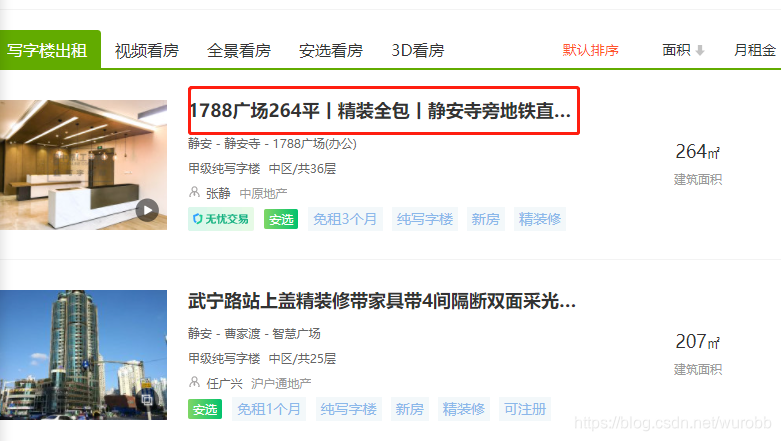
本次要获得详情页面的更为详细的信息,从目录点到详情页。
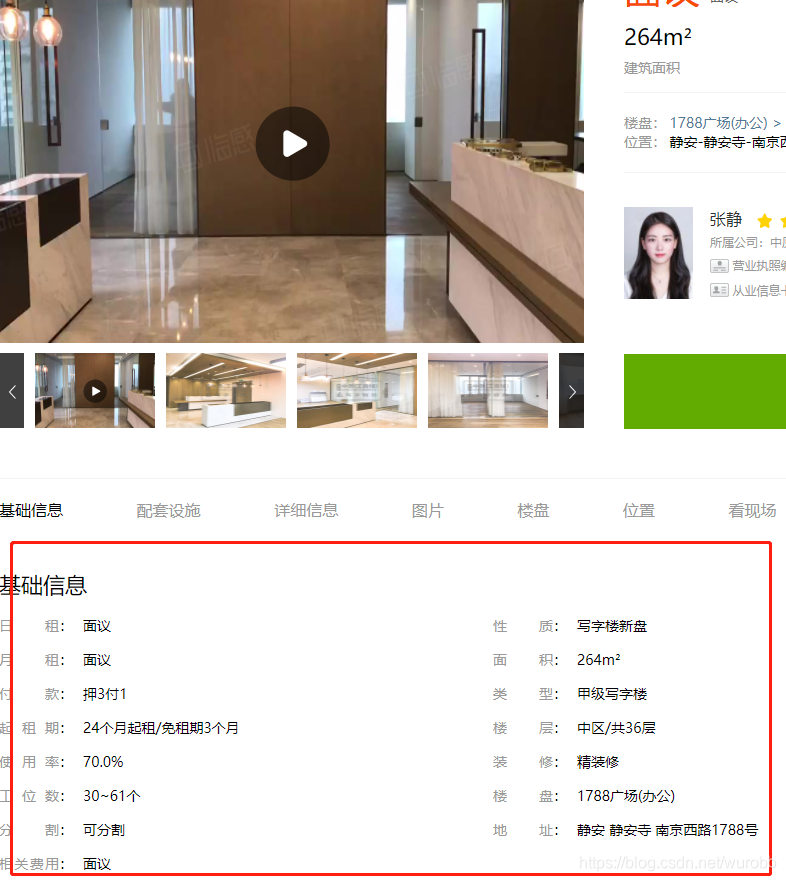
详情页里面红框里的内容就是我们要获取的。
从目录页按F12的html链接来看,详情页的链接写在’div’, class_ = 'list-item’里面。套个循环,获取一页中的所有详情页的链接,进到详情页,根据详情页的信息根据正则表达式获得即可。
完整代码。
import urllib
import re
from bs4 import BeautifulSoup
import pandas as pdbaseurl = 'https://sh.sydc.anjuke.com/xzl-zu/p'
findsuburl = re.compile(r')
findinner = re.compile(r'(.*?)')
index = 0
raw_data = pd.DataFrame(columns = ['日租','性质','月租', '面积', '付款','类型', '起租期', '楼层', '使用率','装修','工位数', '楼盘', '分割', '地址','相关费用'])for page in range(1, 2):url = baseurl + str(page)head = {'User-Agent': 'Mozilla/5.0 (Windows NT 10.0; Win64; x64) AppleWebKit/537.36 (KHTML, like Gecko) Chrome/89.0.4389.82 Safari/537.36'}request = urllib.request.Request(url, headers = head)response = urllib.request.urlopen(request)html = response.read().decode('utf-8')soup = BeautifulSoup(html,'html.parser')for each_item in soup.find_all('div', class_ = 'list-item'):each_item = str(each_item)suburl = str(re.findall(findsuburl,each_item)[0])sub_request = urllib.request.Request(suburl, headers = head)sub_response = urllib.request.urlopen(sub_request)sub_html = sub_response.read().decode('utf-8')sub_soup = BeautifulSoup(sub_html,'html.parser')if len(sub_soup.find_all('div', class_ = 'basic-info-wrapper'))!= 0:ineer_text = str(sub_soup.find_all('div', class_ = 'basic-info-wrapper')[0])seltext = re.findall(findinner,ineer_text)if len(seltext) == 16:del seltext[-5]raw_data.loc[index] = seltextindex += 1
本文来自互联网用户投稿,文章观点仅代表作者本人,不代表本站立场,不承担相关法律责任。如若转载,请注明出处。 如若内容造成侵权/违法违规/事实不符,请点击【内容举报】进行投诉反馈!