Google Driver 回收站上万文件清空
1.Google APP Script
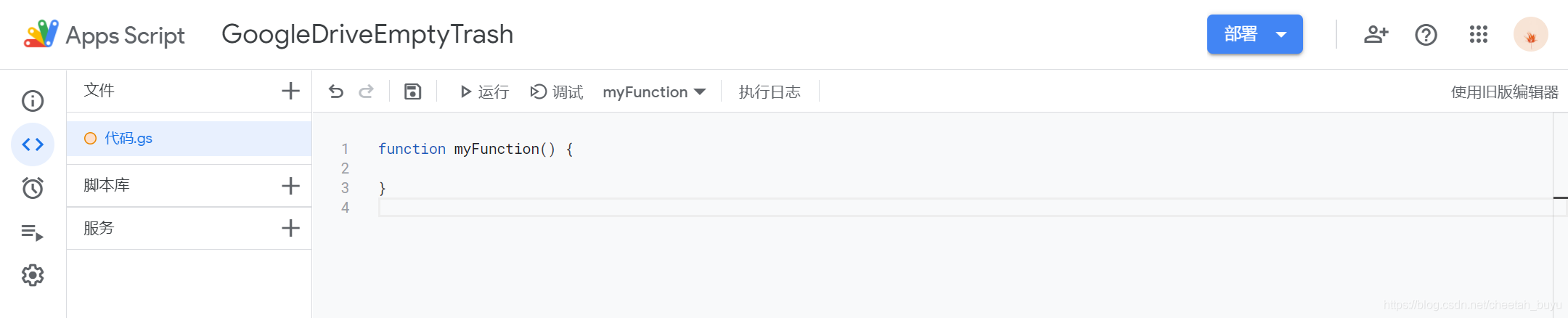
进入APP Scrip,新建项目,重命名。
2.Drive API
添加“服务”,选择“Drive API”并添加

3.Funciton
将以下代码粘贴至“代码.gs”文件中,点击“运行”即可
function myFunction() {var files = DriveApp.getTrashedFiles()var count = 0while (files.hasNext()) {try {var currentFile = files.next()if (currentFile.isTrashed()) {// Drive.Files.remove(currentFile.getId())Drive.Files.remove(currentFile.getId(),{supportsTeamDrives:true})count++// Logger.log('Deleted file ' + count + " : " + currentFile.getName())}}catch(error) {console.log(error.message);continue;}}console.log('Total Deletes Files : ' + count);
}
注意:
- 删除从“我的云端硬盘”移至回收站的内容
Drive.Files.remove(currentFile.getId())
- 删除从团队盘移至回收站的内容
Drive.Files.remove(currentFile.getId(),{supportsTeamDrives:true})
- Google APP Script有运行时间限制,应该是10分钟。如果没删除完,需要多运行几次。
总结
有些小问题,我要删除的都是图片,在删除团队盘移到回收站的内容时,删除300张左右就运行完一次,要重新运行,还不清楚问题出在哪里。
本文来自互联网用户投稿,文章观点仅代表作者本人,不代表本站立场,不承担相关法律责任。如若转载,请注明出处。 如若内容造成侵权/违法违规/事实不符,请点击【内容举报】进行投诉反馈!