PC或者移动端常用的上传图片
在开发app过程中我们遇到了这样的需求,要求上传身份证,评价晒图,意见反馈晒图等,还要可以单个上传和多张上传。要实现也不难,话不多少,直接上代码。
html
JSS实现带删除功能可以多张图片上传预览插件
上传图片demo:最多可以上传5张图片,可以单张上传也可以多张上传

您确定要删除图片吗?
确定取消
css
button{outline: none;border: 0px;
}
input{outline: none;
}
a {outline: none;
}
a,button{cursor:pointer;} body {background: #f4f4f4;font-size: 14px;font-family: "微软雅黑", "PingFang SC", "arial, helvetica, sans-serif";
}
.clear {clear: both;
}
.full{width: 1210px;min-width: 1210px;margin: 0 auto;
}/* ====clear float====== */
/*nav a:visited{color: rgb(65,65,65);}
aside a:visited{color: rgb(65,65,65);}*/
.fl {float: left;
}
.fr {float: right;
}
.clear:after {content: '';display: block;clear: both;
}
/* reset */
.pic img{display: none;}
i,p,h1,h2,h3,h4,h5,h6,hr,br,em,dl,dd,li,ul,ol,td,th,pre,form,body,input,strong,textarea,select,figcaption,figure{margin: 0;padding: 0;
}
em {font-style: normal
}
li {list-style: none
}
a {text-decoration: none;
}
img {border: none;}
table {border-collapse: collapse;
}
textarea {resize: none;overflow: auto;
}
a,button{cursor:pointer;} /* common-css *//*上传图片插件的样式*/
.img-box{margin-top: 40px;
}
.img-box .up-p{margin-bottom: 20px;font-size: 16px;color: #555;
}
.z_photo{padding: 18px;border:2px dashed #E7E6E6;/*padding: 18px;*/
}
.z_photo .z_file{position: relative;
}
.z_file  .file{width: 100%;height: 100%;opacity: 0;position: absolute;top: 0px;left: 0px;z-index: 100;
}
.z_photo .up-section{position: relative;margin-right: 20px;margin-bottom: 20px;cursor: pointer;
}
.up-section .close-upimg{width: 48px;height:48px;position: absolute;top: 0px;right: 0px;display: none;z-index: 10;
}
.up-section .up-span{display: block;width: 100%;height: 100%;visibility: hidden;position: absolute;top: 0px;left: 0px;z-index: 9;background: rgba(0,0,0,.5);
}
.up-section:hover{border:2px solid #5bcc21;
}
.up-section:hover .close-upimg{display: block;
}
.up-section:hover .up-span{visibility: visible;
}
.z_photo .up-img{display: block;width: 100%;height: 100%;
}
.loading{border: 1px solid #D1D1D1;background:url(../img/loading.gif) no-repeat center;
}
.up-opcity{opacity: 0;
}
.img-name-p{display: none;
}
.upimg-div .up-section {width: 190px;height: 180px;
}
.img-box .upimg-div .z_file {width: 190px;height: 180px;
}
.z_file .add-img {display: block;width: 190px;height: 180px;
}
/*遮罩层样式*/
.mask{z-index: 1000;display: none;position: fixed;top: 0px;left: 0px;width: 100%;height: 100%;background: rgba(0,0,0,.4);
}
.mask .mask-content{width: 400px;position: absolute;top: 50%;left: 53%;margin-left: -250px;margin-top: -90px;background: #fff;height: 175px;text-align: center;z-index: 22;border-radius: 6px;
}
.mask .mask-content .del-p{color: #555;height: 110px;line-height: 110px;font-size: 18px;border-bottom: 1px solid #D1D1D1;
}
.mask-content .check-p{height: 66px;line-height: 66px;position: absolute;bottom: 0px;left: 0px;width: 100%;
}
.mask-content .check-p span{width: 49%;display: inline-block;text-align: center;color: #f60;font-size: 18px;cursor: pointer;
}
.check-p .del-com{border-right: 1px solid #D1D1D1;
}
js,记得引入jquery.js文件哦
$(function(){var delParent;var defaults = {fileType : ["jpg","png","bmp","jpeg"], // 上传文件的类型fileSize : 1024 * 1024 * 10 // 上传文件的大小 10M};/*点击图片的文本框*/$(".file").change(function(){ var idFile = $(this).attr("id");var file = document.getElementById(idFile);var imgContainer = $(this).parents(".z_photo"); //存放图片的父亲元素var fileList = file.files; //获取的图片文件var input = $(this).parent();//文本框的父亲元素var imgArr = [];//遍历得到的图片文件var numUp = imgContainer.find(".up-section").length;var totalNum = numUp + fileList.length; //总的数量if(fileList.length > 5 || totalNum > 5 ){alert("上传图片数目不可以超过5个,请重新选择"); //一次选择上传超过5个 或者是已经上传和这次上传的到的总数也不可以超过5个}else if(numUp < 5){fileList = validateUp(fileList);for(var i = 0;i");imgContainer.prepend($section);var $span = $("");$span.appendTo($section);var $img0 = $("![]() ").on("click",function(event){event.preventDefault();event.stopPropagation();$(".works-mask").show();delParent = $(this).parent();}); $img0.attr("src","img/closeBtn-1.png").appendTo($section);var $img = $("
").on("click",function(event){event.preventDefault();event.stopPropagation();$(".works-mask").show();delParent = $(this).parent();}); $img0.attr("src","img/closeBtn-1.png").appendTo($section);var $img = $("![]() ");$img.attr("src",imgArr[i]);$img.appendTo($section);var $p = $("
");$img.attr("src",imgArr[i]);$img.appendTo($section);var $p = $("");$p.html(fileList[i].name).appendTo($section);var $input = $("");$input.appendTo($section);var $input2 = $("");$input2.appendTo($section);}}setTimeout(function(){$(".up-section").removeClass("loading");$(".up-img").removeClass("up-opcity");},450);numUp = imgContainer.find(".up-section").length;if(numUp >= 5){$(this).parent().hide();}});$(".z_photo").delegate(".close-upimg","click",function(){$(".works-mask").show();delParent = $(this).parent();});$(".wsdel-ok").click(function(){$(".works-mask").hide();var numUp = delParent.siblings().length;if(numUp < 6){delParent.parent().find(".z_file").show();}delParent.remove();});$(".wsdel-no").click(function(){$(".works-mask").hide();});function validateUp(files){var arrFiles = [];//替换的文件数组for(var i = 0, file; file = files[i]; i++){//获取文件上传的后缀名var newStr = file.name.split("").reverse().join("");if(newStr.split(".")[0] != null){var type = newStr.split(".")[0].split("").reverse().join("");console.log(type+"===type===");if(jQuery.inArray(type, defaults.fileType) > -1){// 类型符合,可以上传if (file.size >= defaults.fileSize) {alert(file.size);alert('您这个"'+ file.name +'"文件大小过大'); } else {// 在这里需要判断当前所有文件中arrFiles.push(file); }}else{alert('您这个"'+ file.name +'"上传类型不符合'); }}else{alert('您这个"'+ file.name +'"没有类型, 无法识别'); }}return arrFiles;}})
下面可以来看看效果预览哦
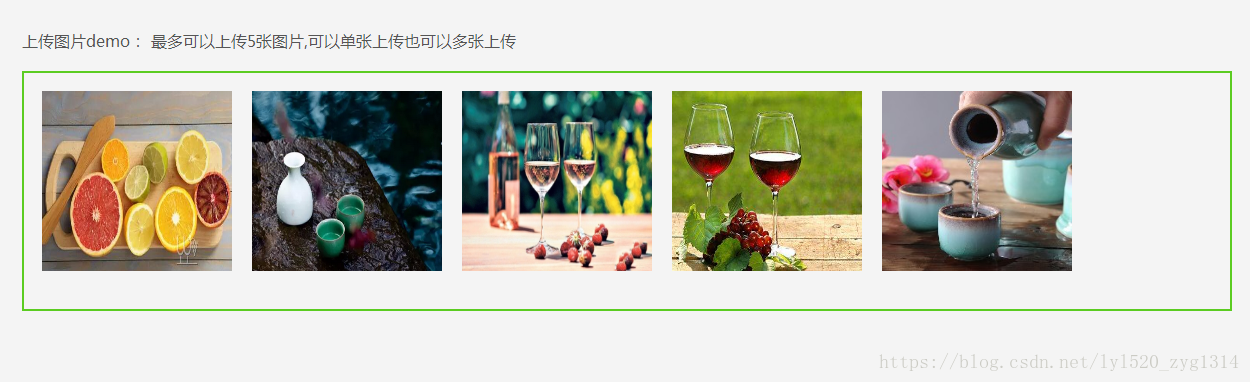
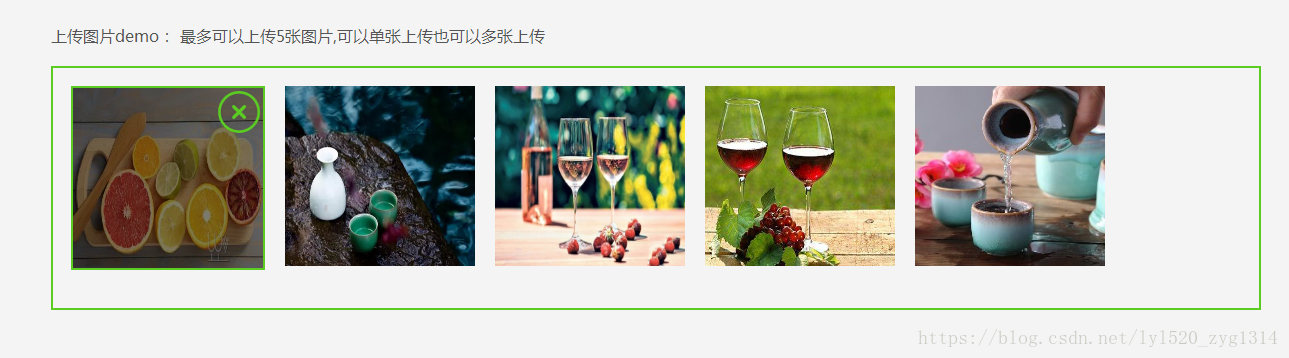
这样就实现了,主要用到的:
1.就是input的属性“file”,这个可以传1张,如果我们要多传几张就要用到multiple这个属性;
2.就是把input的透明度(opacity=0);借助一张图片或者一个元素上传,其实点击的本事是input,只不过用户看不到而已;
3.限制上传图片的数量,不能无限上传,给服务器造成压力;
4.添加删除按钮,可以随时更换,或者取消操作;
5.判断上传的文件的格式是否符合图片的格式,看后缀名是否是jpg/jpeg/png/bmp这几个;
由于时间有限,暂且搁笔,写的不深,还望朋友们提出宝贵意见,一起进步,谢谢!
本文来自互联网用户投稿,文章观点仅代表作者本人,不代表本站立场,不承担相关法律责任。如若转载,请注明出处。 如若内容造成侵权/违法违规/事实不符,请点击【内容举报】进行投诉反馈!