ChatGPT提示词工程(五):Transforming转换
目录
- 一、说明
- 二、安装环境
- 三、转换(Transforming)
- 1. 翻译 Translation
- 2. 语气转换 Tone Transformation
- 3. 格式转换 Format Conversion
- 4. 拼写或语法检查 Spellcheck/Grammar check
一、说明
这是吴恩达 《ChatGPT Prompt Engineering for Developers》 的课程笔记系列。
本文是第六讲的内容:Transforming
二、安装环境
参考: ChatGPT提示词工程(一):Guidelines准则 的第二节
三、转换(Transforming)
在本笔记本中,我们将探讨如何将大型语言模型用于文本转换任务,如语言翻译、拼写和语法检查、语气调整和格式转换等。
1. 翻译 Translation
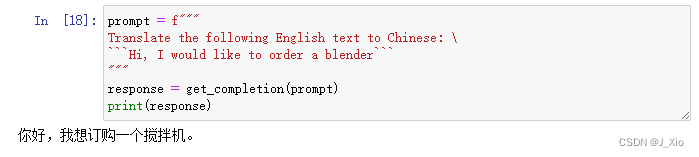
prompt = f"""
Translate the following English text to Chinese: \
```Hi, I would like to order a blender```
"""
response = get_completion(prompt)
print(response)
prompt:把 “Hi, I would like to order a blender” 翻译成中文
运行结果:
prompt = f"""
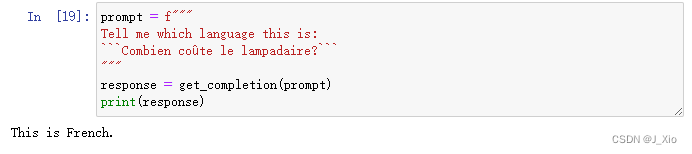
Tell me which language this is:
```Combien coûte le lampadaire?```
"""
response = get_completion(prompt)
print(response)
prompt:告诉我句子 “Combien coûte le lampadaire? ” 是什么语言
运行结果:
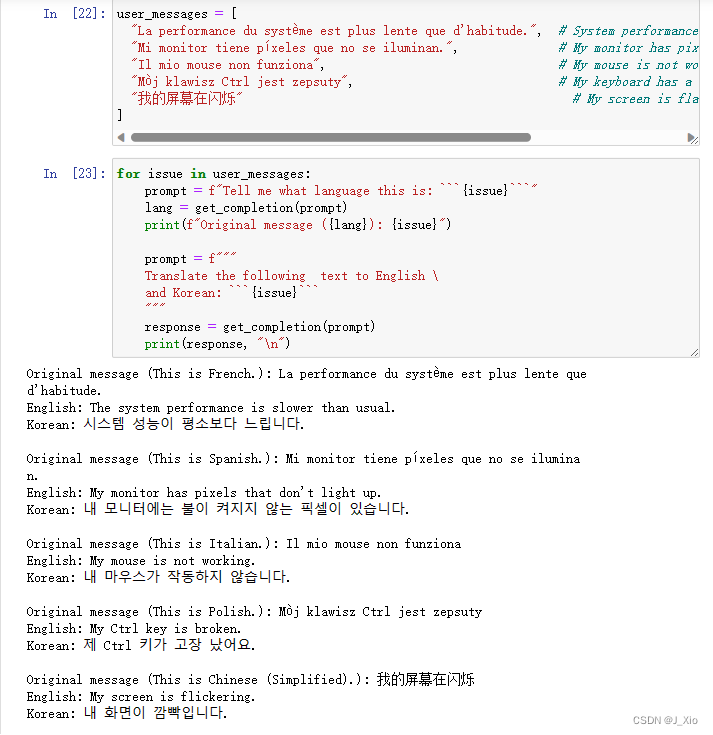
user_messages = ["La performance du système est plus lente que d'habitude.",  # System performance is slower than normal         "Mi monitor tiene píxeles que no se iluminan.",              # My monitor has pixels that are not lighting"Il mio mouse non funziona",                                 # My mouse is not working"Mój klawisz Ctrl jest zepsuty",                             # My keyboard has a broken control key"我的屏幕在闪烁"                                               # My screen is flashing
] for issue in user_messages:prompt = f"Tell me what language this is: ```{issue}```"lang = get_completion(prompt)print(f"Original message ({lang}): {issue}")prompt = f"""Translate the following  text to English \and Korean: ```{issue}```"""response = get_completion(prompt)print(response, "\n")
prompt:告诉我这句话是什么语言,并把它翻译成英文和韩文
运行结果:
2. 语气转换 Tone Transformation
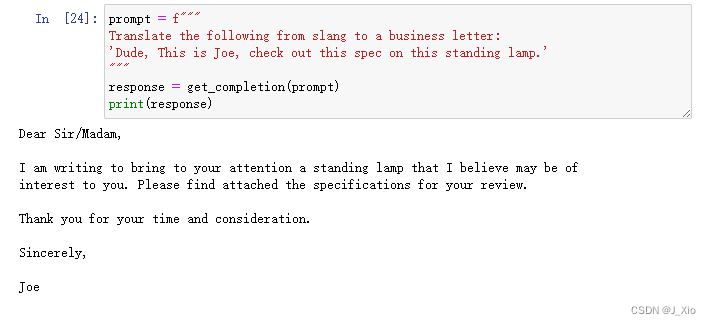
指定正式还是非正式的语气,指定语言使用的场合比如商务场合的邮件
prompt = f"""
Translate the following from slang to a business letter:
'Dude, This is Joe, check out this spec on this standing lamp.'
"""
response = get_completion(prompt)
print(response)
prompt:将以下俚语翻译成商务信函
3. 格式转换 Format Conversion
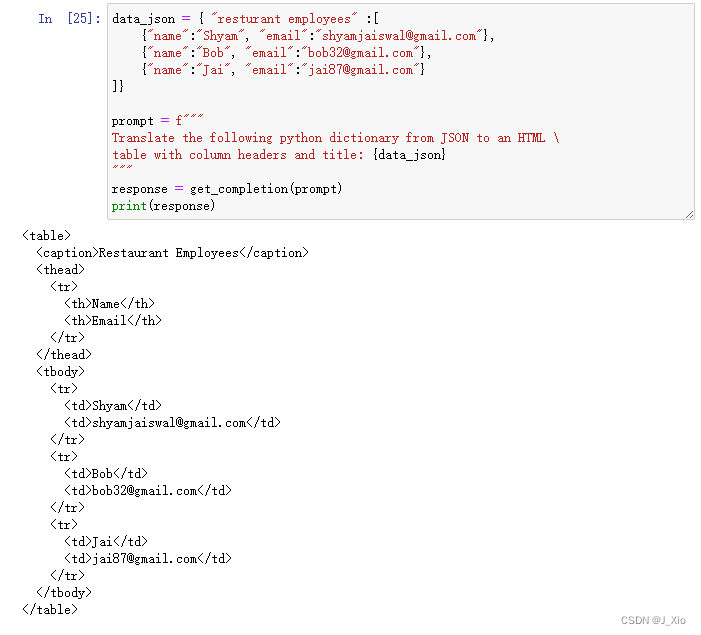
data_json = { "resturant employees" :[ {"name":"Shyam", "email":"shyamjaiswal@gmail.com"},{"name":"Bob", "email":"bob32@gmail.com"},{"name":"Jai", "email":"jai87@gmail.com"}
]}prompt = f"""
Translate the following python dictionary from JSON to an HTML \
table with column headers and title: {data_json}
"""
response = get_completion(prompt)
print(response)
prompt:把JSON转换为HTML表格
运行结果:
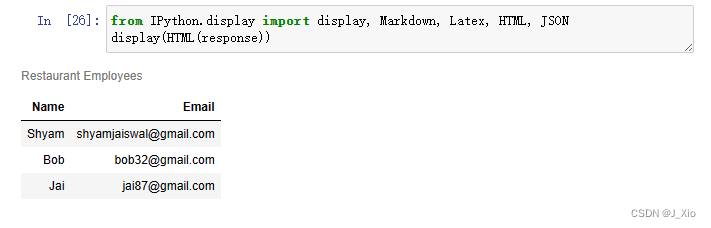
结果展示:
from IPython.display import display, Markdown, Latex, HTML, JSON
display(HTML(response))
4. 拼写或语法检查 Spellcheck/Grammar check
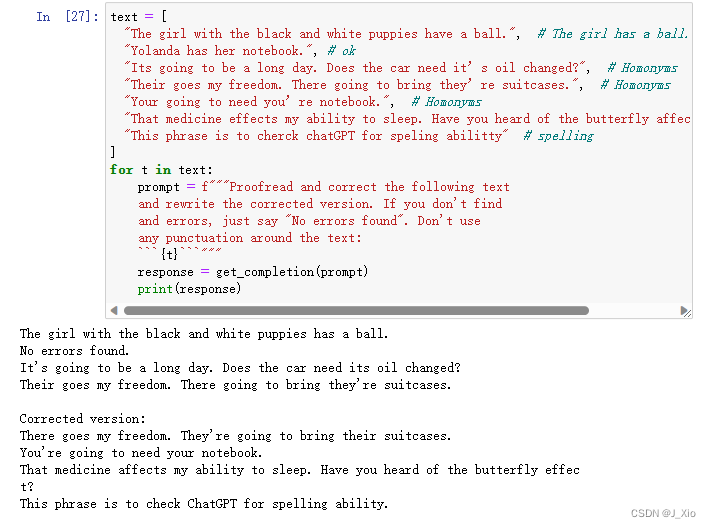
text = [ "The girl with the black and white puppies have a ball.",  # The girl has a ball."Yolanda has her notebook.", # ok"Its going to be a long day. Does the car need it’s oil changed?",  # Homonyms"Their goes my freedom. There going to bring they’re suitcases.",  # Homonyms"Your going to need you’re notebook.",  # Homonyms"That medicine effects my ability to sleep. Have you heard of the butterfly affect?", # Homonyms"This phrase is to cherck chatGPT for speling abilitty"  # spelling
]
for t in text:prompt = f"""Proofread and correct the following textand rewrite the corrected version. If you don't findand errors, just say "No errors found". Don't use any punctuation around the text:```{t}```"""response = get_completion(prompt)print(response)
prompt:校对并改正下面的课文,改写改正后的版本,如果找不到错误,只需说"No errors found"。不要在正文周围使用任何标点符号。
运行结果:
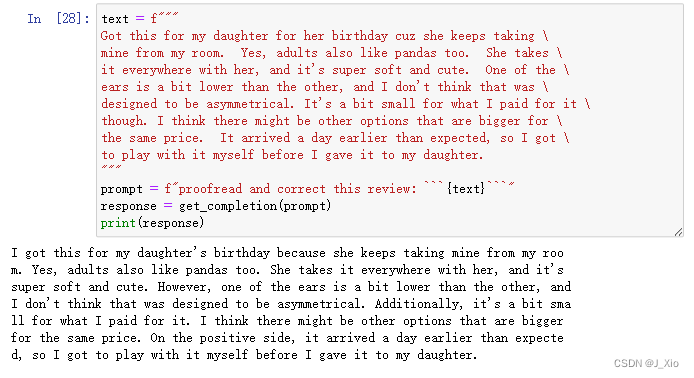
text = f"""
Got this for my daughter for her birthday cuz she keeps taking \
mine from my room.  Yes, adults also like pandas too.  She takes \
it everywhere with her, and it's super soft and cute.  One of the \
ears is a bit lower than the other, and I don't think that was \
designed to be asymmetrical. It's a bit small for what I paid for it \
though. I think there might be other options that are bigger for \
the same price.  It arrived a day earlier than expected, so I got \
to play with it myself before I gave it to my daughter.
"""
prompt = f"proofread and correct this review: ```{text}```"
response = get_completion(prompt)
print(response)
prompt:校对并更正这篇评论
运行结果:
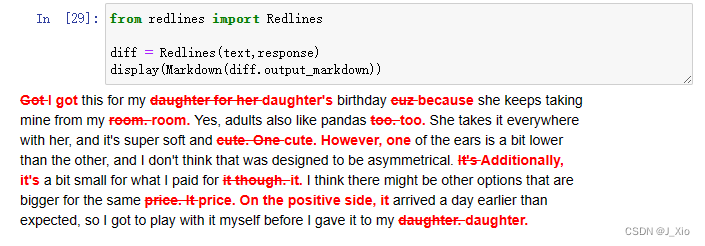
在原文上标注修改的部分
from redlines import Redlinesdiff = Redlines(text,response)
display(Markdown(diff.output_markdown))
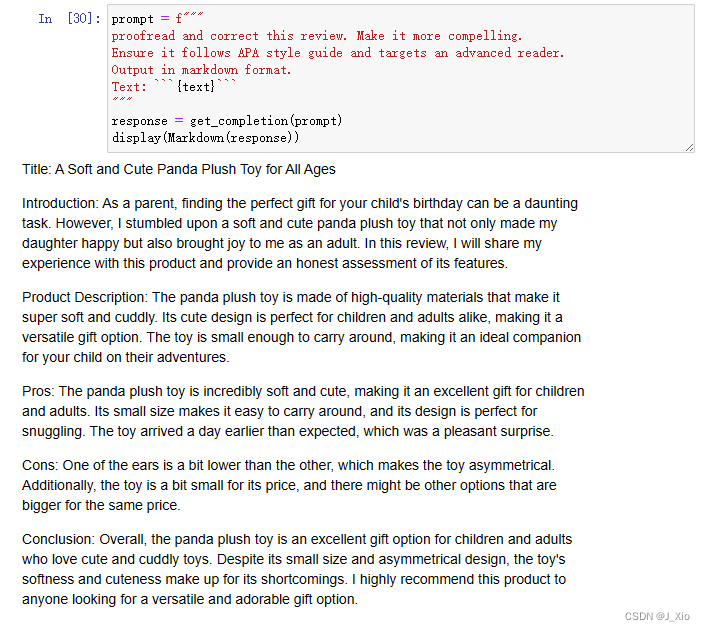
进一步改写:
prompt = f"""
proofread and correct this review. Make it more compelling.
Ensure it follows APA style guide and targets an advanced reader.
Output in markdown format.
Text: ```{text}```
"""
response = get_completion(prompt)
display(Markdown(response))
prompt:校对并更正这篇评论。让它更有说服力。确保它遵循APA风格指南,并针对高级读者。以markdown格式输出。
运行结果:
https://blog.csdn.net/Jay_Xio/article/details/130459783
本文来自互联网用户投稿,文章观点仅代表作者本人,不代表本站立场,不承担相关法律责任。如若转载,请注明出处。 如若内容造成侵权/违法违规/事实不符,请点击【内容举报】进行投诉反馈!