JavaFX之自定义标题栏(springboot)
目录
- 一:创建css文件
- 二:修改FXML
- 三:修改Main类
- 四:创键窗口栏
- 五:demo地址
自定义标题栏(或者窗口)先看javaFX 默认的效果

当我们想做全背景的窗口时,javaFX自带的窗口栏,就很格格不入了
一:创建css文件
login.css
.dev-fx-body {-fx-background-image: url("../images/login.jpg");-fx-background-position: center;-fx-background-repeat: no-repeat;/*不平铺*/-fx-background-size: cover;/*铺满*/-fx-pref-width: 1104;-fx-pref-height: 670;
}
二:修改FXML
login.xml
添加 styleClass=“dev-fx-body”
<AnchorPane prefHeight="400.0" prefWidth="600.0"xmlns="http://javafx.com/javafx/8"xmlns:fx="http://javafx.com/fxml/1"styleClass="dev-fx-body"fx:controller="com.xiyang.boot.controller.LoginController"><children><Button fx:id="button" layoutX="259.0" layoutY="170.0" mnemonicParsing="false" text="Button" />children>
AnchorPane>
启动项目可以看到窗口栏,让人很不舒服。接下来我们进一步改造

三:修改Main类
根据springboot-javafx-support我们只需要重写beforeInitialView方法即可,
@Overridepublic void beforeInitialView(Stage stage, ConfigurableApplicationContext ctx) {stage.initStyle(StageStyle.TRANSPARENT); /* 透明标题栏 */stage.setResizable(false); /* 设置窗口不可改变 */stage.setAlwaysOnTop(true); /* 窗口始终悬浮 */}
或者在application.properties中配置
javafx.title=自定义标题栏
javafx.stage.style=TRANSPARENT
javafx.stage.resizable=true
效果

标题栏被隐藏了,但是你会发现窗口无法拖到了,无法手动关闭了
所以还需进一步改进
四:创键窗口栏
创建一个公共的窗口栏模板window.fxml
<VBox xmlns:fx="http://javafx.com/fxml/1" fx:controller="com.xiyang.boot.controller.WindowController" fx:id="window" styleClass="dev-fx-window" AnchorPane.leftAnchor="0.0" AnchorPane.rightAnchor="0.0" AnchorPane.topAnchor="0.0"><children><AnchorPane prefHeight="30"><children><Button fx:id="minWindow" mnemonicParsing="false" styleClass="dev-fx-window-min" text="一" AnchorPane.bottomAnchor="0.0" AnchorPane.rightAnchor="55.0" AnchorPane.topAnchor="0.0" ><tooltip><Tooltip text="最小化" />tooltip>Button><Button fx:id="closeWindow" mnemonicParsing="false" styleClass="dev-fx-window-close" text="X" AnchorPane.bottomAnchor="0.0" AnchorPane.rightAnchor="0.0" AnchorPane.topAnchor="0.0"><tooltip><Tooltip text="关闭" />tooltip>Button>children>AnchorPane>children>
VBox>
在login.fxml中引入
<AnchorPane prefHeight="400.0" prefWidth="600.0"xmlns="http://javafx.com/javafx/8"xmlns:fx="http://javafx.com/fxml/1"styleClass="dev-fx-body"fx:controller="com.xiyang.boot.controller.LoginController"><fx:include source="window.fxml"/>
AnchorPane>
再创建window.css
.dev-fx-window {-fx-background-color: #00000000;-fx-pref-width: 100%;-fx-pref-height: 30;
}.dev-fx-window-min {-fx-background-color: #00000000;-fx-font-size: 18;-fx-font-family: "Fira Code";-fx-pref-width: 55;-fx-border-radius: 0;-fx-border-width: 0;
}.dev-fx-window-min:hover {-fx-background-color: #4cc5e8;-fx-text-fill: white; /* 字体颜色 */
}.dev-fx-window-close {-fx-background-color: #00000000;-fx-font-size: 18;-fx-font-family: "Fira Code";-fx-pref-width: 55;-fx-border-radius: 0;-fx-border-width: 0;
}.dev-fx-window-close:hover {-fx-background-color: #e81123;-fx-text-fill: white; /* 字体颜色 */
}
在loginView的注解上配置css文件地址
@FXMLView(value = "/fxml/login.fxml",css ={"/css/login.css","/css/window.css"})
public class LoginView extends AbstractFxmlView {
}
最后创建WindowController控制器
@FXMLController /* 标记这个类为javaFX控制器类 */
public class WindowController implements Initializable {private Stage primaryStage;/* 自定义窗口 */public VBox window;public Button minWindow;public Button closeWindow;@Overridepublic void initialize(URL location, ResourceBundle resources) {primaryStage = JavafxSpringboot3Application.getStage(); //primaryStage为start方法头中的StageminWindow.setOnAction(event -> primaryStage.setIconified(true)); /* 最小化 */closeWindow.setOnAction((event)->System.exit(0)); /* 关闭程序 */}
}
启动效果,当你鼠标悬停时才显示

但是窗口还是不能拖动,
我们需要给窗口栏增加一个鼠标按下窗口后拖动事件
public class DragWindowHandler implements EventHandler<MouseEvent> {private Stage primaryStage; //primaryStage为start方法头中的Stageprivate double oldStageX;private double oldStageY;private double oldScreenX;private double oldScreenY;public DragWindowHandler(Stage primaryStage) { //构造器this.primaryStage = primaryStage;}@Overridepublic void handle(MouseEvent e) {if (e.getEventType() == MouseEvent.MOUSE_PRESSED) { //鼠标按下的事件this.oldStageX = this.primaryStage.getX();this.oldStageY = this.primaryStage.getY();this.oldScreenX = e.getScreenX();this.oldScreenY = e.getScreenY();} else if (e.getEventType() == MouseEvent.MOUSE_DRAGGED) { //鼠标拖动的事件this.primaryStage.setX(e.getScreenX() - this.oldScreenX + this.oldStageX);this.primaryStage.setY(e.getScreenY() - this.oldScreenY + this.oldStageY);}}}
改造WindowController控制器
@Overridepublic void initialize(URL location, ResourceBundle resources) {primaryStage = JavafxSpringboot3Application.getStage(); //primaryStage为start方法头中的StageDragWindowHandler handler = new DragWindowHandler(primaryStage);window.setOnMousePressed(handler);/* 鼠标按下 */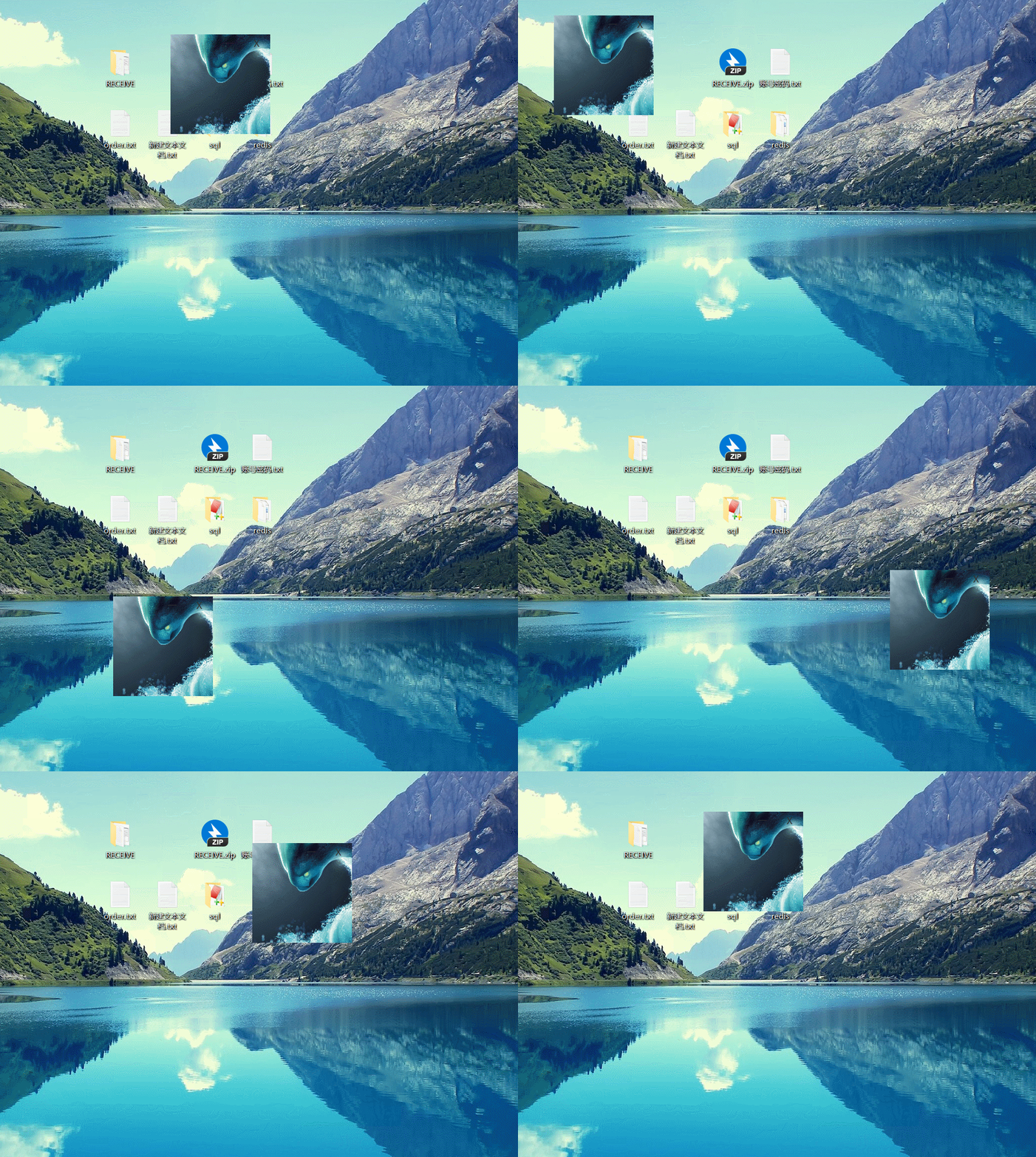window.setOnMouseDragged(handler);/* 鼠标拖动 */minWindow.setOnAction(event -> primaryStage.setIconified(true)); /* 最小化 */closeWindow.setOnAction((event)->System.exit(0)); /* 关闭程序 */}
效果

五:demo地址
自定义窗口
本文来自互联网用户投稿,文章观点仅代表作者本人,不代表本站立场,不承担相关法律责任。如若转载,请注明出处。 如若内容造成侵权/违法违规/事实不符,请点击【内容举报】进行投诉反馈!