为什么您喜欢的动作片中的某些场景显得生涩
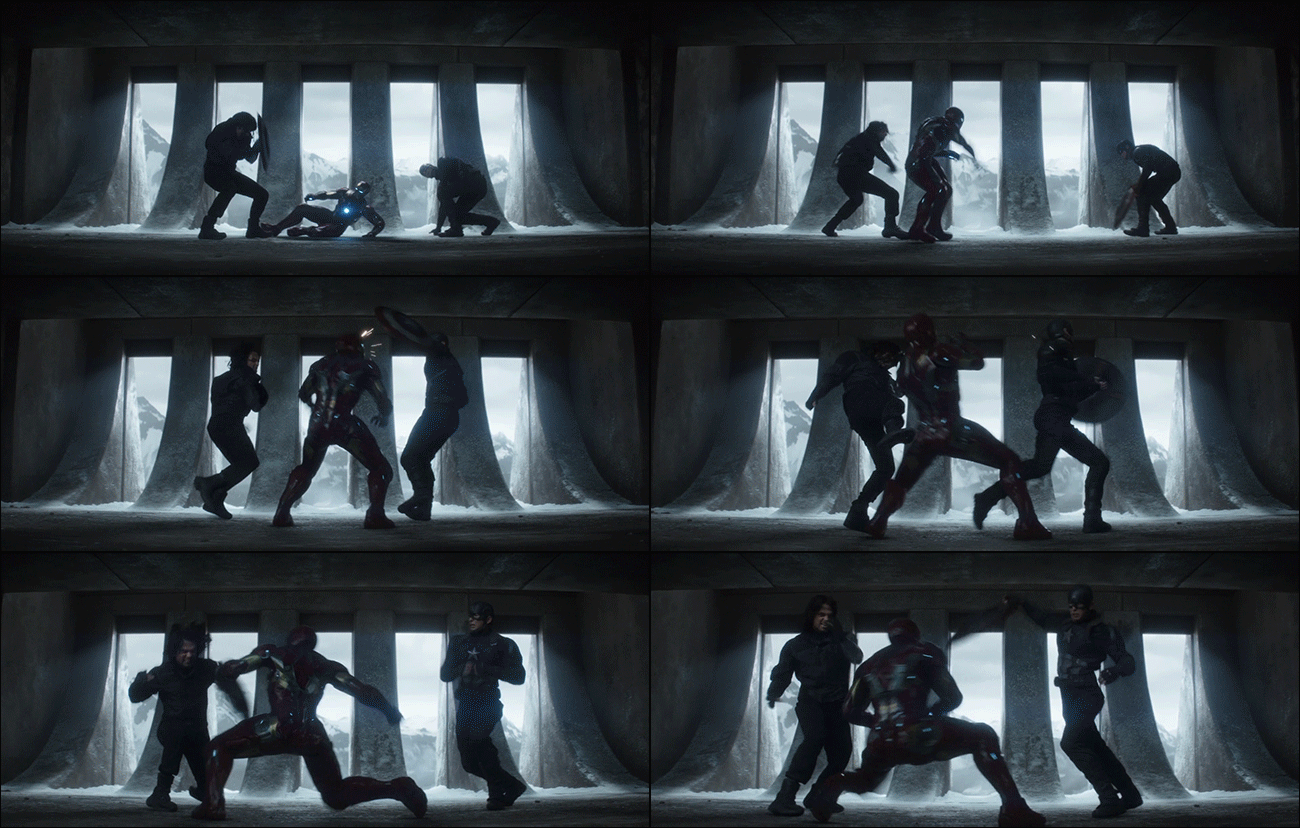
If you’ve watched recent action movies, you may have noticed a slightly disorienting jerkiness to the video. No, it’s not because of shaky cam and excessive jump cuts. Many modern (and some older) movies have an effect called “strobing” that makes action scenes look less fluid than the others. Today, we’re going to explain why this happens.
如果您看过最近的动作片,可能已经注意到该视频有点令人迷惑。 不,这不是因为晃动的凸轮和过度的跳刀。 许多现代(和一些较旧的)电影都有一种称为“横摆”的效果,使动作场景看起来比其他场景更流畅。 今天,我们将解释为什么会这样。
什么是rob跷? (What Is Strobing?)
Strobing or jerkiness occurs when the frames of a movie don’t quite blend together well enough, creating an effect that’s a bit like looking at a moving object under a very fast strobe light. This can occur because each frame doesn’t have enough motion blur (which we’ll explain later on) to blend each frame to the next, or if there aren’t enough frames to make smooth motion to begin with. Depending on the severity of the effect, some people may not notice it, but if it’s really bad, it can be distracting. (This is not to be confused with judder from 3:2 pulldown, which is a separate thing entirely—and usually far less noticeable.)
当电影的帧没有很好地融合在一起时,就会发生震颤或混响,产生的效果有点像在非常快的频闪灯光下看着运动的物体。 之所以会发生这种情况,是因为每个帧没有足够的运动模糊(我们将在后面进行解释)以将每个帧混合到下一个帧,或者如果没有足够的帧来使平滑运动开始。 根据效果的严重程度,有些人可能不会注意到它,但是如果效果真的很差,则可能会分散注意力。 (不要将其与3:2 pulldown中的抖动混为一谈,这完全是分开的事情,并且通常不那么明显。)
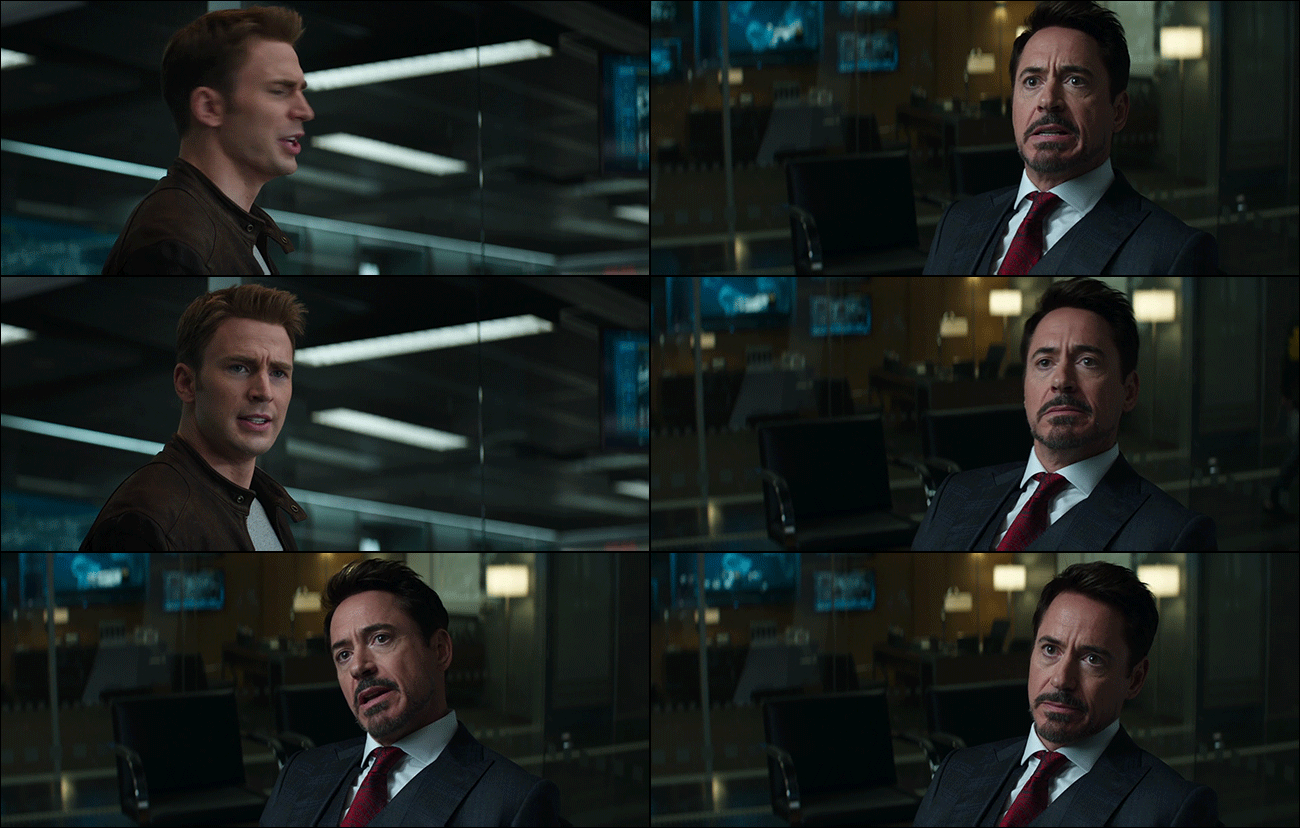
To see what strobing looks like in a movie, we’ll use Captain America: Civil War as an example. Take these two scenes, both of which show Tony Stark moving his head around as he talks to Steve Rogers. We’ve reduced the film clip to a GIF, so it won’t be as detailed as your Blu-Ray at home, but you can still see that Tony and Steve’s movement as they talk is pretty smooth.
要查看电影中的频闪效果,我们以《美国队长:内战》为例。 采取这两个场景,这两个场景都显示Tony Stark在与Steve Rogers交谈时动了动头。 我们已将影片剪辑缩小为GIF,因此它不会像您在家中的Blu-Ray那样详细,但是您仍然可以看到Tony和Steve说话时的动作非常流畅。
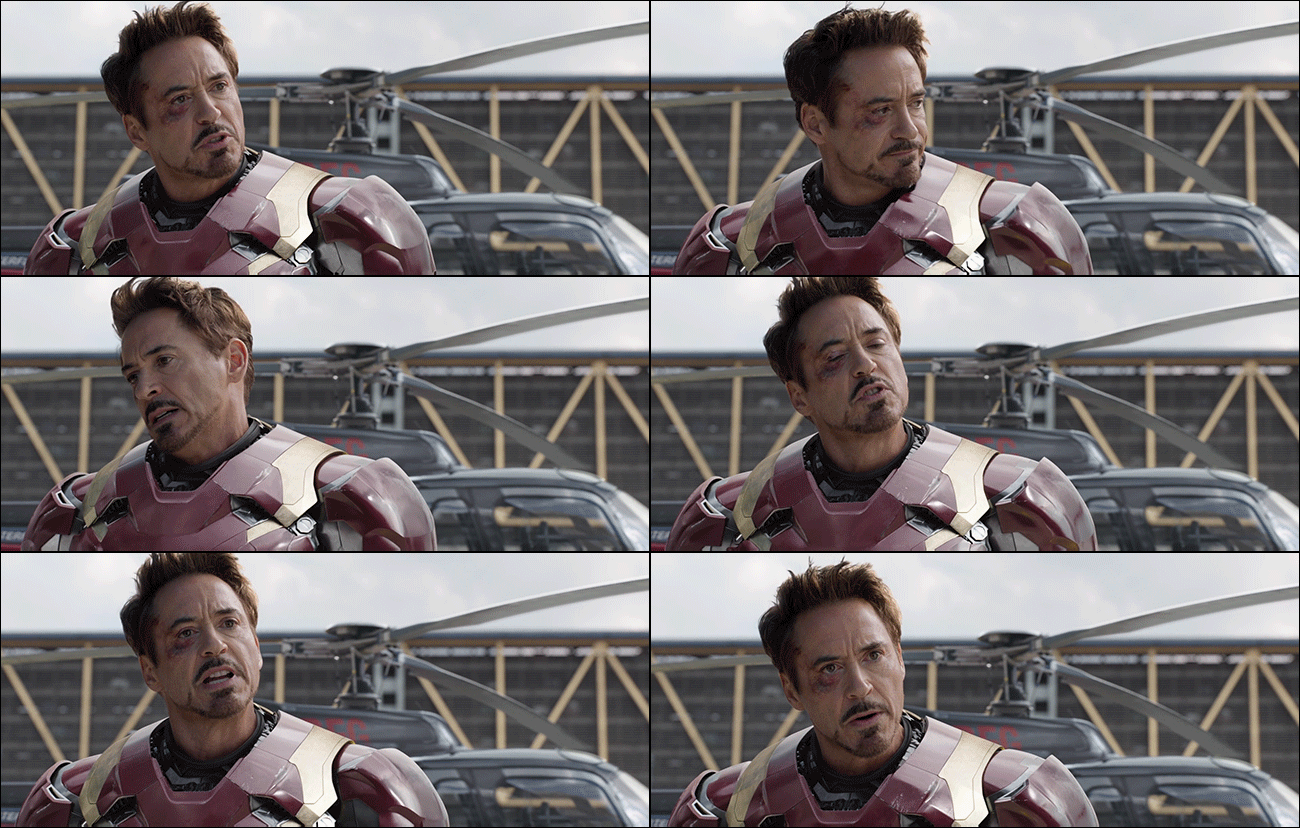
Compare this to a later scene where Steve and Tony are arguing yet again. However, this one takes place just before the big airport action scene. Once this scene starts, the motion starts to look choppier. The motion as Tony turns his head and shouts at Steve looks just a bit less smooth. Again, since this is a GIF, it may not be as detailed, but the choppiness of the video is still noticeable.
将此与后来史蒂夫和托尼再次吵架的场景进行比较。 但是,这一事件发生在大型机场行动现场之前。 一旦开始此场景,动作就会显得更加混乱。 托尼转过头向史蒂夫大喊的动作看起来不太流畅。 同样,由于这是GIF,因此可能不够详细,但是视频的断断续续仍然很明显。
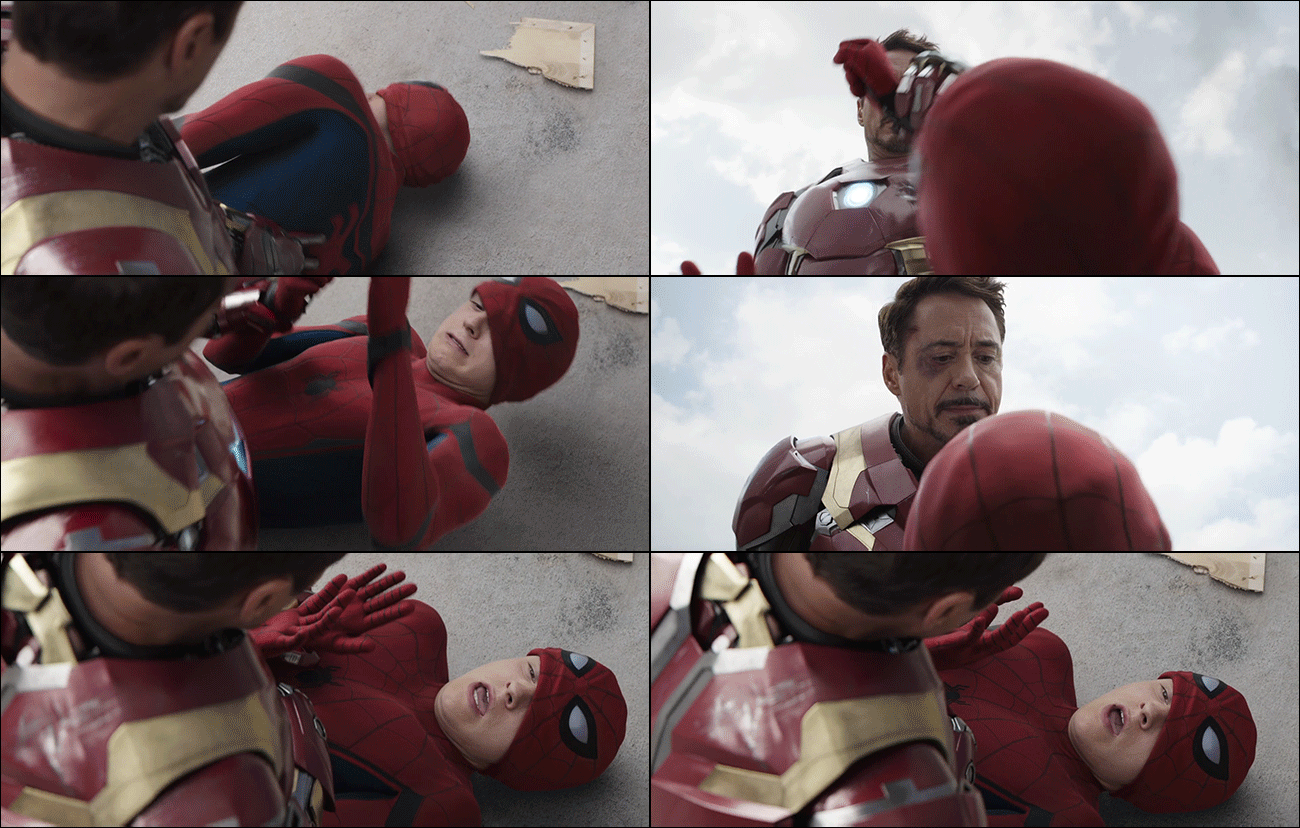
This effect gets even more exaggerated in this shot with Tony and Peter Parker. Peter flails his arms and Tony has to grab him to calm him down. The more the characters move, the choppier the footage looks.
在Tony和Peter Parker的这张照片中,这种效果更加夸张。 彼得fl起胳膊,托尼不得不抓住他才能使他平静下来。 角色移动的越多,镜头看上去就越混乱。
帧速率和运动模糊说明 (Frame Rate and Motion Blur, Explained)
To understand why this effect occurs, we need to explain a bit about how movies work. Every film, TV show, YouTube video, or animated GIF you watch is actually a series of still images playing in quick succession. Play enough continuous frames rapidly, and your eye sees them as motion. Most movies (with rare exceptions) are shot in 24 frames per second (or fps). That means for every second of footage, you’re actually seeing 24 still images, each one only slightly different than the last.
要了解为什么会出现这种效果,我们需要对电影的工作方式进行一些解释。 您观看的每部电影,电视节目,YouTube视频或GIF动画实际上都是一系列连续快速播放的静止图像。 快速播放足够的连续帧,并且您的眼睛将它们视为运动。 大多数电影(极少数例外)均以每秒24帧(或fps)的速度拍摄。 这意味着每转一秒的镜头,您实际上会看到24个静态图像,每个静态图像与最后一个图像仅稍有不同。
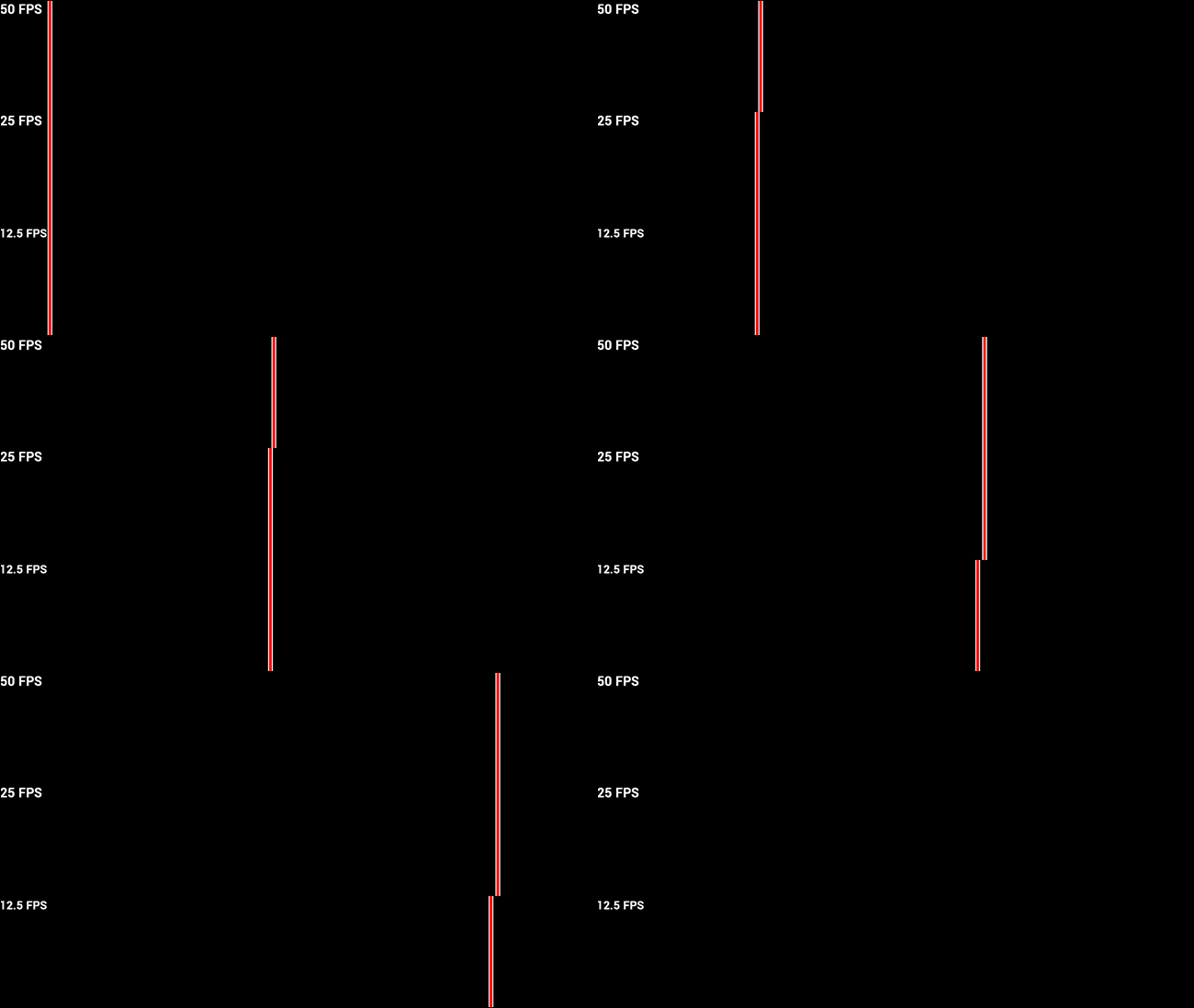
The more frames you see per second, the smoother the motion will look. The image below demonstrates how higher frame rates create smoother motion. It’s not a perfect representation, but as you can see, the top line flows from one side of the screen to the other smoothly. The middle line looks like it’s sliding across, but it’s a little jittery. The bottom line doesn’t look like it’s moving at all. It looks like it’s repeatedly jumping from one spot to another.
每秒看到的帧数越多,运动看起来就越平滑。 下图显示了更高的帧频如何产生更平滑的运动。 这不是一个完美的表示形式,但是如您所见,顶行从屏幕的一侧平滑地流到另一侧。 中线看起来像是在滑行,但是有点抖动。 底线看起来根本没有动。 好像是从一处跳到另一处。
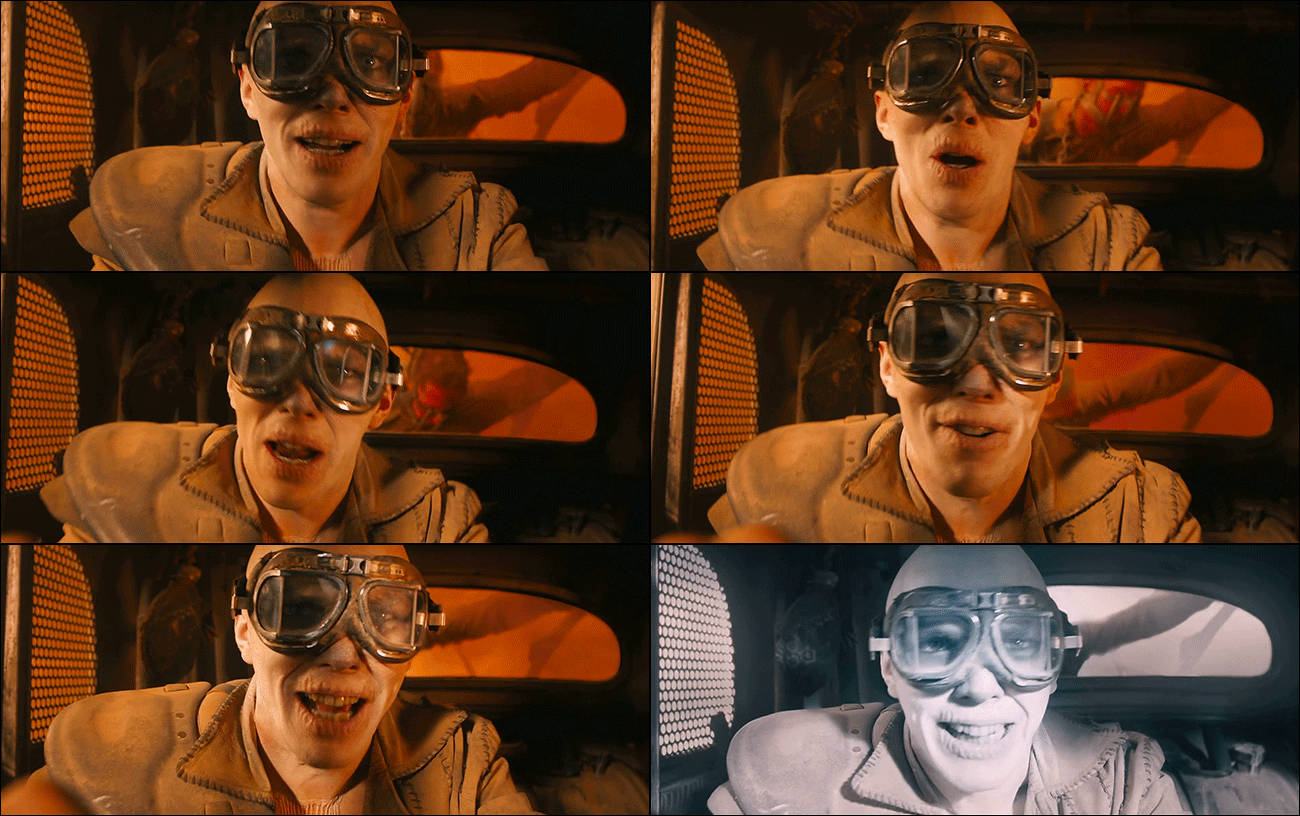
Sometimes, a director can manipulate the frame rate on purpose for a certain effect. For example, in Mad Max: Fury Road, director George Miller would speed up or slow down the frame rate on particular shots in order to make the action more or less choppy, depending on what the scene needed at the time. This now-famous shot, for example, has a lot of jerkiness, but it’s for a good reason. Nux is driving into a dust storm, with lightning flashing over his face. If ever there was a reason to adjust your frame rate on purpose to get choppier motion, this is it.
有时,导演可以故意操纵帧速率以达到某种效果。 例如,在《疯狂的麦克斯:狂暴之路》中,导演乔治·米勒(George Miller)将根据特定场景所需的速度来加快或减慢特定镜头的帧速率,以使动作或多或少变得断断续续。 例如,这张现在出名的镜头有些古怪,但这是有充分理由的。 努克斯驾车驶入沙尘暴,脸上闪过闪电。 如果有理由故意调整帧速率以获得更震撼的动作,就是这样。
The number of frames per second is only part of the illusion of motion, though. Objects and people still move between frames. When a camera captures an object that’s moving, it creates a motion blur. The faster the movement, the more blurry an object looks (just like when you take a normal still photo). When you see all the frames of a movie, this blur looks like continuous motion because your eyes can’t track fast-moving objects well. However, when you look at a single frame of a video where an object is moving quickly, it looks a bit like this:
但是,每秒的帧数只是运动错觉的一部分。 对象和人物仍然在框架之间移动。 当相机捕获正在移动的对象时,它将创建运动模糊。 移动速度越快,物体看起来就越模糊(就像拍摄普通静态照片时一样)。 当您查看电影的所有帧时,这种模糊看起来像是连续运动,因为您的眼睛无法很好地跟踪快速移动的对象。 但是,当您查看一个对象快速移动的视频的单个帧时,它看起来像这样:
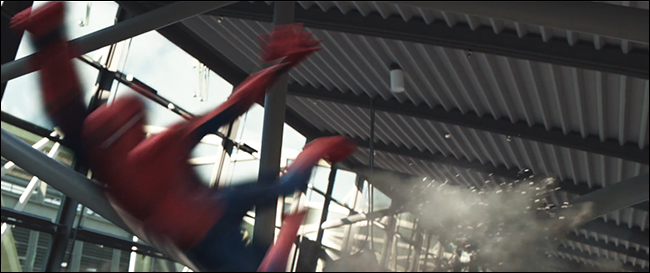
Take this one frame on its own, and it looks like Spider-Man is growing a second head and has eight fingers on his left hand. You don’t notice that this particular frame is blurry because its just one of 24 frames you saw in that particular second of film, but your brain recognizes that blur as motion.
单独拍摄这帧,看起来蜘蛛侠正在长出第二个头,左手有八个手指。 您不会注意到这个特定的帧是模糊的,因为它只是您在电影的那一秒钟中看到的24帧之一,但是您的大脑却将这种模糊视为运动。
导演如何操纵帧频和运动模糊来创建震荡 (How Directors Can Manipulate Frame Rate and Motion Blur to Create Strobing)
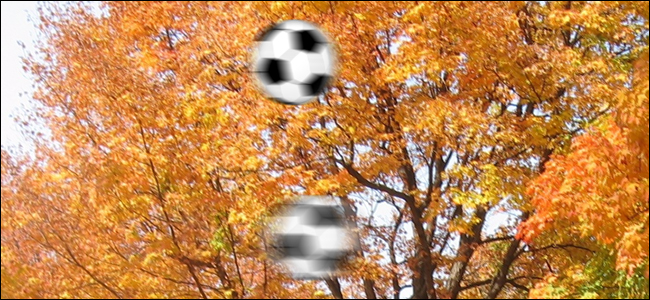
Motion blur and frame rate are tightly connected. You can see how that interplay works with this interactive tool. By default, that link will show you two balls sliding across the screen. One will show what 60fps looks like, the other is 25fps. As you might expect, the ball moving at 25fps is a lot blurrier. Both objects are moving at the same speed, but the ball that’s being “recorded” at 60fps has a shorter distance to travel in each frame, so it’s less blurry in a single image.
运动模糊和帧速率紧密相连。 您可以看到此交互工具如何与此交互工具一起工作。 默认情况下,该链接将向您显示在屏幕上滑动的两个球。 一个会显示60fps,另一个是25fps。 如您所料,以25fps的速度移动时球变得非常模糊。 两个物体都以相同的速度移动,但是以60fps进行“记录”的球在每一帧中的行进距离都较短,因此在单个图像中的模糊程度较小。
However, many modern movies use shoot their action scenes using different frame rates, shutter speeds, and even different aspect ratios. The Dark Knight Rises famously shot many (but not all) of its scenes in IMAX, which uses a different aspect ratio than normal film, resulting in letter boxing on the non-IMAX scenes. Similarly, movies like Captain America: Civil War often use different cameras and settings for their action scenes.
但是,许多现代电影都使用不同的帧频,快门速度甚至不同的纵横比拍摄其动作场景。 著名的《黑暗骑士崛起》在IMAX中拍摄了很多(但不是全部)场景,该场景使用的宽高比与普通胶卷不同,从而在非IMAX场景中造成了装箱。 同样, 美国队长:南北战争等电影通常会在其动作场景中使用不同的相机和设置。
If you shoot an action scene at, say, 48fps, but then play it back at 24fps at normal speed, the film will essentially skip every other frame each second. The result is that each frame will have less motion blur, making the footage look slightly choppier than the other scenes that were shot at 24fps to begin with. To see what this looks like, open the interactive tool again. This time set both balls to 24fps, but change the motion blur on one of them to “0.5 (Light).” Even though both of them are rendered at the same frame rate, the one with less motion blur will look choppier. This is one way what the Russo brothers could have gotten the choppiness in the Civil War clips from earlier. On the days they shot the airport scenes with the special cameras, they could have shot at 48fps (or higher) and reduced the number of frames per second included in the final shots, resulting in choppier motion.
如果您以48fps拍摄动作场景,然后以正常速度以24fps播放该场景,则影片实际上每秒会跳过其他所有帧。 结果是,每帧都将具有较少的运动模糊,从而使镜头看上去比开始时以24fps拍摄的其他场景稍微有些断断续续。 要查看其外观,请再次打开交互式工具。 这次将两个球都设置为24fps,但是将其中一个球的运动模糊更改为“ 0.5(Light)”。 即使它们都是以相同的帧速率渲染的,但运动模糊较少的帧看起来会更加断断续续。 这是Russo兄弟本可以早些时候在南北战争剪辑中变得断断续续的一种方式。 在他们使用特殊摄像机拍摄机场场景的那一天,他们可能以48fps(或更高)的速度拍摄,并减少了最终拍摄中每秒包含的帧数,从而产生了震荡的动作。
There are other ways to affect the motion blur of an image, too. While shooting Saving Private Ryan, director Steven Spielberg used a high shutter speed while shooting action sequences. Shutter speed determines how much light is exposed to the film per frame. By opening and closing the shutter faster than usual, the camera captures less light and thus less movement per frame. This reduces the motion blur without shooting at a different frame rate. This was done intentionally to give the film a shakier, more unstable feel which fit the chaos of the scene while storming Omaha beach.
还有其他方法可以影响图像的运动模糊。 在拍摄《拯救大兵瑞恩》时,导演史蒂文·斯皮尔伯格(Steven Spielberg)在拍摄动作序列时使用了很高的快门速度。 快门速度决定每帧胶片曝光多少光。 通过比平常更快地打开和关闭快门,相机捕获的光线更少,因此每帧的移动更少。 这样可以减少运动模糊,而无需以其他帧频进行拍摄。 这样做是有意的,以使影片具有晃动,更不稳定的感觉,适合在冲入奥马哈海滩时的场景混乱情况。
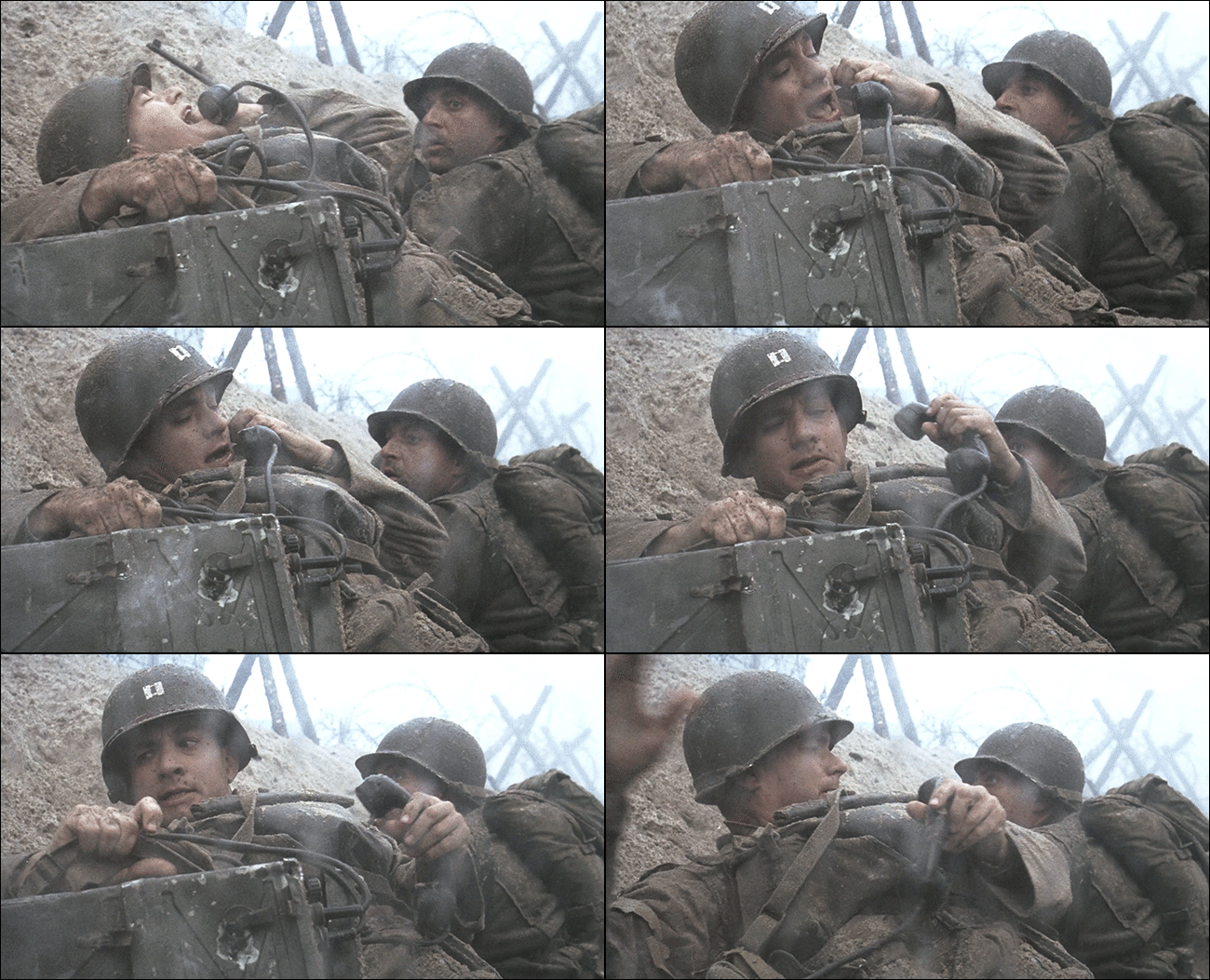
Whether a director shot their film in a higher frame rate from the start like in Captain America: Civil War, manipulated the frame rate on a per shot basis like in Mad Max Fury Road, or if they used a higher shutter speed like in Saving Private Ryan, the result is the same. There’s less motion blur on each frame of the movie, which makes the movement not quite perfectly smooth. Your brain registers that lack of smoothness as a jerkiness that doesn’t feel quite right.
导演是否像《美国队长:内战》一样从一开始就以较高的帧率拍摄电影,还是像在《疯狂的麦克斯狂暴之路》中那样以每次拍摄为基础操纵帧率,或者是否像《拯救私有》中那样使用更高的快门速度Ryan ,结果是一样的。 影片的每个帧上的运动模糊都较少,这使运动不十分平滑。 您的大脑将这种缺乏平滑感记录为感觉不对劲的混蛋。
Interestingly, this is the opposite problem you see with the so-called “soap opera effect.” That effect occurs when your TV tries to automatically add extra frames and motion blur to video and ends up making movies look unnaturally smooth. Unfortunately, while you can usually turn off your TV’s auto-smoothing features, you can’t do much about choppy movies. In the end, the choppiness is (usually) a style choice and any attempt to “fix it” will only make it look worse. However, the next time you see your movie suddenly get jerky, at least you know an action scene is coming up, so you should stay in your seat.
有趣的是,这与所谓的“肥皂剧效果”是相反的问题。 当您的电视尝试自动向视频添加额外的帧和运动模糊并最终使电影看起来异常自然平滑时,就会发生这种效果。 不幸的是,虽然通常可以关闭电视的自动平滑功能,但对于断断续续的电影却不能做很多事情。 最后,断断续续(通常)是一种样式选择,任何“修复它”的尝试只会使它看起来更糟。 但是,下次看到电影突然变得混乱时,至少您知道动作场面要来了,所以您应该坐在座位上。
翻译自: https://www.howtogeek.com/309443/why-some-scenes-in-your-favorite-action-movies-look-jerky/
本文来自互联网用户投稿,文章观点仅代表作者本人,不代表本站立场,不承担相关法律责任。如若转载,请注明出处。 如若内容造成侵权/违法违规/事实不符,请点击【内容举报】进行投诉反馈!